“In the end, it’s only a handful of people on the project team who actually use it.”
That was the remark made by Sato (not their real name) , who leads digital transformation in the corporate planning department of a manufacturing firm, at a routine meeting two months after the company adopted generative AI. Six months earlier the company had begun a proof of concept, but the shop floor was saying “we don’t know what to use it for,” the IT department was saying “it’s frightening to roll this out while governance is still vague,” and senior management was saying “we can’t see the benefit.” As a result, AI adoption had stayed confined to a few enthusiastic employees.
These days things are shifting towards a different way of working: each department—sales, HR, administration—narrows down its own use cases, draws on AI chat, AI summarisation and a means of referencing internal knowledge, and shares failure patterns and improvements on a weekly basis. An internal survey covering the three months either side of adoption found that, among the 42 people in scope, the number who said they used the tool “at least once a month” rose from 11 to 29. That said, this is a tally for a particular department and is not evidence of company-wide results.
In this article I set out why generative AI so often fails to take root in the early stages, viewed through the lenses of the proof of concept, training, management buy-in, resistance on the ground, governance and measuring impact. The goal is a state in which the work doesn’t hinge on one person’s effort, and teams can try AI against their own tasks and improve as they go. Generative AI is no panacea, mind you. It is only once you have operating rules, training and a habit of reflection—not merely the tool itself—that adoption begins to stick. If any of this stagnation rings true, do read on with your own organisation in mind.
Early failures in generative AI adoption are not merely a problem with the tool

When people hear that a generative AI rollout has failed, they tend to assume either that “the tool we chose wasn’t the right fit” or that “staff didn’t have enough digital literacy.”
Ease of use and staff skills certainly matter. But much of the stagnation that occurs early on stems not from the tool itself, but from pressing ahead while the purpose, the operating design, the training and the success metrics all remain vague.
For instance, even if a handful of staff found the proof of concept genuinely useful, that does not mean it will scale across the whole company. The prompts the project team wrote will not simply transfer, as they are, to sales, HR, IT and corporate planning alike.
Generative AI lends itself to a broad range of tasks—drafting, summarising, research, brainstorming, handling enquiries, preparing documents. Yet precisely because it looks as though it can do almost anything, it is also a technology where the question of where to begin easily becomes muddled.
What you need early on is to be clear about what you want generative AI to change, and to break that down into small tasks the team can actually try.
It stalls at the proof of concept and never reaches company-wide rollout

One common failure in adopting generative AI is getting stuck at the proof of concept. “PoC” is short for proof of concept—a small-scale exercise to verify whether a new technology or initiative actually works.
During the proof of concept a small group uses generative AI and gets a measure of encouraging results—drafting minutes, composing emails, summarising documents. Yet when the time comes to roll it out across the company, the response on the ground can turn distinctly lukewarm.
“You can only use it because you’re on the project team, surely.”
“I can’t see where it fits in my own work.”
“I gave it a go, but fixing the output took longer than doing it myself.”
Once you start hearing remarks like these, AI use fails to spread on the ground, even though the proof of concept itself went perfectly well.
One reason is that the theme of the proof of concept is not sufficiently tied to everyday work. A theme that is obvious to the project team will not lead to lasting adoption if the people doing the day-to-day work cannot see which moments in their routine it slots into.
The remedy is to narrow down, for each department, the “first task to try.”
- Sales: tidying up meeting notes, drafting first cuts of proposals, polishing email copy
- HR: summarising training materials, organising the internal FAQ, structuring interview notes
- IT: first-line responses to enquiries, searching manuals, tidying up incident reports
The key is to break things down to a unit small enough that the team feels “I could use this from tomorrow,” rather than holding aloft one grand, company-wide theme.
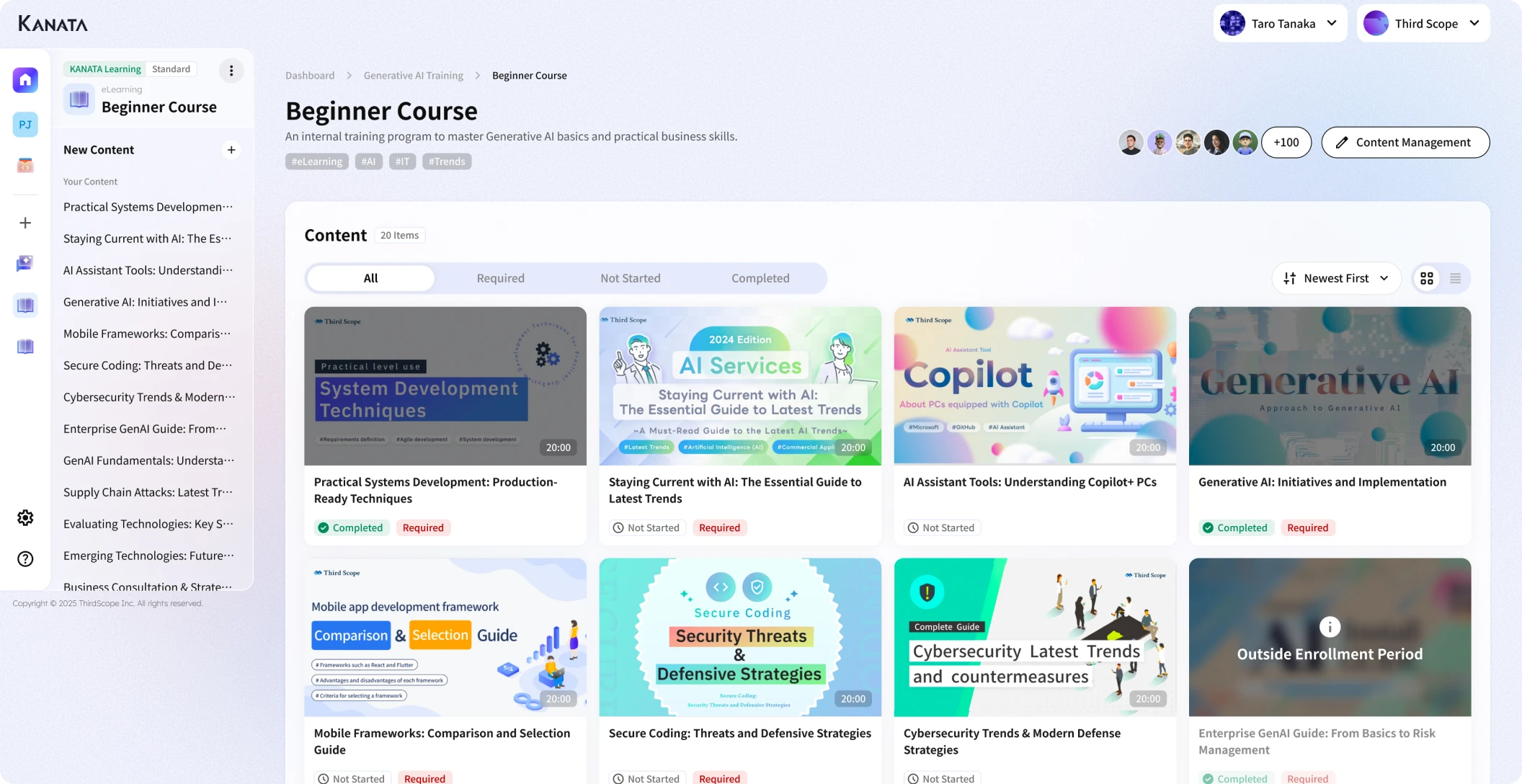
Kanata, an environment in which AI chat, AI summarisation and training data can be managed on a per-project basis—makes it easier to design small, department-by-department use cases. The point, though, is not any particular product name but a design that links “each department’s real business problem” to “the scope of what you hand to the AI.”
Enthusiasm varies widely across teams, so it never beds in

In the early days of generative AI adoption, a marked gap opens up between those who use it and those who don’t.
Those who are keen on new tools tinker with their own prompts and weave the technology into their daily work. The more cautious, and the busy people on the front line, think “it looks handy enough, but I haven’t the time to try it.”
Leave that gap unattended and generative AI becomes a tool only a few people ever touch. The result, inside the company, looks like this:
- The project team wonders, “It’s so useful—why on earth isn’t it being used?”
- The front line feels it “can’t see a concrete place to use it.”
- Managers feel that “with no visible benefit, it’s hard to make this a priority.”
- The IT department feels that “if people use it freely, managing the risks becomes difficult.”
What is needed here is not training that consists solely of how to operate the thing.
Telling people “press this button and it works” rarely changes behaviour on the ground. Far more important is to make it concrete: “in your job, here is the moment where you’d use it.”
Even in a 30-minute session, it helps to cover the basics of generative AI in the first half and then, in the second, set aside time for each department to experiment using real work notes and documents of their own. People then find it far easier to map the lesson onto their own tasks.
There is, too, a psychological side to people’s reluctance towards generative AI.
- Will using AI mean my own work is no longer valued?
- If it produces something wrong, will I be the one held responsible?
- It would be embarrassing if colleagues saw that I can’t get the hang of it.
Ignore these worries and simply exhort people to “use it, it’s convenient,” and resistance on the ground will not ease. Early on, you need to make clear that AI is not there to take work away but to assist with drafting, summarising, organising and bouncing ideas around.
Governance is vague, so the more you use it, the more uneasy you feel

When adopting generative AI, there is no getting around governance. By governance I mean the mechanism through which an organisation decides—and then operates—matters such as the purpose of use, what information may be entered, who is responsible for checking, access management, and what to do when a risk materialises.
In a corporate setting in particular, you must be clear about how to handle personal data, customer information, contractual information, undisclosed information and internal confidential material.
What often happens early on is that use begins with no rules in place, and the unease only grows afterwards.
“Was it all right to enter that customer’s name?”
“Is it fine to paste in the minutes verbatim?”
“May I have it summarise a confidential document?”
“Can I send the output straight out to people outside the company?”
As such doubts multiply on the ground, staff start to avoid using the tool at all. In other words, the absence of governance does not create a state of free use; it creates a state of anxious, awkward use.
The remedy is not to write a perfect set of rules from the outset. What you need early on is to put a minimum set of judgement criteria down in writing.
- As a rule, do not enter personal data.
- Mask customer names and contact names where necessary.
- Do not enter undisclosed financial or HR information.
- Anything sent outside the company is always reviewed by a person.
- Check any figures, proper nouns and quotations in the AI’s answer against the original source.
- If you are unsure whether information is appropriate, don’t enter it.
Even rules as simple as these make it far easier to ease people’s anxieties.
Without management buy-in, the effort runs out of steam

Sustaining the use of generative AI requires management buy-in.
Early on, even when the front line feels things have become easier, the benefit can be hard for management to discern—especially when usage logs and impact measurement are not in good order, leaving it unclear “just how much work has actually improved.”
The upshot is something like the following:
“The team seems enthused, but I can’t see the return on investment.”
“The case for a company-wide rollout is still rather thin.”
“It’s hard to weigh its priority against our other digital initiatives.”
At that point, the use of generative AI risks fizzling out as a one-off exercise.
The remedy is not to try to demonstrate the benefit with a single number.
The value of generative AI cannot be captured by time saved alone. Early on, it is more realistic to look at it through several lenses, as below.
| Dimension | What to check |
|---|---|
| Working time | Has the time spent drafting minutes and summarising documents fallen? |
| Quality | Has variation in output and in responses decreased? |
| Take-up | Which departments are using it, and how often? |
| Reusability | Are good prompts and training data being shared? |
| Learning effect | Are staff becoming able to improve their own use of it? |
A figure such as “the average time to write minutes fell from 30 minutes to 10” is an easy metric to grasp. On its own, though, it is not enough. You also need to check whether the quality of the minutes has slipped, whether checking work has increased, and whether post-meeting actions have become clearer.
What you should convey to management is not “we’ve adopted AI,” but “which task’s burden we have reduced, in what way, and how far we can extend it from here.”
Spreading use cases too thin leaves the team bewildered

Because generative AI lends itself to such a broad range of tasks, another early failure is spreading the use cases too thin.
“It works for minutes too.”
“It works for emails too.”
“It works for recruitment too.”
“It works for sales too.”
“It works for searching manuals too.”
“It works for new-business brainstorming too.”
Listing the uses like this conveys the possibilities. But from the front line’s point of view, it becomes harder to tell “where on earth do I actually start.”
Use cases suited to the early stage tend to share a few conditions.
- They are high-frequency tasks. The benefit is far easier to feel from work that comes up every week or every day than from work that arises only once a month.
- They are relatively low-risk tasks. Rather than handing final sign-off before an external submission, or a legal judgement, straight to the AI, it is safer to start with work a person can readily check—drafting, summarising, marshalling the key points.
- They are tasks whose output is easy to review. With summaries of meeting notes or improvements to email copy, a person can check the content and amend it as needed.
The tasks easiest to recommend at the early stage are these:
- Summarising meeting notes
- Drafting email copy
- Pulling out the key points of internal documents
- Producing a first draft of an FAQ
- Tidying up sales-meeting notes
- Drafting an outline for training content
- Organising weekly reports and one-to-one notes
There is also work you should not hand over from the start: contractual decisions, hiring decisions, final HR appraisals, interpreting legislation, and external communications containing unverified figures.
To broaden the use of generative AI, rather than reeling off everything it can do, you first need to separate “what we’ll do early on” from “what we’re not doing yet.”
Define the purpose of adoption “task by task”

The purpose of adopting generative AI is not “to use AI.”
The purpose is to reduce some burden, inconsistency, over-reliance on individuals, or checking cost that sits somewhere in the work. For that reason, the purpose of adoption should be defined, as far as possible, task by task.
A goal such as “make use of generative AI across the whole company,” on its own, leaves the front line struggling to act. Break it down as follows and it turns into concrete action.
| Department | Task-level objective |
|---|---|
| Sales | Standardise the tidying-up of post-meeting notes and the extraction of next actions |
| HR | Make summarising training videos and producing comprehension quizzes more efficient |
| IT | Draft first-line answers to internal enquiries |
| Corporate planning | Pull out the key points and core issues from meeting materials in short order |
Define things task by task in this way and it also becomes clear which features to use and which benefits to measure.
When selecting a tool, too, it is important to judge against task-level objectives. If you want answers grounded in internal documents, you’ll need training-data and knowledge-management features. If minutes and document summaries are the main thing, file and audio summarisation matters. If you want to ring-fence usage by department, you’ll need per-project access management.
Because Kanata lets you combine AI chat, AI summarisation and a training-data library, it is one option that makes it easy to begin small, department-by-department improvements. When deciding whether to adopt it, though, you should also weigh your own security requirements, integration with existing systems, users’ digital literacy, and the team you have to run it.
Start training not with “how to use it” but with “where to use it”

Generative AI training does need to cover how to operate the tool. But that alone will not make it stick.
What the front line wants to know is less “which button to press” than “where in my own job it’s worth using.”
With that in mind, it helps to work through training in roughly this order:
- Establish what generative AI can and cannot do
- Establish what information may, and may not, be entered
- Present work scenarios broken down by department
- Practise with material close to real work
- Learn how a person should review the output
- Share the uses that worked well across the team
Practising with material close to real work is especially important. Use everyday meeting notes, internal memos, a section of a proposal or a draft FAQ—rather than generic sample text—and the front line finds it far easier to take it on board as their own concern.
It is also wise not to treat training as a one-off. Early on, several short study sessions and reviews tend to bed in better than a single grand training day.
- What gave you trouble when you tried it this week
- Prompts that worked well
- Moments where the output wasn’t what you expected
- Inputs where the rules left you unsure
Gather these remarks and share the fixes, and the use of generative AI gradually becomes part of the furniture on the ground.
Create a forum for sharing failure patterns

Sharing success stories matters when adopting generative AI. But early on, sharing failure patterns matters more.
That is because the points at which people stumble on the ground are very often the same.
For example, failures such as these:
- The instruction is vague, so all you get back is a generic answer
- You feed in too much background, so the output turns long-winded
- You very nearly use a figure without checking it
- The AI doesn’t correctly understand in-house jargon
- You try to use the output as is, but the tone doesn’t fit
- You’re unsure how much information it’s acceptable to enter
Keep such failures bottled up within the individual and the same stumbles get repeated across the company. Share them, on the other hand, and the whole organisation tends to learn faster.
The forum need be nothing elaborate. Spend ten minutes at the end of the weekly meeting sharing “what gave us trouble with AI this week.” Set up a dedicated channel in Slack or Teams. Once a month, bring along the prompts that worked and the ones that flopped. Small habits like these are quite enough.
The crucial thing is not to lay blame for “not having used it well.” Generative AI is a technology you tune to the work as you go. Without a culture of sharing failure, the front line simply stops using it.
Make prompts and training data a shared asset

Once the use of generative AI is left to individuals, results come to depend on individual differences.
One employee writes high-quality prompts and gets good output quickly. Another never quite manages to give the right instruction and concludes that “AI is awkward to use.” Leave that gap unattended and generative AI becomes a tool that lives or dies by the individual.
The remedy is to turn good prompts and reference materials into a shared asset.
For instance, you put prompts for minutes, for tidying sales-meeting notes, for summarising training materials and for answering the internal FAQ into a form the whole team can reuse.
Prompts are not the only thing worth turning into a shared asset. Internal policies, product documents, FAQs, past proposals and training materials, too, can become the foundation for AI use if they are organised under proper access controls and update rules.
A tool such as Kanata, which lets you manage prompts and training data on a per-project basis, makes it easier to move from “only the capable few can use it” towards “the whole team works from the same template.” Registering things in the library is not the end of it, though. You need to review regularly whether stale materials are lingering, whether duplicate prompts are piling up, and whether any of it is really being used on the ground.
With a shared asset, keeping it up to date matters more than creating it.
Start measuring impact in a small way, and review it regularly

Carrying out perfect impact measurement from the very start of a generative AI rollout is a tall order.
Try to measure every minute of work precisely and the measuring itself becomes a burden on the front line. Measure nothing, however, and you cannot explain the benefit of the rollout.
Early on, measuring in a small way is the realistic approach.
For the first one to three months, for instance, metrics as modest as these will do:
- The number of users in the target department
- The number of people who used it at least once a week
- The work themes that were used most
- The working time people feel they have saved
- The proportion of output that could be used as is
- The reasons output needed amending
- The number of times the input rules left people unsure
It is important to use the numbers not just for strict performance reporting, but as raw material for improvement.
If take-up is low, for instance, you tease apart whether the problem lies with the tool, with a poorly matched use case, or with insufficient training. If a lot of output needs amending, you check whether the prompt template is weak, the training data is thin, or this was never a task to hand to AI in the first place.
Measuring the impact of a generative AI rollout is done not merely to appraise it, but to decide on the next improvement.
Mindsets to avoid in the early stages

When adopting generative AI, the following mindsets warrant caution.
- Roll it out to all staff at once and it’ll spread on its own
- Merely distributing the tool will not make use spread. You need each team’s points of use, plus training, governance and reflection.
- Sharing only the success stories is enough
- Success stories create a positive mood, but on their own they rarely make a thing reproducible. Only once you also share where it went wrong and how it was put right does it become easy for other departments to apply.
- Hand it to AI and the work is automated
- In the early stages, it is more realistic to begin with uses that support human judgement than to aim for full automation.
Producing a draft. Marshalling the key points. Teasing out the issues. Offering an alternative. Making prose easier to read. In areas such as these, generative AI is a great help.
Final decisions, accountable external communications, and important judgements touching legal, HR or financial matters, on the other hand, must be handled on the understanding that a person checks them.
In summary: making generative AI stick takes an accumulation of small operational improvements

Early failures in generative AI adoption are nothing out of the ordinary.
Stalling at the proof of concept. A widening gap in enthusiasm across teams. Vague governance breeding anxiety. Being unable to explain the benefit to management. Bewilderment from spreading use cases too thin. Challenges like these can arise at many a company.
What matters is not whether you failed, but whether you can turn that failure into an operational improvement.
You needn’t master it perfectly across the whole company from day one. Start by picking a small task in each department and trying generative AI. Record what didn’t work. Revisit your prompts and training data. Update the rules. Measure the impact in a small way.
Through this repetition, generative AI moves from a tool only a few people use towards a working foundation whose use is shared across the organisation.
B2B AI platforms—Kanata among them—combine AI chat, AI summarisation, training-data management and prompt management, and are one option for keeping this improvement cycle turning. Whichever tool you use, though, what decides success or failure is whether you can keep designing your operations around the real work on the ground.
What you need in the early stages of generative AI adoption is not to rush after a grand success. It is to try things in a small way, share the failures, and build up improvements.That accumulation is what turns AI from “a handy trick for the few” into “something the organisation has genuinely taken on.”
Q&A: early-stage failures in generative AI adoption, and how to fix them
What is the main reason a generative AI rollout stalls at the proof of concept?The main reason is that the theme of the proof of concept is not sufficiently connected to everyday work on the ground. Even if the project team finds it useful, a company-wide rollout is unlikely to follow unless the people doing the work can see “where in my own job I should use it.”
Which use case should you tackle first in the early stages?It is realistic to start with work that is high-frequency, relatively low-risk and easy for a person to review. Summarising meeting notes, drafting email copy, pulling out the key points of internal documents and tidying up sales-meeting notes are all good candidates.
How detailed should the rules for using generative AI be?There is no need to draw up perfect rules from the outset. You should, however, set down in writing a minimum set of criteria: whether personal or confidential information may be entered, review before any external submission, checking figures and quotations, and how to handle information you are unsure about.
What should you look at when measuring impact?At first it is best to start with metrics you can measure in a small way—the number of users, how often they use it, the work themes that come up most, the time people feel they have saved, and the reasons output needed amending. It is important to check not only time saved but also variation in quality and reusability.
What is the single most important thing in making generative AI stick?It is not to bottle failure up within the individual, but to share it across the team and to review prompts, training data and rules on an ongoing basis. Generative AI is not done once it’s installed; it edges towards lasting adoption only as you keep updating how you use it to fit the work on the ground.