


To be honest, I still don’t really know what I’m allowed to ask generative AI to do.
Helping companies adopt AI, I hear this remark time and again. Front-line sales staff, reskilling leads in HR, digital-transformation teams, IT departments, and the managers on the floor. The roles differ, but the root of the worry is much the same. They can see that generative AI looks useful. What they cannot see clearly is what may safely be handed to it and what ought not to be. While that line stays blurred, adoption struggles to spread on the ground.
It used to be that everyday jobs such as drafting emails or summarising minutes were tried out tentatively, while nobody could quite judge whether research findings, customer-facing materials, or information bearing on internal decisions could be entrusted to it as they stood, and so use was left to each individual. Managers fretted about uneven output quality, IT worried about how input data was handled, and HR was unsure quite how far it ought to be teaching every employee.
These days, a growing number of companies treat generative AI not as an all-knowing oracle but as a working partner that helps with drafting, summarising, organising, and teasing out the points at issue. A 2025 OECD report sets out much the same: the effect of generative AI depends on the user’s experience and the task at hand, and collaboration between people and AI is what matters.
As a hypothetical, take the minutes of a sixty-minute meeting. Where this once meant “thirty minutes reviewing the recording plus thirty minutes writing it up”, an AI summary can bring it down to “fifteen minutes checking the output”. That said, this assumes the meeting audio or notes are of a reasonable standard, and that internal rules, careful handling of input information, and a final human check are all in place. Not every meeting will see the same gain.
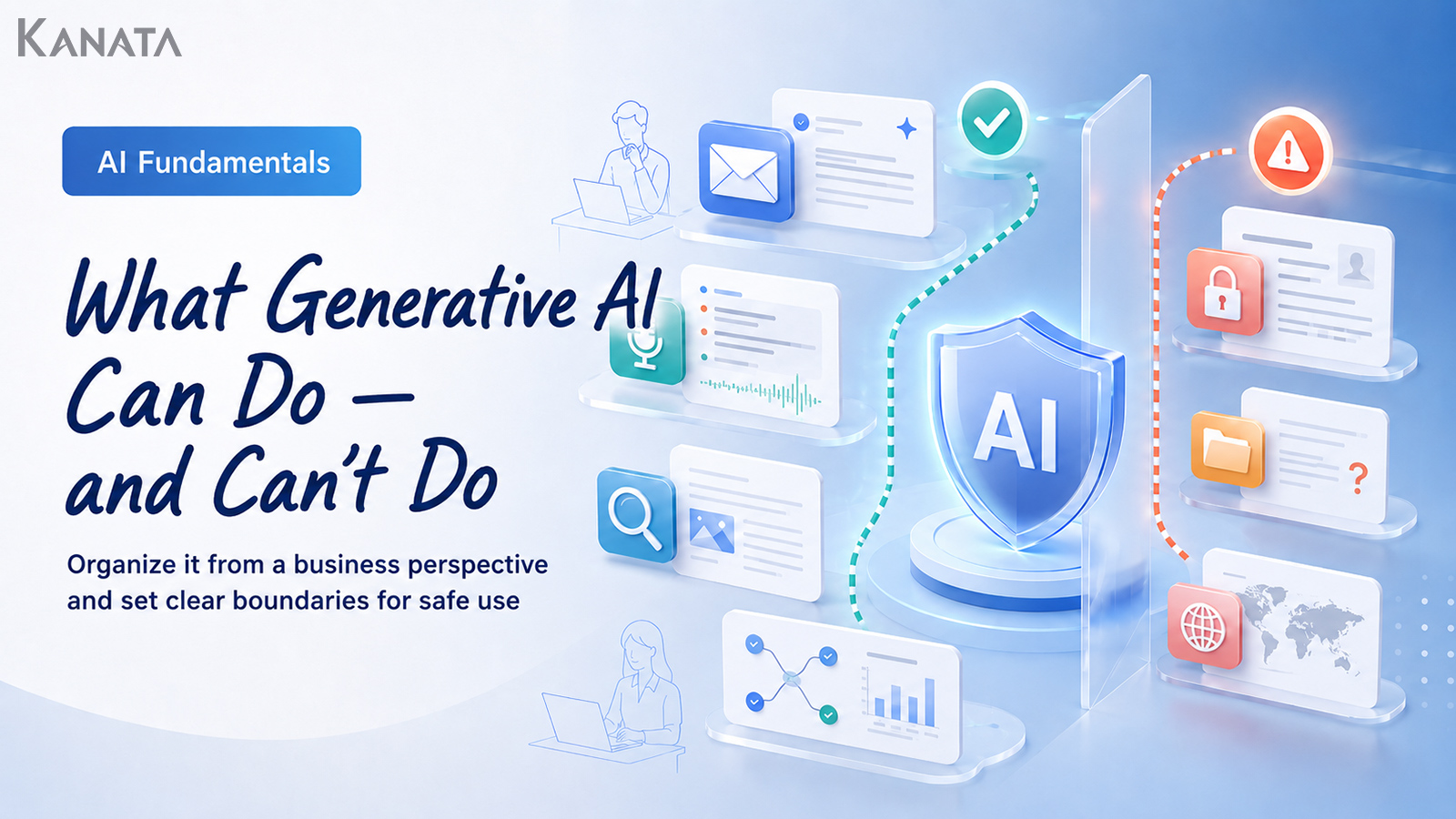
This article sets out what generative AI can and cannot do, tying each to a business task, so that front-line staff and managers alike can begin using it safely with a clear sense of where to draw the line.
Generative AI is not a “do-anything” tool but an aid that moves work forward
When thinking about generative AI, the first trap to avoid is framing it as a simple either/or: hand the work to AI, or don’t.
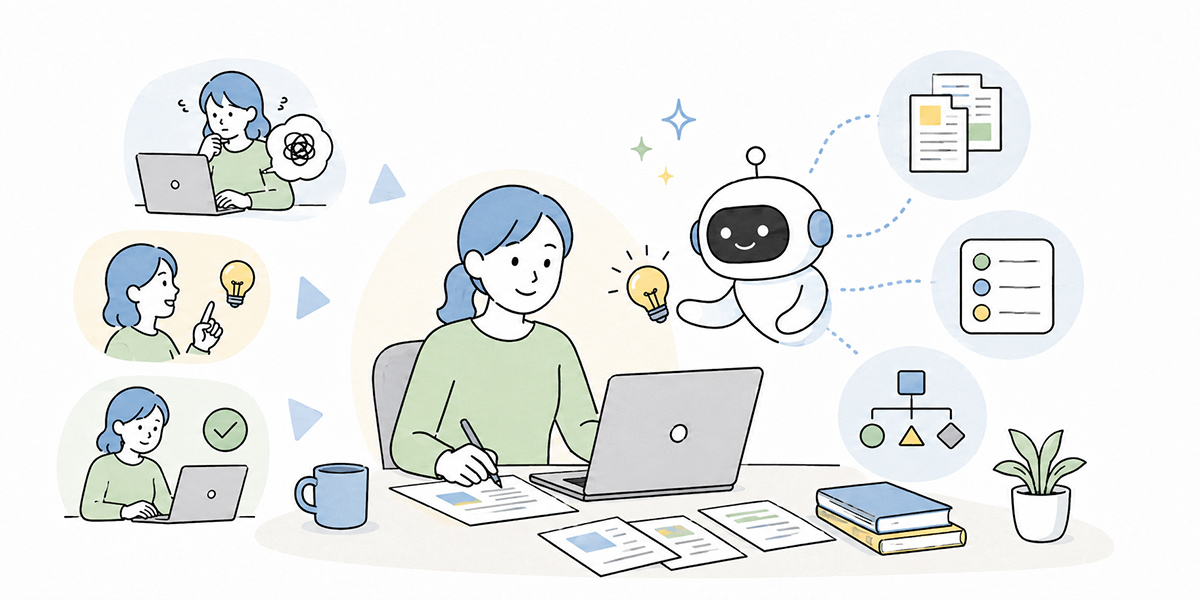
What I most often tell people on the ground is not to try handing over a whole job wholesale. Real work, even what looks like a single task, breaks down into several steps when you examine it closely. Drafting a customer email, for instance, involves steps such as these:
- Sorting out the key points to convey
- Producing a draft of the email
- Adjusting the wording to suit the relationship with the recipient
- Checking that nothing in it is wrong
- Deciding whether to send it
Of these, what generative AI is good at is mainly “sorting the key points”, “drafting”, “rephrasing”, and “adjusting the wording”. The judgements, on the other hand, of “is this fit to send”, “how will the recipient take it”, and “how far may we commit as a company”, are ones that people need to own.
In short, what matters in putting generative AI to use is not handing over a job wholesale. It is breaking the work into steps and separating the parts AI can readily take on from the parts where people must carry the responsibility.
Start using it without that line drawn, and the sorts of problems that follow tend to crop up on the ground:
- Assuming “the AI wrote it, so it’s fine” and dropping an unchecked figure into a document.
- Thinking “the AI will know” and skipping a check against internal rules or contract terms.
- Feeling “it looks handy, but it’s a bit frightening” and, in the end, nobody using it for work at all.
Japan’s Ministry of Internal Affairs and Ministry of Economy guidelines on AI businesses (March 2026) likewise stresses that organisations should recognise AI’s risks and voluntarily carry out the measures needed across the whole AI lifecycle.
In my view, at the early stage of generative-AI adoption, designing this line matters more than any showy success story. Before expanding what AI may be used for, make clear the range within which it may be used. Getting that order right is the first step to it taking root on the ground.
What generative AI can do
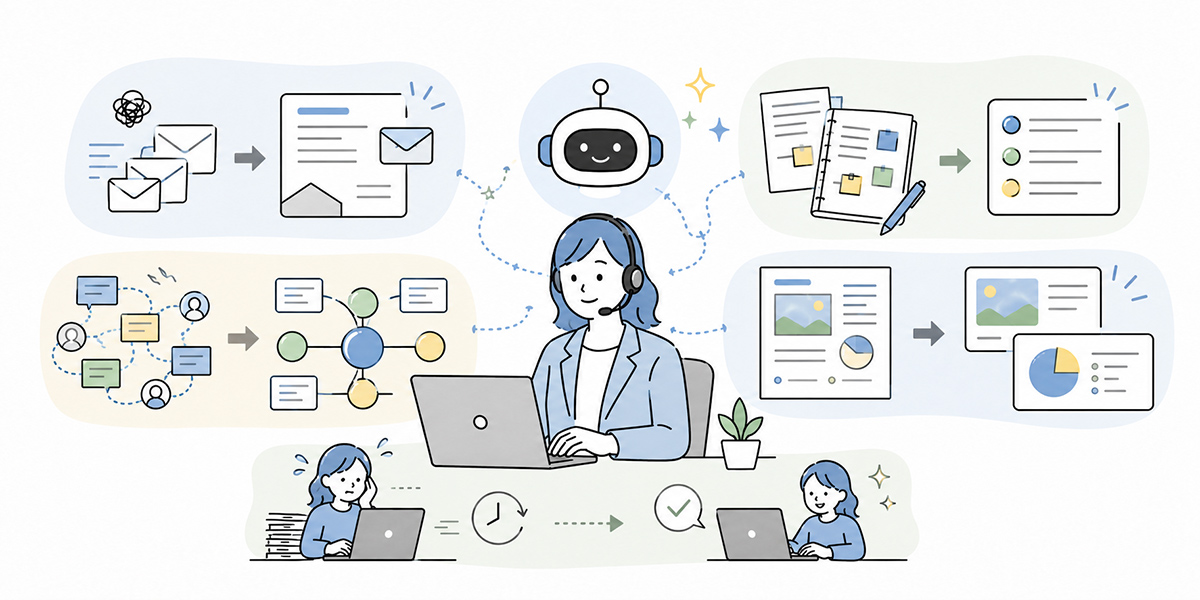
Where generative AI tends to come into its own at work is when you want to ease the burden of starting to think from scratch, or to tidy up information that has scattered.
In drafting prose, summarising, organising information, and supporting ideas in particular, almost any employee can begin using it fairly easily.
Producing a first draft
A classic use of generative AI is producing a first draft of a piece of writing.
It suits work such as the following, for instance:
- Drafts of external emails
- Internal announcements
- Training notices
- Meeting requests
- Thank-you emails
- First passes at letters of apology
- First drafts of reports
- Draft answers for an FAQ
Much of what makes writing slow comes down to “the first sentence won’t come”, “the structure won’t settle”, and “I keep second-guessing the phrasing”. Generative AI helps you get off the mark faster.
Please draft an internal email letting new joiners know about a generative-AI training course. The audience is all staff; keep the tone polite and positive. Please also suggest three subject lines.
Ask in this way and you get a working draft far sooner than starting from a blank page.
That said, you should avoid using AI’s wording as it stands. The relationship with the recipient, the company’s standing, the history between you, and the warmth or weight of particular words are things AI does not necessarily grasp with any precision.
I use AI to draft my emails, but I always review them myself before sending. I check how the message will land with the recipient and whether any wording might weaken their trust. That final human check is what protects the relationship and the tone we have built up so far.
Leave the first draft to generative AI; let a person shape the final wording. That is the basic principle.
Summarising long passages
Generative AI is also well suited to condensing long passages or meeting notes into something shorter and tidier.
Take the following situations, for example:
- Pulling decisions and to-dos out of meeting notes
- Boiling a long document down to something you can read in three minutes
- Tidying up the relevant passages of internal regulations
- Sorting points raised in a customer interview by theme
- Summarising the content of a training video
Writing up minutes after a meeting, sorting decisions, points of debate, owners, and deadlines by re-reading the recording or notes from the top, is laborious. With generative AI, you can at least get a rough structure in place first.
In Kanata, the AI summary feature lets you organise information from documents, images, audio, URLs, text, and more. It handles documents such as CSV, PDF, PowerPoint, Word, and Excel, so it lends itself to summarising meeting materials, internal documents, and training resources. Note that documents are subject to a 10MB limit, so for larger files it is best to split them or to pull out only the part you need.
An AI summary is an aid to the memory of a meeting. It does not take on the responsibility for the meeting.
Organising information into comparison tables and checklists
Generative AI is also good at tidying up scattered information.
You can ask it to do things like the following, for example:
- Put the pros and cons of Option A and Option B into a table
- Order the points at issue for an initiative by importance
- Draw up a checklist for before a project kicks off
- Split a customer’s issues into “apparent” and “latent”
- Tease out the points that need deciding in a meeting
This use is especially handy for front-line managers and planning staff. Rather than leaving the judgement itself to AI, handing it the “organising” that comes before the judgement frees people to concentrate on the decision.
We are weighing up whether to bring in a new internal training tool. Please give five axes of comparison, and set out in a table the pros and cons of carrying on with the existing arrangement versus adopting the new tool. Finally, please list the things we should check before deciding.
Ask in this way and you have a starting point for the discussion.
This is also the format I reach for when first sorting out a project. It is not yet the moment to reach a conclusion. But the points in everyone’s heads are scattered. Putting them into a table once with AI at such a moment makes it easier to see what needs discussing and what is already settled.
That said, what goes into a comparison table is heavily shaped by what you put in.If the premise conditions are thin, the table will tend towards generalities. When asking generative AI to organise information, it is important to be clear about the scope, the purpose, the conditions, and the criteria for judgement.
Broadening ideas
Generative AI can also be used to generate ideas.
Take situations such as these, for example:
- Suggesting themes for internal training
- Drawing up several article-title options
- Thinking through angles for a sales email
- Putting forward hypotheses for a new initiative
- Drafting an agenda for a meeting
- Drawing up a list of questions for a customer
Left to think alone, a person inevitably leans on their usual ideas. Having generative AI put forward several options lets you broaden the range of your thinking.
That said, AI’s ideas are not necessarily usable as they stand. Whether to adopt one is something a person must judge, weighing the realities on the ground, the customer’s mood, internal constraints, the budget, and the resources available.
Generative AI becomes easier to use once you think of it not as “a tool that gives the right answer” but as “a tool that adds to your options”.
I think of generative AI’s idea-generation as close to a sounding board. Put a question to the AI and, at the very least, a different angle comes back. Of course, you don’t adopt it as is. But as a way of multiplying the prompts to think, it is a thoroughly practical use.
Reusing prompts and knowledge
When generative-AI use is left to individuals, the gap widens between those who use it well and those who don’t. To close that gap, it matters to share good prompts and reference materials across the team.
Build up, by department or by project, things such as output formats for minutes, draft-prompt templates for sales emails, and FAQ data on internal regulations, and you spare yourself designing the same work from scratch every time.
In Kanata, you can register AI settings, prompts, and training data by project, and reuse them from the chat or summary apps. Keep the prompts and internal materials you use day to day in order, and it becomes easier to turn one person’s ingenuity into a team asset.
What matters here is not to think tool-first. Shared folders, knowledge bases, internal wikis, AI platforms; there are plenty of options. Among them, where you want AI chat, summarising, and training-data management on the same line of work, an integrated environment such as Kanata can be a candidate.
In organisation-wide reskilling, an individual merely putting one-off questions to AI does not amount to organisational learning. By building up the approaches that worked and putting them into a form the team can reuse, generative-AI use gradually becomes standardised.
What generative AI cannot do
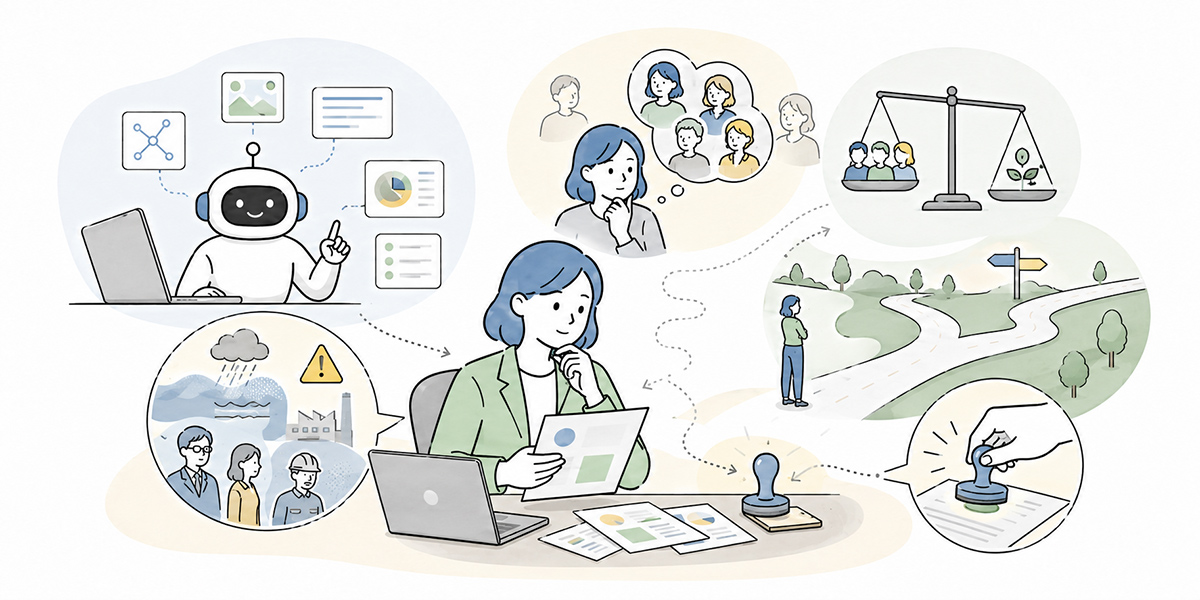
There are also things, on the other hand, that should not be left to generative AI.
The areas calling for particular care are fact-checking, final judgements, responsible dialogue, and the handling of confidential information.
In helping companies adopt AI, I find I more often settle “what not to entrust to it” before “what it can do”. What it can do, you can add to as you go; press ahead while leaving what must not be done vague, and winning back trust afterwards is hard.
Guaranteeing factual accuracy
Generative AI is good at producing plausible-sounding prose. But sounding plausible and being correct are not the same thing.
The following, in particular, always need checking against the source:
- Figures
- Dates
- Laws and regulations
- Internal regulations
- Contract terms
- Customer names
- Company names
- Quotations
- The latest information
- Prices and specifications
- Market data
Even if generative AI answers that “the market is worth around one trillion yen”, without a source you cannot use it in external materials. Even for an internal explanation, any figure bearing on a management or budget decision must be checked back against a reliable source.
When asking generative AI to research, it is safer to ask it to “set out the points I should look into”, “list the primary sources I should confirm”, or “raise the angles easily overlooked on this theme” than to say “tell me the facts”.
Have AI draw up the map for the research, and let people pin down the facts. That division of labour matters.
Standing in for the final judgement
Generative AI can organise the material for a judgement. But it is no substitute for the final judgement itself.
The following kinds of judgement, for instance, are ones people and organisations should own:
- Whether to hire someone
- How to handle a performance review
- Whether to halt an initiative
- Whether to submit materials outside the company
- Whether to accept the terms of a contract
- How to apologise to a customer
- Whether to make an investment
Asking generative AI “which is better, Option A or Option B” is in itself perfectly fine. If anything, it helps sort out the points at issue.
But AI’s answer rests on the input and on general inference. It cannot adequately reflect the organisation’s policy, the history behind things, the feelings of those involved, or the appetite for risk.
Generative AI should be used not as “the boss who decides” but as “the aide who organises the material for the decision”.
In my view, rather than simply going along with the conclusion AI reaches, it is worth far more in practice to put questions back to it: “why can you say that?”, “what is the counter-argument?”, “what happens if the premise changes?”.
Carrying through a conversation grounded in the relationship with the other person
Generative AI can produce letters of apology, explanations, negotiating emails, and draft questions for a one-to-one. But to leave the conversation itself, the one that rests on the relationship with the other person, entirely to it is risky.
In an apology email to a customer, for instance, more than the polish of the wording, points such as these matter:
- The history so far
- What the customer is unhappy about
- How far your company will admit responsibility
- What response you can promise going forward
- Whose name it should be sent under
- Whether a call or a visit is needed
These are not things AI can judge on its own.
Internal one-to-ones and performance reviews are the same. You can have AI draft questions or comments, but which words to use with a team member, in what order to speak, and how far to press are things a manager needs to own.
Where a relationship of trust between people is involved, AI should be kept to a tool that helps with the preparation.
My sense is that AI is at its most powerful “before the conversation”. Sorting out what needs saying. Anticipating the points the other person may find worrying. Putting forward several ways of phrasing it. AI helps as far as that. But actually watching the other person’s face,reading the other person’s feelings and emotions, and choosing your words is a human job, and choosing your words is a human job.
Handling confidential or personal information unconditionally
What calls for the most caution in using generative AI for work is the handling of input information.
Japan’s Ministry of Internal Affairs and Ministry of Economy guidelines on AI businesses (March 2026) sets out that those who deploy AI should recognise the risks and carry out the necessary measures across the whole lifecycle. For business use too, you need to think about classifying input information, access rights, log management, training, and review arrangements as a set.
Information calling for particular care includes the following:
- Names
- Addresses
- Phone numbers
- Email addresses
- Employee numbers
- Bank details
- Health information
- National ID numbers
- Unpublished financial results
- M&A information
- Personnel-move information
- Customers’ contract terms
- Customers’ employee information
Such information must be handled in line with company rules, not on the basis of “a little won’t hurt” or “it’s internal, so it’s fine”.
Before using generative AI, it is safer to hold to at least the following tests:
- Is the information public?
- Is it information anyone inside the company may see?
- Does it contain anything that could identify an individual?
- Does it touch on a customer contract or an NDA?
- Is it information that would cause trouble if it got outside the company?
If in doubt, don’t put it in. That is the basic rule.
On the ground with AI, there is always a moment of “it’s handy, so let me just paste it in”. I too have watched, again and again on development and sales-support projects, people tempted to paste a document straight in. But never skipping that small extra step is what underpins the trust an organisation needs to keep using AI.
By business task: what you may leave to AI and what people should carry
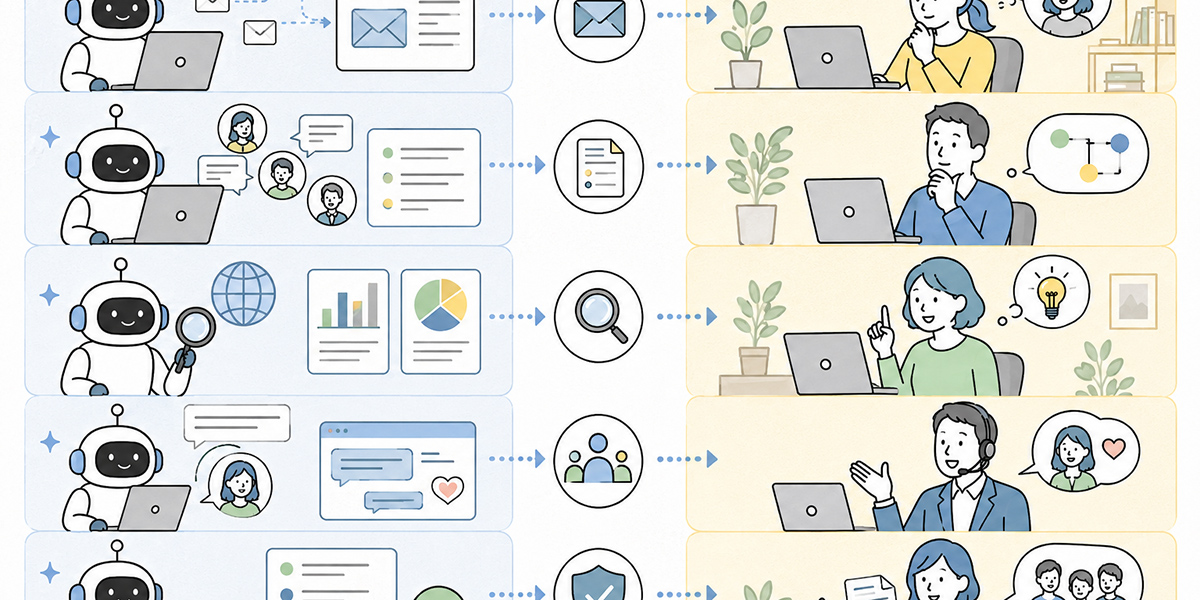
From here, following actual business tasks, let us set out what generative AI can readily take on and what people should carry.
Writing emails
In writing emails, generative AI is a relatively easy area to use.
| What you may readily leave to AI | What people carry |
|---|---|
| Suggesting subject lines | Judging whether the content is fit to send |
| Producing a draft of the body | Adjusting to suit the relationship with the recipient |
| Reworking it into polite phrasing | Confirming whether the content may be promised |
| Summarising it briefly | Owning the responsibility for an apology or negotiation |
| Writing in several tones; checking for typos | Checking the recipients and attachments |
For writing emails, “have AI produce three options, then let a person choose and revise” is a realistic way to work. Comparing several options makes it easier to settle on the wording than using a single one as it stands.
If anything, I think the more you have AI write an email, the more firmly you should hold to the premise of “not using it as it stands”. The wording may be tidy, yet a sense of unease can linger that these are not your own words.Having a person check it at the end — that small extra step is, surprisingly, important in business writing.
Minutes and meeting notes
In drawing up minutes, generative AI is suited to summarising and organising.
| What you may readily leave to AI | What people carry |
|---|---|
| Summarising what the meeting covered | Confirming what a remark was meant to convey |
| Extracting the decisions | Checking the decisions for errors |
| Organising the to-dos | Settling owners and deadlines |
| Tabulating owners and deadlines | Marking anything uncertain as “to be confirmed” |
| Sorting by topic of discussion; drafting the agenda for the next meeting | Judging how widely it may be shared |
Some AI summary tools let you switch between automatic generation and custom generation. Where you want the same format every time, as with a recurring meeting, specifying headings under custom generation, such as “agenda, decisions, to-dos, homework for next time”, makes it easier to keep the shared format consistent.
Kanata too lets you switch between automatic and custom generation for AI summaries. In organisations with many tasks they want summarised in the same format, such as meetings and training, this sits well with an approach of setting up a summary format and reusing it.
What I sense watching companies run their meetings is that the trouble with minutes is not only “the time it takes to write them”. The way they are written differs from meeting to meeting. Decisions are vague. The owners of to-dos are unclear. Let these pile up and follow-through after the meeting slows. An AI summary can be used not merely to save time, but to bring everyone to a shared understanding after the meeting.
Research work
In research work, care is needed in how generative AI is used.
| What you may readily leave to AI | What people carry |
|---|---|
| Sorting out the points at issue for the research theme | Confirming the actual figures |
| Teasing out the sources to consult | Confirming the source |
| Organising the axes of comparison | Confirming the latest information |
| Drafting the structure of the research report | Judging whether a source may be cited |
| Drawing up a list of questions; surfacing easily overlooked angles | Settling the conclusion |
In research, it is safer to ask AI “how to look into it” than to ask it for “the answer”.
I’m writing a report on bringing generative AI into the company. Please give seven points I should research, and for each set out the primary sources to confirm and the people to interview internally. Don’t assert figures; where needed, write “source required”.
Used this way, you can quicken the early stages of the research while keeping the risk of AI’s misinformation in check.
In my view, AI’s value in research lies less in the answer itself than in “raising the quality of the questions”. What should be looked into. Whom to ask. Which premise has been left out. Just sorting that out changes the precision of the research considerably.
Producing materials
In producing materials, generative AI can be put to use for structuring and tidying the prose.
| What you may readily leave to AI | What people carry |
|---|---|
| A structure for a proposal | Confirming whether the content is fit to put before a customer |
| Heading suggestions for a proposal document | Confirming the accuracy of figures and examples |
| Organising the key points slide by slide | Confirming the scope of what the company commits to |
| Rewriting prose | Settling the final argument |
| Drafting anticipated questions; adjusting wording by reader | Tidying the design and the context |
In producing materials, the important thing is not to try to have it produce a finished version from the outset. First draw up a structure, then organise the key points under each heading, and last produce the body. Asking in stages makes the quality easier to manage.
When I use AI to produce materials, I rarely ask in the first instruction for “a finished document”. I am more likely to use it in ways such as “raise the points a decision-maker will care about in this document”, “build the flow for a twelve-slide structure”, or “anticipate the counter-arguments”. Before a document can be made to look tidy, you need to settle what it should convey.
HR, appraisal, and management
In the HR and management arena, particular care is needed in how generative AI is used.
| What you may readily leave to AI | What people carry |
|---|---|
| Draft questions for a one-to-one | The appraisal judgement |
| A first pass at appraisal comments | The reward and grading judgement |
| Organising feedback from others | Explaining to the team member |
| Putting development needs into words | Attending to the emotional side |
| Drawing up a meeting agenda; adjusting the wording of feedback | Dialogue grounded in trust; handling personal information |
In appraisals and one-to-ones, using AI’s output as it stands can leave the words tidy yet failing to land with the person. Appraisal comments in particular need to rest on the person’s actual conduct.
Leave AI to “organise the facts” and “suggest ways of putting it”, and let the manager themselves choose the final words.
In my view, there is great potential in using AI in the management arena. But that is precisely why it should be used to sharpen one’s thinking and to free up more time to face the other person, not to take judgement off one’s own hands.
Three lines for using generative AI safely
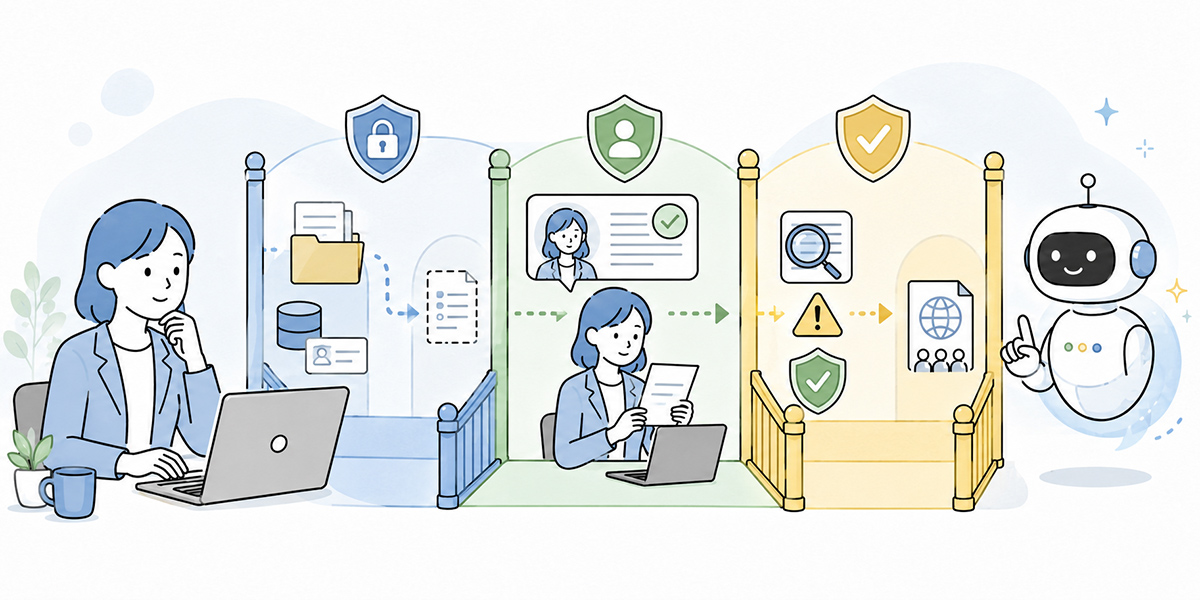
To spread generative-AI use across the whole company, it matters more to share a few clear lines first than to over-engineer fine rules from the outset.
Here, let me introduce three fundamental lines.
Line 1: AI does the first draft, people do the final
As a rule, generative AI’s output is a first draft.
Emails, minutes, materials, FAQs, appraisal comments; it is the same for every task. Rather than treating what AI produces as a finished article, use it on the premise that a person will check, revise, and finalise it.
Just having this rule does a good deal to ease the worry on the ground.
- You may have AI produce it, but you must not send it out as it stands
- Before anything goes outside the company, a person must always look at it
- Figures, proper nouns, and dates are checked against the source
Make it clear, in this way, that it is used on the premise of review.
When drawing up rules for generative-AI use, I recommend placing this one line first.
AI’s output is not a finished product but a draft awaiting checking.
That single line alone changes the tool’s standing. Rather than over-trusting AI, it becomes easier to treat it as an aid for moving work forward.
Line 2: AI makes the material for a judgement, people make the judgement
Generative AI is suited to producing comparison tables and organising the points at issue. But the final judgement is made by people.
Split it, for instance, as follows:
| Task | What to leave to AI | What people carry |
|---|---|---|
| Weighing an initiative | Options, axes of comparison, organising pros and cons | Judging whether to go ahead |
| Checking a contract | Surfacing clauses of concern | The legal judgement, the decision to sign |
| Hiring | Draft interview questions, organising appraisal angles | The hire/no-hire judgement |
| Performance appraisal | Organising the facts of conduct, draft comments | The appraisal decision, explaining it to the person |
| Sales proposals | Proposal structure, anticipated questions | Commitments to the customer, pricing judgement |
Hold firmly to this division of labour and generative AI works not as “a tool that blurs responsibility” but as “an aide that raises the quality of judgement”.
Looking at what AI has organised, people sometimes feel a sense of unease. That unease is valuable. Unease means the on-the-ground premises and hard-won experience may not have made it into AI’s tidy version. Take AI’s output as a starting point and move on to a better judgement. That stance matters in practice.
Line 3: decide in advance what information may be entered
In generative-AI use, the input matters more than the output.
However handy the use, put in information that must not be entered and the risk outweighs it.
At a minimum, share the following classification across the company:
| Type of information | Examples | Basic stance |
|---|---|---|
| Public information | Official site, public materials, press releases | Readily usable |
| General internal information | Internal manuals, training materials, ordinary minutes | Use in line with company rules |
| Customer information | Meeting notes, contract terms, proposals | Confirm contract, NDA, and permissions |
| Personal information | Names, contact details, addresses, employee numbers | Mask as a rule |
| Sensitive information | Health information, bank details, national ID numbers, and the like | Do not enter |
| Unpublished material information | Financial results, M&A, personnel moves | Do not enter |
When in doubt, don’t enter it. If needed, check with IT, legal, or the information-security lead before deciding. Sharing this basic stance with every employee matters.
In my view, rules for AI use should be put into words the floor can judge by in three seconds, rather than into “difficult regulations”. For example: “if in doubt, don’t enter it”, “don’t enter anything that would be a problem if it got out”, “mask anything that could identify an individual”. Rules as plain as that are the ones that work on the ground.
Why generative-AI use fails to spread on the ground
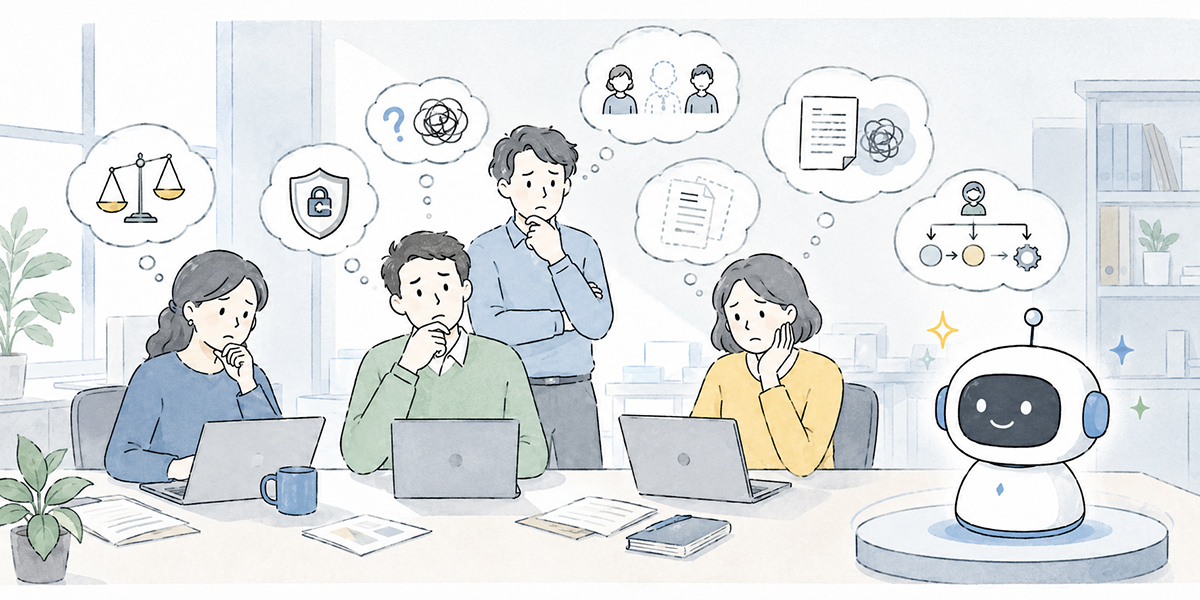
You can bring in generative-AI tools and still find use failing to spread on the ground. The cause is not necessarily that staff lack the will.
In many cases, the cause is that the groundwork for how to use it has not been put in place.
“What it can be used for” is left abstract
Told to “make use of generative AI”, staff on the ground cannot move straight away. Even in explaining it to all employees, abstract notes such as “it can be used for writing” or “it can be used for summarising” are not enough.
- For sales: tidying meeting notes, structuring proposals, drafting customer emails.
- For HR: training notices, building out the FAQ, draft one-to-one questions.
- For IT: first-line responses to queries, putting together procedure documents, summarising incident reports.
You need, in this way, to translate it into business tasks close to the department and the role.
When I design AI training, I rarely begin by explaining advanced features. I am more likely to start by working out together “where, in your job tomorrow, might you use this”. AI training that is not connected to the work on the ground inevitably ends as mere knowledge.
The prohibitions are what registers first
Generative AI carries risks. Warnings about data leakage and misinformation are therefore indispensable.
But when the prohibitions are all that gets stressed, the ground takes it as “safest not to use it after all”.
What matters is to convey “prohibited” and “encouraged” as a set.
- Don’t enter personal information. But, masked into a form that cannot identify an individual, it can be used to tidy up the wording of a query.
- Don’t leave contract judgements to AI. But it can be used to surface the points to check with legal.
- Don’t take figures on trust. But it can be used to organise the research items and the report structure.
By showing not only “what is not allowed” but “how to use it well”, the ground finds it easier to act.
In driving AI adoption, fear alone does not make it stick. In driving AI adoption, fear alone does not make it stick. Putting into words the “realistically usable range” that sits in between is, in my view, a large part of the role of AI-adoption support.
The good ways of using it stay locked in individuals
Even where there are staff using generative AI well, if those ways stay locked inside the individual, they don’t spread across the organisation.
Good prompts, handy summary formats, and usable checklists need to be shared with the team.
The way of sharing need not be a dedicated tool. You can start with an internal wiki, a knowledge base, a shared folder, or a pinned chat post. That said, where you want to manage AI chat, summaries, training data, and prompts together by unit of work, an environment that lets you build a library by project, as Kanata does, is useful.
To spread generative-AI use through an organisation, it matters not only to “increase the number who can use it” but to “leave a record of how to use it”.
I find the companies where AI use goes well have something in common. It is that they don’t depend on one outstanding individual. A good way someone has found is turned into a team template. It is shared at the regular meeting. It is left in the library. This unglamorous accumulation is, in the end, what makes the big difference.
What to teach first in company-wide reskilling
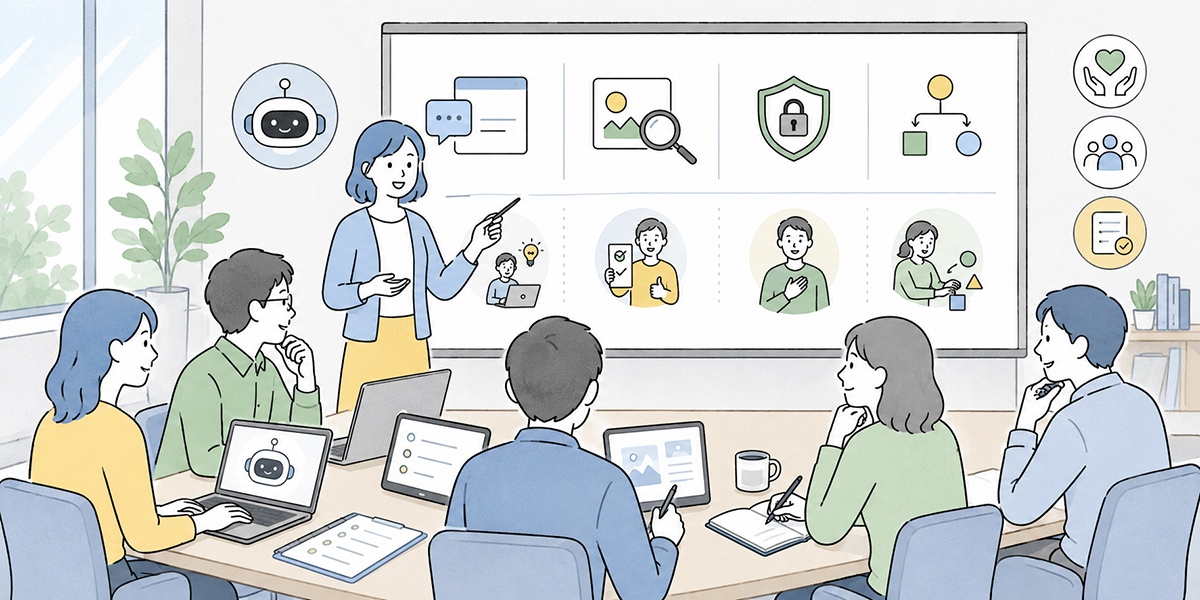
In generative-AI training, it matters more to get the basic thinking aligned first than to leap straight into advanced prompting techniques.
For company-wide reskilling in particular, it is worth covering the following four things first.
What generative AI is good and bad at
First, make clear what generative AI is good at and what it is not.
| Good at | Not good at |
|---|---|
| Drafting, summarising, organising, rephrasing | Guaranteeing facts, confirming the latest information |
| Making comparison tables, generating ideas | Legal judgements, contract judgements |
| Turning things into checklists, surfacing points at issue | Deciding appraisals, the final call on customer responses |
| Producing a draft to be checked | Sound judgement on confidential information, deciding organisational policy |
Sharing this distinction alone does much to reduce hesitation on the ground.
In my experience, what first gets people excited in generative-AI training is the “look, it can even do this”. But what really leads to it sticking is the shared understanding of “this we don’t leave to it”. Set what it can do alongside what it cannot, and only then do you have a footing from which people can use it with confidence.
Information you may and may not enter
Next, teach the rules on input information.
In generative-AI training, the handling of information should be explained before how to write prompts. Learn the handy uses, but enter information that must not be entered, and as business use it is dangerous.
In training, exercises such as these work well:
- Is this information fit to enter?
- Which parts should be masked?
- Whom should you check with?
- Should the handling differ between an external AI and an in-house environment?
Using concrete examples helps staff think in terms of their own work.
Customer information for a salesperson, employee information for an HR person, and system-configuration information for an IT person, for instance, each carry different points to watch. Set out the company-wide principles while preparing concrete examples by department.
The basic prompt frame
Instructions to generative AI that are vague produce vague output.
I recommend being clear about “role”, “purpose”, “audience”, “background”, “output format”, and “constraints” when writing a prompt. It is a frame that works well in company-wide training too.
Even in asking for an email, simply putting in elements like the following steadies the output:
- Role
- You are in charge of drafting external emails
- Purpose
- To invite people to take part in training
- Audience
- Department heads
- Background
- From next month, generative-AI training will run for all staff
- Output format
- Three subject lines; body within 300 characters
- Constraints
- Don’t lay it on too strongly; let the business need come through
Writing a prompt calls for no special literary skill. It is the skill of conveying a request clearly.
I take the ability to write prompts as the “asking skill” of the AI age. Whom, what, on what terms, in what form you ask. This carries over not only to AI but to working with people.
Rules for reviewing output
Last, teach how to check AI’s output.
At a minimum, share the following check items:
- Do the figures match the source?
- Are the proper nouns correct?
- Are the dates correct?
- Are fact and supposition kept apart?
- Is there any exaggeration?
- Is it information fit to go outside the company?
- Does it match the company’s tone?
- Is it content a person can take responsibility for explaining?
Use generative AI without this review habit and the risk may come to outweigh the convenience.
To doubt AI’s output is not to reject AI. If anything, it is the premise for using it well. I find that the better someone is at using AI, the less they take its output on trust.They question it, check it, and apply their own judgement to it. That stance is what makes for real skill in practice.
How it might look using Kanata
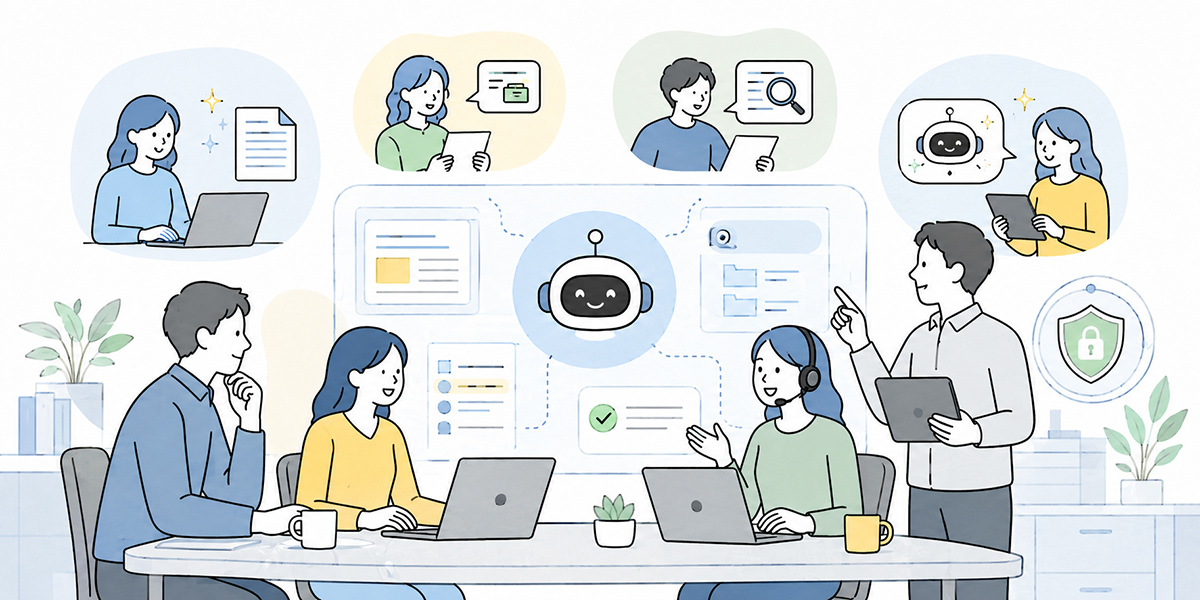
When spreading generative-AI use across the whole company, it is more realistic to start somewhere close to everyday work than to aim straight away at advanced automation.
Kanata is a business-support platform that handles AI chat, AI summaries, e-learning, and more in one environment. Here, purely as one option among others, let me set out where its features lend themselves to use.
Start with AI chat, for drafting and tidying everyday work
The first step is to use AI chat to lighten everyday work a little.
Take uses such as these, for example:
- Drafting emails
- Rephrasing text
- Drafting meeting agendas
- Structuring reports
- Writing training notices
- Drafting FAQ answers
Kanata’s AI chat lets you ask, consult, and request work in a conversational form. It lends itself to moments in daily work such as “I want to tidy my thinking a little”, “I’d like a first draft”, or “I want to recast this differently”.
For all staff, a small start of roughly “use it once a day on your usual writing” suits best. Rather than entrusting complex work from the outset, it matters to build small successes within the everyday.
Next, use AI summaries to ease the load of meetings and document-tidying
The next step is putting AI summaries to use.
Many departments have work that calls for summarising, such as meetings, training, sharing materials, and tidying queries.
You are likely to feel the benefit in work such as the following in particular:
- Minutes of regular meetings
- Shared notes from department meetings
- Tidying the key points of long PDF documents
- Summarising training videos
- Organising customer-interview notes
Kanata’s AI summaries let you switch between automatic and custom generation. For routine work, specifying the output format under custom generation makes it easier to summarise in the same structure every time.
For my part, I think AI summaries are a feature well suited to the early stage of a company-wide rollout. Reading time falls. Sharing speeds up. Tidying up after a meeting gets easier. The benefit is easy to feel.
Use e-learning to drive company-wide reskilling
Generative AI is partly learned by using it, but for a company-wide rollout, basic training is needed too.
Kanata’s e-learning lets you run internal training, new-joiner education, and self-study around video content. You can summarise a video’s content with AI, or ask AI about anything unclear while taking the course, so the tool supports the learning experience as the training proceeds.
You could prepare training content such as the following, for instance:
- What generative AI can and cannot do
- Information you may and may not enter
- How to write a basic prompt
- Use cases by department
- How to review AI output
- How to respond in an incident
Share the same grounding with all staff, then move on to practice department by department, and you can keep variation in use in check.
In my view, It is important not to make generative-AI training a one-off event. Rather than having people grasp everything in the first session, combine videos, FAQs, hands-on sessions, and an internal community to add to the ways of using it little by little. That tends to stick better on the ground.
Use the library to leave the good ways of using it within the organisation
Last — and no less important — is building up prompts and training data.
Generative-AI use begins, at first, with individual trial and error. But to turn it into results as an organisation, you need to keep, share, and improve the ways that worked.
You could build a library of things such as the following, for instance:
- Minutes-drafting prompts
- External-email draft prompts
- FAQ-answer prompts
- Proposal-structure prompts
- Training-content creation prompts
- Internal-regulation data
- Product-explanation materials
- Collections of common queries
In Kanata, you can manage prompts, training data, and AI settings by project, so you can keep them in a form that is easy to reuse by department and by task.
To establish generative AI as an organisational foundation — rather than leaving it as a personal convenience — this accumulation is indispensable.
In my view, the real difference in AI use shows not the moment a tool goes in, but three or six months later. Are the good prompts still there? Are the old materials kept up to date? Are the on-the-ground successes being shared? That accumulation of practice is what becomes an organisation’s capacity to use AI.
In summary: generative AI gets easier to use the more you decide “how far to entrust”
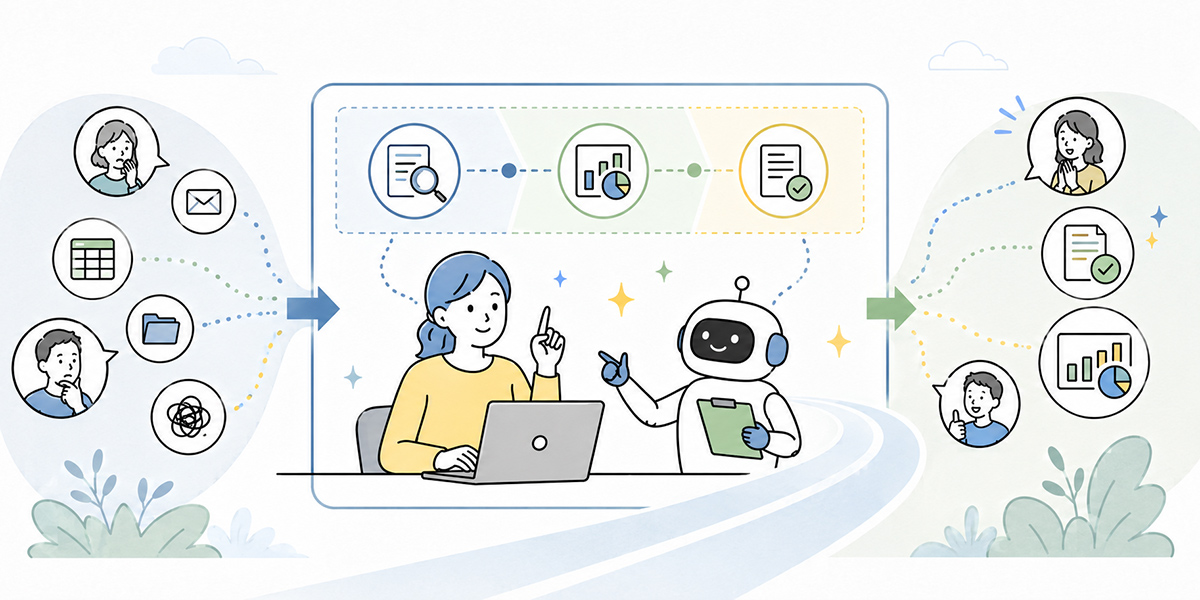
Generative AI holds the potential to change work considerably, but it is no all-purpose being to which anything can be entrusted.
To use it safely at work, it matters first to sort things out as follows.
What you may readily leave to generative AI is drafting, summarising, organising, rephrasing, making comparison tables, generating ideas, and turning things into checklists.
Guaranteeing facts, confirming the latest information, legal judgements, contract judgements, performance appraisals, the final call on customer responses, and the handling of confidential information, on the other hand, are things people need to own.
In other words, the first step in putting generative AI to use is to decide “how far to entrust to AI” rather than “what to have AI do”.
Once this line is drawn,those on the ground can begin using it with confidence” . Managers find it easier to check quality. HR and digital-transformation leads find it easier to design company-wide training. IT and information-security staff find it easier to explain the rules on input information.
Generative AI is not something that replaces all of a person’s work. It is a tool that helps with the preparation, so that people can think, check, and judge.
In my view, what matters most in a company’s AI adoption is not flashy use of the technology but a design the ground can keep using with confidence. How far to entrust to AI. From where do people take over. Which information do you not put in. It is precisely these unglamorous lines that let generative AI take root within the work.
Start, then, with work that is easy to begin small, such as drafting emails, summarising meeting notes, and tidying document structures. On that footing, putting in place the input rules, the review arrangements, and the prompt-sharing will lead on to company-wide use.
Q&A: confirming what generative AI can and cannot do
Q1. What work is easiest to entrust to generative AI first?Easiest to entrust first are drafting emails, summarising minutes, tidying document structures, and rephrasing prose. In each, AI’s output is easy for a person to check, and the impact on the work is relatively easy to contain. Rather than using it for contract judgements or the final call on customer responses from the outset, it is best to begin with supporting tasks you can verify.
Q2. How far can I trust generative AI’s answers?It is safest to treat generative AI’s answers as a draft awaiting checking. Figures, dates, laws, contract terms, internal regulations, customer information, and quotations in particular must always be checked back against the source. Even where AI’s answer reads as natural prose, the content is not necessarily correct.
Q3. May I enter internal documents into generative AI?It depends on company rules, contract terms, and the confidentiality classification of the information. Even public or general internal information needs a check on the environment in which it is handled and on access rights. Personal information, sensitive information, unpublished financial information, M&A information, and customers’ confidential information should as a rule be avoided as input, or handled only on the premise of masking and internal approval. When in doubt, the basic rule is not to enter it.
Q4. Isn’t there a worry that using generative AI will dull staff’s judgement?Depending on how it is used, that concern is real. Keep having AI reach conclusions and the chance to think for oneself may diminish. On the other hand, use AI to “raise the points at issue”, “put the counter-argument”, or “surface the items to check”, and it can also help to sharpen the quality of judgement. What matters is to use it in ways that add to the material people judge with, rather than handing judgement over to AI.
Q5. When rolling generative AI out to all staff, what should be decided first?What should be decided first is not the tool but the rules. Specifically, define the work that may be entrusted to AI, the work that must not be, the information that may be entered, the information that must not be, and the method for reviewing output. On that footing, starting small with work whose benefit is easy to feel, such as writing emails, summarising minutes, and tidying materials, helps it stick.