


AI can even draft the procedure for us, and yet the final click still lands with us, doesn’t it.
That was the predicament facing Saeki (not their real name), who handles process improvement in the information-systems department of a manufacturing firm, alongside colleagues in sales planning, accounting and site management. Previously, asking an AI to lay out the steps for checking a quote or processing an invoice worked perfectly well. In practice, though, a staff member still had to read the request in Slack, log in to a SaaS tool, open the screen of an internal system, and carry out the transcription, searching and approval requests by hand.
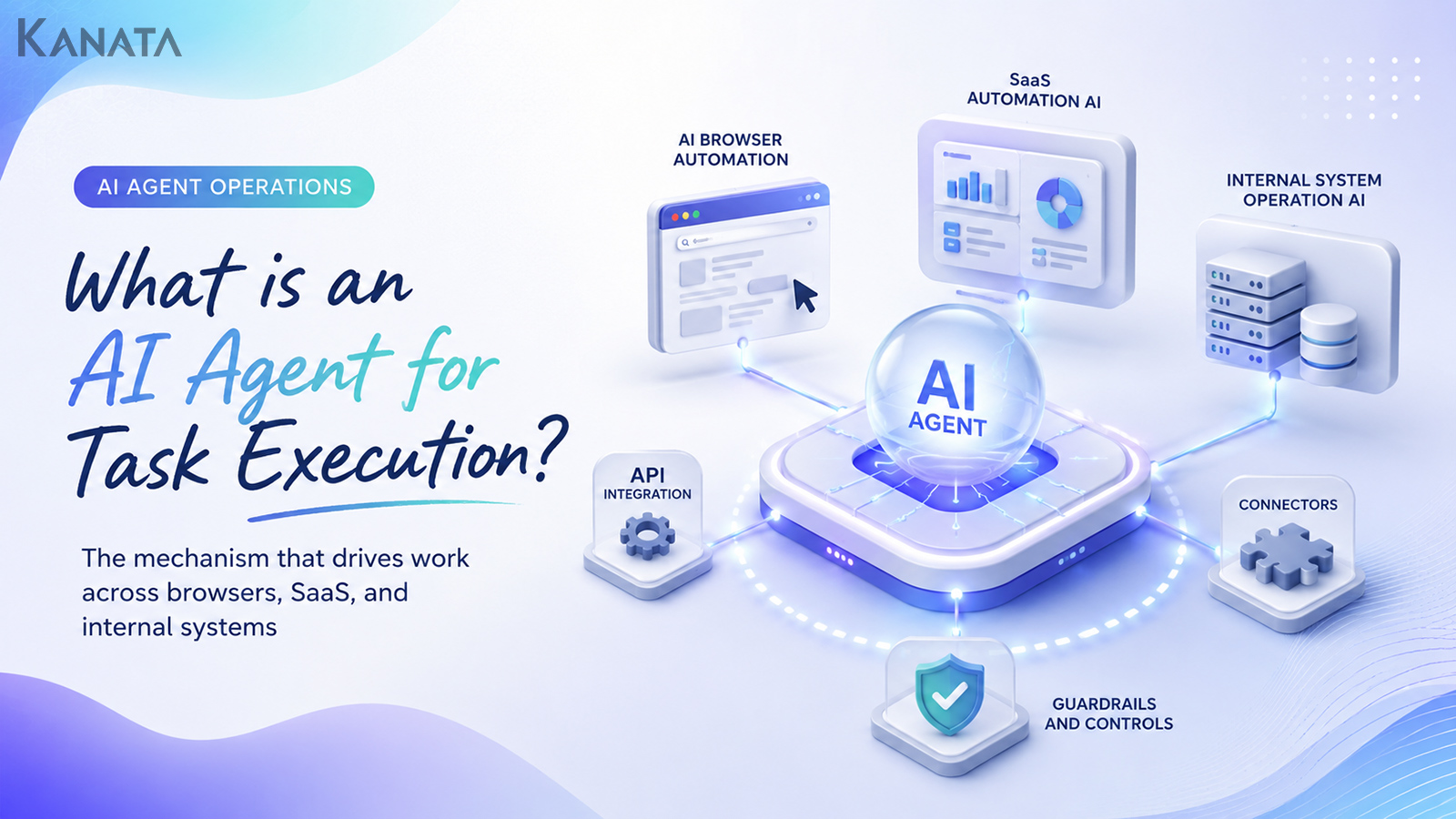
Today, business-execution AI agents are beginning to enter a phase where they combine automated browser operation, API integration, connectors and session management to support some routine work across multiple systems. Use a business-support platform that offers AI chat, AI summarisation, per-project libraries and managed training data, for instance, and it becomes rather easier to handle the groundwork and checking of tasks while drawing on your in-house knowledge.Kanata is one such option well suited to this sort of use.
This article sets out the broad picture of a business-execution AI agent platform, written for the DX leads, IT teams and operations managers who want AI not merely to “think” but to operate browsers, SaaS tools and internal systems safely. The ideal is a state in which AI supports the on-screen operations, transcription and checking work while leaving the judgement calls to people. That said, a business-execution AI agent is no panacea. It only becomes something usable on the ground once you have permission design, guardrails, log auditing and a final human check in place.
What is a business-execution AI agent?
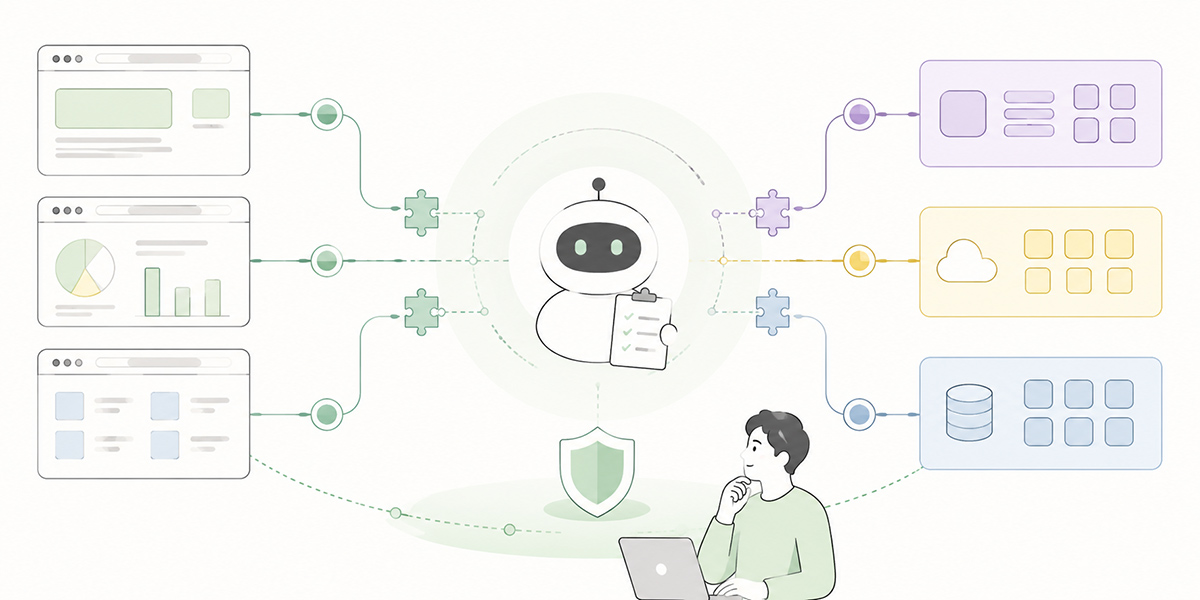
A business-execution AI agent is an AI that understands a person’s instructions, confirms the information it needs, and operates browsers, SaaS tools, internal systems and the like to carry out or support part of a task.
Conventional generative AI has been good chiefly at the cognitive work of answering, summarising and drafting text. Summarising meeting notes, drafting an email, producing FAQ answers from in-house material: these are areas many companies find easy to adopt.
The work on the ground, however, does not end once the text is written.
Consider what a salesperson does after a meeting. They tidy up their notes, enter them into the CRM, share them with their manager, request a quote, and add the next action to the calendar. That single sequence touches several SaaS tools, internal systems, chat tools and file-management tools.
What a business-execution AI agent sets out to do is support “the operations that remain after the writing is done”. Rather than merely suggesting what to do next, the AI opens the relevant screens within its permitted scope, fills in the required fields, and takes things as far as the confirmation screen. That movement is the basic idea behind a business-execution AI agent.
The difference between “answering AI” and “executing AI”
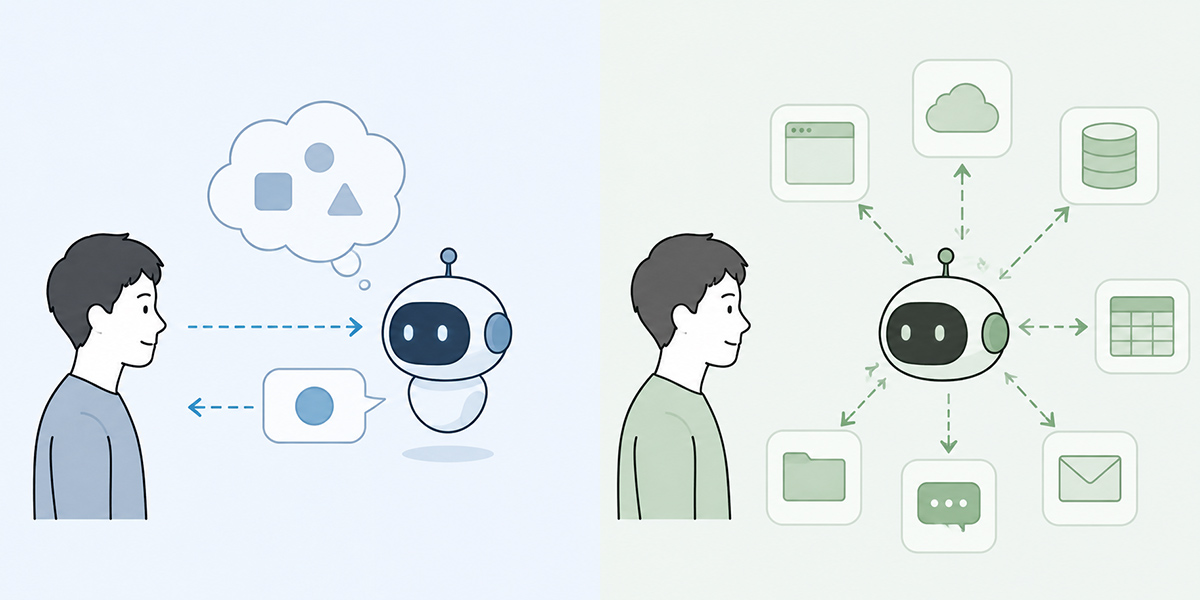
The difference between answering AI and executing AI lies in how far into the business process each becomes involved.
Answering AI returns information in response to a user’s question. The following are typical uses.
- Please summarise these meeting notes.
- Please make this customer email more courteous.
- Please advise how I should respond to this enquiry.
In these cases, once the AI’s output has been seen, the final operation is carried out by a person. Sending the email, transcribing into the CRM, submitting an approval request, saving the file: that work remains in human hands.
Executing AI, by contrast, steps into the flow of the work itself. The following sorts of requests are envisaged.
- Summarise these meeting notes and arrange them into the fields needed to update the CRM.
- Carry the input through to the confirmation screen and stop before it is finalised.
- Draft a message to share with my manager and let me review it before it is sent.
In this way, the realistic mode of operation at present is one in which the AI takes things from organising the information through to preparing the operation, and a person carries out the final check. The crucial point is to draw a clear line between the scope you entrust to the AI and the scope in which a person takes responsibility for the judgement.
Why automated AI browser operation is drawing attention
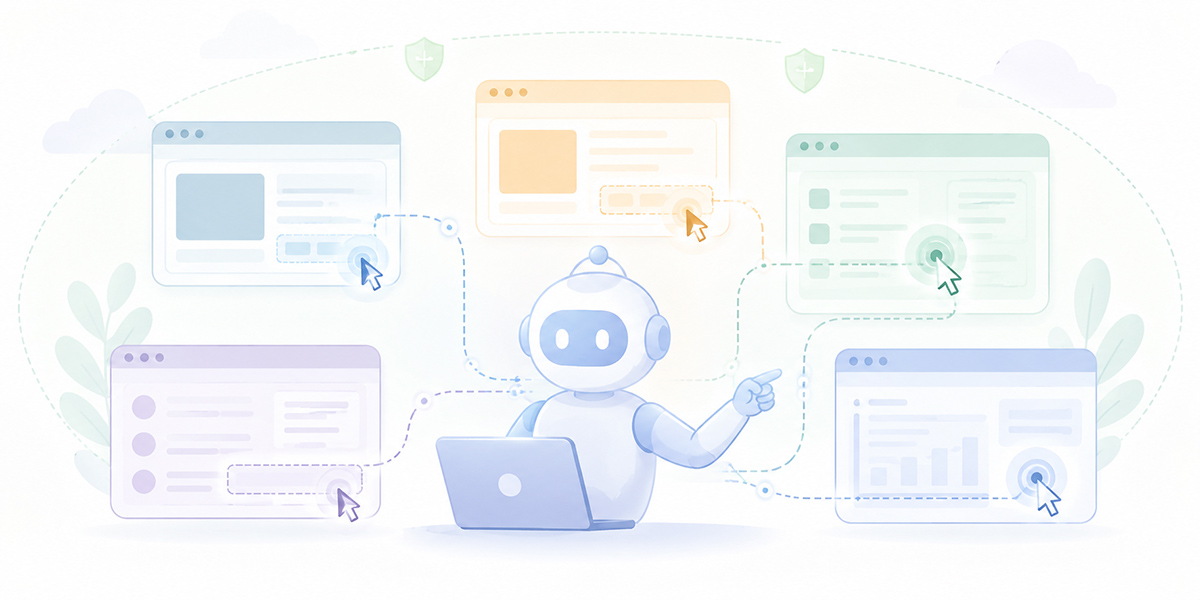
Automated AI browser operation is an important element when thinking about business-execution AI agents.
The reason is simple: a great deal of corporate work still proceeds through on-screen operations in a browser.
SaaS tools sometimes come with an API. An API is, in effect, the connection point through which systems exchange data. With an API, you can often retrieve or update data reliably without a person opening a screen at all.
Not all work can be completed via an API, however. Plenty of work on the ground was built on the assumption that “a person looks at the screen and operates it”: admin screens customised for internal use, ageing core systems, cloud services adopted department by department, approval screens, search screens, CSV-export screens, and so on.
When an AI tries to work through the API alone, areas it cannot reach start to appear. Rely solely on automated browser operation, on the other hand, and you become vulnerable to screen changes and the risk of mis-operation rises.
For that reason, a realistic business-execution AI agent needs the following division of labour.
- Use API integration for whatever can be retrieved and updated reliably.
- Use connectors for links to SaaS tools and file management.
- Use browser operation where there is no API, or where a human check is needed.
- Insert a human check before any significant, finalising operation.
Automated AI browser operation is not “a technology for automating everything through screen operations”. It is a means of filling the gaps that API integration and connectors cannot reach, and of safely supporting the screen operations a person used to perform.
The basic structure of a business-execution AI agent
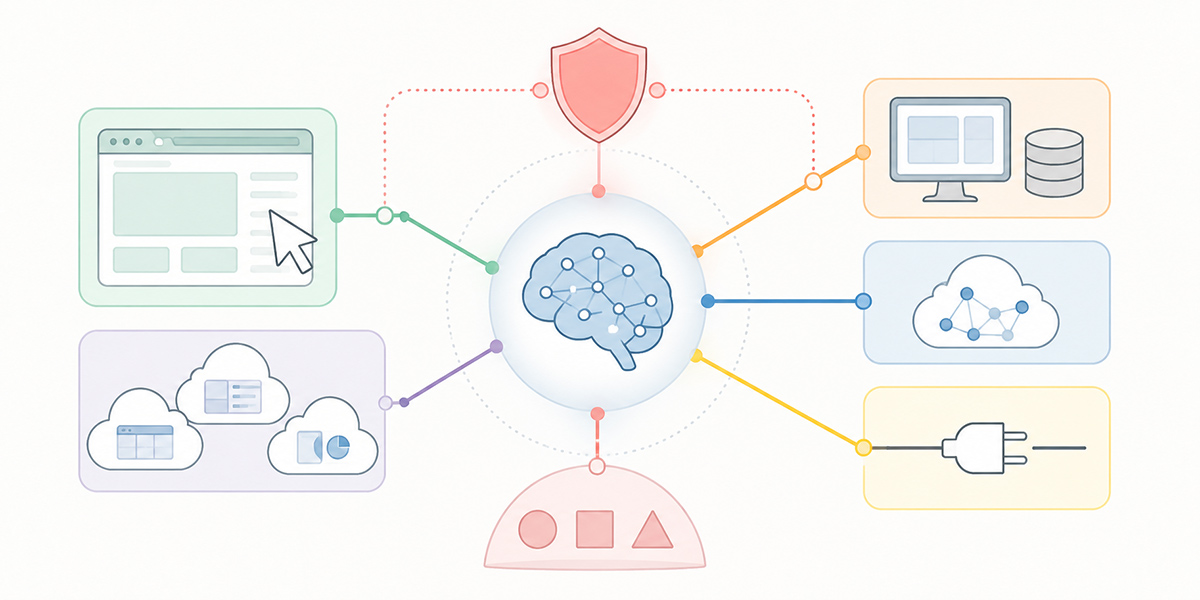
Putting a business-execution AI agent to use within a company takes more than simply providing an AI model. At a minimum, you need to design five things: instruction comprehension, reference to business knowledge, connection to external systems, an execution environment, and guardrails.
Instruction comprehension
The first thing needed is the ability to break a user’s natural-language instruction down into executable tasks.
A request such as “reflect the content of this meeting in the CRM”, for example, contains several pieces of work: summarising the meeting notes, identifying the customer’s name, checking the deal’s status, mapping the data to the CRM fields, composing the input, and confirming it before updating.
Rather than carrying out such a vague request as it stands, a business-execution AI agent needs to break it down into “what to confirm, which system to open, and which fields to update”.
Reference to business knowledge
Next comes access to internal rules and business procedures.
A business-execution AI agent must do more than simply operate screens. It needs to be able to consult business rules such as: under what conditions approval is required, which fields must never be left blank, and which customer information must not be handled.
In this area, it is important to organise internal regulations, operating manuals, FAQs and past case histories so that the AI can readily consult them. Use a tool that lets you manage training data and prompts on a per-project basis, for example, and it becomes easier to keep the information each department needs separate.Kanata, with its AI chat, AI summarisation, project libraries and training-data libraries, is well suited to this kind of preparatory stage.
Connection to external systems
A business-execution AI agent needs to connect to SaaS tools, internal systems, files, chat tools and so on. The connection methods fall mainly into the following types.
- API integration
- Connector integration
- Browser operation
- File input and output
- Email and chat integration
Trying to standardise everything on a single method ends up ill-fitted to the work on the ground. What matters is choosing, for each task, “which connection method is safe, stable and easy to operate”.
Execution environment
For an AI to carry out operations, it needs an execution environment.
The execution environment here is the place where the AI opens a browser, accesses a SaaS tool, or operates an input form. It may run on a person’s PC, or it may run in a managed cloud environment.
For business use, managing the execution environment is hugely important. Whose permissions does the AI log in under? How much session information is retained? How are operation logs kept? How does it connect to systems on the internal network? Introduce it while leaving such design vague, and the risks may well outweigh the convenience.
Guardrails
The last indispensable element is guardrails.
Guardrails are the mechanism that controls what the AI may do, what it must not do, and what requires a human check. The following sorts of controls come to mind.
- Do not let it carry out deletion operations.
- Always insert human approval for transfers of money or the signing of contracts.
- Stop at a confirmation screen before anything is sent externally.
- Mask any data containing personal information.
- Where it cannot make a judgement, flag it as “needs checking” and return it to a person.
- Keep operation logs so they can be reviewed afterwards.
In the wider debate on the standardisation and security of AI agents, an agent’s permissions, authorisation, monitoring and risk management are treated as important themes. By way of reference, the NIST AI Agent Standards Initiative is also taking forward the discussion on standardising AI agents. For business-execution AI agents, these matters need to be built into the mechanism rather than left to the user’s care alone.
Seeing the business-execution AI agent as an evolution of RPA
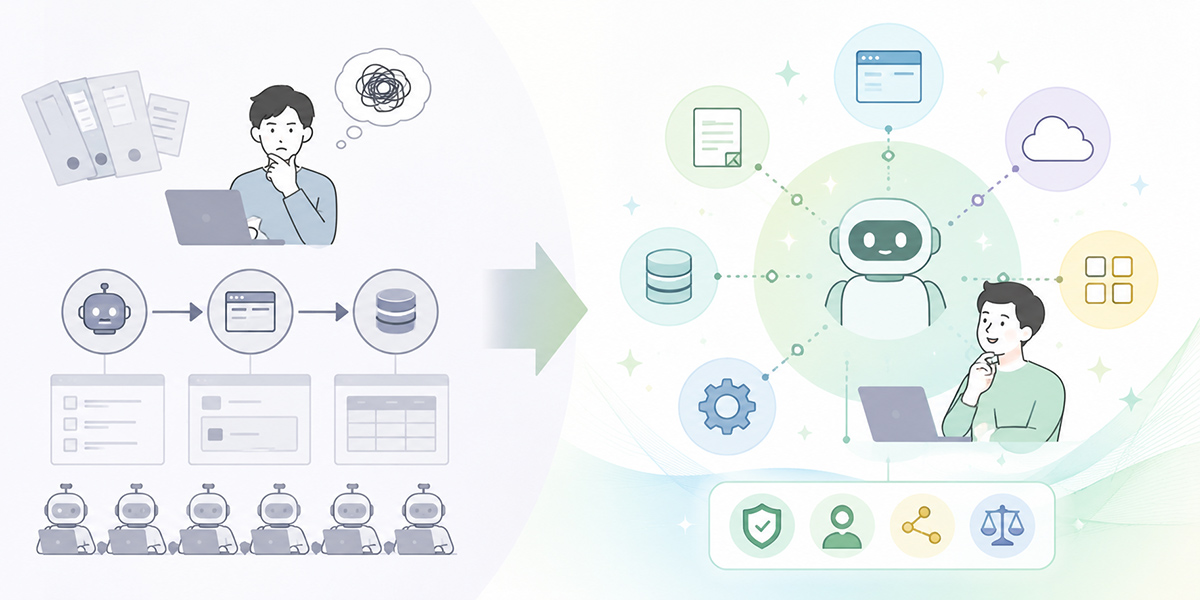
Business-execution AI agents are often described as “an evolution of RPA”. The view is easy to grasp, but it is also an expression that readily breeds misunderstanding.
RPA is a mechanism that excels at repeating fixed screen operations. For work that opens the same screen each month, enters data in the same format, and saves files in the same place, RPA remains effective today.
A business-execution AI agent, by contrast, may be better able to cope with vaguer instructions and changing circumstances.
Consider reading the content of a customer enquiry, judging its category, consulting an internal FAQ, and escalating to the relevant department as required. Simple branching alone cannot handle work of this sort; you have to read the meaning of the text and vary the handling to suit the situation.
That said, AI agents do not wholly replace RPA.
| Method | Well-suited work | Points to note |
|---|---|---|
| RPA | Routine tasks that repeat a fixed procedure | Can struggle with screen changes and may not handle exceptions reliably. |
| Business-execution AI agent | Operation support involving text comprehension and situational judgement | Requires permission design, guardrails and a human check. |
| API integration | Reliable data retrieval and updating | Unsuited to systems without an API, or to work that needs an on-screen check. |
RPA for routine tasks, AI agents for work involving judgement and text comprehension, API integration for reliable data processing: that sort of division of labour is the realistic approach. Rather than “replacing business automation with a single technology”, what matters is redesigning it by combining several technologies.
Work that a business-execution AI agent can readily support
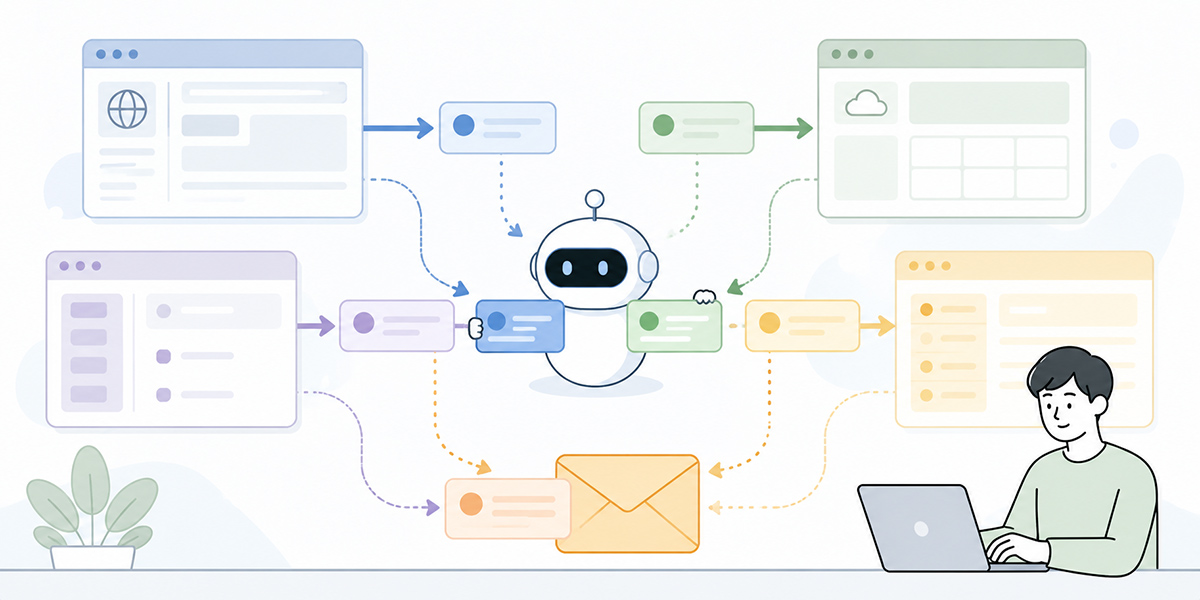
A business-execution AI agent is well suited to work that people do repeatedly but that involves a little judgement each time.
IT department
In the IT department, account provisioning, permission checks, SaaS-access requests and handling internal enquiries are all candidates.
In the task of “preparing the SaaS accounts a new employee needs”, for example, you have to confirm the department, role, tools used, approver and initial permissions. An AI agent can read the request, organise the items needing confirmation, and take the setup preparation forward in each SaaS admin screen.
The final granting of permissions and any change to administrator rights, however, should require a human check.
Accounting department
In the accounting department, checking invoices, confirming payment status and performing first-pass checks on expense claims are candidates.
Reading the content of an invoice, for example, confirming the supplier name, amount, payment deadline and purchase-order number, and arranging these into the fields of the accounting system. Such work lends itself to greater efficiency by combining AI summarisation, character recognition and system operation.
That said, significant operations such as finalising a payment or processing a transfer should not be left to the AI to carry out on its own.
Sales and marketing department
In the sales and marketing department, tidying up meeting notes, updating the CRM, preparing customer-specific proposals, drafting emails and organising campaign results are candidates.
An AI agent can summarise the content of a meeting, organise the BANT information, compose text for updating the CRM, and put forward suggested next actions. It might also open the relevant CRM screen within its permitted scope and apply the suggested inputs.
Here too, the important thing is a design in which a person checks before anything is sent or finalised.
HR and general-affairs department
In the HR and general-affairs department, enquiries about internal regulations, training notices, and first-pass handling of attendance and expense matters are candidates.
If you prepare internal regulations and FAQs as training data, the AI can compose answers while consulting the underlying sources and connect to a member of staff as required. That said, exceptional judgements not covered by the regulations, and consultations involving individual circumstances, should not be left for the AI to settle on its own.
Where business-execution AI agents most easily go wrong on adoption
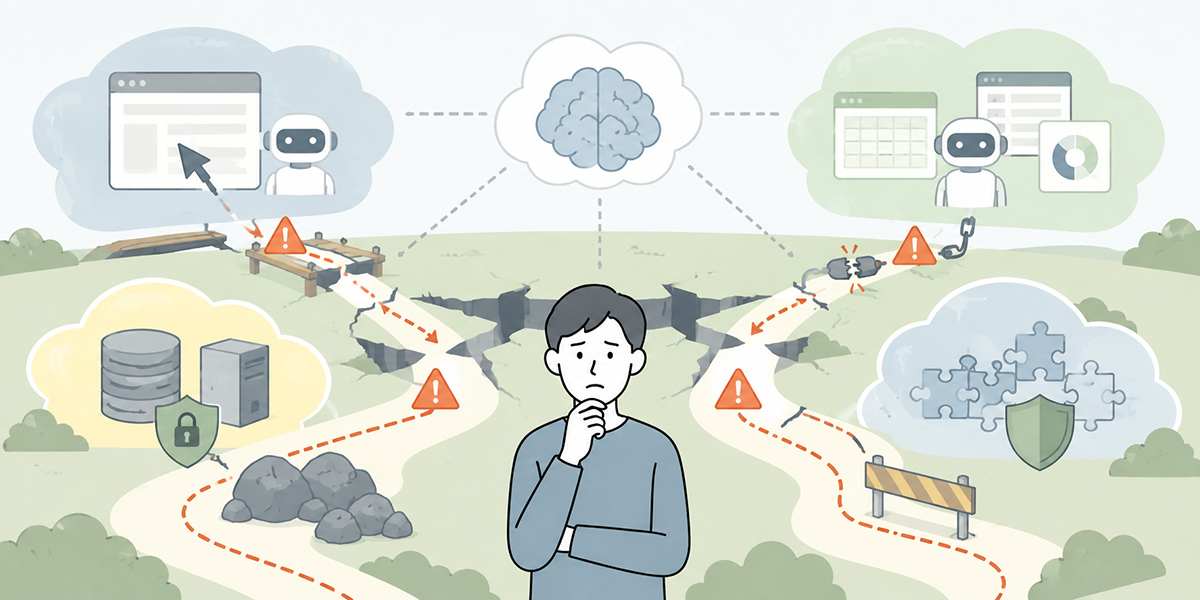
A business-execution AI agent is a useful mechanism, but get the manner of adoption wrong and it will never take root on the ground.
Aiming straight for full automation
The thing most to be avoided is aiming for full automation from the outset.
Work is full of exceptions, screens change, and each person exercises their own judgement. Aim from the start for “a state that runs with no human oversight whatsoever” and the design becomes far too complex.
To begin with, it is realistic to start within a scope such as the following.
- Gathering information
- Producing suggested inputs
- Taking things as far as the confirmation screen
- Detecting discrepancies and omissions
- Presenting the decision points to a person
It is important to carve the scope you entrust to the AI into small pieces and to start on the premise that a person checks the result.
Leaving permission design until later
A business-execution AI agent actually operates systems. For that reason, leaving permission design until later heightens the risk.
Whose permissions does the AI act under? Which project’s data can it access? Will it hold administrator rights? How are the permissions of leavers and transfers reflected?
Introduce it without settling these and the risk of information leakage and mis-operation rises. You need a design that manages members and permissions on a per-project basis and separates the data each can handle.
Failing to design for exceptions
An AI agent cannot respond correctly to every case.
The input is incomplete; the screen has changed; the relevant data cannot be found; there are several candidates; the regulations and the on-the-ground practice are at odds. Cases like these are bound to arise.
The important thing is not to force the AI to make a judgement.
- When it cannot tell, it stops.
- When there are several candidates, it has a person choose.
- When no basis can be found, it flags the matter as needing a check.
- For significant operations, it stops at a confirmation screen.
You need to design this kind of exception handling in from the very start.
Adoption steps: start small and expand safely
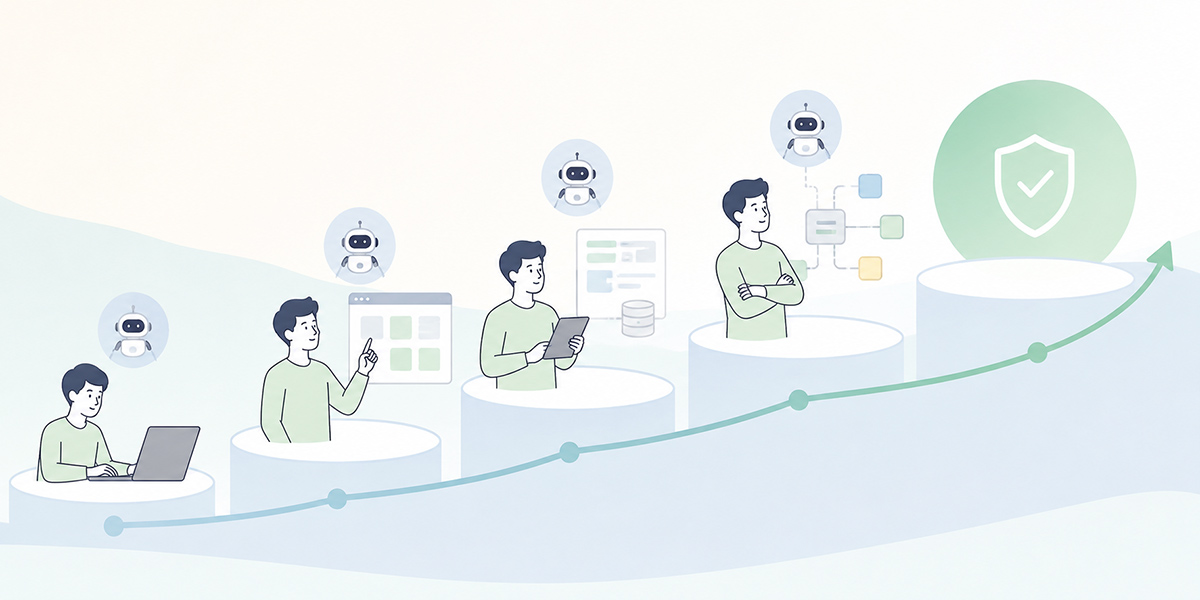
It is realistic to adopt a business-execution AI agent in stages.
Break the work down
First, break the target work down.
“Automate invoice processing” is far too coarse a grain. Split it into units such as: receive the invoice, read its contents, cross-check against the purchase-order information, find any omissions, enter it into the accounting system, submit the approval request, and process the payment.
On that basis, separate the parts easily entrusted to the AI, the parts a person should judge, and the parts that should be handled by existing systems.
Organise the information to be consulted
Next, organise the information the AI should consult.
Operating manuals, internal regulations, FAQs, past case histories, input rules, prohibitions and so on. Run the AI with these unprepared and it tends to lean on the tacit knowledge particular to each setting.
A mechanism that lets you accumulate frequently used instructions and reference materials by department and by task makes operation easier. Beyond any particular service, it is important to consider knowledge management, prompt management and permission management as a single whole.
Decide the connection method
Next, decide how to connect to the target systems.
Where there is an API, prioritise API integration. Where file-based linking is stable, using CSV or Excel input and output is sometimes the safer option. Where there is no API and screen operation is required, consider automated AI browser operation.
What matters here is not “can the AI do it” but “can it be operated safely as part of the business”.
Design the guardrails
Before setting a business-execution AI agent running, decide the guardrails.
Which operations may run automatically? Which require a check? Which are prohibited? Where are the logs kept? Who is notified on failure?
Introduce it without this design and the people on the ground will feel uneasy. Conversely, make the points where it stops and where it checks clear, and users can try it with confidence.
Run a limited trial
Finally, run a trial with limited work, a limited department and limited permissions.
There is no need to roll it out company-wide from the start. Far better to begin small and gather the exception patterns. Where does the AI hesitate? Which screen operations are unstable? Which checks are a burden on people? Which outputs can the team trust? Gather such information and expand the target work in stages.
In summary: a business-execution AI agent is not about automating operations but about redesigning the operational foundation
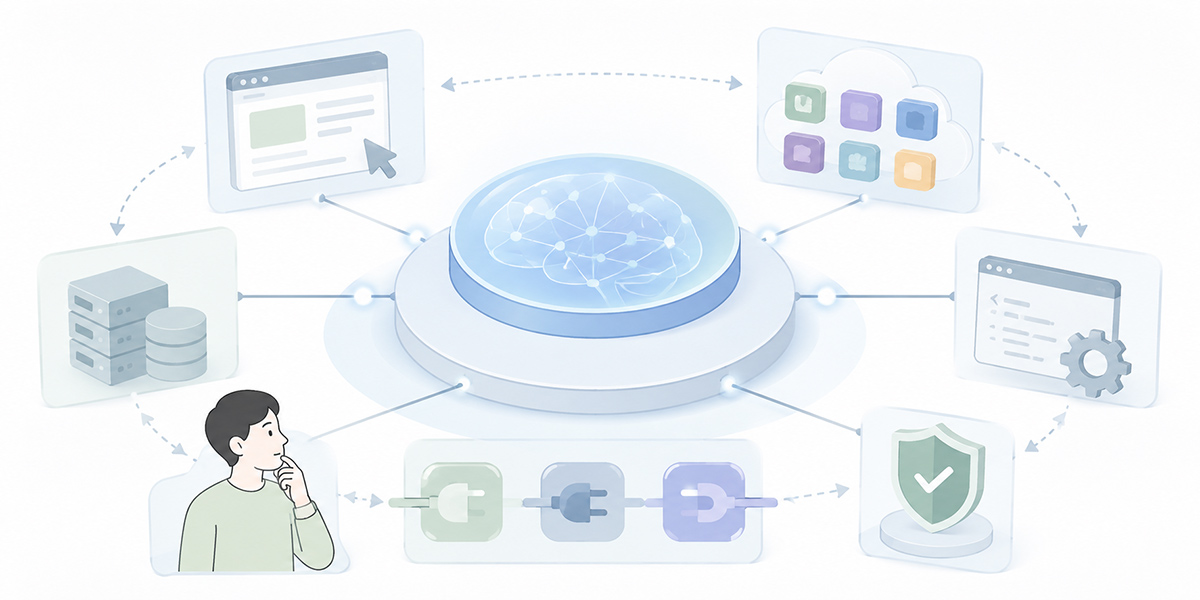
Business-execution AI agents are drawing attention as a technology for having AI operate browsers, SaaS tools and internal systems.
Their essence, however, is not merely “replacing a person’s clicks with AI”.
What matters is to break the work down, decide the scope entrusted to the AI and the scope a person judges, use API integration, connectors and automated browser operation each in its place, and build in guardrails and log auditing.
The AI thinks, the AI prepares the operation, and a person checks. Design that division of labour correctly and a business-execution AI agent becomes not merely an automation tool but an occasion to rethink your operational foundation.
At the same time, there is no need to entrust every task to AI. Operations that matter to a company – deletion, transfers of money, contracts, external sending, permission changes – should be checked by a person who takes responsibility.
Start, then, by looking for the work in your own organisation where “the AI produces the answer and a person ends up operating things by hand anyway”. That is where the first way in to adopting a business-execution AI agent lies.
Q&A: the basics of business-execution AI agents
What is the difference between a business-execution AI agent and ordinary generative AI?Ordinary generative AI mainly supports answering questions, drafting text and summarising. A business-execution AI agent differs in that, on top of this, it supports the operation of browsers, SaaS tools, internal systems and the like. Rather than carrying everything out automatically, however, a design that stops at a confirmation screen and has a person approve is important.
How does it differ from RPA?RPA is suited to routine work that repeats a fixed procedure. A business-execution AI agent, by contrast, may be suited to work involving text comprehension and situational judgement. It does not, however, wholly replace RPA. The realistic approach is to use each in its place: RPA for routine processing, AI agents for processing that involves judgement, and APIs for reliable data linking.
Can business automation be achieved through AI browser operation alone?Relying on AI browser operation alone is something to think carefully about. There are risks: vulnerability to screen changes, mis-clicks, and the complexity of authentication and session management. What matters is using API integration, connectors, file linking and browser operation each in its place, task by task.
Which work is best to start with?To begin with, work whose impact is limited and which is easy to put right if it goes wrong is well suited – for example, gathering information, producing suggested inputs, preparing things up to a confirmation screen, and first-pass triage of enquiries. High-risk operations such as transfers of money, signing contracts, permission changes and external sending are safer left out of scope for automatic execution in the early stages.
What should be put in place before adoption?You need first to organise your business procedures, the internal materials to be consulted, permission design, log auditing, exception handling and the points of human check. In particular, it is important to make clear what the AI “may do”, what it “must not do”, and “where it returns matters to a person”.