


I can see how useful it is, but I simply can’t work out how granular we ought to be in telling staff “what they must not put into it.”
That was the concern raised by a member of the IT department in an internal meeting.
In advising organisations on AI adoption and process change, I have run into this sort of question time and again. The moment generative AI comes up, the people doing the work feel that “using it will make us faster.” IT, meanwhile, worries about data leakage; legal wants to check copyright and contractual treatment; and compliance frets about personal data and consistency with internal rules. On top of that, department-head-level management tends to feel that “leaving it entirely to the front line is alarming, but clamping down too hard means adoption never gets going.”
Not so long ago, generative AI use was confined to a handful of staff trying it out on their own initiative. The uses were comparatively light — drafting emails, summarising minutes, rewording a passage. Today, by contrast, there is growing appetite to let AI handle information much closer to the core of the business: internal rules, notes from client meetings, a first pass over contracts, the preparation of training materials.
This shift is not merely a matter of “another handy tool has come along.” Within the organisation, AI is beginning to move from a personal aid to an organisational platform for putting information to work. That is precisely why the way we write the rules has to change as well.
In this article I set out the three areas that most often cause trouble when generative AI is used at work — data leakage, copyright and personal information — along with the situations that crop up in practice and a sensible starting point for codifying internal rules. The aim is not to have staff fear AI across the board, but to reach a state in which they can judge what information may be entered, which outputs need checking, and which decisions a person must ultimately make. That said, drafting a rulebook on its own does not amount to safe operation. We need to think through where to draw the line for our own work, hand in hand with training, access management, clear points of contact and regular review.
Why “just banning it” gets internal generative-AI use nowhere
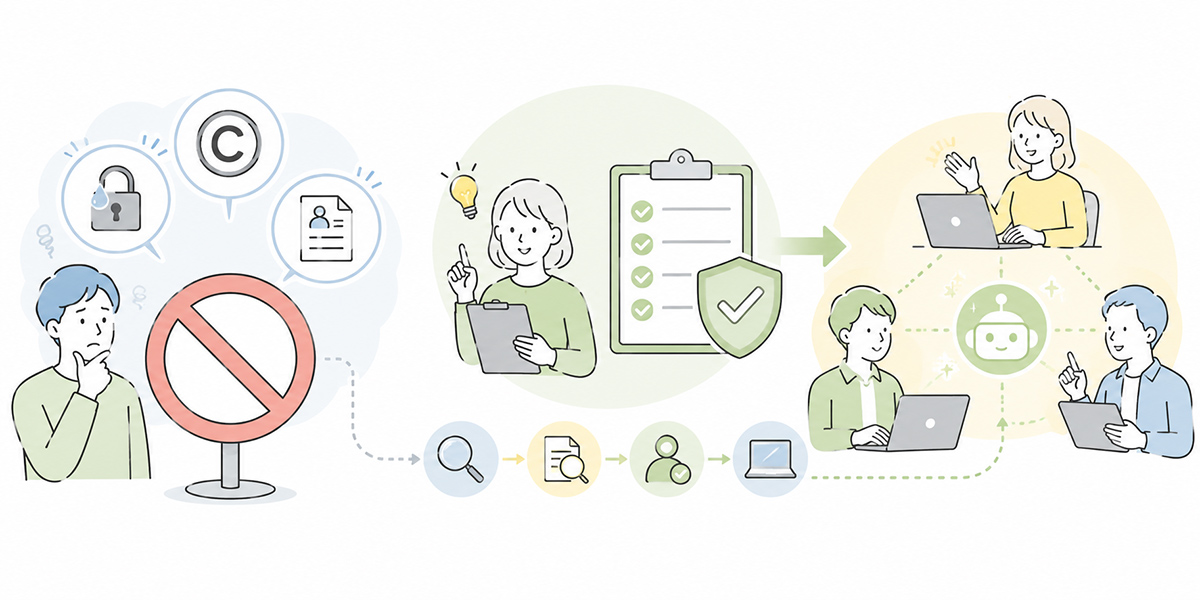
When organisations first think about internal rules for generative AI, the common failing is to stop at a single admonition: “please don’t enter anything risky.”
Caution around confidential and personal information is, of course, warranted. But if you emphasise only the prohibition, the front line is left with questions like these.
- May I use it to summarise meeting minutes?
- If I mask the client’s name, is it acceptable to enter the meeting notes?
- Is there any harm in feeding it our internal rules to turn them into an FAQ?
- May I drop AI-written text straight into a proposal?
While such questions go unanswered, the front line can neither use the tool nor leave it alone. The likely upshot is that only the staff who find it convenient go ahead on their own judgement, while the management functions lose sight of what is actually happening.
When I come in to support an organisation’s AI adoption, the first thing I look at is not which tool they have chosen. What I check first is: which tasks the front line actually wants to use AI for; what kinds of information those tasks involve; and who carries final responsibility.
The purpose of internal rules is not to halt generative-AI use wholesale. On the contrary — precisely because it is being used in more and more situations, it matters to set out clearly what may be used, what needs checking and what must not be used at all. For an authoritative English-language reference, see NIST AI Risk Management Framework.
So the first thing to settle is not “whether or not to use AI,” but “in which tasks, with which information, and under what conditions it may be handled.”
Data-leakage risk springs from convenience, not malice
The most obvious risk in internal generative-AI use is data leakage.
The point worth flagging here is that leakage does not arise solely from “deliberate exfiltration.” In day-to-day work, putting convenience first can lead someone to enter high-risk information with no ill intent whatsoever.
Examples include: having AI summarise raw notes from a client meeting; pasting a contract in full into an external AI service to ask where the risks lie; summarising a recording or set of minutes complete with attendees’ names; drafting a press release from as-yet-unannounced product information; or tidying up notes on personnel moves, appraisals or staff due to leave.
In work terms these are entirely natural ways to use the tool. That is exactly why, rather than simply saying “forbidden,” you need to differentiate the treatment by type of information.
Sort information into three tiers
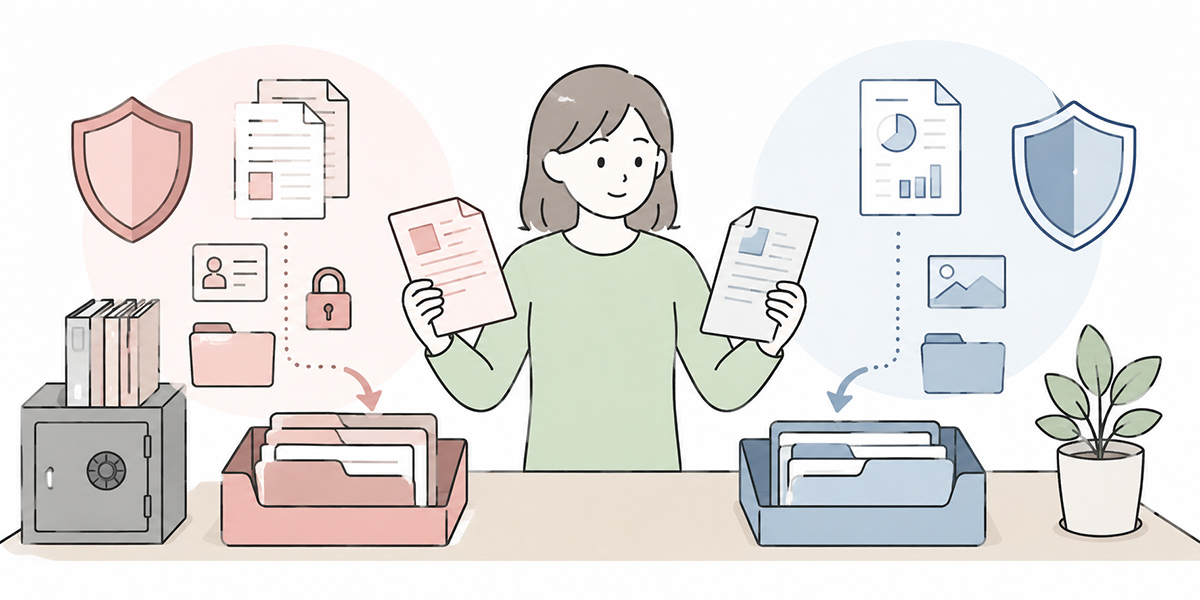
As a starting point for internal rules, it helps to sort information broadly into the following three tiers.
| Category | Examples | Treatment with generative AI |
|---|---|---|
| Information that is easy to use | Public information, general operational know-how, materials already published externally | May be used — but check the source and accuracy |
| Information to be handled conditionally | Internal rules, operating manuals, internal meeting notes, summaries of client correspondence | Handle in an internally approved environment; mask as required |
| Information not to be entered | Sensitive information, undisclosed financial figures, M&A information, personally identifiable information, clients’ confidential information | Entry prohibited as a rule; where an exception is needed, check with the relevant specialist function |
In your internal rules, it matters to put the types of information into concrete words, rather than gesturing vaguely at “things that feel risky.”
In my experience, pressing ahead with AI adoption while this remains fuzzy invariably leaves the front line in a muddle later on. Where, by contrast, the information categories are sorted out, discussion of AI use tends to move forward more readily — because the conversation about what is permitted turns on “which category does this fall into?” rather than “does it feel frightening?”
This way of thinking about information categories matters when you are using Kanata, too. Kanata is a business-support platform that brings AI chat, AI summarisation, e-learning and more together in one place — but which information is handled in which project depends on how the organisation designs its operations. Whatever tool you use, settling your own information classification is the place to start.
Masking takes more than “deleting the name”
A common safeguard against leakage is masking — the practice of deleting information that could identify an individual or a company, or replacing it with something more abstract.
Deleting the name alone, however, is not enough. Combine a company name, department, job title, an amount, a date and a project name, and an individual or a business partner can sometimes still be pinned down.
Replacing details along the following lines, for instance, makes it easier to raise the level of safety.
| Original information | Suggested replacement |
|---|---|
| Mr Taro Yamada | Contact A |
| XYZ Co., Ltd. | A mid-sized manufacturer |
| 32 million yen | In the order of tens of millions of yen |
| 13 May 2026 | mid-May 2026 |
| East Japan Sales Department, Section 1 | A section within the sales function |
| Contract number, employee number, telephone number | Delete |
Rather than simply writing “do not enter personal information,” internal rules that also spell out concretely what to replace and how are far easier for the front line to follow.
The people doing the work are not necessarily security or legal specialists. That is precisely why you need to show “in this case, replace it like so,” rather than merely “do take care.” A steady accumulation of small worked examples is what ultimately heads off the big mishaps.
Look at copyright risk on both the input and the output side
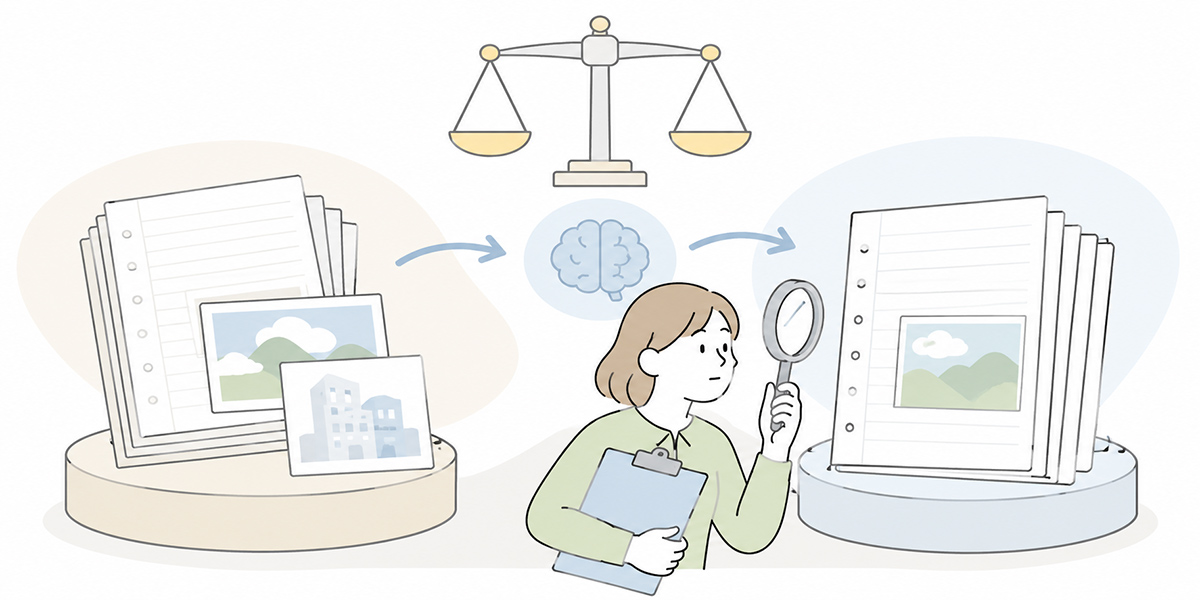
Copyright is a slightly trickier area of generative-AI risk to get a handle on.
Whereas it is reasonably easy to picture “information you mustn’t enter” when it comes to leakage and personal data, copyright requires attention on both the input and the output side.
In the queries I field, misconceptions about copyright still surface — “surely anything AI produces is ours to use freely,” or “if the text is out there on the internet, it must be fine to feed it in.”
For business use, though, such a rough-and-ready understanding is dangerous. Functions that deal in marketing, sales materials, training content, owned media and white papers in particular need to build the copyright angle into their rules from the outset.
Don’t enter third parties’ works wholesale
The first thing to be wary of is the material you feed into the AI.
You should be careful, for example, about copying a paywalled article in full to have it summarised; pasting in a chapter of a book to be recast as training material; feeding in another company’s white paper to knock up a draft of your own; building the structure of your proposal from a competitor’s pitch; or feeding in images or illustrations from the web to generate a similar design.
These are the sorts of shortcuts that crop up in the name of efficiency. But entering material into AI without first checking its rights and terms of use can lead to copyright or contractual problems.
In your internal rules, it is worth drawing at least the following distinctions.
| Type of material | How to handle it |
|---|---|
| Internal materials you have produced yourself | Use after confirming the confidentiality classification |
| Published materials to which you hold the rights | May be used — but confirm it is the latest version |
| Public web pages | Referencing the URL or summarising may be acceptable, but treat copying in full with caution |
| Paywalled articles, books, other companies’ materials | As a rule, do not enter in full; check the licence and contractual terms |
| Images, audio, video | Also check the rights holder, the licence, and portrait and publicity rights |
What I often say in practice is this: “before you put a piece of material into AI, ask yourself whether you’d be free to hand it round to someone else in the company.” If you wouldn’t be free to circulate it, you should be equally cautious about feeding it in.
Don’t publish AI output as-is
Then there is the question of what to do with the text or images the AI produces.
AI output is not necessarily wholly original. It may contain material resembling existing text or turns of phrase. It may also be at odds with the facts, or make unfounded assertions.
For uses such as the following, then, human checking is required.
- Externally facing articles and white papers
- Advertising copy, landing pages, email newsletters
- Sales materials and proposals
- Training materials
- Contracts, internal rules, internal notices
- Images, logos, straplines
In marketing and sales materials especially, the more “plausible-sounding” the wording, the more useful it feels. Yet whether it too closely resembles existing content, whether the facts check out, and whether it accords with your own style rules are all things a person must verify.
Your internal rules would do well to lay down the principle that “AI output is not published externally as-is,” and to turn the pre-publication checks into a checklist.
I myself will use AI to work out the structure of a piece or to draft a first version. But I never send that straight out into the world. The warmth of the language, the precision of the facts, the consideration shown to the reader, the sense of who we are — that final tuning is a domain that ought, for now, to remain a human job.
Don’t judge personal-data risk on “whether a name is present” alone
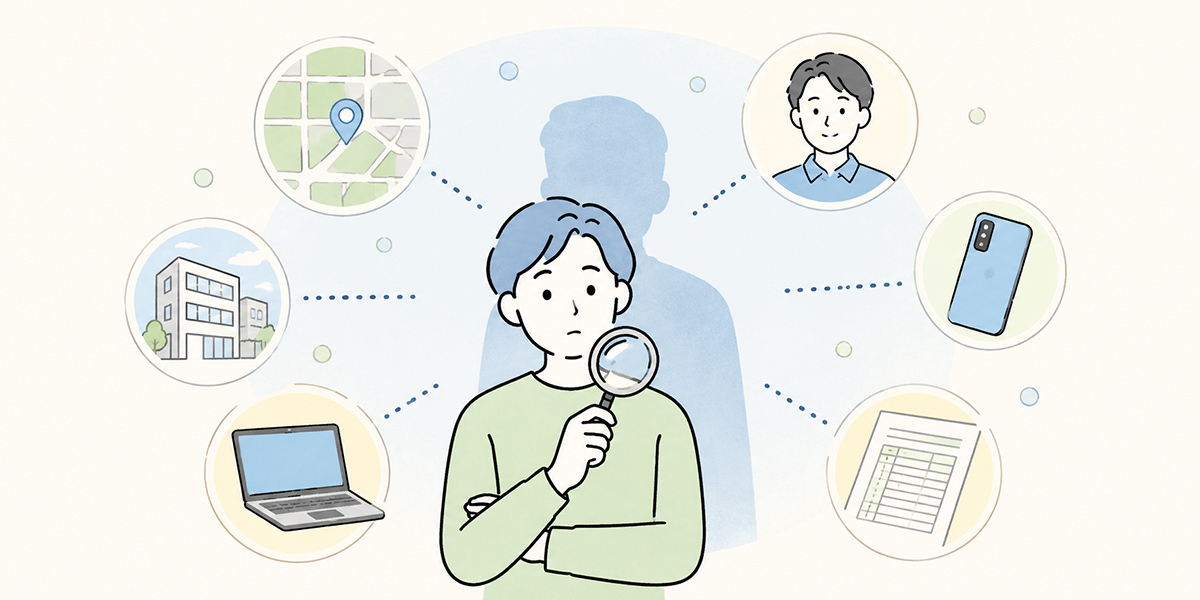
Personal information is something to handle with particular care when using generative AI. For an authoritative English-language reference, see ICO — Guidance on AI and data protection.
In the workplace, the following sorts of information are likely to count as personal data.
- Name
- Email address
- Telephone number
- Address
- Employee number
- Customer ID
- Photograph of a face
- Voice recording
- Appraisal comments
- Attendance records
- Health information
- Family details
- The content of consultations
- Enquiry history
What is more, information that cannot identify a person on its own may do so once several pieces are combined.
Combine “a female manager in her thirties in the sales department,” “returned from maternity leave in April 2026” and “based at the Osaka branch,” for instance, and colleagues may well be able to work out exactly who is meant.
The unnerving thing about personal data is that each item looks so small in isolation. The name is gone, so we’re fine; it’s only the department, so we’re fine; it’s only the age, so we’re fine. Even so, put them together and you can sometimes identify someone perfectly well.
The more a task lends itself to handling personal data, the more care it needs
The tasks that carry high personal-data risk are ones like these.
| Task | Risk that tends to arise |
|---|---|
| Performance appraisal | Entering appraisal comments or transfer details |
| Recruitment | Entering candidates’ CVs, interview notes or assessment details |
| Customer support | Entering customer names, contact details or enquiry history |
| Sales | Entering contacts’ names, negotiation history or contract terms |
| One-to-ones and line management | Entering a report’s worries, state of health or domestic circumstances |
| Training | Entering attendance records, test results or survey responses |
It is not that these tasks sit poorly with generative AI. On the contrary, they are areas where it lends itself well to summarising, classifying, drafting and handling enquiries.
But because the information involved is apt to include personal data, you need to take masking, the operating environment, access management and log management as givens.
What I feel especially uneasy about is information close to a person’s feelings or appraisal — performance reviews and one-to-one notes. I understand the temptation to have AI tidy them up in the name of efficiency. But an individual’s trust and privacy are deeply bound up in them. If you do use AI here, the design needs to be more careful than for ordinary drafting.
Decide, too, who to consult when exceptions arise
With personal data, writing “entry prohibited” and leaving it there brings the front line to a standstill.
HR and customer-support functions, for example, simply cannot avoid handling information about individuals in the course of their work. So internal rules that also include a flow for exceptional cases, along the lines below, are easier to operate.
- Where personal data may be involved, mask it first
- If a person can still be identified after masking, do not enter it
- Where it is genuinely necessary for the work, consult IT, legal or the data-protection lead
- Use only within the approved environment, purpose and scope
- Afterwards, check the logs, the outputs and where they are stored
It matters to set out not just “if in doubt, don’t use it,” but “if in doubt, who to check with.”
One reason rules fail to work in practice is the absence of anyone to ask. The rule may say something should be handled with care, yet no one knows whom to actually approach. Staff then either decide for themselves or give up on using the tool at all — neither of which is a healthy state of affairs for an organisation.
Don’t hand AI the responsibility for its own output
The risks of generative AI do not lie in the input alone. How you treat what it puts out matters too.
AI is good at producing natural-sounding prose. It can therefore turn out text that reads well, sounds plausible and carries an air of authority. That does not make the content correct.
Outputs that especially require human checking
For outputs like the following, it is important not to use the AI’s answer as-is.
| Output | What to check |
|---|---|
| Contract review | Legal review required; AI is not the final arbiter |
| Explanations of laws and regulations | Latest information, the actual provisions and expert confirmation required |
| Decisions involving personal data | Confirmation against data-protection law, internal rules and any processor relationships required |
| Decisions involving copyright | Confirmation of rights, licences and similarity required |
| Materials containing figures | Check the source, the basis of calculation, the units and the period |
| Client-facing proposals | Check the facts, the contract terms and the appropriateness of the wording |
| Externally published articles | Check copyright, citations, the facts and brand tone |
What you can comfortably leave to AI is drafting, organising, summarising, comparing and surfacing the points at issue. The final decision, the responsibility owed to the outside world, legal judgement and promises to clients, on the other hand, should rest with a person.
I sometimes describe AI as an able sounding board. Hand it the raw materials and it will order the issues, polish the prose and offer several options. But it is a human who finally decides “we’ll go with this wording” or “we’ll proceed on this basis.” Hand even that over to AI and the whole structure of accountability in the work falls apart.
“The AI said so” is no defence
If material you have released externally, an email you have sent a client, or an interpretation of the rules you have circulated to staff later turns out to be wrong, “the AI said so” is no kind of explanation.
It is worth setting down the following principles in your internal rules.
- Final responsibility for AI output rests with the user or the approver
- A person reviews anything before it is published externally
- Figures, dates, proper nouns and quotations are checked against the source
- Decisions touching on legal, employment, accounting, security, medical or safety matters are confirmed with the relevant specialist function
- AI output is not copied verbatim, but edited to fit your own context
This is not about restricting AI use. Rather, it is the precondition for using it at work with confidence.
AI can produce text quickly. It cannot restore trust quickly. Once incorrect information has gone out, winning back the confidence of clients or staff takes time. That is exactly why output review should be thought of not as a tiresome formality, but as the insurance that lets you keep using AI over the long run.
Begin internal rule-making with three tables
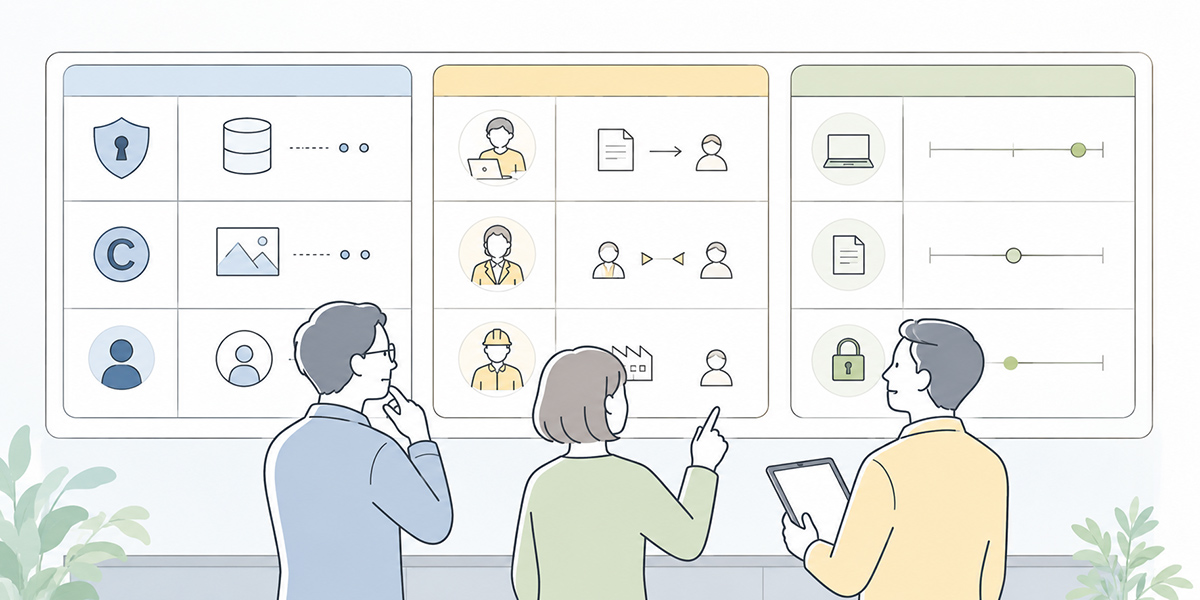
Trying to draft a flawless set of internal generative-AI rules from the very start tends to bring the discussion to a halt.
IT prizes safety; legal looks at rights and contracts; the front line wants efficiency; and management weighs competitiveness and return on investment. Every one of these viewpoints is valid, so trying to commit it all to detailed rule text from the outset makes reaching agreement a slow business.
In the early stages, rather than crafting fine-grained rule text, it is more practical to prepare tables the front line can use straight away. Here I introduce three tables that, as a common foundation, are the bare minimum worth putting together.
Information you may enter, conditional information and prohibited information
First, classify the information that may be entered into AI.
| Category | May it be entered? | Examples | Conditions |
|---|---|---|---|
| Public information | Yes | Official websites, published IR materials, press releases already issued | Check the source and the date last updated |
| General internal information | Conditionally | Operating manuals, internal rules, FAQs | Handle in an internally approved environment |
| Customer-related information | Conditionally | Meeting notes, proposals, the content of enquiries | Mask customer and contact names and amounts; check the contract terms |
| Personal information | No, as a rule | Names, contact details, employee numbers, appraisals, CVs | Do not enter as a rule; subject to approval where necessary |
| Sensitive information | No | Health information, beliefs, national ID numbers, bank-account details | Entry prohibited |
| Material non-public information | No | Financial results, M&A, personnel moves, new-product information | Entry prohibited |
Simply having this table makes it far easier for the front line to judge “what do I need to check?”
Permitted use by purpose
Next, set out what is permitted for each business purpose.
| Purpose | May it be used? | Points to watch |
|---|---|---|
| Drafting emails | Yes | Don’t include customer names, contract terms or personal data beyond what is needed |
| Summarising minutes | Conditionally | Check attendees’ names, non-public information and customer information |
| Internal-rules FAQ | Conditionally | Use the latest version of the rules; don’t let it answer where there is no basis |
| Contract review | Conditionally | Limit to a first pass; the final decision sits with legal |
| Organising recruitment documents | Handle with caution | As candidate information is involved, mask as a rule and make it subject to approval |
| Appraisal comments | Handle with caution | As appraisal and personal data are involved, limit the scope of use |
| Writing marketing articles | Yes | Watch for copyright, citation, fact-checking and overblown claims |
| Client-facing proposals | Conditionally | Check client-specific information, contract terms and the basis for any figures |
Sorting things by purpose makes the conversation easier department by department.
IT looks at the operating environment and access management; legal looks at contracts, copyright and personal data; line managers on the ground look at efficiency and uptake. Because the vantage points differ, a shared table makes the discussion easier to move along.
When I draw up this table with the organisations I support, I don’t chase perfection at the outset. A “provisional version” is plenty to begin with. Far more realistic is to update it monthly or quarterly in light of the front line’s queries and the cases that actually arise.
A checklist for before you use the output
Finally, prepare a set of checks to run before using AI output.
| Item to confirm | What to check |
|---|---|
| Fact-checking | Do the figures, dates and proper nouns match the source? |
| Copyright check | Is it too close to existing articles, other companies’ materials or the wording of books? |
| Personal-data check | Do any names, contact details or identifying information remain? |
| Confidential-information check | Does it contain non-public information, customer information or contract terms? |
| Wording check | Is there any overblown wording, unwarranted assertion, discriminatory language or otherwise inappropriate phrasing? |
| Specialist-function check | Does it need confirmation by legal, employment, accounting, security or the like? |
| Approval check | Has the responsible person signed it off before external publication? |
This checklist serves not only for externally published material but for documents circulated across the whole organisation.
Be aware in particular that, because generative-AI output looks so natural as prose, it is all too easy to skip the checks.
Operational points worth sorting out when you use Kanata
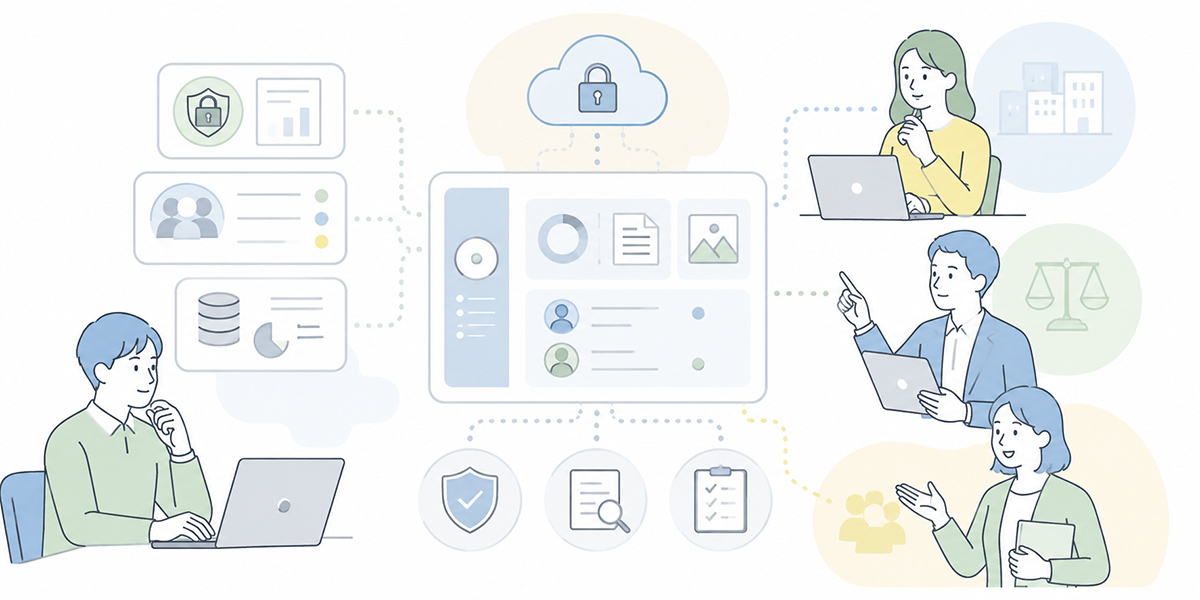
Everything I have set out so far applies to any company using generative AI at work, not to one particular tool. With that as the backdrop, if you are using Kanata it matters to tie the design of your projects, apps and libraries back to your internal rules.
Kanata is a business-support platform that handles AI chat, AI summarisation, e-learning and more in a single place. You can put questions to AI, draft text, brainstorm ideas, summarise meeting recordings and notes, and distribute video-led training content.
Kanata also lets you organise users, data and apps project by project. In other words, beyond simply using AI chat, it has a structure that makes it easy to design “who handles which information, in which project.”
Split projects in line with your information categories
In generative-AI use, “who may see which information” is what counts.
In Kanata you can create a project as a group around a unit of work, and manage members and permissions on a per-project basis.
So rather than gathering all your work into a single project, you might split it according to the sensitivity of the information and who is involved.
| Example project | Information handled | Points to watch |
|---|---|---|
| Company-wide AI training | Public information, general training materials | Easy to open up to all staff |
| Sales-proposal support | Meeting notes, proposals, client issues | Masking of customer information and permission management required |
| HR and general-affairs FAQ | Internal rules, FAQs | Managing the latest version and checking the basis of answers required |
| Legal-review support | Contracts, draft clauses | Limit to a first pass; the final decision sits with legal |
| Corporate planning | Undisclosed figures, strategic information | Judge with care whether generative AI should be used at all |
The criterion for splitting projects is “are these people who may all see the same information?”
I regard this idea as exceptionally important. Whether AI use succeeds or fails is not decided by model performance alone. Leave the location of information within the organisation, the access permissions and the person responsible for updates all vague, and operations will fall apart however good the AI you use.
Check before registering anything in the library
In Kanata you can store AI settings, prompts and training data in the project library.
This is a handy mechanism for reusing in-house knowledge. On the other hand, if the information being registered is not checked thoroughly, there is a risk that confidential information or outdated materials go on being reused indefinitely.
It is therefore worth running the following checks before registering anything in the library.
- Is it an information category that may be registered?
- Does it contain any personal or sensitive information?
- Do customer names, contact names, amounts and the like remain beyond what is needed?
- Is the material the latest version?
- Into a project usable by whom is it being registered?
- Who is responsible for updating it once registered?
Putting the training data and prompts in good order is important if you want to raise the quality of generative-AI output. But if you let convenience be the only consideration, you risk spreading incorrect information, or information that should not be handled at all, across the organisation.
I don’t see AI use as the simple proposition that “feed in data and it gets cleverer.” Only when you design the quality of the data you put in, the way it is managed and the mechanism for updating it does AI become something you can keep using at work.
Embed it together with training
Kanata has an e-learning function that lets you run internal training and self-study built around video content. Because there is also a feature for putting questions to AI while studying, the structure lends itself readily to teaching the rules for using generative AI.
Internal generative-AI rules don’t take hold simply by being circulated as a document.
Turning them into training content along the following lines, for instance, makes them easier for the front line to use.
- Information you may and may not feed into generative AI
- Input material and outputs to watch on copyright grounds
- Masking examples for work involving personal data
- A checklist for before AI output goes outside the company
- The reporting flow when an incident occurs
- Concrete usage scenarios by department
Having the tool, however, does not do away with the need for education. Only by combining rules, training, a point of contact on the ground and regular review does any of it function as a working arrangement.
Decide in advance how you’ll act when an incident occurs
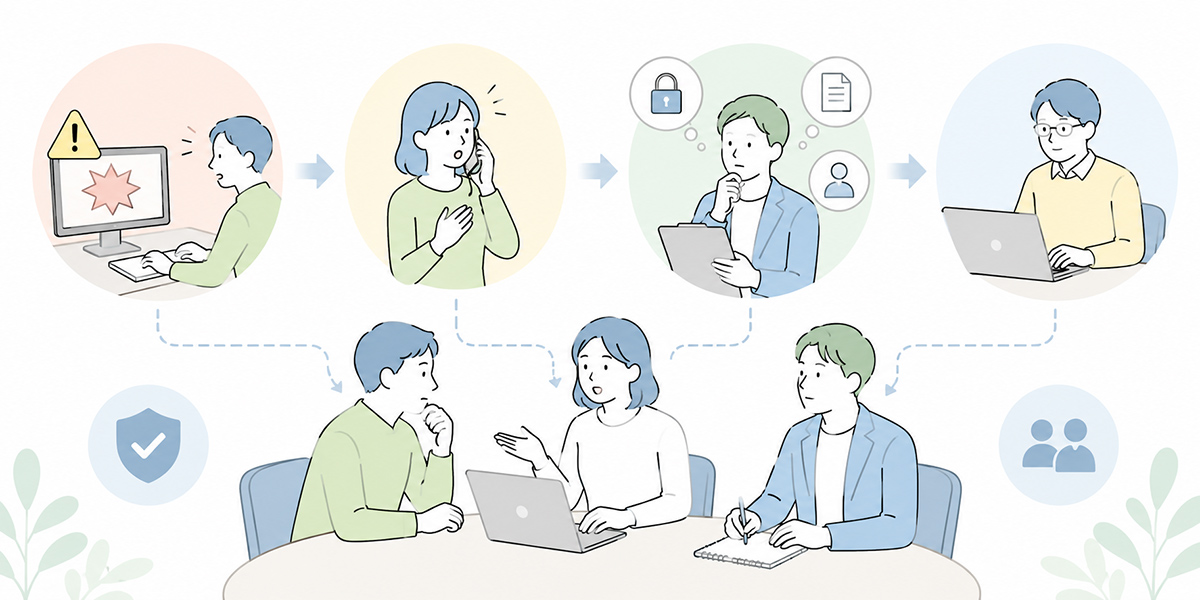
Internal rules need to settle not only preventive measures but also how you will act once something goes wrong.
For however careful you are, reducing mis-entries and accidental disclosures to absolute zero is hard.
If, say, someone enters confidential information into AI by mistake and then hesitates to report it for fear of “getting a ticking-off,” the response is delayed. It matters far more to build a culture in which reporting early is understood to keep the damage small.
It is worth including the following items in your internal rules.
- On noticing a mis-entry, stop using it at once
- Record what was entered, when, and into which AI service
- Keep whatever is needed to verify the matter — screenshots, logs and so on
- Report to the information-security lead, your line manager, legal and others as appropriate
- Establish the extent of the impact
- Consider notifying the business partner or the individual concerned where necessary
- Feed measures to prevent recurrence back into the rules and the training
The crucial thing is not to turn incident response into “a hunt for who slipped up.”
In my view, whether a new technology takes root on the ground is decided by how failure is treated. In an organisation where people want to hide their mistakes, risk goes underground. In one where they can report early, by contrast, risk can be turned into learning.
Generative AI is fast becoming a new piece of business infrastructure. That is exactly why it needs a mechanism that makes reporting easy and an operation that keeps on improving.
The minimum set of internal rules to create first
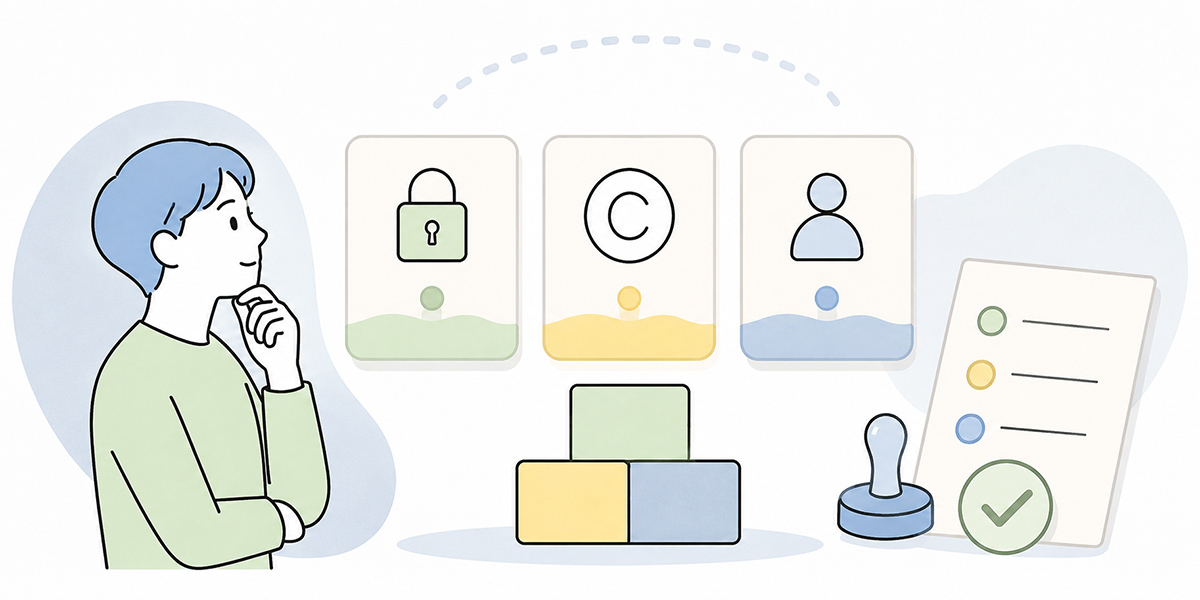
Internal generative-AI rules don’t need to be a thick rulebook from the start.
In the early stages, indeed, starting from a minimum set the front line can use straight away helps it take hold.
As a common foundation, the first five things worth preparing are these.
A list of information prohibited from entry
At a minimum, make the following information prohibited from entry or subject to approval.
- Sensitive information
- National ID (My Number)
- Health information
- Bank-account details
- Undisclosed financial information
- M&A information
- Undisclosed personnel moves
- Clients’ confidential information
- Personally identifiable information
- Information whose disclosure to third parties is contractually restricted
This list need not be worked out in fine detail from the start. What matters first is to make clear the information that must never be entered.
Masking rules
Next, set out the rules for replacing information.
- Replace names with “Contact A,” “the client contact” and the like
- Replace company names with “a mid-sized manufacturer” and the like
- Round amounts to “in the order of tens of millions of yen” and the like
- Abstract dates to “mid-May 2026” and the like
- Delete contact details, addresses, employee numbers and account numbers
- Cut information that becomes identifying in combination, too
Building samples from real working documents helps this take hold. Prepare examples department by department — sales notes, HR notes, enquiry logs, minutes — and the front line will grasp it as something that concerns them directly.
A permitted-use table by purpose
Decide what is permitted department by department.
Drafting emails and general proofreading, for instance, are areas that lend themselves to use. Contract review, recruitment, performance appraisal and the analysis of customer-contact history, on the other hand, need to be made conditional or subject to approval.
Sorting things by purpose makes it easier for the front line to judge “may I use it for this job?”
An output-review checklist
Before using AI output, check it from the following angles.
- Are the facts correct?
- Do the figures come with units, a period and their underlying assumptions?
- Can the source of any quotation be verified?
- Is there any wording that poses a copyright problem?
- Does any personal or confidential information remain?
- Is there any overblown or categorical wording?
- Is confirmation by a specialist function needed?
Reviewing AI output is not mere proofreading. It is the process of getting it into a state you can stand behind.
Points of contact and the incident-reporting flow
Finally, decide whom to consult when in doubt.
- If you are uneasy about data leakage
- The IT department, the security lead
- If you are uneasy about copyright
- Legal, communications, the content lead
- If you are uneasy about personal data
- The data-protection lead, legal
- If you are uneasy about whether business use is permitted
- The department head, the AI-adoption lead
- If you have made a mis-entry
- Report promptly to your line manager, IT and legal
Once “if in doubt, who to ask” has been settled, the front line need not shoulder the judgement alone.
To my mind, an atmosphere in which people feel able to ask matters a great deal in AI adoption. Rules begin to work not the moment they are written on paper, but the moment a member of staff who is unsure feels able to put the question.
In summary
In business use of generative AI, three areas are especially apt to cause trouble: data leakage, copyright and personal information.
But the existence of these risks is not a reason to ban generative AI across the board. Prohibition alone leaves the front line’s efficiency gains stalled, and risks driving use on individual initiative out of sight.
What matters is to establish criteria for judgement along the following lines.
- Which information may be entered?
- Which information can be handled once masked?
- Which information must not be entered?
- How far may AI output be used?
- Who checks it before external publication?
- Whom do you consult when the judgement is unclear?
- How do you report a mis-entry when one occurs?
Generative AI can be put to work across a broad range of tasks — email, minutes, research, proposals, a first pass over contracts, internal FAQs, training content. At the same time, AI does not take on the responsibility for decisions on your behalf. Only once you have internal rules, education, access management and a review regime in place does it become a working platform you can use with confidence.
To begin with, rather than drafting a perfect rulebook, it is more realistic to start from a classification of input information, permitted use by purpose, and an output-review checklist.
I don’t think the adoption of generative AI should end at “bringing in a tool.” What matters is that, by using AI, the front line’s decisions become lighter, the organisation’s knowledge becomes easier to work with, and the duties owed to clients and staff can be discharged with greater care.
In your own work, how far do you leave to AI, and from where does a person take the decision? Sharing where that line falls across the organisation is the first step in making use of generative AI.
Q&A
Should internal generative-AI rules be drawn up as a detailed rulebook from the very start?Rather than producing a detailed rulebook from the outset, it is more realistic to begin with a list of information prohibited from entry, conditionally usable information, permitted use by purpose, and an output-review checklist. Updating it as you go, in light of queries and instances of trouble, helps it take hold.
If I delete the customer and contact names, is it fine to put meeting notes into AI?Even with names and company names removed, the combination of industry, job title, amount, timing and the nature of the deal can sometimes identify a client or an individual. When handling meeting notes, you should first check the sensitivity of the customer information, the contract terms and your internal operating environment, then mask and use only what is necessary.
May text produced by AI be published externally as-is?Publishing it as-is should be avoided. AI output may contain factual errors, unfounded assertions, resemblances to existing wording, and residual personal or confidential information. Before external publication you need to carry out fact-checking, a copyright check, a wording check and sign-off by the responsible person.
In work involving personal data, is it better not to use generative AI?It is not that you cannot use it at all. But because performance appraisal, recruitment, enquiry handling and one-to-one notes are apt to contain personal data, you need masking, an approval regime, access restrictions, log management and clearly designated points of contact. Where the judgement is unclear, you should put in place a practice of checking with legal or the data-protection lead.
If we use an internal AI platform like Kanata, will the data-leakage and copyright problems be solved?A tool alone does not resolve every risk. A platform like Kanata, which lets you operate with projects and libraries kept separate, helps in organising where information sits and who uses it. Even so, which information to register, who to grant permissions to, and how to check AI output all require the company’s own rules and operational design.