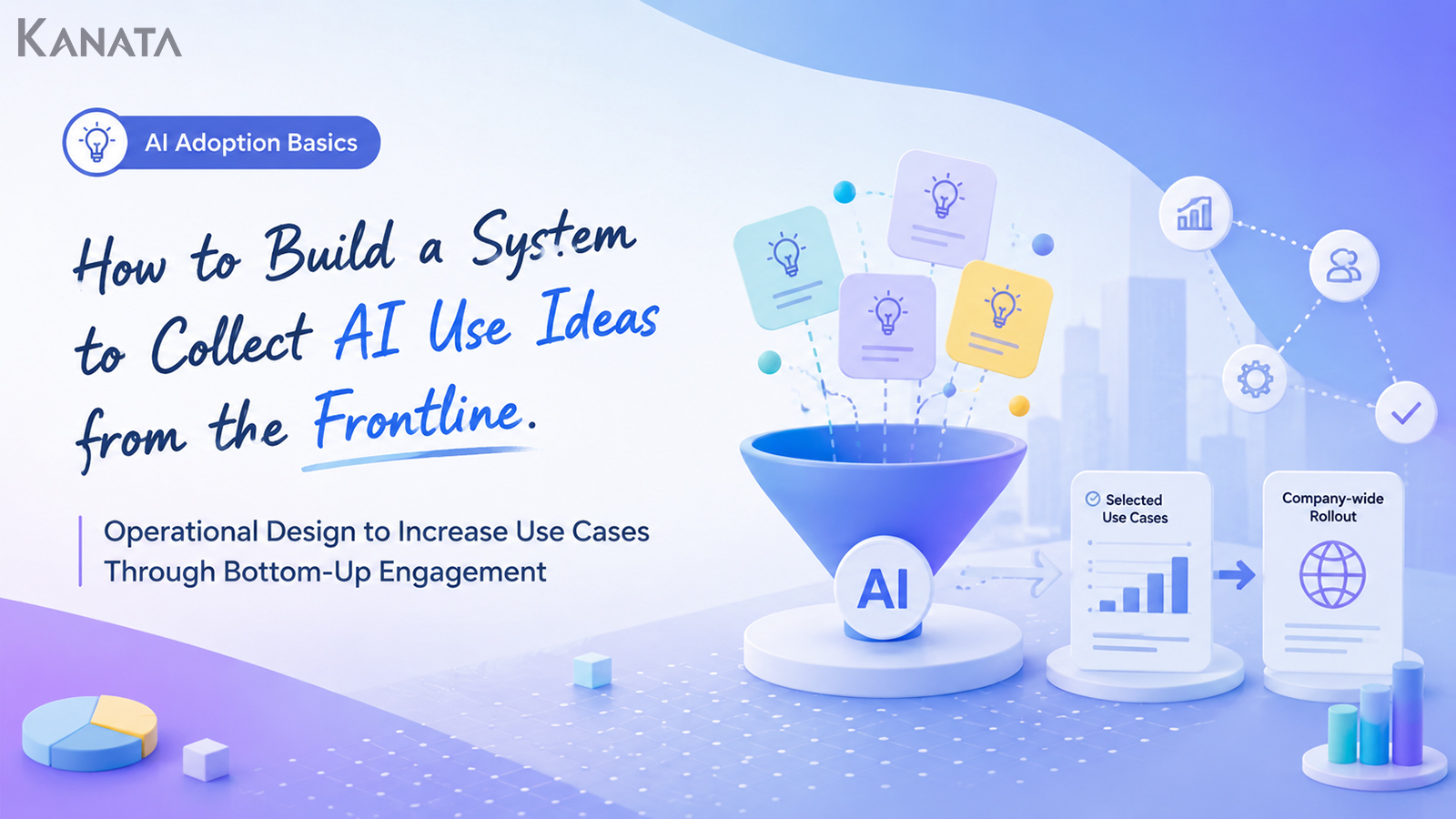



Rather than asking what AI can do, I’d like you to ask what we’re actually struggling with on the ground.
This is the story of an AI-use-case drive at Manufacturer A, where Morita, who leads DX initiatives, sat down with the frontline leaders of sales planning, HR and customer support. Until six months earlier, the firm’s promotion team had decided on use themes in a meeting room and then rolled them out to each department with a brisk “please use these.” The frontline pushed back, though, with comments such as “it doesn’t fit our work” and “it’s not clear who’s meant to use it,” and AI adoption stalled at a handful of experiments.
So the team set up a submission form on Slack, a monthly idea-sharing session and a home for shared internal knowledge. In the first four weeks alone, three departments contributed 38 AI ideas. Today, frontline-originated use cases keep growing steadily, from drafting minutes and triaging enquiries to producing first drafts of training materials.
This article is for the corporate leads who sense the limits of having the promotion team dream up every AI idea on its own, and it sets out how to build a frontline-led internal suggestion scheme and run it well. The aim is a state in which ideas accumulate from the bottom up and the good examples scale across the whole company. That said, simply placing a submission form somewhere will not attract ideas on its own. You need to get the design of the questions, the speed of your responses and the evaluation mechanism right as well. If this is a problem you recognise, do read on with your own frontline in mind.
Why the promotion team alone cannot spread AI ideas

In the early days of adopting generative AI, the first thing many companies tackle is “having the promotion team tidy up the use themes.”
Typically, a DX or IT department takes the lead and considers themes such as the following.
- Streamlining the drafting of minutes
- Composing email text
- Handling internal enquiries
- Producing training materials
- Drafting sales documents
- Building out FAQs
Each is a perfectly sensible entry point for AI. Yet if matters stall at this stage, the frontline tends to read it as “head office has handed down another initiative.”
AI does not embed itself simply because you introduce a tool. Concrete use cases only take root once people on the ground make their own discovery in the course of daily work, the quiet realisation that “this task might be a job for AI.”
While the use of generative AI is spreading, it is also widely noted that turning it into company-wide results tends to hinge on leadership, workflow design and employee engagement. The 2025 McKinsey report likewise finds that, although a great many companies are investing in AI, only a limited number consider themselves to be at a mature stage of use.
Themes decided top-down tend to drift from the frontline’s reality
The promotion team is positioned to survey the whole organisation’s challenges from above. From that vantage point of overall optimisation, it concludes that “applying AI to this task looks promising.”
The troubles the frontline actually feels, however, are far more granular.
In sales, the worry is not the grand “entering things into the CRM after a meeting is a chore,” but rather “it’s hard to capture the customer’s mood in a single line.”
In HR, it is not “we want to make enquiry handling more efficient,” but “questions about parental leave or expense claims arrive slightly differently every time, and it takes ages to work out which part of the rules to consult.”
In customer support, it is not “we want to build an FAQ,” but “before I reply, I want to check that the old answers and the latest guidance haven’t drifted apart.”
As this shows, there is a difference in granularity between the challenges the promotion team perceives and those the frontline genuinely feels. To broaden AI use, you need a mechanism that closes that gap.
Starting from “what can AI do” makes ideas hard to surface
There is a question that reliably trips up frontline engagement: asking “what do you think AI could do?”
On the face of it, the question sounds upbeat, yet for the frontline it is hard to answer. Without an understanding of AI’s features and technical possibilities, people simply do not know what to propose.
The first questions to ask are along these lines.
- What task quietly eats up your time every week?
- Is there work where you give the same explanation over and over?
- Are there moments where organising information before a decision takes too long?
- Which tasks would be eased by having a draft or a starting point?
- Where does it take time to dig out old documents?
AI ideas are born not from knowledge of AI but from a sense that something about the work is off.
The promotion team’s role, therefore, is not merely “the people who teach you what AI can do.” It is also to pick up the frontline’s small frustrations and translate them into something AI can be trialled on.
What to settle before gathering AI ideas from the frontline

Before you begin involving the frontline, you first need to get the premises of the drive in order.
Announcing nothing more than “we’re inviting AI ideas” rarely brings submissions in. Even when ideas do arrive, they tend to vary wildly in grain and prove awkward to assess.
What matters is shaping things so the frontline can submit without hesitation and the promotion team can judge with ease.
Be clear about the scope of ideas you are inviting
The first thing to decide is the scope of ideas you will invite.
In the early stages, narrowing the target as follows makes submissions easier.
- Ideas about writing or summarising
- Ideas about internal enquiries and FAQs
- Ideas about meetings, minutes and reports
- Ideas about training, manuals and knowledge sharing
- Ideas about sales materials and proposal preparation
Cast the net too wide from the off with “we’re inviting AI ideas across every part of the business” and the frontline will not know what on earth to write.
It is more realistic to narrow the scope at first and broaden it once submissions start to flow.
Turn the content you want submitted into a template
Next, design the fields of the submission form.
A simple structure along the following lines works well.
| Field | What to enter |
|---|---|
| Task name | Which task the idea concerns |
| What’s troubling you | What effort, burden or errors arise today |
| Frequency | Daily, weekly, monthly and so on |
| Who’s involved | Who takes part in the task |
| I would like enquiries to be sorted by category, with relevant rules and FAQ suggestions offered alongside. | How you’d like AI to make it easier |
| Reference material | Manuals, FAQs, past documents and the like |
| Submitter | Someone we can follow up with |
The important thing here is not to demand too much of the frontline by asking “how would AI solve this?”
It is quite enough for the frontline to describe the business problem. Whether AI can deliver it, which features to use and in what order to trial them are matters the promotion team can work out together with them.
Decide the criteria for adopt, hold or pass in advance
Once you begin inviting ideas, you cannot respond to every submission straight away. You therefore need to set your judgement criteria in advance.
| Category | Judgement criterion | Response |
|---|---|---|
| Trial now | Effect is easy to see and can be trialled with existing tools | Validate within one to two weeks |
| Needs tidying | The problem is clear but stakeholders or documents need organising | Reassess after interviewing |
| On hold | There seems to be a benefit, but the priority is low | Review each quarter |
| Pass | The risk is high, or it isn’t viable | Give the reason back to the submitter |
It is vital to return a reason even for ideas you pass on or put on hold.
When people submit something and hear nothing back, the frontline starts to feel “there’s no point putting anything forward.” To keep an idea drive going, you must watch not only the adoption rate but the reply rate.
Concrete steps for building an idea-collection mechanism
A mechanism for gathering AI ideas from the frontline need not start out as something complicated.
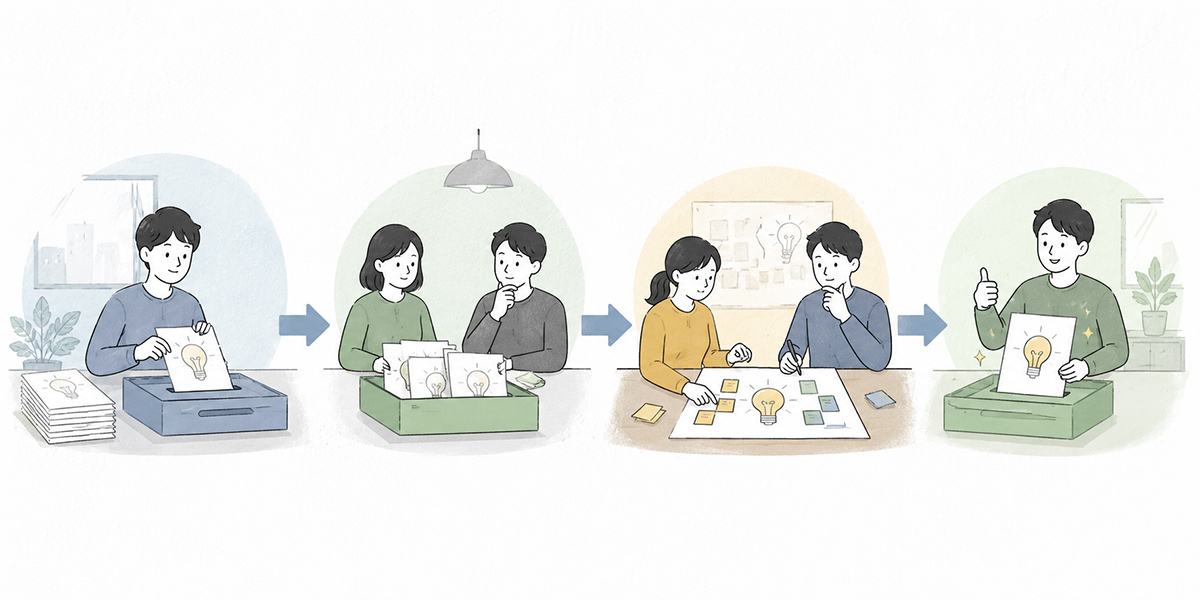
Rather than building an elaborate internal suggestion scheme from day one, the important thing is to start small and keep the cycle of submit, review and share turning.
The basic flow comes in four steps.
- Create a place to submit
- Provide a submission form
- Set up a regular forum to review
- Share what you’ve trialled as shared knowledge
Create a dedicated channel in Slack or Teams
First, make it clear where AI ideas are to be gathered. For companies already on Slack or Teams, a dedicated channel is an easy, legible approach.
A channel name that isn’t too stiff makes posting easier.
- #ai-ideas
- #work-id-love-ai-to-ease
- #genai-frontline-ideas
- #ai-use-case-sharing
- #process-improvement-ai-chat
It is worth pinning a note such as the following to the top of the channel.
In this channel we’re inviting ideas for tasks that AI might make easier. They needn’t be polished proposals. Do post the small frustrations, the “this is a faff every week” or “I’d love a first draft of this job.”
Stating plainly that “it needn’t be a finished proposal” matters here.
When inviting AI ideas, the frontline’s sense that something is off can be worth more than a neatly packaged proposal.
Provide a submission form
Take submissions through chat alone and the content simply scrolls away. So provide a submission form using Google Forms, Microsoft Forms, Notion, an internal portal or similar.
On the form, focus on asking for the “task name,” “what’s troubling you,” “how often it happens” and “the change you hope for.” Pile on too many fields, though, and submissions may dwindle. Design it at first so people can fill it in within five minutes.
When following up, ask in plain words
When the promotion team interviews a submitter, the following questions work well.
- Which task is the most bother?
- How would it help if AI took it on?
- Do let us know of any related documents or manuals.
- May we interview you further?
The key is to avoid jargon.
Ask only in terms like “use case,” “business requirements” and “expected effect” and some on the frontline will tense up. At the outset, asking in everyday language makes people likelier to contribute.
Hold a monthly idea-sharing session
A submission form alone will not sustain frontline engagement. You need a forum where stakeholders can talk while looking over the ideas that have come in.
A monthly idea-sharing session of 30 to 45 minutes is the recommendation.
Have not only the promotion team attend but one or two people from each department. Bringing in members across different kinds of work, sales, HR, IT, customer support, back office and so on, broadens how the ideas are seen.
It works well to run the session in the following order.
- Share how many ideas came in this month
- Introduce three to five representative ideas
- Pick the ones that can be trialled at once
- Decide who validates them and by when
- Share the results of last month’s trials
Again, the important thing is not to turn the meeting too far into a “judging panel.”
Make it a place that scrutinises submitted ideas harshly and the frontline will find it hard to propose anything. At first, design it as a place to consider “how could we trial this in a small way?”
Create a home for shared knowledge
The ideas and validation results you gather need to be kept in a form the company can reuse.
You can choose where to keep them, Notion, SharePoint, Confluence, Google Drive, an internal portal, to suit your existing environment. What matters is not the storage location itself but having ideas, validation results, prompts and caveats searchable within the same context.If you use a tool such as Kanata, which handles AI chat, AI summarisation, e-learning and a project library within a single project, it becomes easier to manage everything from idea submission through to validation and knowledge capture in one place. Kanata is designed so that AI chat, AI summarisation and e-learning can be added on a per-project basis, with prompts and training data reusable through libraries.
- Accumulate submitted AI ideas
- Save prompts that have been trialled
- Compile successful use cases by department
- Convert training videos and explanatory materials into e-learning
- Make frequently asked questions answerable through an AI chat
Designing questions that make it easier for the frontline to contribute

What matters in inviting AI ideas is the questions you put to the frontline.
Pose an abstract question and no submissions arrive. Pose a concrete one, by contrast, and the frontline can look back over their own work and naturally come up with ideas.
Ask “what would you like to cut,” not “what would you like to do with AI”
The frontline finds “what you’d like to cut” easier to answer than “what you’d like to do.”
Questions such as the following, for instance, are effective.
- Is there copying-out work you’d like to cut?
- Is there checking work you’d like to cut?
- Is there rework you’d like to cut?
- Is there post-meeting work you’d like to cut?
- Is there enquiry handling you’d like to cut?
Ask it this way and the frontline can answer without any specialist knowledge of AI.
“Tidying up the minutes after every weekly meeting is hard work.” “Classifying enquiries takes time.” “I write every sales daily report from scratch.” Gather voices like these and the promotion team can convert them into candidates for AI use.
Welcome the small frustrations
People on the frontline hesitate, wondering “is it all right to submit something this trivial?” So when you invite ideas, you need to make it plain that small ideas are welcome.
It needn’t be a grand process-improvement theme. We welcome the small frustrations, the task that costs you ten minutes every week, the check that’s a nuisance, the job where a first draft would help.
In the early stages of AI use, accumulating small wins embeds adoption more readily than aiming straight for sweeping reform of the business.
Even five minutes saved adds up to a real effect across the organisation if several people use it every week. That said, when you do show the effect, you need to be clear about the number of people, the frequency and the comparison period.
Show examples of submissions first
If submissions are not coming in, you may be short of examples.
The frontline will not act unless it knows “how detailed should I be?” Show three to five sample submissions when you launch the drive and the bar to contributing drops.
| Task name | Tidying minutes after a sales meeting |
|---|---|
| What’s troubling me | It takes me about 30 minutes each time to sort the decisions and to-dos while looking back over my notes from the meeting. |
| Frequency | Once a week |
| Hoped-for change | It would help if a first draft of the decisions, to-dos and items to confirm next time came out of the recording or notes. |
| Task name | First-pass triage of internal enquiries |
|---|---|
| What’s troubling me | Enquiries addressed to HR arrive jumbled together, attendance, expenses, benefits and the like. |
| Frequency | Daily |
| Hoped-for change | I’d like a draft follow-up email tailored to the recipient’s industry and the content of the conversation. |
Simply having examples like these makes the frontline likelier to feel “if that’s all that’s needed, I could probably submit something.”
How to turn the ideas you gather into use cases

What matters in an idea drive is not merely increasing the number of submissions. It is turning the ideas you gather into use cases you can actually use.
Stall here and the ideas merely pile up in a “suggestion box.” From the frontline’s point of view, it feels as though “in the end, nothing changed.”
Prioritise by feasibility and effect
First sort the ideas you’ve gathered by “effect” and “ease of delivery.”
| Classification | Large effect | Small effect |
|---|---|---|
| Easy to deliver | Trial as top priority | Trial in a small way |
| Hard to deliver | Sort out requirements, then consider | Put on hold for now |
What to prioritise early on is “things that are easy to deliver and whose effect is easy to see.”
Ideas such as the following, for instance, are well suited to early validation.
- Producing minutes from meeting notes
- Sorting enquiry content into categories
- Creating summaries from training videos
- Drafting emails
- Extracting next actions from sales notes
These are easy to trial with an existing AI chat or AI summarisation feature, and their effect comes across readily to the frontline.
Break them into units you can trial in one to two weeks
Turn an idea straight into a large project and validation drags on. At first, break it into units you can trial in one to two weeks.
Say you have an idea to “bring AI to internal enquiry handling.” There is no need to build a company-wide help desk from the outset.
The first round of validation can be made small, like this.
- Limit the scope to HR enquiries only
- Run it over two weeks
- Feed in only part of the work rules and FAQ as input
- Don’t put AI’s answers straight to staff; use them as drafts for the HR contact
- Make the validation metrics “the number of cases usable as answer drafts” and “where edits were needed”
Cut it this small and you can trial it while keeping the risk down.
In the early stages of AI use, “trying and learning” matters more than “building the perfect mechanism.”
Share the failures, not just the wins
When sharing knowledge, the temptation is to put forward only the success stories. But sharing the failures matters just as much for embedding AI use.
Information such as the following, for instance, is useful to other departments.
- Prompts that didn’t work
- Questions where the answer turned vague
- Cases where the reference material was out of date and nearly led to wrong guidance
- Points where a human check was needed
- Tasks where a person’s judgement turned out better than leaving it to AI
AI is not all-powerful. That is precisely why there is value in sharing how far you can entrust things to it and from where a person should be checking. The NIST AI Risk Management Framework likewise stresses that, for safe and trustworthy AI, what matters is recognising risk, putting the necessary measures in place, coordinating with stakeholders and maintaining governance across the whole lifecycle.
Return the reasons for adopt, hold or pass to the frontline
The thing to avoid most in frontline engagement is submissions disappearing into a black box. When the person who submitted an idea cannot tell what became of it afterwards, the next idea will not come.
Thank you. We’ll trial this idea as a use case for drafting minutes after the sales meeting, at next week’s regular meeting.
Thank you. The effect looks substantial, but we first need to check the rules on handling customer information, so we’ll put it on hold for this month.
Thank you. For now, changing the settings on the existing system looks better than leaving it to AI. We’ll set out the reasoning and share it separately.
Simply having a reply like this makes the frontline feel “we’re being seen.” To sustain an idea drive, the speed and transparency of responses matter even more than the number adopted.
Operating rules to keep the bottom-up approach going
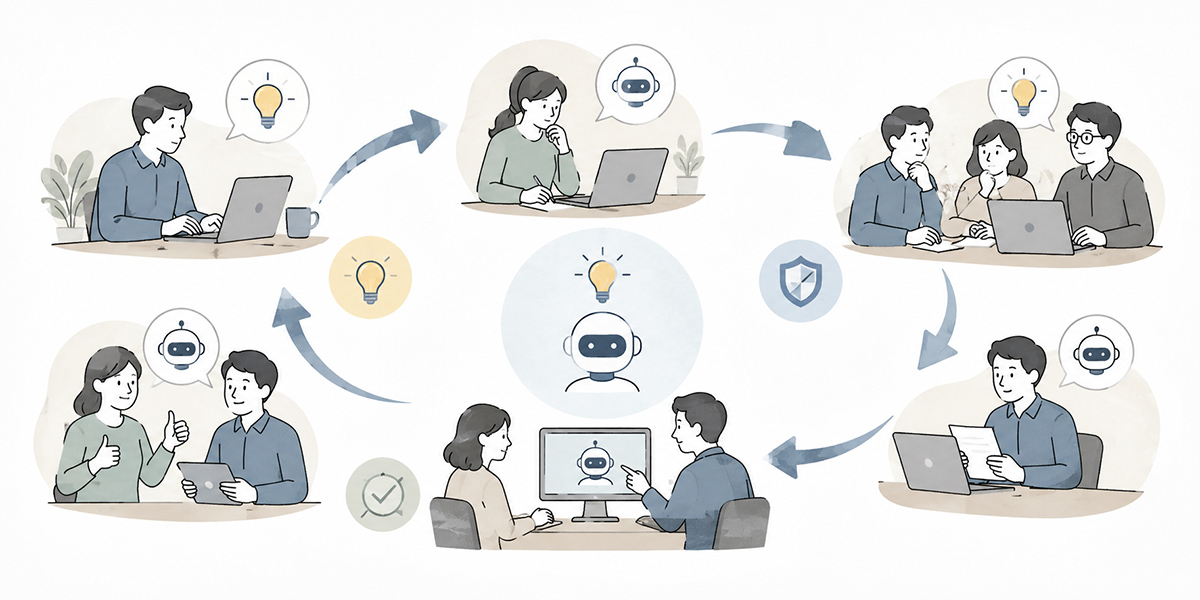
There is no point in an AI-idea drive that flares up once and then fizzles out. To keep growing use cases, you need operating rules.
Set a deadline for the first reply to a submission
The first thing to settle is the deadline for your first reply to a submission. Within three business days is the recommendation.
It’s fine if you can’t make an adoption decision straight away. What matters is conveying that you’ve received it.
Thank you for your submission. We’ve reviewed it. We’ll take it up at the next idea-sharing session and decide whether to validate it.
Thank you for your submission. We’d like to understand the work a little more, so could we interview you for about 15 minutes?
A prompt first reply leaves the submitter feeling “this scheme is alive.” Respond slowly, by contrast, and trust in the scheme itself drops.
Place a promotion member in each department
There is a limit to supporting company-wide AI use with the promotion team alone. So it’s worth placing one “AI-use promotion member” in each department.
The role need not be that of an AI expert. A remit like the following is plenty.
- Pick up the frustrations within the department
- Encourage entries to the submission form
- Attend the idea-sharing session
- Find people willing to help with small validations
- Share success stories within the department
Having people close to the frontline involved in promotion makes AI use feel like the department’s own concern, rather than something led by head office.
Start with recognition and visibility before money
Mention an internal suggestion scheme and some companies think of cash rewards or points systems.
A degree of incentive is, of course, effective. But in the early stages of AI use, starting with recognition and visibility comes more naturally.
Methods such as the following, for instance.
- Feature the idea of the month in the internal chat
- Name the submitter of an adopted idea
- Mention departments that helped with validation at the all-hands meeting
- Add submitter comments to the use-case page
- Put out small success stories as internal news
For people on the frontline, knowing that their own submission helped another department is a powerful motivator.
It matters more to create the feeling that “if I put it forward, someone’s work gets easier” than “if I put it forward, I get rewarded.”
Build a community to generate ongoing conversation
Run an idea drive on process alone and submissions become perfunctory. To keep it going, you need an element of community as well.
Alongside the monthly sharing session, for instance, it’s worth creating forums such as the following.
- AI mini study sessions
- Department-by-department use-case sharing
- Prompt-improvement sessions
- Failure-sharing sessions
- Drop-in sessions for beginners
What matters is not making these forums the preserve of those who know AI well.
Making them places where people who “still don’t know how to use it” or “don’t know what to ask” can take part is what broadens frontline engagement.
Sharing knowledge to connect through to a company-wide rollout

AI ideas gathered from the frontline will not spread if they stay confined within each department. A minute-drafting approach that worked well in sales might apply to interview records in HR. An enquiry-classification method used in customer support might also work for the IT department’s internal help desk.
To connect bottom-up ideas through to a company-wide rollout, you need to design how knowledge is shared.
Organise success stories by “who, on what, and how they used it”
When sharing a success story, “we made it more efficient with AI” is not enough.
Organising it from the following angles makes it easier for other departments to imitate.
- Who used it
- On which task they used it
- What they entered
- What sort of output they got
- Where a person checked
- How much time was saved
- Under what conditions it could be reused
A format like the following, for instance.
| Use-case name | Drafting minutes after a sales meeting |
|---|---|
| Department using it | Sales planning |
| Target task | Drafting minutes of the weekly sales meeting |
| Input | Meeting notes, transcript of the recording |
| Output | Decisions, to-dos, items to confirm next time |
| Human check points | Names, deadlines, figures |
| Effect | Weekly minute-drafting time cut from about 30 minutes to about 10 |
| Departments that could reuse it | Any department that holds regular meetings |
A note such as “we compared one person’s working time across four sales meetings in April 2026” helps the reader to validate it.
Keep prompts and operating rules in a reusable form
AI knowledge should be kept not merely as case-study articles but as reusable parts.
Accumulate things such as the following, for instance.
- A minute-drafting prompt
- An enquiry-classification prompt
- A sales-email-drafting prompt
- A training-material-drafting prompt
- Caveats for use
- An output-checking checklist
- Rules on information that must not be entered
Kanata‘s project library lets you manage the materials you reuse within a project by drawing on an AI library, a prompt library and a training-data library as needed. A mechanism like this suits cases where you want to reuse prompts and reference material across departments.
For companies that already have an internal portal or document-management platform in place, on the other hand, adding an AI-knowledge category to the existing tools is a perfectly good way to start. What matters is not the introduction of a particular tool, but that the know-how that has been used remains in a state where it can be reused.
Review old use cases periodically
An AI use case is not a build-it-once-and-forget affair.
When the workflow changes, the prompts and reference material you should use change too. When internal rules are updated, an answer based on an old FAQ may lead to wrong guidance.
So carry out a knowledge stocktake once a month or once a quarter.
The items to check are as follows.
- Whether old material is lingering
- Whether there are unused prompts
- Whether there are duplicate use cases
- Whether the ones bearing fruit could be rolled out company-wide
- Whether high-risk uses are on the rise
- Whether there are cases that could be extended to a new department
Sharing knowledge does not work simply by creating a place to put it. It needs to be reviewed periodically and kept in a state where it is actually used.
Points to watch so the mechanism doesn’t become an empty formality
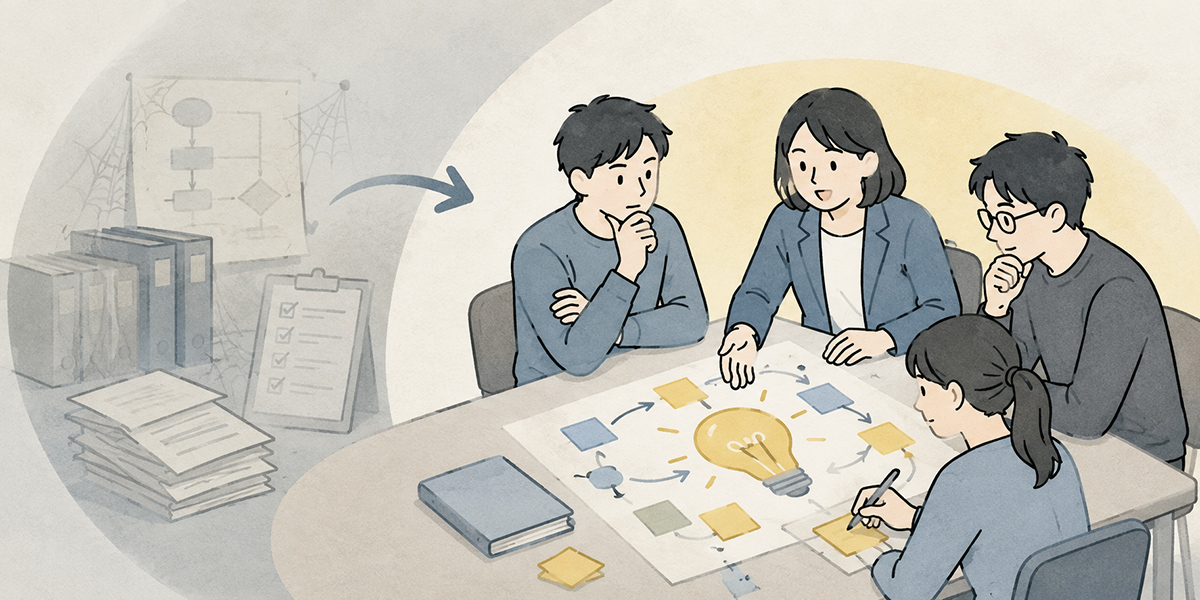
Frontline-led AI use, designed well, can be a powerful force.
Run it badly, on the other hand, and you’re left with nothing but a submission form that no one uses.
Here we set out the points to watch to prevent that hollowing-out.
Don’t make submission numbers the sole goal
Once you start an idea drive, the temptation is to chase “how many came in.”
Submission numbers matter, of course. But make numbers the sole goal and you’ll see low-quality ideas multiply, or submitting for its own sake become the point.
The metrics to watch are not submission numbers alone. Combine, for instance, the following.
- Number of submissions
- Number of submitting departments
- First-reply rate
- Number that progressed to validation
- Number of use cases still in regular use
- Number rolled out to other departments
- Feedback-completion rate to submitters
Particularly important is the “number of use cases still in regular use.”
AI use embeds itself not at the moment an idea appears but once it comes to be used over and over in the course of the work.
Don’t dump everything on the frontline
Use the word “bottom-up” and it conjures an image of the frontline autonomously producing ideas and improving on its own.
In the early stages, though, dumping everything on the frontline will not work.
The frontline knows the challenges of the work, but often does not know how to trial it with AI, which tool to use or which risks to watch for.
The promotion team needs to take the frontline’s voices and support them as follows.
- Shape ideas into a form that can be validated
- Check the documents needed
- Produce a starting-point prompt
- Check the risks and information-management caveats
- Pull the results together into a form that can be shared
Bottom-up does not mean leaving it all to the frontline. It means the promotion team running alongside, starting from the frontline’s challenges.
Don’t project an air of omnipotence
When spreading AI use, you should avoid wording that raises excessive expectations.
Phrasing such as the following, for instance.
- AI will sort all of this out
- It’ll automate everything
- Any department will see results straight away.
- Whatever you ask, it’ll deliver without fail
Such wording may draw interest for a moment. But when people actually try it and it falls short of expectations, the disappointment is all the greater.
To keep frontline engagement going, you need to be honest about what it can and cannot do.
AI is good at drafting, summarising, classifying, comparing, sorting out the points at issue and generating ideas.
Final judgements, where responsibility lies, the subtle nuance of customer interactions, and high-risk decisions in legal, HR or finance, on the other hand, are areas a person should check.
Sharing where this line falls makes the frontline feel safe to put ideas forward.
Start with one department for one month

A mechanism for gathering AI ideas from the frontline need not roll out company-wide from the start.
If anything, starting with one department, one month and a handful of use cases makes success more likely.
Week 1: decide the theme to invite ideas on
First, decide the target department and the theme to invite ideas on.
Themes such as the following come to mind as examples.
- In sales, invite AI ideas for before and after a deal
- In HR, invite AI ideas for handling internal enquiries
- In CS, invite ideas for classifying enquiries or drafting answers
Narrowing the theme makes the grain of submissions easier to align.
Week 2: open the submission form and channel
Next, set up the submission form and dedicated channel.
When you launch the drive, always show sample submissions.
It matters to convey that “it needn’t be a finished proposal” and “a small frustration is fine.”
Week 3: organise the ideas you’ve gathered
Sort the submitted ideas by effect and feasibility.
Don’t try to validate everything; pick just one or two to start.
The criteria for picking are these three.
- The frontline frustration is clear
- It can be trialled with existing AI features
- The validation results are easy to share with other departments
Week 4: trial in a small way and share
Finally, trial the chosen idea in a small way.
After validation, pull the results together briefly.
- What you trialled
- On which task you used it
- How far it helped
- Where a human check was needed
- What you’d improve next
Share this summary internally and it leads on to the next submission.
As more people come to feel “I could probably trial this in my own work too,” frontline engagement spreads more readily.
In summary: small frontline-born ideas underpin the company-wide rollout of AI

The promotion team’s role is important in spreading AI across the company.
But there is a limit to how long the promotion team can keep dreaming up use themes on its own. The frontline’s work is granular, and the context differs from department to department. That is exactly why AI ideas need to be gathered from the frontline.
Telling the frontline to “please come up with ideas” is not, however, enough on its own.
What you need is questions that are easy to answer, a submission form that is simple to fill in, rules for first replies, a forum for validation and a mechanism for sharing knowledge.
These five points are especially important.
- Ask “which tasks are painful,” not “what can AI do”
- Welcome the small frustrations
- Respond quickly to submissions
- Break ideas into use cases you can trial in one to two weeks
- Share both the wins and the failures as knowledge
AI use is not something that changes in one sweep through a single grand initiative.
Pick up the frontline’s small frustrations, trial them, share them and extend them to other departments. Through that repetition, bottom-up use cases grow.
The promotion team need not hold all the answers.
Gathering the frontline’s voices, shaping them into something you can trial, and turning them into reusable knowledge: that is the first step towards taking AI beyond a few experiments and on to a company-wide rollout.
Q&A: common questions when gathering AI ideas from the frontline
Is it better to invite AI ideas company-wide all at once?There’s no need to invite them company-wide all at once from the start. If anything, narrowing to one department and one theme in the early stages makes it easier to run. Limit the scope of the work, to “post-sales-meeting tasks,” “HR enquiries” or “CS answer drafts,” for example, and the grain of submissions aligns more easily and validation becomes simpler.
If submissions aren’t coming in, what should I review?The first thing to review is the design of the questions. Change them from “what can AI do?” to questions the frontline finds easy to answer, such as “what task eats up your time every week?” or “for which job would a draft help?” Show three to five sample submissions alongside, and the bar to entering drops.
Do all the ideas submitted have to be carried out?There’s no need to carry them all out. What matters is returning the reason for adopt, hold or pass to the submitter. When there’s no response after submission, the frontline comes to feel “there’s no point putting anything forward.” Place more weight on the first-reply rate and the feedback-completion rate than on the adoption rate.
How should I measure the results of AI use?Submission numbers alone are not enough. Combine the number that progressed to validation, the number of use cases still in regular use, the number rolled out to other departments, the change in working time and the feedback-completion rate to submitters. When you put out figures such as time saved, it matters to note the period, the number of people and the comparison conditions alongside.
What’s the single most important thing to watch when gathering AI ideas?Not projecting an air of omnipotence. AI is suited to drafting, summarising, classifying, comparing and sorting out the points at issue, but you should not entrust final judgements or high-risk decisions to it entirely. In particular, anything involving personal data, customer information, contracts, legal, HR or finance needs to be designed on the premise of input rules and human review.