


“We’ve plenty of article ideas — what we haven’t got is anyone free to start the first draft.”
When I heard that remark in a marketing team’s meeting, I knew at once it wasn’t simply a shortage of production capacity. It was the very problem facing Saeki (not her real name), who heads the marketing function at a BtoB firm, along with the team’s SEO, paid-media and sales-planning members. Until about six months earlier, keyword design, persona work, copywriting and landing-page improvement ideas had all been concentrated in the hands of a few people. The number of SEO articles published wasn’t growing, ad A/B-test ideas kept getting put off, and sales were grumbling on Slack that “the messaging improvements aren’t keeping pace with what we hear in actual deals.”
Today,through marketing-focused generative-AI training built around Kanata, our own platform , the team handles SEO article outlines, comparison of ad messaging, and improvement ideas for landing-page hero sections and CTAs as a shared, common procedure across the function. In an internal exercise covering twelve themes run over the month after the training, the average time to produce a first draft per theme fell from 180 minutes to 70. That said, this figure is an observed result from one company’s training exercise and does not guarantee the same outcome for every organisation.
This article sets out, for marketing leaders wrestling with both the volume and the quality of content, a training design that embeds generative AI not as a mere text-writing tool but as a practical skill underpinning planning, production and improvement. The aim is a state in which people concentrate on fact-checking, brand judgement and strategic decisions, while AI handles drafting and the broadening of improvement options. AI alone, however, does not deliver results. Only with evaluation criteria, a review structure and a verification cycle in place does it lead to reproducible improvement.
Why marketing teams come to need generative-AI training
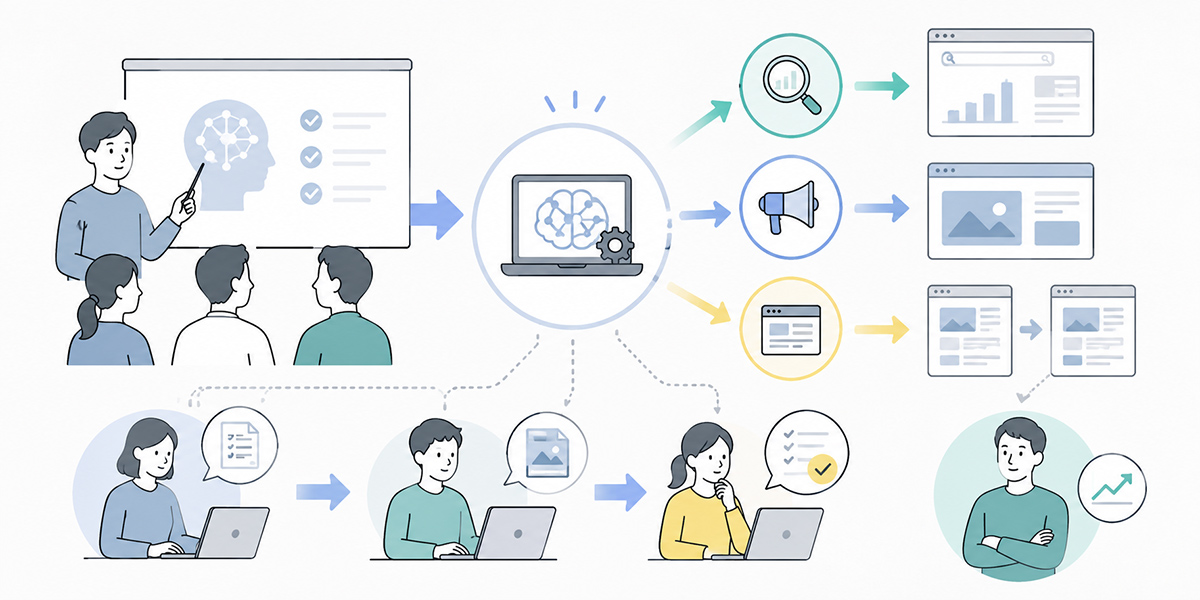
In marketing teams, a great deal of content production arises day to day — SEO articles, ad copy, landing pages, white papers, email copy, social posts, webinar announcements and more.
At the same time, there isn’t always enough time to give planning, production, review, publication and performance verification their full due. Because a small headcount is running several initiatives at once, the situation on the ground is rarely “we don’t know what to do” — it’s “we haven’t the capacity to carry it out.”
This is the pattern I see most often in the field. Improvement ideas surface in meetings. The team wants to rework ad messaging, publish more SEO articles, change the landing-page hero section. Yet by the following week, existing work has swallowed everyone and nothing gets started. The upshot is that the need for improvement is widely shared, but execution never accumulates.
Generative AI does not solve all of this automatically. What matters, rather, is dividing the work AI is entrusted with from the work people own.
| Role | Main area of responsibility |
|---|---|
| What AI readily supports | Quickly producing first-cut keyword designs, article outlines, ad copy options, landing-page improvement ideas, A/B-test hypotheses and the like. |
| What people should own | Judgements that carry responsibility — strategy, customer understanding, brand expression, fact verification and final sign-off. |
To align this division of roles across the team, generative-AI training for the marketing function becomes necessary.
It is worth noting that AI adoption among businesses is widening. According to Stanford HAI’s AI Index Report 2025, 78% of organisations were using AI in 2024, up from 55% the year before.Source: Stanford HAI, The 2025 AI Index Report. That said, AI being widely adopted is one thing; results being delivered reliably in practice is quite another. Training needs to address not adoption itself, but how AI is woven into day-to-day work.
Generative-AI training isn’t enough if it’s only “how to use the tool”
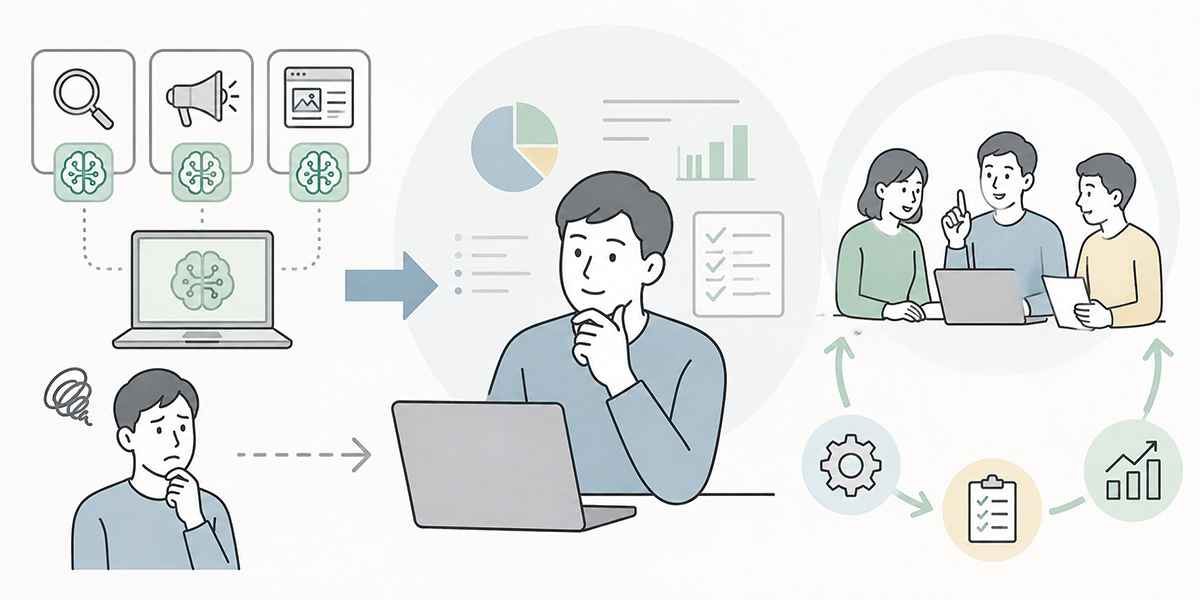
Generative-AI training is often taken to be a session for learning how to write prompts and operate a chat screen. Understanding the basic operation does, of course, matter.
But for a marketing team to turn this into results, that alone falls short.
What I place weight on when designing training is less “how to input” than “which business decisions to use it for.” Used well, generative AI can produce text quickly. Yet producing text quickly does not, by itself, translate into marketing results. Who you are reaching, what you are pitching, which expression you adopt, which figures you verify — only once you design to that depth does AI take hold in practice.
At a minimum, training should aim for a state in which the team can answer the following questions.
- When having AI draft an SEO article outline, what information should be handed over
- By what criteria to accept or reject the ad copy options AI produces
- How to sort landing-page improvement ideas into those worth trying at once and those to hold back
- How to spot the passages that need fact-checking
- How to connect the brand guidelines with AI output
- How to share good prompts and success stories within the team
In short, training should cover more than “what to ask the generative AI.” It must design how AI’s output is built into the workflow, and who decides what, by which criteria, and how.
In marketing-focused generative-AI training, it is important to design not only prompt creation but review, verification and knowledge-sharing as well.
The basic areas training should cover
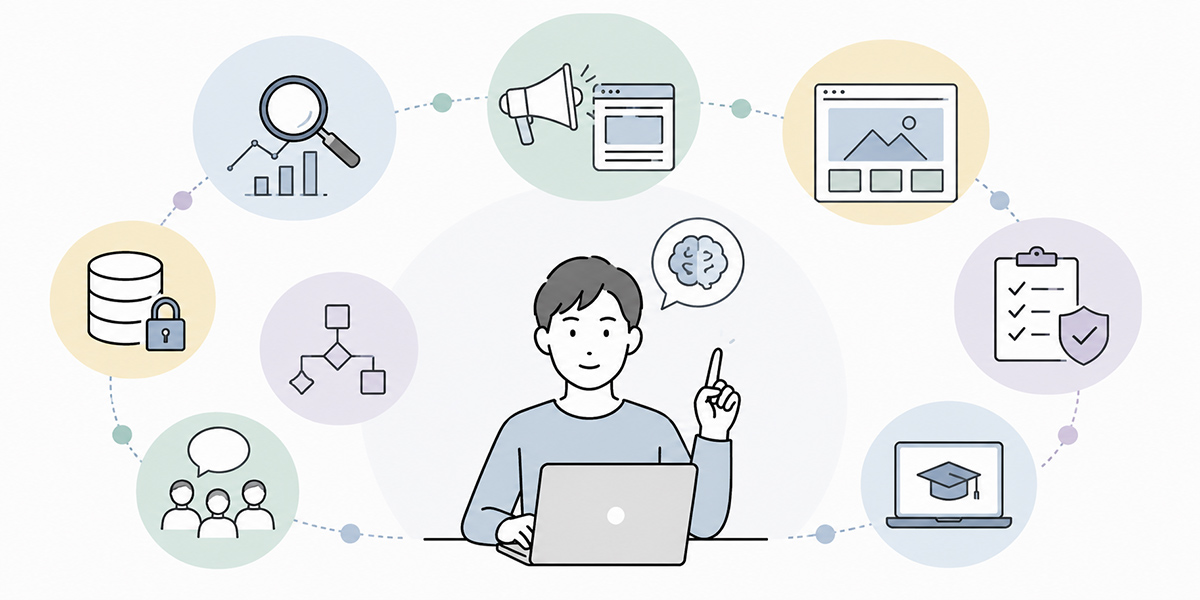
In generative-AI training for marketing teams, it is more realistic to begin with areas close to everyday work than to plunge straight into advanced tactics.
I often say at the start of a training session that there’s no need to go hunting for some magical use right away. The value of generative AI lies less in a flashy one-off idea than in gradually lightening the tasks that crop up every week. That accumulation is what shifts the whole team’s speed and quality.
The four areas to get to grips with in common are, in particular, the following.
Keyword design and clarifying search intent
The first step in using AI for SEO is keyword design and clarifying search intent.
When writing an article for the keyword “marketing generative AI,” for instance, rather than having AI write the body straight off, you first break down the reader’s concerns.
- Who is searching
- What business problems they face
- Whether they are in the information-gathering stage or the adoption-consideration stage
- Whether they want to compare options or learn a concrete procedure
- What related keywords are likely to come up
Having AI help with this clarification makes it easier to align the premises for article production.
That said, the search intent AI produces is a hypothesis. It needs to be checked against actual search results, Search Console, ad data and the voice of the sales floor.
In my experience, whether you can hold this sense of “treating it as a hypothesis” makes a great deal of difference to the quality of AI use. Treat AI’s output not as the right answer but as a starting point for discussion. That stance matters especially in a marketing team.
Clarifying personas and messaging angles
In marketing, whom you are addressing and what you are conveying both matter.
Generative AI helps with first-cut personas and with broadening the range of messaging angles.
Even for the same “generative-AI training,” the concerns of an executive, an IT lead and a marketing or sales lead differ. Executives weigh return on investment, company-wide transformation and the impact on competitiveness. IT leads weigh security, governance, system integration and operational management. Marketing and sales leads weigh lead generation, conversion-to-deal rates, content production and the improvement of sales materials.
By using AI, you can sort out these reader-specific concerns and produce several messaging angles as options.
What I often do in the field is have AI produce several personas, then sit down with sales and customer-success colleagues to check “how close is this to a real customer.” AI is good at producing hypotheses, but it is the people on the ground who know the customer’s temperature. Combining the two moves you from a theoretical persona to one you can actually use in a campaign.
Copywriting and first drafts
The area where content-production AI is most readily used is copywriting and first drafts.
Article titles, headings, lead paragraphs, ad copy, landing-page hero sections, CTA wording — marketing teams have no shortage of moments where value must be conveyed in a few words.
With generative AI, you can produce several expression options from a single pitch in short order.
For ad copy, you can vary the output along lines such as the following.
- Problem-led messaging
- Outcome-led messaging
- Reassurance-led messaging
- Messaging for those comparing options
- Messaging for the adoption lead
- Messaging for senior management
For landing-page improvement, you can compare hero-section headings, sub-copy, CTAs and the presentation of case studies as several options.
What matters is not asking AI to “give me the single best option” but having it produce several and letting people judge. Think of AI as widening the choices and people as evaluating them, and it slots neatly into practice.
I often describe this step as “work that cuts down the time spent frozen in front of a blank page.” What people ought to agonise over is not writing the first sentence from nothing. It is choosing, from a set of options, the expression that fits the company’s strategy and the customer’s context.
Fact-checking and brand guidelines
What must always go into the training when using generative AI is fact-checking and brand guidelines.
AI is good at producing natural-sounding text, but it cannot handle every figure, quotation, proper noun, regulation or competitor detail accurately.
In SEO articles, ad copy and landing pages especially, information bearing on the reader’s trust is involved.
- Performance figures
- Customer case studies
- Number of adopting companies
- Survey data
- Competitor comparisons
- Pricing information
- Laws and regulatory frameworks
- Industry trends
Leaving these entirely to AI risks putting incorrect information out into the world.
So the training instils the premise that AI-produced text is never adopted as-is. Go back to the source for figures, confirm primary sources for quotations, fix expressions that don’t fit the brand, avoid over-assertion. Holding such review points as a shared team checklist is important.
When using an environment such as Kanata, where prompts and training data can be shared within the team, it becomes easier to work while referring to brand guidelines, past articles, product materials and sales decks. That said, selecting any tool presupposes checking your own security requirements, access management and fit with existing work.
Practical exercises in SEO AI training
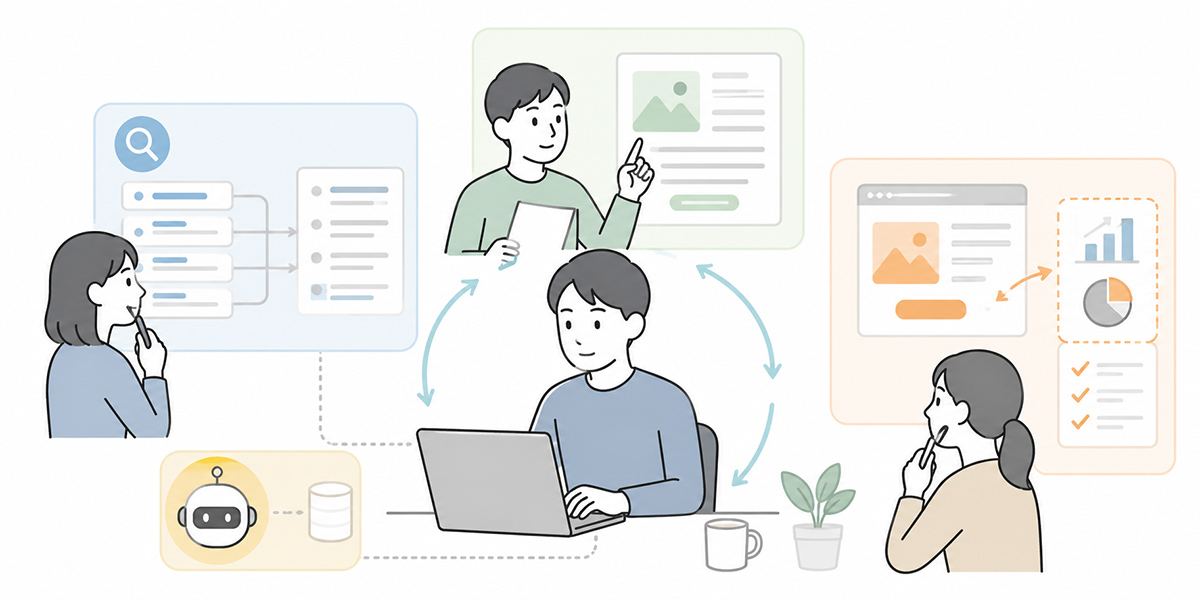
In the SEO domain, using generative AI lets you streamline the upstream stages of article production.
That said, if you make it a training where AI writes only the body, it proves awkward in practice. Better to learn, in line with the flow of SEO article production, how to use AI stage by stage.
When I design training, I take care not to start with “body generation.” The body is very much the final stage. Before it, you need to sort out the reader’s concerns, search intent, structure, headings and the supporting evidence required. Once you can support these upstream stages with AI, the quality of the article as a whole steadies.
Clarifying search intent from keywords
In the first exercise, you clarify search intent based on the target keyword.
For the keyword “SEO AI,” for example, you put questions like these to the AI.
- Who searches with this keyword
- What the searcher wants to know
- What the overt and latent problems are
- Which services or approaches they are weighing up
- Which questions the article must answer without fail
This exercise makes the premises of article production clear.
What matters here is not using AI’s answer as-is but checking it among team members. By discussing “does this search intent genuinely exist,” “does it match the concerns we hear in actual deals,” and “does it overlap with existing articles,” AI’s output turns into information usable in practice.
Producing an article outline
Next, you use AI to produce a heading structure.
Here you do more than line up H2s and H3s — you also sort out the role of each heading.
- Headings that make the reader’s problem clear
- Headings that lay out the overall picture of the solution
- Headings that explain concrete steps
- Headings that show pitfalls and examples of failure
- Headings that lead to the next action
In SEO articles, quality is largely decided at the outline stage. Using AI makes it easier to check for gaps and to produce heading options from a different angle.
After having AI produce an outline, I always revisit it through the lens of “will this structure put the reader’s worries to rest.” What matters is not only headings aimed at the search engine but whether the flow makes sense as the reader works through it.
Sorting out the information before producing a first draft
Before having AI write the body, sorting out the information also matters.
You might, for instance, pull together the following beforehand.
- Intended reader
- The reader’s problem
- The aim of the article
- The relationship to your own service
- Keywords to use
- Expressions to avoid
- Internal materials to draw on
- Passages requiring fact verification
Instructing AI without this preparation tends to yield text heavy on generalities.
As far as I see in the field, most cases of dissatisfaction with AI’s accuracy stem less from AI itself than from a shortage of the background information being handed to it. Good output requires good input.
Reviewing on the premise of fact-checking
In SEO articles, a pre-publication review is indispensable.
Against AI-produced text, you check on the following points.
- Is there a source for the figures
- Are competitor comparisons inaccurate
- Is there any expression that misleads the reader
- Has it tipped into over-assertion
- Does it fit your brand tone
- Are keywords crammed in unnaturally
Using AI makes first drafts quicker, but you cannot hand the responsibility for publication over to AI. In training, it is important to confirm this dividing line again and again.
Practical exercises in advertising AI training

In ad operations, the number of messaging options and the speed of verification both bear on results.
But day-to-day work — ad submission, reporting, delivery adjustments — eats into the time, and there are times when you can’t produce enough fresh ad copy or A/B-test ideas.
In advertising AI training, you learn how to use generative AI to streamline hypothesis-building and the production of expression options.
When I support ad operations in the field, what I often sense is the problem of “we want to improve, but the words to try won’t come.” The numbers are visible. They know click-through is low and that CVR isn’t growing. What they lack is the time to think through what messaging to try next. This is where AI has room to help.
Producing several messaging angles
Before writing ad copy, you first sort out the messaging angles.
When pitching generative-AI training, for instance, angles such as the following come to mind.
- Operational efficiency
- Talent development
- Reducing key-person dependency
- Department-by-department use
- Security response
- Post-training embedding support
- Faster content production
By having AI produce several messaging angles, you can design ad copy not as mere rewording but as distinct hypotheses.
Here I recommend instructing it not to “produce ten similar expressions” but to “produce messaging aimed at different buying psychologies.” The words that land differ between someone wanting reassurance, someone in a hurry for results, and someone struggling to explain things internally.
Producing ad copy by persona
Even for the same service, the words that land differ by reader.
For executives, words such as company-wide adoption, return on investment and competitiveness can be effective. For IT leads, security, access management, data handling and governance matter. For marketing and sales leads, lead generation, sales materials, ad improvement and content production tend to be the concerns.
In training, you run an exercise producing ad copy by persona from the same product.
After having AI produce ad copy, people evaluate it on the following points.
- Is it clear whom the ad copy is for
- Is the problem concrete
- Has it become an exaggeration
- Is the CTA natural
- Does it match the landing-page content
Including this evaluation lets you use AI not as a “tool for producing ad copy” but as a “partner for multiplying hypotheses.”
Producing A/B-test ideas
In ad improvement, designing A/B tests also matters. An A/B test is a method of comparing several patterns — with part of the ad copy or landing page changed — to verify which is more likely to lead to results.
With generative AI, you can sort out test ideas like the following in short order.
- Verify a difference in headings
- Compare problem-led and outcome-led messaging
- Compare CTA wording
- Compare messaging by persona
- Compare messaging with figures against messaging without
- Compare reassurance-led copy against forward-looking benefit-led messaging
That said, A/B tests aren’t something to multiply on a whim. You need to decide what you want to verify, which metric you will watch, and over what period you will judge.
When producing A/B-test ideas, I always make a point of writing down “what is this test for learning.” In ad improvement, gaining a learning you can use in the next move matters more than merely seeing who wins.
Practical exercises in landing-page improvement AI training

In landing-page improvement, trying to fix the whole page at once lets the discussion sprawl. A landing page (LP) is the page that prompts visitors arriving from ads or search results to take an action — enquiry, requesting materials, purchase.
Even when using generative AI, it is important to split the target of improvement — hero section, headings, CTA, case studies, FAQ, the area around the form — and consider them separately.
When I come in to support landing-page improvement, I sometimes hear in the first meeting that “we can’t quite tell what’s actually wrong.” Is it the design, the copy, the CTA, the form, or a mismatch with the traffic source in the first place? When the points of contention get mixed up, you can’t prioritise the improvements. AI helps with sorting out these points too.
Improving the hero section
In a landing page’s hero section, you need to convey briefly whom the service is for, which problem it solves and why it is worth looking at now. The hero section is the area visible on screen the moment the page opens.
Using AI, you can produce several improvement options based on the existing hero section.
You might, for instance, vary the output along these lines.
- An option pressing hard on the problem
- An option presenting the ideal picture after adoption
- An option making the target audience explicit
- An option bringing out concrete work scenes
- An option that puts in figures or timeframes
- An option conveying reassurance and a support structure
That said, the copy AI produces isn’t necessarily usable as-is. With a landing page, you need to check consistency with the actual service content, the customer’s consideration stage and the ad copy.
Reconsidering the CTA
In landing-page improvement, the CTA matters too. CTA stands for “call to action” — the element prompting the reader towards a desired action such as requesting materials, enquiring or signing up.
“Contact us” alone can set the reader’s psychological hurdle high. Using generative AI lets you sort out CTA options suited to the reader’s stage.
There are, for instance, options like these.
- Download the materials
- Discuss the training content
- See examples of use by department
- Check pricing and plans
- Hear first what adoption would look like
- Discuss a training theme that suits your company
In training, you consider not only the CTA wording but also what information to place before the CTA. A CTA isn’t decided by the button’s words alone; it is decided by the context leading up to it.
When thinking about a CTA, I often check “what is the reader anxious about right now.” Is it the cost, the internal roll-out, the security? The CTA needs to be a natural next step in response to that anxiety.
Producing FAQ and reassurance content
On a landing page, content that puts the reader’s worries to rest also matters.
Using generative AI makes it easier to surface the likely questions.
For a generative-AI-training landing page, for instance, questions like these come to mind.
- Can beginners take part
- Can the content be varied by department
- Do you cover security caveats too
- Is there embedding support after the training
- Which job roles is it suited to
- Can we run exercises using our own business data
- How long is the training
Having AI produce FAQ options makes it easier to pick up the reader’s worries without gaps.
That said, the answers need to be checked with the relevant parties — sales, customer success, legal, IT and so on. Answers bearing on security or contracts in particular should not be decided by the marketing team alone.
How to embed generative-AI training across the team
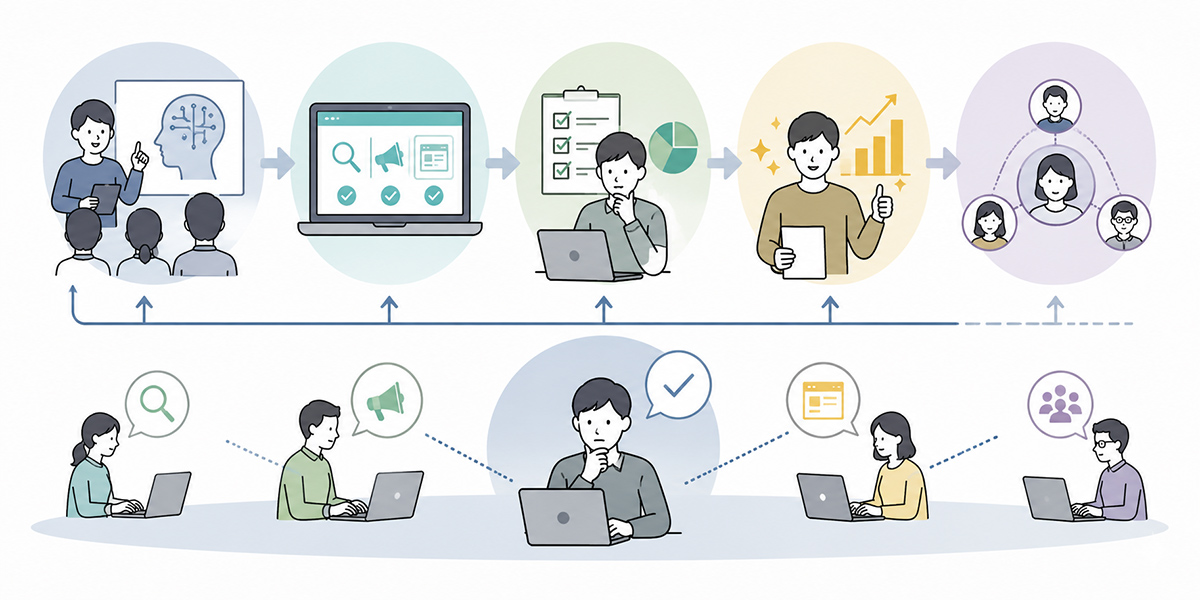
If generative-AI training is run once and left there, it proves hard to embed in practice.
You need to create a state where, rather than stopping at “that was handy” after the training, it goes on being used within everyday work.
I recommend designing AI training not as a one-off event but as the entry point to transforming how work is done. However lively the training day, it means nothing if it isn’t used in the following week’s work. What matters is deciding in advance what to embed at the 30-, 60- and 90-day marks after the training.
Start with common tasks first
Trying to spread AI across all work from the outset throws the team into confusion.
It is best to begin with common tasks such as the following.
- Producing SEO article outlines
- Producing ad copy options
- Sorting out landing-page improvement ideas
- Drafting email copy
- Producing webinar announcement copy
- Producing white-paper outlines
- Producing first-cut sales-meeting materials
These are areas where the deliverable is clearly imagined and the effect of using AI is easy to feel.
When I run training, too, I pick “themes usable in tomorrow’s work” to begin with. Rather than a grand AI strategy, being usable for tomorrow’s ad copy, next week’s article outline and this month’s landing-page improvement is what tells on embedding in the field.
Don’t keep prompts in individual hands
As generative-AI use advances, each person ends up with “a good prompt only they use.”
In the short term this is handy, but seen across the whole team it leads to key-person dependency.
After the training, it is important to build a mechanism for sharing the prompts that worked well.
You might, for instance, manage prompts like these within the team.
- SEO article-outline prompt
- Ad-copy creation prompt
- Landing-page improvement prompt
- Persona-clarification prompt
- A/B-test idea prompt
- Fact-checking-point extraction prompt
- Brand-tone correction prompt
When using an environment such as Kanata, where prompts and training data can be managed on a per-project basis, it becomes easier to reuse frequently used instructions and reference materials within the team. This makes it easier to turn an individual’s ingenuity into a team asset.
Using brand guidelines as training data
When a marketing team uses generative AI, the connection to brand guidelines matters.
Even if AI can write natural text, without your company’s character it cannot be published as-is.
It is therefore effective to have materials such as the following in order.
- Brand guidelines
- Tone and manner
- A list of forbidden expressions
- Past ad copy
- Past landing pages
- Articles that performed well
- Sales materials
- Customer case studies
- Frequently asked questions
Working with AI while referring to these makes it easier to obtain output close to your company’s context rather than generalities.
That said, the information you feed in as training data needs to be managed in line with internal rules. Where you handle customer names, personal data, contract terms or undisclosed information, confirm the handling beforehand.
I also often hear, in the field of AI adoption, that “we can’t tell what we’re allowed to put in, so in the end we don’t use it.” That is precisely why it is important to confirm, within the training and with concrete examples, what information may be entered, what should be masked and what must never be entered.
Deciding the review structure
The more AI raises production speed, the more the review structure grows in importance.
Even if first drafts multiply, if few people can check them, the bottleneck simply shifts to the review stage.
It is therefore wise to decide roles such as the following at the training stage.
| Role | Responsibility |
|---|---|
| Producer | Uses AI to produce first drafts and improvement ideas. |
| Reviewer | Checks expression, structure and brand tone. |
| Fact-checker | Checks figures, quotations and proper nouns. |
| Approver | Judges whether it may be published. |
| Improvement lead | Looks at post-publication results and forms the next hypothesis. |
Dividing roles in this way makes it easier for AI use to take hold as a team operation rather than a personal task.
When I support a team, I check again and again that the review stage isn’t taken lightly. Even if AI makes production faster, quality won’t steady while review criteria remain vague. If anything, the more production volume grows, the higher the risk of checks being missed.
Metrics for measuring training effectiveness
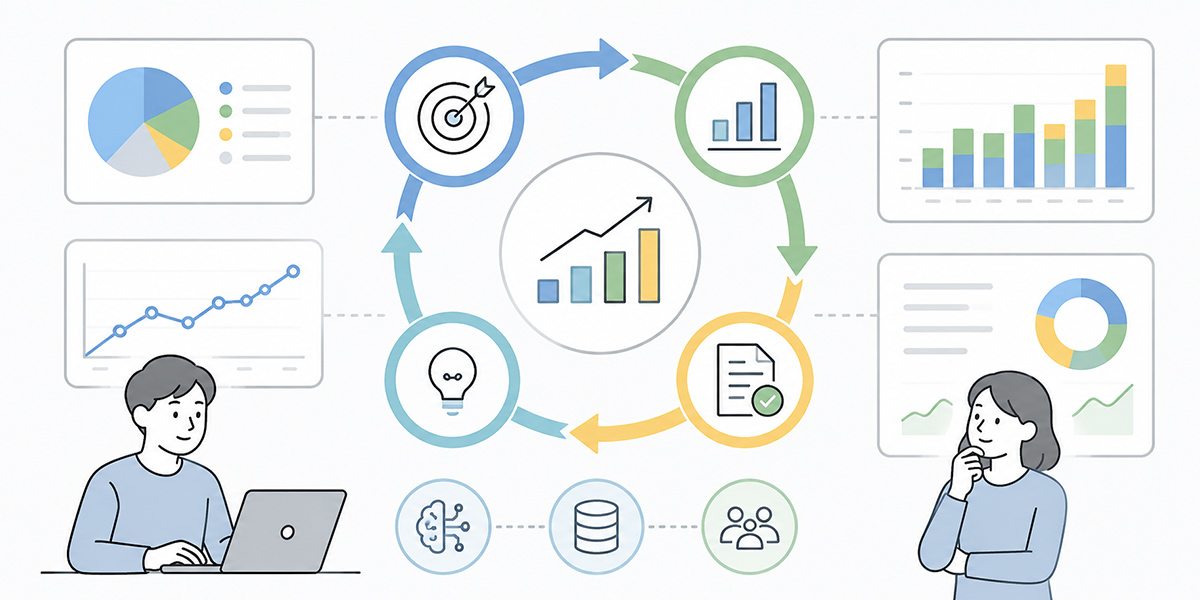
To measure the effectiveness of generative-AI training, a participant survey alone is not enough.
Impressions such as “it was easy to follow” or “it was handy” matter, but you need to confirm whether it is being used in practice.
In measuring AI-training effectiveness, I take care not to look at “usage count” alone. Whether it is being used does, of course, matter. But what I really want to see is where the work has changed. Has first-draft production got faster? Has the quality of review risen? Have ad verification ideas increased? Only by looking that far do you grasp what the training meant.
| Category | Example metrics |
|---|---|
| Metrics on production speed | Time to produce an article outline, time to produce a first draft, number of ad-copy options produced, number of landing-page improvement ideas produced, time to produce a white-paper outline. |
| Metrics on quality | Number of review send-backs, number of corrections at fact-checking, number of brand-tone corrections, number of post-publication corrections, the pass rate of internal review. |
| Metrics on results | Number of SEO articles published, search traffic, ad click-through rate, CVR, landing-page form-arrival rate, deal-conversion rate, number of content-driven enquiries. |
| Metrics on embedding | Number of AI uses within 30 days of training, number of shared prompts registered, number of prompts reused within the team, number of AI-assisted improvement proposals, number of success stories shared at the monthly review. |
There is no need to measure everything at once. It is best to begin with metrics the team can readily feel — first-draft production time, the number of ad options produced, the number of landing-page improvement ideas submitted.
What to watch out for in generative-AI training
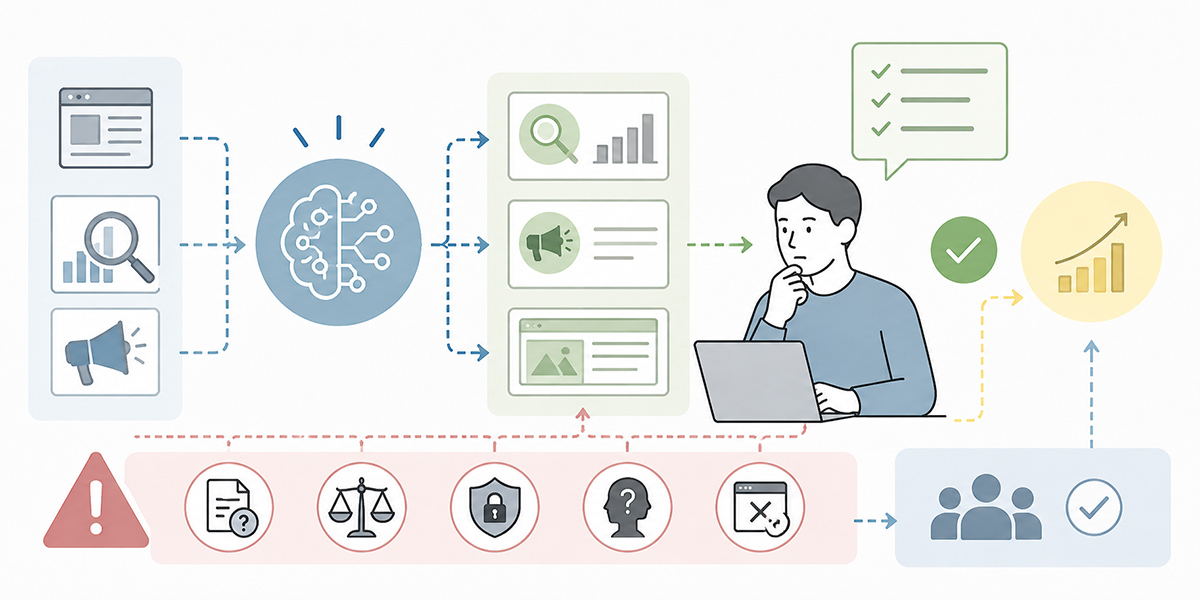
There are points to watch particularly carefully when a marketing team uses generative AI.
When it goes well, AI adoption changes the field’s speed dramatically. On the other hand, if it spreads while the rules stay vague, misinformation, inconsistency of expression and security concerns emerge. I take the view that, in AI adoption, both the “convenience” and the “fear” should be addressed from the very start.
Japan’s Ministry of Economy, Trade and Industry (METI) has published and continues to update guidelines for AI providers, setting out principles for risk management and accountability across the development, provision and use of AI.
METI, AI Business Operator Guidelines
Don’t treat AI’s output as the right answer
AI can produce plausible-sounding text.
But being plausible and being correct are two different things.
In SEO articles, incorrect information risks drawing in search traffic. In advertising, exaggeration or inappropriate expression can lead to ad rejection or brand damage. On landing pages, expressions at odds with the facts can mislead customers.
AI’s output is, at most, a starting point. The final responsibility must rest with people.
In training, I often use the phrase “spar with AI” rather than “leave it to AI.” Sparring takes as its premise that you don’t adopt the answer that comes back as-is. You think, choose and correct for yourself. It is precisely that premise that makes AI safe and easy to use.
Don’t let it invent figures
In marketing, there are many occasions to use figures.
That said, you must never have AI invent figures with no basis.
Expressions such as “many adopting companies feel the results,” “major improvement in a short period,” or “CVR improved dramatically” should be avoided where there is no basis.
Where you use figures, you need to make the period, the subject, the conditions and the units clear.
Here is one way to write it, for instance.
Across twelve internal-exercise themes run over the month after the training, the average time to produce a first draft per theme fell from 180 minutes to 70.
In this way, it is important to attach the comparison conditions to a figure.
When AI produces a figure, always confirm “what is the basis for that figure.” Figures whose basis cannot be confirmed are not used in published material. Simply enforcing this rule lowers the risk.
Don’t lose your brand character
AI’s text, while polished, tends towards generic expression that could apply to any company.
When using it in a marketing team, how to preserve brand character becomes important.
To that end, you need to hand AI information such as the following.
- Your company’s turns of phrase
- Expressions to avoid
- Your stance towards customers
- Points of differentiation from competitors
- Pitches that drew a good response in the past
- Words used on the sales floor
- Questions that actually came up from customers
The more you entrust to AI, the more clearly people need to hold the brand’s standards.
I regard brand guidelines as showing not only “design and notation rules” but “the attitude with which you face customers.” It is important to arrange prompts and reference materials so that this attitude is reflected in AI’s output.
Don’t take security and information handling lightly
A marketing team may handle customer information, deal information, ad data, competitor comparisons and undisclosed service materials.
When entering these into generative AI, handling in line with internal rules is required.
The following information in particular needs care.
- Personal names
- Email addresses
- Combinations of company name and contract details
- Undisclosed pricing information
- Per-customer deal status
- Information covered by an NDA
- Business strategy not yet made public
In training, it is important to cover not only “what may be entered” but “how to judge when in doubt.”
As a principle for when in doubt, I recommend three: “don’t put it in,” “mask it,” “check with the person responsible.” AI use is meant to raise speed, not to rush your judgement.
The advantages of running marketing generative-AI training with Kanata
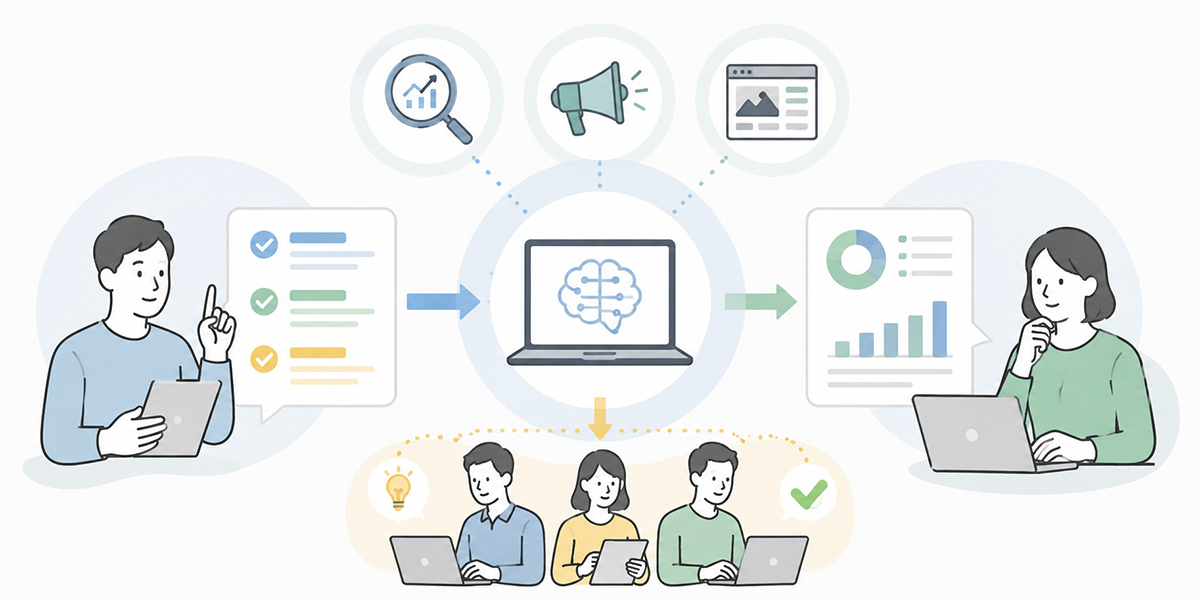
When a marketing team uses generative AI, individuals freely using a chat tool on their own often fails to translate into results for the team as a whole.
The reason is that prompts, training data, review criteria and success stories end up scattered across individuals.
The options vary, but using a BtoB generative-AI platform such as Kanata makes it easier to organise AI use at the department level. The ability to manage prompts and training data on a per-project basis and reuse them within the team, in particular, suits the way a marketing team operates.
You might, for instance, create a marketing-team project and gather assets such as the following into it.
- Prompts for SEO article outlines
- Prompts for ad-copy creation
- Prompts for landing-page improvement
- Brand guidelines
- Articles that succeeded in the past
- Patterns of ad messaging
- A landing-page improvement checklist
- Fact-checking rules
- Training materials
- Post-course exercises
This makes it easier to turn an individual’s ingenuity into a shared team asset.
The aim of generative-AI training is not to make a handful of people expert in AI. It is for the whole team to hold a pattern for AI-assisted planning, production and improvement.
What I value in such an environment is that it makes it easier to keep AI use from ending as “an individual’s handy tool” and turn it into “the team’s operation.” AI use that goes on being used in the field needs prompts, materials, permissions, review and education. Being able to arrange these at the team level leads to embedding in practice.