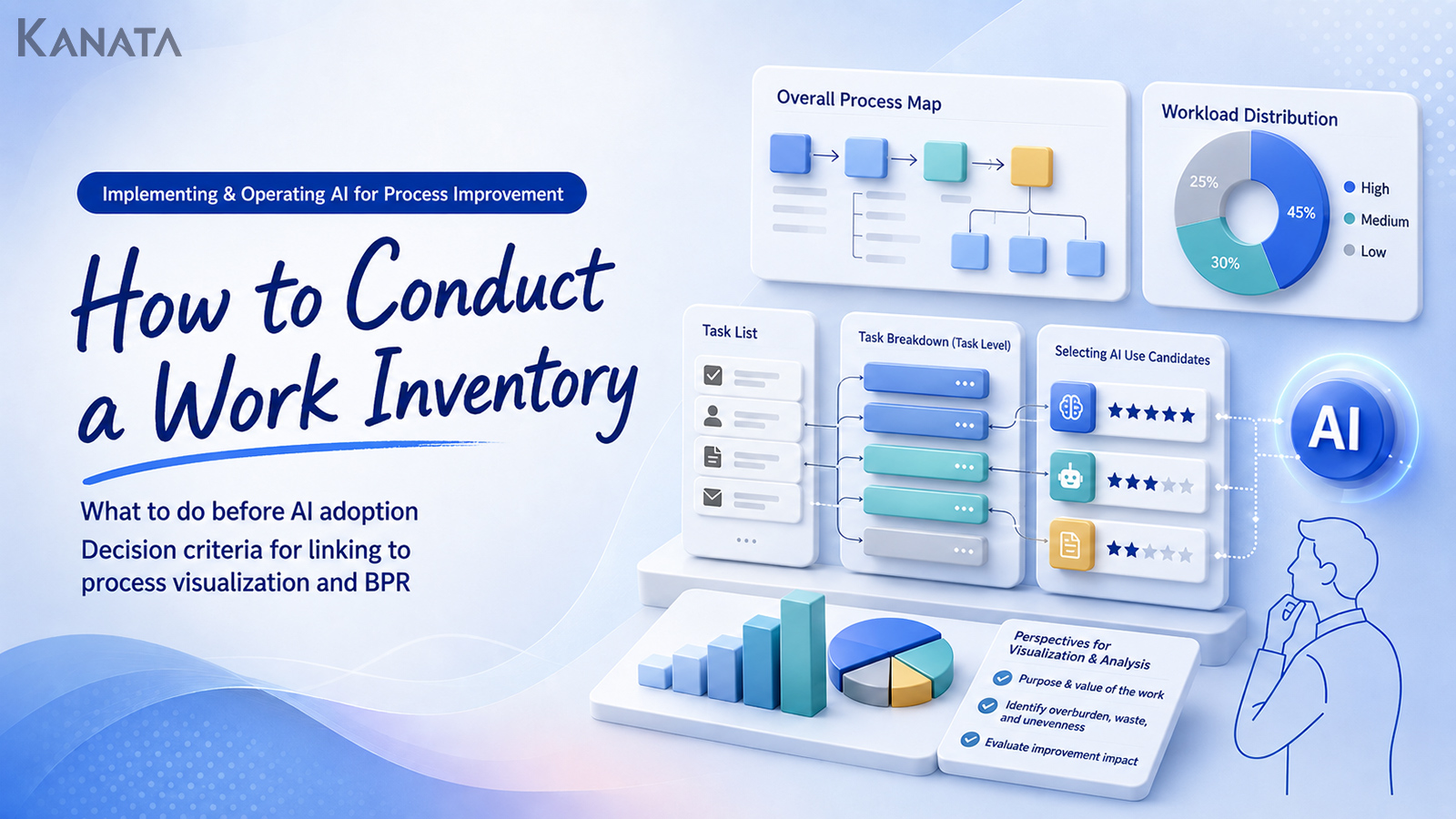



Where should we actually start, if we’re bringing AI in?
That was the question Saeki, from the sales planning team, put to the DX taskforce one Monday morning in the meeting room. This is the story of a business-process inventory worked through by Saeki — who had been handed responsibility for the whole company’s AI-adoption groundwork — together with the finance, customer-support and IT departments. Six months earlier, individual departments were each saying “this task could probably be made more efficient with AI”, yet there was no shared inventory of tasks and no picture of where the effort was going, so nobody could narrow down where AI ought to be applied.
Today, 28 tasks across the three main departments have been broken down into their component steps, and by tying the interview findings to flow diagrams and to KGIs/KPIs, the team can now separate the work that is a candidate for AI from the work that calls for human judgement. Our own Kanata’s AI chat and AI summarisation were put to use as well, helping to tidy up minutes and to draft the first cut of the business analysis.
In this article I’ll set out how to go about visualising your operations before you adopt AI, and how to assemble the evidence that feeds into BPR. A word of caution, though: a business-process inventory on its own does not amount to transformation. Implementation only follows once you have buy-in on the ground, operating rules, and a habit of regular review. If you recognise the same hesitation in your own organisation, read on with the conversations from your own meeting rooms and Slack channels in mind.
Why a business-process inventory is needed before adopting AI

Once the conversation about adopting AI begins, the first thing that comes up in most teams is “which tasks could we use it for?”
It could help with writing up minutes. It could help with handling enquiries. It could help draft sales materials. It could help search internal regulations. Every one of these candidates is a plausible way in to using AI.
That said, seeing which tasks AI “could be used for” is quite different from having decided which tasks it “should be used for”. AI can support summarising, classifying, drafting prose, assisting with search and organising arguments — but it cannot improve every task to the same degree.
Indeed, surveys at home and abroad point to the same thing: while investment in and use of AI is spreading, getting value across the organisation as a whole requires deliberate design that takes in business processes, data, leadership and how people actually use it on the ground.McKinsey & Company
At companies that stumble over AI adoption, conversations of this sort tend to crop up:
“Let’s start with the minutes.”
“No, surely handling enquiries would have a bigger payoff.”
“Putting together sales materials eats up time too.”
“But we’ve no idea how many hours it actually takes.”
“And in the first place, is that task really one we should be handing to AI?”
Introduce an AI tool in this state and its use tends to stay confined to individual ingenuity. The people who use it and the people who don’t drift apart, and the benefits stay bottled up within particular departments.
For that reason, a business-process inventory is needed in the early stages of preparing for AI.
A business-process inventory is not simply the job of drawing up a list of tasks. It is the work of setting out, for each task, which department does it, who does it, how often, for what purpose, what information they draw on, and what they produce.
On that footing, you are aiming for a state in which you can answer the following questions.
- Which tasks are taking up the time?
- Which tasks have become reliant on particular individuals?
- Which tasks call for judgement, and which are routine processing?
- Which tasks look amenable to AI support, and which ought to remain with people?
- Which KGI or KPI do you want to improve once AI is in place?
Press ahead with AI adoption without this map and evaluating the results becomes difficult too. Conversely, once a business-process inventory has advanced your operational visibility, the priorities for AI adoption come into view and it becomes easier to narrow down the targets for a PoC or full implementation.
The basic items a business-process inventory should set out

When you begin a business-process inventory, you’ll find it goes more smoothly if you resist the urge to draw up an elaborate flow diagram straight away. What you need first is to lay out the work on the ground at a consistent level of granularity.
To begin with, set out the following items.
| Item | What to set out |
|---|---|
| Task name | e.g. monthly invoice checking, first-line enquiry responses, drafting post-meeting emails |
| Owning department | Which department or team mainly handles it |
| Owner | The person doing the work, the approver, others involved |
| Frequency | Daily, weekly, monthly, ad hoc, and so on |
| Time required | Rough effort per occurrence, or per month |
| Input information | Email, Slack, CRM, Excel, PDF, minutes, and so on |
| Output | Reports, replies, application forms, lists, analysis results, and so on |
| Judgement involved | Whether human judgement, approval or exception-handling is required |
| Issues | Time-consuming, reliant on particular individuals, prone to rework, and so on |
| Metric to improve | Effort, response time, quality, number of errors, number of cases handled, and so on |
The important thing here is not to stop at the task name.
Take “handling enquiries”: the task name alone won’t let you judge whether it can be done by AI. Handling enquiries contains several distinct tasks — checking what’s being asked, searching past history, deciding on the line to take in the reply, drafting the reply, getting a manager’s sign-off, sending it to the customer, logging the exchange, and so on.
Of these, the ones AI finds easiest to support are classifying the enquiry, searching past FAQs, drafting the reply and summarising the record of the exchange. The final call on a complaint, replies that touch on contractual terms, and negotiation that hinges on the relationship with the customer, by contrast, tend to remain firmly in the territory that people should handle.
In short, a business-process inventory needs to break things down not to the level of the “task name” but to the level of individual sub-tasks.
Points to watch when drawing up your task list

The failing that most readily creeps in when drawing up a task list is organising the work purely from the manager’s vantage point.
Managers have a grasp of the overall shape of the work. What is harder for them to see is where the people doing the work get stuck day to day, where the rework happens, and which checks eat up the time.
To a manager, for instance, “producing the monthly report” is a single task. From the practitioner’s vantage point, though, it actually divides into work of this kind:
- Collecting Excel files in from each department
- Checking file names and who has submitted
- Bringing the number formats into line
- Checking the differences against the previous month
- Querying odd-looking figures with the relevant person
- Updating the charts
- Writing the commentary
- Asking a manager to check it
- Folding in the requested corrections
- Transcribing it into the materials for the management meeting
Look at it at this level of granularity and the parts AI or automation can support come into focus. Standardising formats, checking differences, drafting commentary, summarising reports — these all become candidates for AI. The final judgement on an odd-looking figure, and the duty to account for it at the management meeting, by contrast, are territory for people.
You may draw up the task list as a per-department inventory if you wish. Ultimately, though, it needs to be brought into a form that can be compared across departments.
If the wording differs from one department to the next, you won’t be able to set priorities later on.
- Bring expressions such as “daily”, “every working day” and “once a day” into line.
- Likewise put “30 minutes”, “0.5 hours” and “half an hour” into the same units.
- Rather than “hard going” or “heavy load”, record as far as you can how many hours a month, how many cases, and how many people are involved.
Where accurate figures aren’t readily to hand, a rough estimate will do to begin with. In that case, note alongside it how the figure was arrived at — “rough estimate from interviewing the owner”, “actual measurement over the past week”, “taken from system logs”, and so on. It makes it easier to judge how much to trust the numbers when you come back to review them.
Looking at how effort is distributed makes the priorities for AI adoption easier to see

In a business-process inventory, you check how the effort is distributed.
That’s because candidates for AI adoption should be chosen not simply from the tasks AI “looks able to do”, but starting from the tasks where the load on the ground is heavy and where there is a real prospect of benefit once they’re improved.
When you look at how effort is distributed, it helps to sort it into the following three groups.
- Tasks that come up often but take only a short time per case
- Tasks that are few in number but take a long time per case
- Tasks that are large in both volume and processing time, and span several departments
The first group includes classifying enquiries, drafting email copy, tidying up minutes and producing routine reports. It is the territory where the effect of AI drafting and summarising is easy to test.
The second group includes producing proposals, first-pass checking of contracts, writing up initiative reports, and pulling together evaluation comments after recruitment interviews. Rather than full automation, it is more realistic to use AI for first drafts and for marshalling the arguments.
The third group includes monthly reporting, customer-handling flows, order processing, and cross-departmental application work. Here you need to think of it not merely in terms of AI but as a target for BPR. If the workflow itself is convoluted, it can be better to revisit the approval route, the input fields and where responsibility sits before bringing AI in at all.
Even for the same AI adoption, the tasks you choose shift depending on the aim.
- If you want to test the benefit over a short period, start with high-volume routine tasks.
- If you want to raise the quality of the work, start with individual-reliant document production and with decision support.
- If you want to feed into company-wide transformation, revisit cross-departmental business processes as a target for BPR.
In this way, the distribution of effort becomes an important input for thinking through the priorities of AI adoption.
In interviews on the ground, ask less about “what’s troubling you” and more about “where things get stuck”

Interviewing people on the ground is indispensable to a business-process inventory.
That said, simply asking “is anything troubling you?” won’t gather enough. Because most people have come to accept their own work as routine, they often don’t recognise an inefficient piece of work as inefficient.
So in the interview, ask in this way instead.
- What is it you check every single time in this task?
- At what point does the work come to a halt?
- Are there moments where you can’t get on without asking someone?
- At which step do things get sent back?
- Are there judgements only your predecessor understood?
- Are there moments where you find yourself producing much the same text or materials every time?
- Are there things you explain over and over on Slack or by email?
Ask in this way and the candidates for AI come into view more readily.
If you’re giving the same explanation every time, for instance, turning it into an FAQ or supporting the reply with an AI chat comes into play. If you’re producing much the same text every time, a prompt template or an AI-chat first draft is effective. If sharing things after a meeting is taking time, AI summarisation can tidy up the minutes.
Where the interview notes pile up, use an AI summarisation tool to sort the remarks into categories such as “task name”, “the step that’s getting stuck”, “who’s involved” and “points to check further” — it makes the business analysis that follows easier to get on with. With Kanata too, AI summarisation can be used to summarise minutes, documents, audio, URLs, text and the like.
That said, even when you use AI to tidy up what was said in the interviews, the important thing is not to stop at mechanically summarising people’s remarks. Build in a step where, with the summary in front of you, you check back with the practitioner: “have I understood this correctly?”
AI helps with the tidying-up; it is no substitute for winning people over.
Use a flow diagram to make the As-Is business process visible
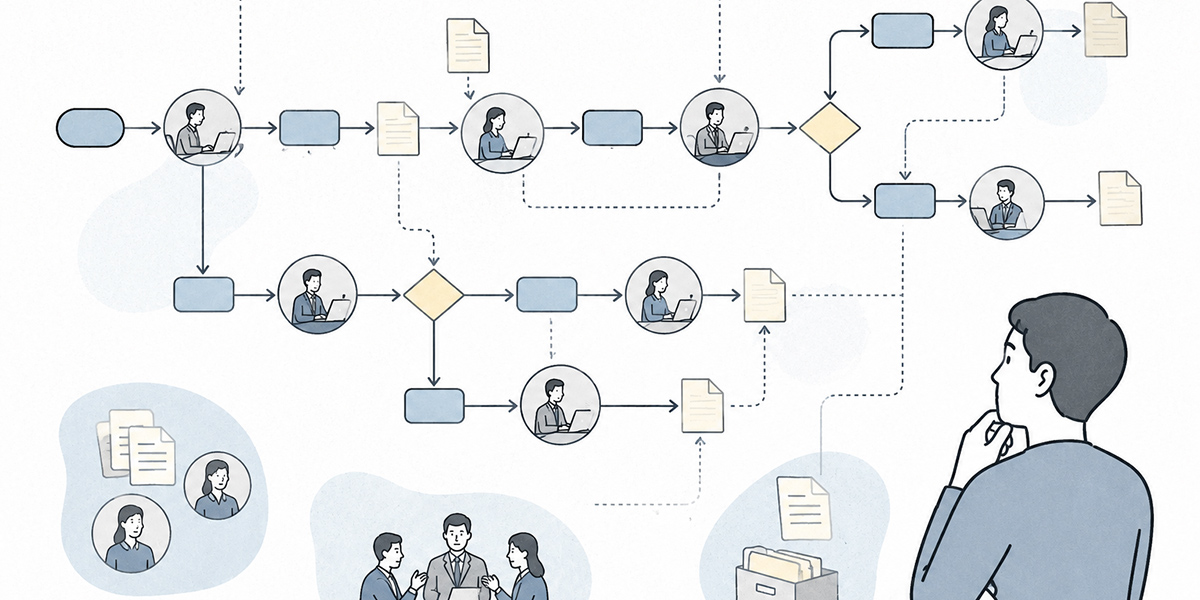
Once the task list and the interview findings are in, the next step is to produce a flow diagram.
What you’re drawing here is not the ideal workflow. To begin with, draw how the work currently flows — the As-Is. “As-Is” refers to the present business process visualised exactly as it stands.
In the As-Is flow diagram, take in the following elements.
- Who does the work.
- What information they receive.
- Which systems or files they use.
- Where judgement arises.
- Where approval is required.
- Where rework occurs.
- Where exchanges with customers or other departments take place.
For the enquiry-handling flow, for instance, you could set it out like this.
- An enquiry comes in from a customer
- A support agent checks what it’s about
- They classify the type of enquiry
- They check past FAQs and internal materials
- They decide on the line to take in the reply
- They draft the reply
- Where necessary they check with a manager or a specialist team
- They reply to the customer
- They log the exchange
- If it’s unresolved, they pass it to second-line handling
Look at this flow and there are several candidates AI can support: classifying the type of enquiry, searching FAQs, drafting the reply, summarising the record of the exchange, and so on.
By contrast, the final call on the line to take, exception handling, dealing with complaints and judgements bearing on contractual terms are likely to remain as territory that people should handle.
The point of producing a flow diagram is not only to hunt for the parts to replace with AI. What matters more, if anything, is to find the “parts where the business process itself should be revisited before AI goes in”.
- Too many approvers.
- The same information being keyed into several systems.
- Fields nobody uses being filled in every time.
- The same reason for sending things back, every time.
- Criteria for judgement that aren’t written down anywhere.
- Information dropping out in the hand-off between departments.
Where problems of this sort exist, trying to solve them with AI adoption alone simply lays AI on top of inefficient work. It is easier to verify the benefit after implementation if you first revisit the business process as BPR, and only then decide where AI is to lend support.
The criteria for spotting candidates for AI

Once the business-process inventory and the flow diagram are done, you assess the candidates for AI.
What matters here is not to judge purely on “can AI do it?”. Even where AI looks able to, tasks where the benefit is slight, where the risk is high, or which are awkward to use on the ground are not well suited to being the first targets.
There are five criteria.
Routineness
Tasks that call for much the same output in response to much the same input make ready candidates for AI.
Examples include summarising minutes, drafting email replies, classifying enquiries, producing weekly reports, answering FAQs and writing commentary on routine reports.
By contrast, for tasks where the premises differ markedly each time and which call for stakeholder coordination and sophisticated judgement, it is safer to keep AI to marshalling the arguments and drafting rather than handing the whole thing over.
Availability of data
For AI to lend support, it needs information to work from.
Check whether the information the task needs — email, Slack, minutes, PDFs, Excel, CRM notes, FAQs, internal regulations and so on — exists as text or files.
Where the information lives only in someone’s head, it has to be turned into knowledge first. Documenting tacit know-how, by way of the business-process inventory, is itself part of preparing for AI.
Effort impact
To get a benefit out of AI adoption, a certain amount of effort impact is needed.
Even a five-minute task per occurrence becomes a substantial target at 500 occurrences a month. Conversely, even a task that takes two hours each time may slip down the order of priority as a first target for AI implementation if it only crops up once a year.
Gauge effort by multiplying the time per occurrence by the number of occurrences. Where you can, fix a period — the past month, or the past three months — and total it up.
Risk
Check the impact of AI producing the wrong output.
For documents that go outside the company, contracts, legal, financial, HR-evaluation, personal-data and health- or safety-related matters, AI can produce a first draft or an initial tidy-up, but a person has to make the final call.
AI output presupposes that a person reviews it before it is used. Figures, proper nouns, dates, quotations and anything bearing on a legal judgement in particular need to be checked against the original source.
Acceptance on the ground
However promising a candidate for AI, it won’t take hold if it’s awkward to use on the ground.
- Can it be folded into a workflow the team already uses?
- Does it avoid adding to the input effort?
- Is the output easy to check?
- Is it clear where responsibility lies?
- Can the people doing the work feel the benefit of using it?
Leave this perspective out and you readily end up in a state where “we adopted AI, but in the end only a handful of people use it”.
Separating the territory people own from the territory entrusted to AI
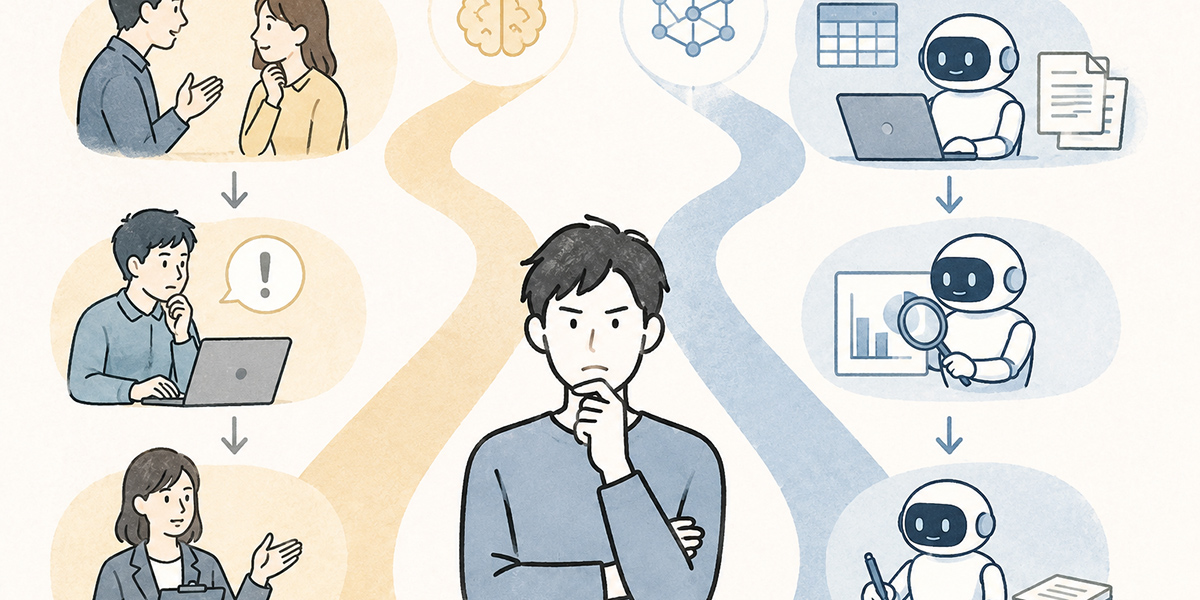
The ultimate aim of a business-process inventory is not merely to come up with candidates for AI.
What truly matters is separating the territory people own from the territory entrusted to AI.
AI is not a replacement for every piece of work. Generative AI in particular is strong on generating prose, summarising, classifying, structuring and ideation, while it has its limits on fact-checking, on judgements that carry responsibility, and on dealings that turn on the relationship with a customer or a colleague.
For that reason, set things out task by task in this way.
| Area of work | What AI finds easy to support | What people should own |
|---|---|---|
| Minutes | Transcription, summarising, extracting decisions | Interpreting key remarks, confirming what was agreed |
| Handling enquiries | Classification, FAQ search, drafting replies | Exception judgements, complaint handling, the final send |
| Sales materials | Outline drafts, first drafts, producing comparison tables | Understanding the customer, the proposal’s direction, explaining it in the meeting |
| Finance and general affairs | Searching regulations, summarising applications | Approval, exception handling, judging fraud and risk |
| HR | Tidying up interview notes, drafting evaluation comments | Evaluation judgements, how to convey them to the person, development plans |
What you want to avoid here is the mindset that sets “work to entrust to AI” against “work people do”.
For most companies the realistic shape is “AI underpins, people decide”.
- AI produces the first draft.
- AI summarises.
- AI puts forward candidates.
- AI marshals the arguments.
- People check.
- People decide.
- People carry it out, and own the responsibility.
Making this division of labour explicit lets the team use AI with greater peace of mind.
Turning the business-process inventory into an AI implementation plan
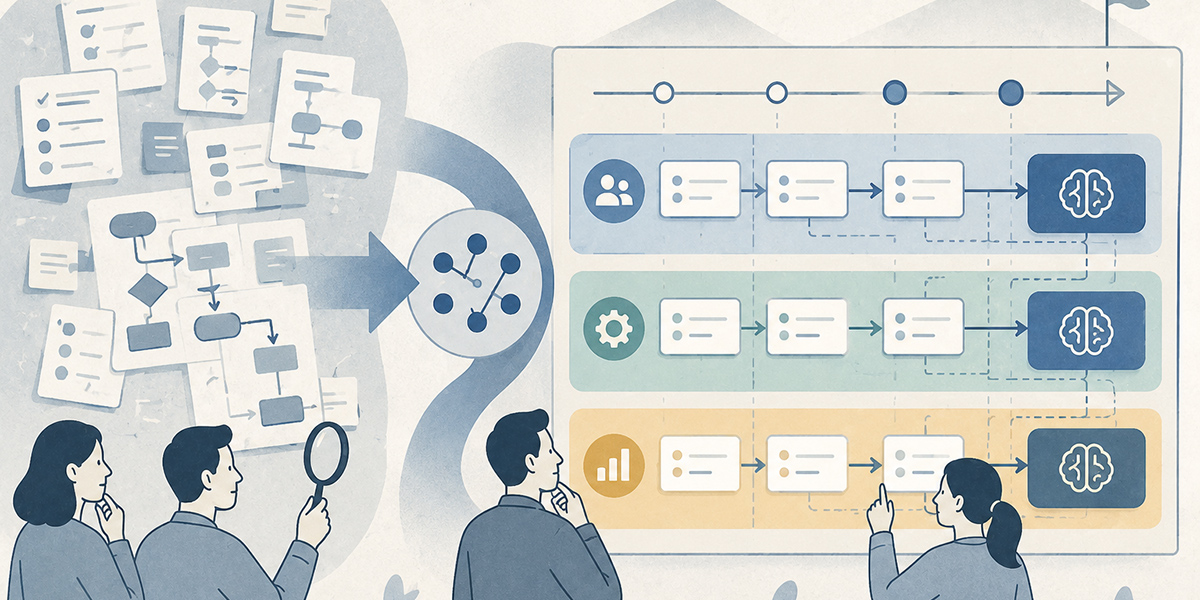
Once the business-process inventory is finished, the next step is to turn it into an AI implementation plan.
At this point there’s no need to aim for a company-wide rollout from the outset. If anything, narrowing the scope at first raises your odds of success.
The order I’d recommend is as follows.
- Draw out the candidates for AI through the business-process inventory
- Set priorities using the assessment criteria
- Narrow the PoC down to one to three tasks
- Pin the conditions for success to KGIs/KPIs
- Agree the operating rules with the people on the ground
- Try it on a small scale
- Look at the results and refine
- Roll it out to other departments
When choosing what the PoC covers, pick tasks where the benefit is easy to see, the risk is low, and you can readily enlist the cooperation of the people on the ground.
Tasks of the following sort, for instance.
- Summarising the minutes of a regular meeting.
- Drafting FAQs for internal enquiries.
- Support with drafting the copy of sales emails.
- Tidying up weekly reports and 1-on-1 notes.
- Summarising training videos and producing comprehension tests.
These are areas where people find it easy to check the AI’s output and where folding it into the work is comparatively straightforward.
Make the conditions for the PoC’s success as specific as you can.
“Take AI use forward” won’t do. Spell out the period, the number of cases covered, the metric and the basis for comparison, as follows.
- Over three months, across 20 regular sales-team meetings, test whether the time to write up the minutes can be cut from an average of 30 minutes per meeting to within 15.
- Over one month, across 100 internal enquiries, test whether the time to draft a first-pass reply can be cut from an average of 10 minutes to within 5.
- Across 10 sets of sales materials in the quarter, test whether the time to a first draft can be cut from an average of two hours to within one.
The above are no more than illustrative settings. In practice you need to design them around your own volume of work, the tools you use, your review arrangements and your information-management rules.
Common pitfalls in a business-process inventory

A business-process inventory is an effective way to prepare for AI, but get the approach wrong and it ends up as a hollow exercise. Here I’ll set out the common pitfalls.
Stopping once the task list is drawn up
The most frequent failing is being satisfied merely with having drawn up the task list.
Simply lining up task names, owning departments and frequencies isn’t enough as the basis for an AI-adoption decision. Only once you’ve also set out the sub-task breakdown, the effort, whether judgement is involved, the data used, the issues and the metric to improve can you begin to weigh up the candidates for AI.
Erasing the words used on the ground
As a business-process inventory progresses, you’ll be tempted to standardise the wording so it’s easier to manage. That much is necessary — but erase the raw words used on the ground as well and you lose any sense of how keenly the issues are felt.
“Every time, I’ve no idea who I’m meant to check with.”
“I handle my predecessor’s Excel gingerly, so as not to break it.”
“I give the same explanation over and over on Slack.”
“I spend longer waiting for sign-off than producing the materials.”
There are hints for improving the work in words like these. Use tidy, standardised wording in the task list, but do keep the actual remarks from the ground in your interview notes.
Judging on effort saved alone
The benefit of AI adoption isn’t effort saved alone.
- Variation in quality narrows.
- Even a newcomer can work to a consistent standard.
- Knowledge gets shared.
- Fewer checks get missed.
- The evidence for decisions comes together more readily.
- The people on the ground can concentrate on the work that’s properly theirs.
There are qualitative benefits of this kind too.
That said, qualitative benefits alone can be hard to explain internally. So set them out alongside measurable metrics — effort, number of cases, time, number of send-backs, response time, take-up rate and the like.
Trying to bring exception work under AI from the very start
To get results out of AI adoption, it’s also important not to take on the difficult exception work as your first target.
Exception handling can have hazy criteria for judgement, a lot of stakeholder coordination, and past data that hasn’t been organised. Try to bring this under AI first and distrust on the ground readily mounts.
Start with work that is routine, that has data, and that a person can check. Then it’s more realistic to widen the scope little by little.
An illustration of using support tools to carry out a business-process inventory

A business-process inventory can be begun in Excel or a spreadsheet on its own. Once the interview notes, minutes and field notes start to mount up, though, organising them takes time.
At this stage, combining an AI summarisation tool, an AI chat, a knowledge-management tool and a project-management tool can ease the burden of organising the information.
With Kanata, combining AI chat, AI summarisation and a per-project library makes it easier to handle the notes, prompts and related materials from a business-process inventory in one place. Kanata is designed to bring business-support functions such as AI chat, AI summarisation and e-learning together on a single platform.
Use AI summarisation to tidy up interview notes
Feed each department’s interview notes into AI summarisation and organise them along the following lines.
- Task name
- Frequency
- Who’s involved
- Where things are getting stuck
- The step where rework occurs
- Candidates for AI
- Points needing further checking
This lightens the load of the owner having to read back through the notes by hand.
Use AI chat to produce a first cut of the sub-task breakdown
You can put requests of this sort to an AI chat.
- Please break handling enquiries down into sub-tasks.
- Please divide producing the monthly report into its steps.
- Of this task, please classify the steps AI looks able to support.
Used this way, it makes the early organising of the business analysis easier to get on with.
That said, the sub-task breakdown the AI puts out is only a first cut. Whether it matches your own reality is always for the people on the ground to confirm.
Keep the business-process inventory materials in a reusable form
The task list, interview notes, flow diagrams, prompts, PoC results and so on produced along the way are handy to gather together so they can be reused later.
You might, for instance, set up a shared folder or knowledge base for the business-reform project and organise it as follows.
- Task list
- Per-department interview notes
- As-Is flow diagrams
- List of candidates for AI
- Assessment criteria and priorities
- PoC plan
- Verification results
- Feedback from the ground
With Kanata, you can make use of a project library that manages AI settings, prompts and training data on a per-project basis.
Set up a project for the business-process inventory and gather the related materials there, and it becomes easier to keep the AI-adoption discussion as organisational knowledge rather than as the scattered notes of particular individuals.
In summary: a business-process inventory becomes the map for narrowing down where AI goes

The first thing AI adoption calls for isn’t tool selection alone.
- Which tasks AI should be used on.
- Which tasks people should own.
- Which tasks need BPR before any AI.
- Which metric you want to improve.
- Which department to start with.
To judge all of this, a business-process inventory is needed.
As a business-process inventory advances, the work on the ground comes into view not as a mere list but as a structure. By setting out the distribution of effort, the sub-task breakdown, the interviews, the flow diagrams and the KGIs/KPIs, you become able to explain the priorities of AI adoption.
A business-process inventory is, of course, no cure-all. Drawing up an inventory table won’t on its own change the work. You need buy-in on the ground, operating rules, training and regular review.
Even so, the evidence for decisions before implementation comes together far more readily than it would by pressing ahead with AI adoption without one.
If you find yourself feeling “I don’t know which task to bring AI in on”, begin by simply drawing up a task list for your main departments. There’s no need to aim for a flawless business analysis from the outset.
What matters is making the work on the ground visible, and reaching a state where everyone involved can talk about the territory to entrust to AI and the territory people own while looking at the same map.
Q&A: common questions on business-process inventories and preparing for AI
Which department should we start the business-process inventory with?To begin with, it’s realistic to start with a department that has a high volume of work, has routine tasks, and whose cooperation you can readily enlist. Customer support, sales planning, finance and HR/general affairs, for instance, tend to handle plenty of enquiries, document production, reporting and checking work, so the benefit of an inventory is easy to see. That said, where the work involves highly confidential matters, check the information-management rules first.
How finely should the business-process inventory be broken down?The rule of thumb is to break it down to a granularity at which you can tell “can AI support this?” from “should a person judge this?”. “Handling enquiries”, for example, is too broad; but divide it into “classifying the enquiry”, “FAQ search”, “drafting the reply”, “manager’s check” and “sending to the customer” and it becomes easier to separate the candidates for AI from the territory people own.
What should we do when we don’t know the effort accurately?A rough estimate will do at first. Do, though, record how it was arrived at — “rough estimate from interviewing the owner”, “actual measurement over the past week”, “taken from system logs”, and so on. When you later run a PoC, fix the period and the number of cases, measure them, and set things up so you can compare before and after.
Are there tasks that aren’t suited to AI?There are. For the final call, handling serious exceptions, work that carries heavy responsibility such as legal, financial and HR evaluation, and negotiation bearing on the relationship of trust with a customer, it is safer to keep AI to marshalling the arguments and drafting rather than handing the whole thing over. Treat AI output on the basis that a person always checks it and, where needed, cross-checks it against the original source.
After the business-process inventory, is it fine to adopt an AI tool straight away?Rather than rolling it out company-wide straight away, I’d recommend first narrowing the PoC down to one to three tasks. Decide the target tasks, the period, the number of cases, the KPI you want to improve and the review arrangements, try it on a small scale, and widen the scope only after seeing the results — that way you’ll win acceptance on the ground more easily.