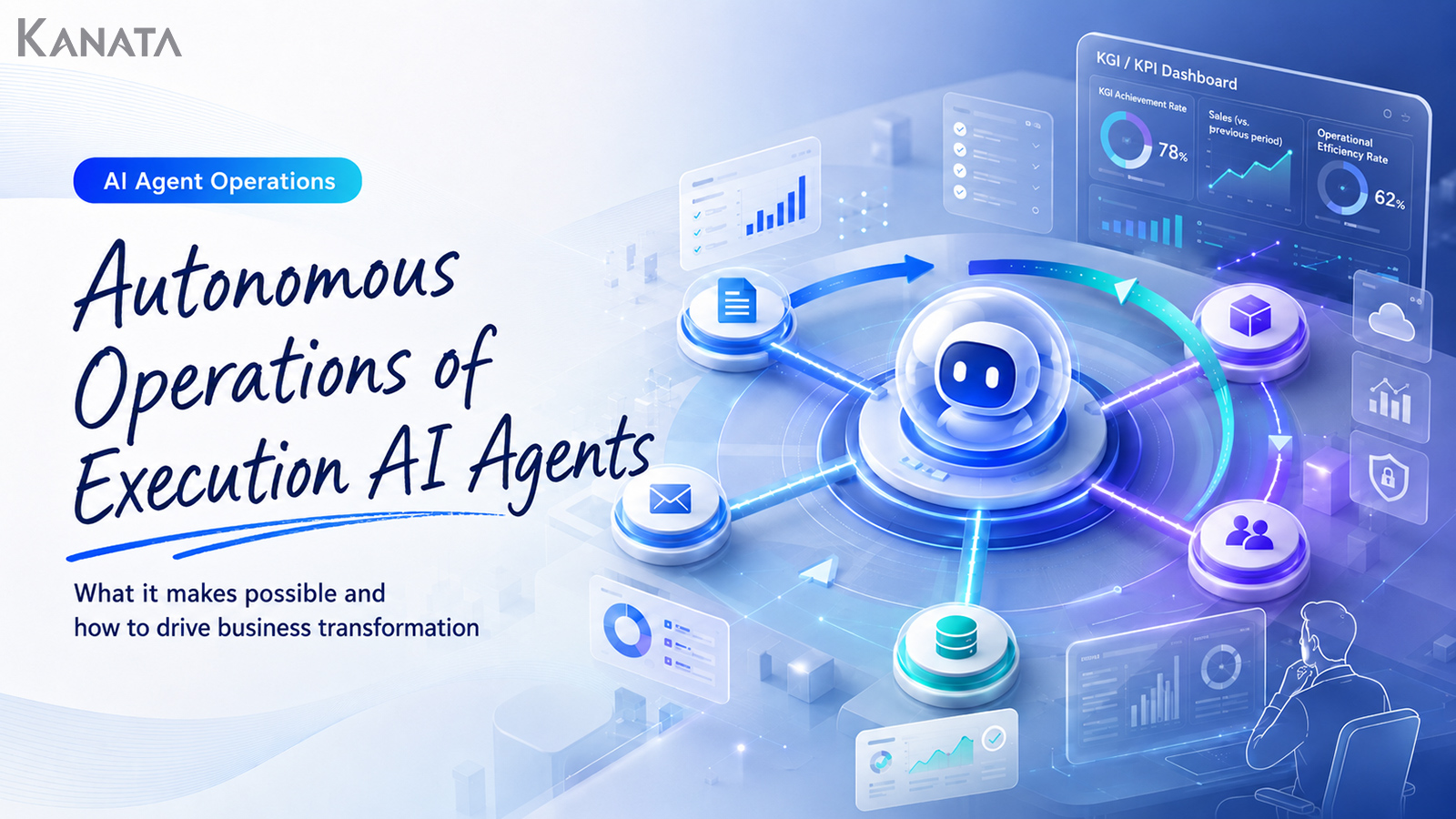



If the AI can take the overnight first response as far as the initial triage, the morning meeting can begin with decisions rather than status-checking, can it not?
This remark came up while Fujii, who leads DX at Minato Manufacturing Co., Ltd., was discussing with Takase, the sales director, and Mori, the head of customer support, whether to commit to autonomous operation of a task-executing AI agent.
Six months earlier, the company had been using AI agents only for limited purposes, such as classifying quotation requests and drafting FAQ answers. In practice, though, the steps in which a staff member checked Slack, transcribed the content, and handed it on to the next person remained. Business automation by AI agents looked as though it were progressing, yet the overall flow of work was still propped up by human checking and manual effort.
The company subsequently redesigned enquiry classification, internal knowledge search, requests to the responsible department, and progress checks as a single connected flow. Over the most recent three months, comparing the 620 enquiries received on weekdays between 9am and 6pm, the average time for the initial sorting reportedly fell from 46 minutes to 8. That said, the figure is an observed value based on this company’s particular operating conditions, and the same effect will not necessarily appear at every organisation.
In the course of supporting AI adoption, business reform, and product development, I have sat in on much the same scene many times over. There is a moment when the air in the meeting room shifts: the moment a participant who had been listening to an explanation of the AI’s features realises, “This is actually a conversation about how we design our own work.”
This article sets out how the autonomous operation of a task-executing AI agent connects to real work, through always-on running, parallel processing, KGI/KPI management, ROI verification, and organisational change. AI agents are not omnipotent, however. Only when there are operating rules, a clear permissions design, and a proper hand-off to a human for exceptions does it become a mechanism capable of continuous improvement.
What is autonomous operation of a task-executing AI agent?
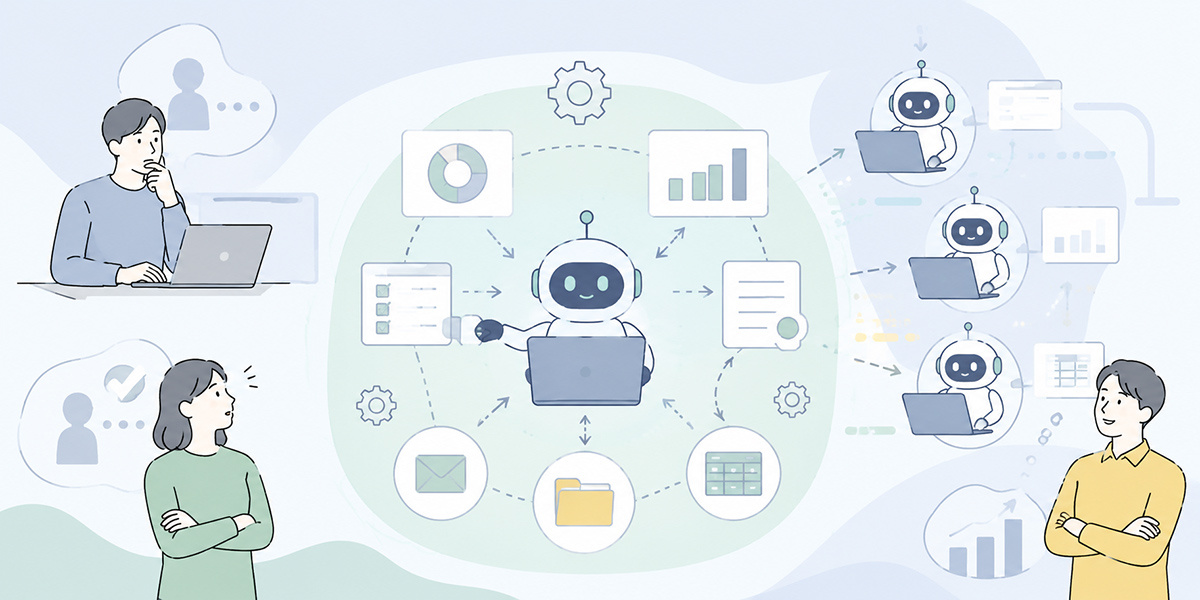
Autonomous operation of a task-executing AI agent means an arrangement in which the AI does not merely answer questions but advances several steps in line with a business objective, passing judgement back to a human where needed, and supports the work on a continuing basis.
Conventional use of AI was, in most cases, of the “a person asks the AI” variety. A staff member types a question into an AI chat, copies the answer, transcribes it into another system, and shares it with the relevant people. The AI is useful, but the initiative over the work still rests firmly with the human.
On the sites I have supported, things almost always begin at this stage. Drafting minutes. Tidying up an email. Producing a draft FAQ answer. Even this is plainly worthwhile. Before long, however, the same question tends to surface at many companies.
If, in the end, a person is asking the AI every single time, how far has the work as a whole really changed?
When that question arises, you are standing at the entrance to autonomous operation.
In autonomous operation, you design the AI agent as part of the workflow. An enquiry arrives and is classified. The relevant internal materials are consulted. A draft answer is produced. The responsible department is tasked. A reminder goes out as a deadline approaches. Where an exception or a judgement is required, the matter is escalated to a person.
The important point here is that autonomous AI working is not a mechanism for making people unnecessary. Rather, it is a mechanism for clarifying the work people ought to be doing. The clearer the part entrusted to the AI, the clearer the part for which people hold responsibility.
What autonomous operation can deliver
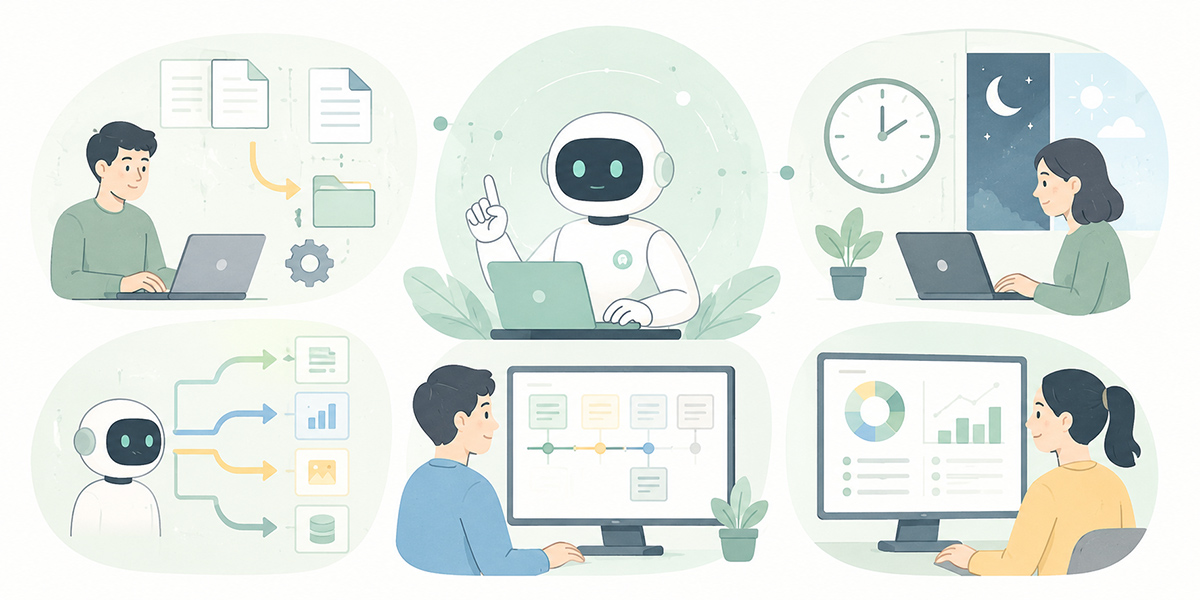
The changes you can expect from the autonomous operation of a task-executing AI agent go well beyond a simple reduction in working time. Here I set out five representative changes.
Faster initial response through always-on AI
An AI agent can run around the clock, unconstrained by human working hours.
For instance, rather than leaving an enquiry that arrives overnight or at the weekend unsorted until the next working morning, the agent can get as far as classifying the content, judging its priority, searching for related materials, and lining up candidate owners.
Of course, there is no need to have the AI handle everything end to end. What matters is that, come the morning, a person is in a position to judge “what to look at first”.
I do not regard the value of AI as lying solely in “getting work finished while people sleep”. The greater value is in being able to create a state where the material for a decision is already assembled before a person starts work.
Opening Slack first thing, surveying the pile of unread items, and hunting for the important cases: at many organisations this is a quietly considerable burden. When an AI agent takes on the initial sorting, the morning’s work shifts from “time spent surveying a backlog” to “time spent setting priorities”.
Less waiting time through parallel processing
When a person carries out the work, most of the steps end up queued behind one another.
Read the enquiry. Find the related materials. Confirm the responsible department. Look into the history of past handling. Draft an answer. When a single person works through these in sequence, it inevitably takes time.
Operate AI agents autonomously and several of these steps become easier to run in parallel. If, for example, you design separate agents for classifying enquiries, searching internal knowledge, referring to past cases, and drafting answers, each runs at the same time. The person then looks at the results and decides.
A phrase I often use on site is: “design the AI not as one all-purpose member of staff, but as several preparation assistants, and the effect becomes far easier to verify”.
Try to entrust everything to a single AI and the processing readily becomes a black box. Split the agents by role, on the other hand, and it becomes much easier to see where what is happening.
The value of parallel processing is not merely time-saving. It lies in reducing the time staff spend dithering over “where to start”, and in preventing the work as a whole from stalling.
Easing key-person dependency through a division of roles
One reason work becomes dependent on particular individuals is that “who is judging what” is never written down.
A seasoned member of staff can judge naturally from past experience. But unless the basis for that judgement is shared across the team, the others cannot act in the same way.
When I join a business-improvement project, I sometimes begin by asking the most experienced person this:
When you make that judgement, which information are you looking at to decide?
More often than not, a short silence follows. There is a judgement so obvious to them that they have never put it into words.
Designing a task-executing AI agent requires you to break the work down. On what information is the classification based? Under what conditions is it passed to the responsible department? In which cases is human approval required? Which forms of wording should be avoided?
By organising these into the agent’s roles, prompts, and training data, tacit knowledge turns into operating rules.
A service such as Kanata, which lets you manage AI chat, AI summarisation, training data, and prompts on a per-project basis, lends itself well to this sort of business-knowledge organisation. Kanata is not the only option, however. It is important to consider a configuration suited to your own working environment, combining it with your existing chat tools, internal wiki, RPA, CRM, ticketing tools, and so on.
Embedding an improvement cycle based on KGI/KPI
Autonomous operation of an AI agent does not end once it is introduced. If anything, what matters is which metrics you watch afterwards.
| Metric | What to check |
|---|---|
| Average time to first response | Check the time from receiving an enquiry or request to the first response being made. |
| Accuracy of routing to the responsible department | Check whether the AI’s classification and assignment match the actual operational judgement. |
| Human correction rate | Check the extent to which people are amending the AI’s output. |
| Number of escalations | Check the number of cases handed from AI to human, and the reasons for them. |
| Customer satisfaction | Check whether response speed and answer quality are affecting the customer experience. |
| Staff checking effort | Check how the time staff spend on checking and transcription has changed before and after AI adoption. |
| Number of unprocessed enquiries | Check whether the number of unhandled or pending cases is falling. |
| Variation in response quality | Check whether answer quality differs by staff member or by department. |
A KGI is the management or operational goal you ultimately want to achieve. A KPI is an intermediate metric for tracking progress towards it. With AI, what matters is not “how many times the AI was used” but “how the work has changed”.
If, say, there are many routing errors, revisit the classification conditions. If the correction rate on draft answers is high, adjust the reference data or the output rules. If there are too many escalations, the conditions for handing matters to a person may be too strict.
An AI is not a system you build once and then leave. As the work changes, so does the agent’s role. As the pattern of customer enquiries changes, so do the materials to be consulted. As the organisation changes, so does the escalation destination.
In this sense, the autonomous operation of a task-executing AI agent is also a mechanism for continuously improving the work itself.
People can concentrate on decision-making and creating value
The great value of autonomous operation is that it changes how people spend their time.
The work people have handled until now has included a good deal of checking, transcribing, classifying, searching, summarising, chasing, and tidying. These matter, but they are not necessarily tasks a person should do from scratch every time.
Once an AI agent runs around the clock and advances work in parallel, people find it easier to spend time on higher-value work.
For example: thinking through what to propose to a customer; deciding the approach for handling exceptions; reviewing the workflow itself; redesigning how roles are shared across the team; planning a new service or initiative.
What I value in supporting AI adoption is not merely “using AI to reduce people’s work”. It is enabling people to return to the work they ought to be doing.
The more work is entrusted to AI, the more sophisticated the judgement asked of people becomes. Understanding the customer, understanding the business, organisational design, ethical judgement, responsible decision-making: these are precisely the areas on which people should concentrate.
Examples of work a task-executing AI agent can take on
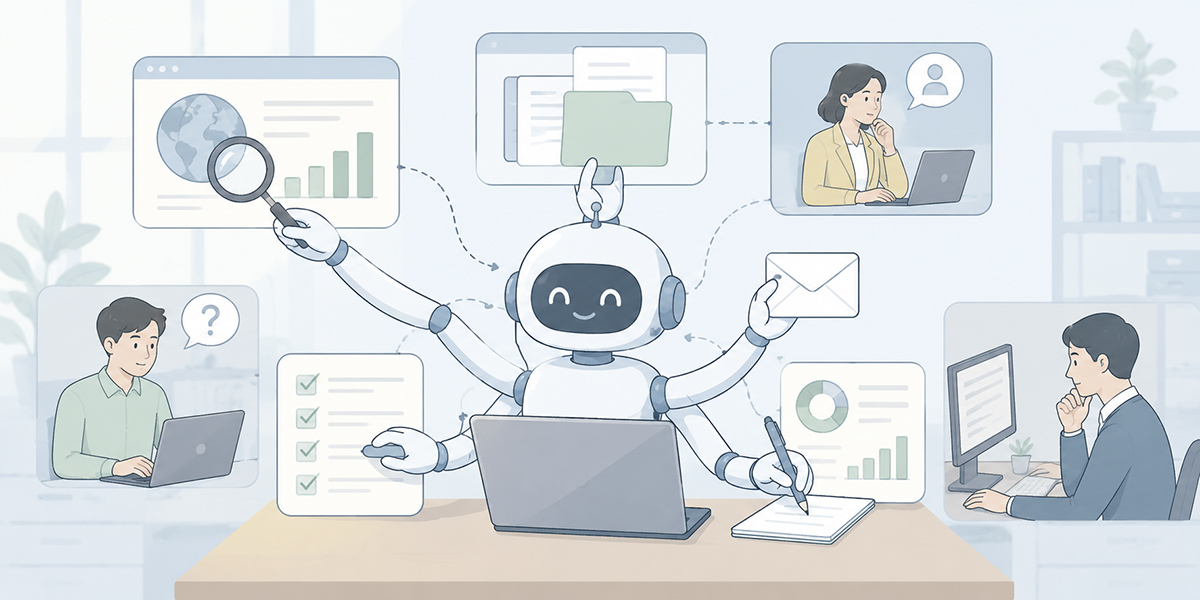
The autonomous operation of a task-executing AI agent is not confined to a single department. It can be put to use across sales, marketing, customer support, IT, management control, HR, general affairs, and more.
Classifying enquiries and routing to the responsible department
It reads enquiries arriving from inside and outside the organisation and classifies them by content, urgency, scope of impact, and responsible department.
For example: routing questions about product specifications to CS, consultations about contract terms to sales, and anything that might be a system fault to IT.
By having the AI do the first pass of the sorting that a person used to check and judge every time, you may be able to shorten the time before a response begins. Simply asking the AI to “sort it however seems right” is not enough, however.
You need to make explicit the criteria for judging urgency, whether there is any customer impact, how to treat matters involving contracts or money, and the sorts of wording that might signal a complaint.
An AI agent is not something that tidies up vague work as if by magic. The more a person articulates the basis for judgement, the closer to real practice the agent can operate.
Searching internal knowledge and drafting answers
If you keep internal regulations, FAQs, proposal materials, past minutes, operating manuals, and the like organised as training data, the agent can search for relevant information according to the enquiry and produce a draft answer.
What matters here is not letting the AI answer too freely.
- Cite the name of the material referred to
- Do not answer where no basis can be found
- Where it is a supposition, state clearly that confirmation is needed
Setting rules of this kind makes it far more suited to operational use.
In my experience, what most often trips up internal-knowledge use is not the AI’s performance as such, but cases where the source materials are not organised.
Old and new materials are mixed together. Formal rules sit in the same place as past stopgap measures. The file name alone tells you nothing of the contents. In such a state, even an AI agent cannot answer reliably.
In this case, using an environment such as Kanata, where you can organise training data and prompts by purpose, makes it easier to align the answering rules. One approach is to separate purposes into, say, “for internal FAQ answers”, “for sales-proposal support”, and “for first-pass contract checks”.
First-pass handling of quotation, application, and approval flows
Work where the required fields are reasonably fixed, such as quotation requests and internal applications, also sits well with autonomous operation.
The agent can check the content of the request, identify any missing fields, refer to similar past cases, and arrange it into a form the responsible person can readily judge.
Rather than entrusting the approval itself to the AI, using it to prepare in advance the information the approver needs to see makes it realistically much easier to adopt.
For a quotation request, for instance, it organises the customer name, the service in question, the desired delivery date, the quantity, whether there has been past trade, and any exceptional conditions. For an internal application, it pulls together the purpose, the amount, the relevant regulations, the approver, and similar past applications.
The person then judges on the basis of that organised information. Even this alone changes the burden on the approver.
Producing routine reports and detecting anomalies
Reporting work that recurs daily, weekly, or monthly can also potentially be made more efficient through autonomous operation of an AI agent.
By routinely organising sales, enquiry volumes, advertising results, deal progress, course-completion status, and so on, and extracting the differences from the previous period and any anomalies, people can concentrate on root-cause analysis and on considering what to do next.
On a project I supported, reducing the time spent producing routine reports changed the nature of the meetings. Previously, the first half of the meeting was given over to “checking the figures”. Once the agent began organising the differences and anomalies, it became far easier to move, from the very start of the meeting, into “why did it change” and “what do we do next”.
This may look like a small change, but for an organisation it is a large one, because the meeting moves closer to being a place for decisions rather than a place for reporting.
Cross-departmental progress management
In work involving several departments, such as sales, CS, development, and IT, checking progress is itself a considerable burden.
If the agent checks the status of each task and organises which are nearing their deadline, which have stalled, and which are awaiting a judgement, you may be able to cut down the checking carried out in meetings and on Slack.
Here too, the important thing is not for the AI to push ahead with judgements of its own accord, but to make visible the points on which a person should decide.
- Whose reply are we waiting on
- Has the deadline passed
- Is the decision-maker settled
- What is the next action required
- Is there any customer or revenue impact
Simply having this information organised makes cross-departmental work flow more readily.
Design elements needed for autonomous operation
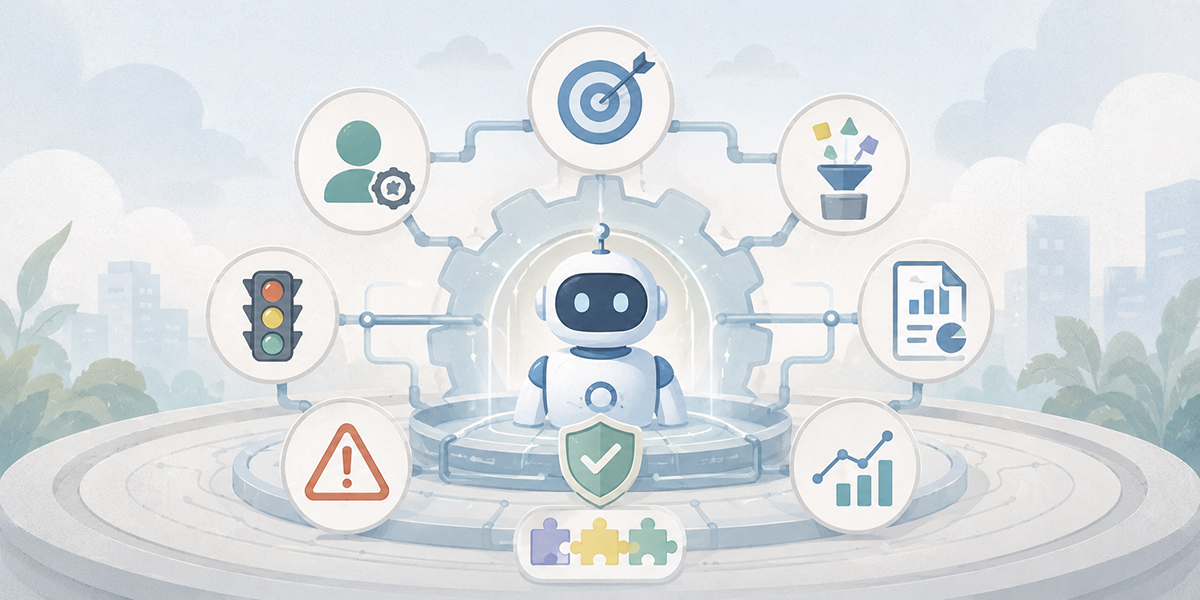
Operating a task-executing AI agent autonomously takes more than simply introducing an AI tool. It calls for business design, data preparation, permissions management, and operating rules.
Make each agent’s role clear
The first thing needed is a division of roles among the agents.
Try to entrust everything to a single AI and the boundaries of responsibility for the processing become blurred. Designing the agents with distinct roles, such as one to classify enquiries, one to draft answers, one to check risk, and one to confirm progress, also makes them easier to improve.
Where roles are clear, it is also easier to confirm which agent went wrong, and where.
When designing an agent, I often use the question: “if you were teaching this work to a new starter, what would you entrust to them, and where?”
You would not hand a new starter the whole job at once. You start with classification, then drafting, then checking, and gradually widen the scope of judgement. An agent is the same. Rather than giving it large responsibilities from the outset, it is safer to divide the roles, entrust it with small things, and widen the scope while watching the results.
Decide the criteria for judgement and the exception conditions
In autonomous operation, you need to make clear the range within which the AI may proceed and the range to be handed to a person.
- Where the amount exceeds a set threshold, check with a person
- Anything touching on contracts or legal matters must be passed to the responsible person
- Where there is any possibility of a customer complaint, do not auto-reply
- Where no supporting material can be found, do not answer
- Where personal data is involved, halt the processing
- Keep a log of the basis for the AI’s judgements
Begin autonomous operation with this design left vague and people come to feel uneasy about the agent’s output every time. The upshot is that they end up checking everything after all, and little benefit comes of it.
What matters in autonomous operation is not only “how far to entrust”. It is deciding “where to stop”.
I would go so far as to say the latter matters more. An agent with clear stopping conditions is used with confidence on the ground. An agent whose stopping conditions are vague, by contrast, may look convenient yet struggles to take hold.
Prepare the training data and the prompts
An agent’s accuracy is heavily shaped by the quality of the information it consults and the instructions it is given.
If internal materials are left out of date, if several documents carry the same meaning, or if the basis for judgement is not written down, the agent cannot operate reliably either.
Organise the internal materials used in the work as training data, and accumulate the instructions you use often as prompts, and you reduce the need to write instructions from scratch every time for the same task. The team can operate the agent on a shared set of rules.
For instance, you can turn into prompts such rules as: for enquiry answers, “do not answer by guesswork where there is no supporting material”; for sales support, “produce output on the premise of the customer’s industry, role, and deal phase”; for minutes, “always separate out decisions, to-dos, deadlines, and owners”.
What matters is that preparing materials for the AI feeds directly into organising the organisation’s knowledge.
As a by-product of AI adoption, I often see a stocktake of internal materials get under way. What began as tidying up documents for the AI to read ends up as a knowledge base that is easier for people to search too.
Keep logs, and stay in a state where you can improve
In autonomous operation, you need to be in a state where you can confirm what input the agent received, what judgement it made, and where it handed over to a person.
Without logs, you cannot pinpoint the cause when something goes wrong. With logs, on the other hand, it becomes apparent which prompt to fix, which training data to update, and which exception condition to add.
Autonomous operation is not something you build once and complete. By improving while watching the logs, you gradually raise an agent that fits the work.
I treat an agent not as something you “introduce” but as something you “raise”. Try to build a perfect agent from the start and the design becomes far too heavy. Better to run it within a set range, watch the logs, listen to the people on the ground, and improve. This accumulation is what leads to an AI that goes on being used in practice.
Viewing the effect of autonomous operation through KGI/KPI and ROI
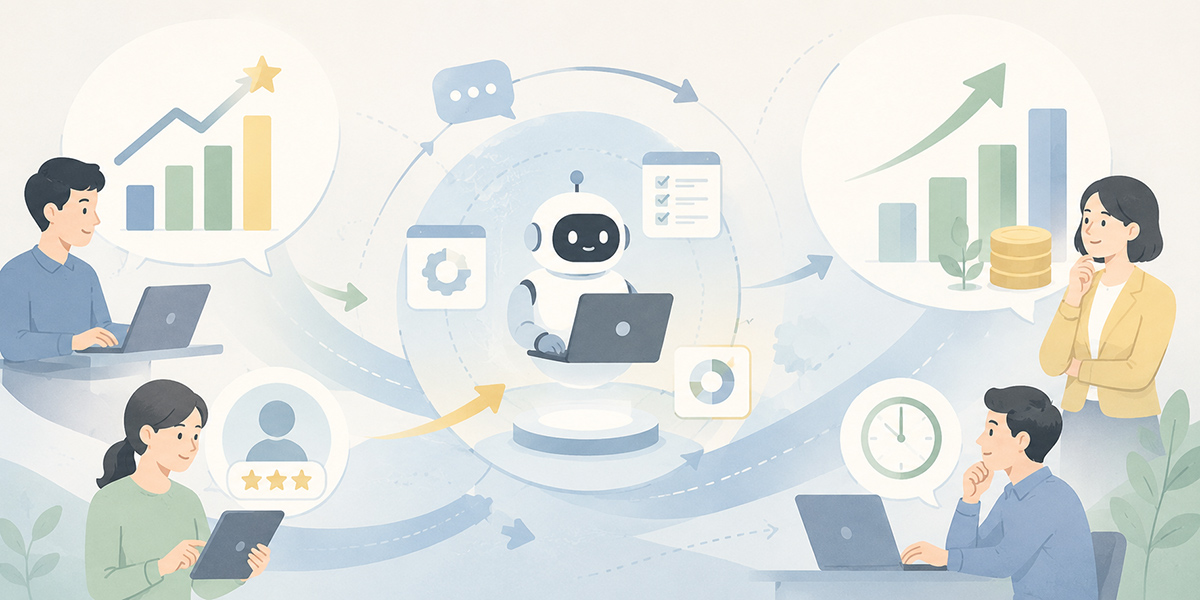
As you advance the autonomous operation of a task-executing AI agent, it is important not to let the assessment of its effect end at “it somehow became more convenient”.
Setting metrics that the leadership, the DX lead, and departmental heads can all look at in common makes investment and improvement decisions easier.
Set the KGI on a business outcome
The KGI should sit not on AI usage as such, but on a business outcome.
- Improved quality of customer handling
- Shorter lead time for enquiry handling
- A better conversion-to-deal rate
- A higher self-resolution rate for internal enquiries
- An increase in the volume of work processed
- More staff time allocated to high-value-added work
What matters is to look not at “how many times the AI was used” but at “how the work has changed”.
When I support a company’s AI adoption, the first thing I confirm is not “which AI to use”. It is “what would have to change for us to say adoption was worthwhile”.
Push ahead with adoption without an answer to that question and AI use drifts towards usage counts and demo-friendliness. Where the KGI is clear, by contrast, the agent’s design becomes realistic.
Set KPIs at a granularity usable for operational improvement
Set KPIs at a granularity that leads to improvement.
For enquiry handling, for instance, candidates include first-pass classification time, the adoption rate of draft answers, the correction rate, the escalation rate, and the number of unprocessed items.
For sales support, the targets might be the time to organise deal notes, the time to draft a proposal, the number of missed follow-ups, and the time to CRM entry.
KPIs are not there to blame the agent. They are there to find where improvement would make the work as a whole better.
If the adoption rate of draft answers is low, for example, the AI itself is not necessarily at fault. The materials being consulted may be out of date. The prompt may be vague. People’s expectations may simply not be aligned in the first place.
Looking at the KPIs lets you separate out these points calmly.
Do not judge ROI on time-saving alone
When considering an agent’s ROI, looking only at the time saved can lead you to misjudge its value.
Reducing working time matters, of course. But the effect of autonomous operation is not only that.
Variation in handling falls. Hand-offs are missed less often. The initial response to the customer comes sooner. Staff can spend time on judgement and proposals. These too are of business value.
When weighing up the ROI of AI, I take the view that you should look at both “the time you can save” and “the value you can add”.
The former is easy to measure with metrics such as minute-taking time, enquiry-classification time, and report-production time. The latter, slightly harder to measure, covers proposal quality, customer experience, deal opportunities, and the team’s speed of learning.
What truly changes an organisation, however, is the latter.
For that reason, when looking at ROI you need to consider time saved, quality improvement, reduced lost opportunity, lower training cost, and better use of knowledge in combination.
The limits of autonomous AI working, and points to watch
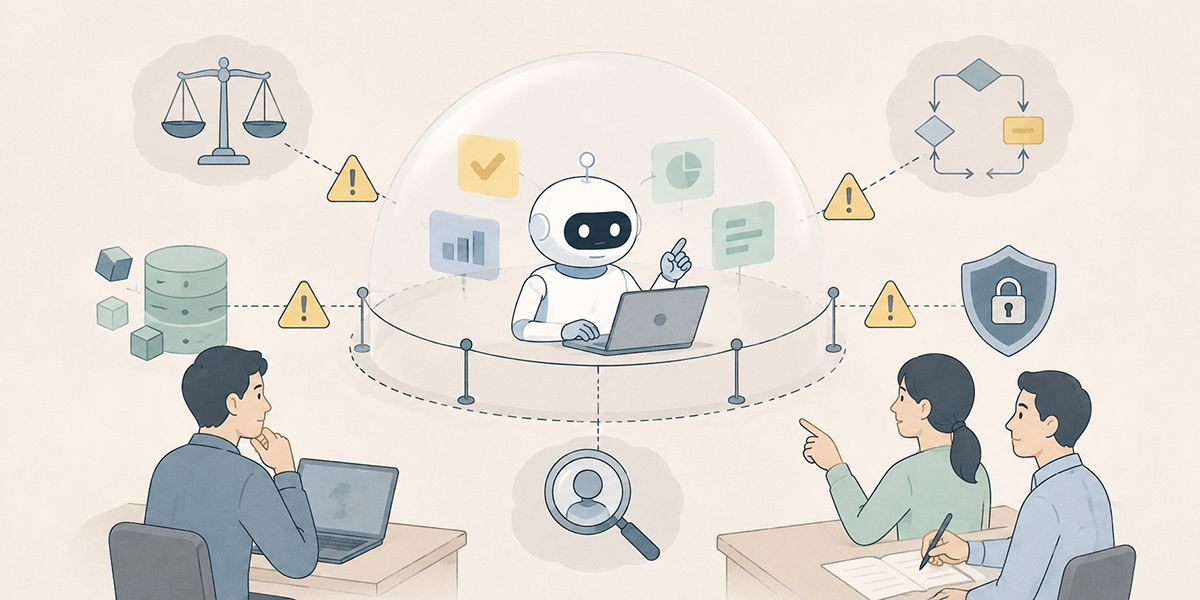
Autonomous operation holds great potential, but it has limits too.
The more the AI takes on, the heavier the human design responsibility
The wider the range in which an agent acts autonomously, the heavier the design responsibility on people becomes.
Which information to have it consult. Which judgements to entrust. Under which conditions to stop. Who holds ultimate responsibility.
Operate with these left vague and the risk comes to outweigh the AI’s convenience.
On site, I have repeatedly seen situations where what is tested is less “how far the AI can go” than “how far the human side can explain the work”.
The AI can take on vague work as it stands. But judging whether the result is correct still requires, in the end, a standard on the human side.
People take on the exceptional judgements
An agent is strong on routine classification, search, summarisation, organisation, and notification. In cases involving the customer relationship, internal politics, legal judgement, ethical judgement, or business priorities, on the other hand, human judgement is needed.
Autonomous operation does not mean entrusting everything to the AI. It means designing things so that the AI proceeds as far as it can, and reliably stops where a person should judge.
Misunderstand this and AI use becomes precarious.
Entrust to the AI even the things a person should judge and, in the short term, it looks as though you are gaining efficiency. But when something goes wrong, you end up in a state where no one can explain it.
An agent is not a bearer of responsibility. The ones who hold responsibility are the people who design, operate, and make the final judgement.
Do not treat security and permissions management lightly
A task-executing AI agent may come into contact with internal materials, customer information, and operational logs.
You therefore need to decide who can see which data, what may be handled on which project, and how personal and confidential information is masked.
In cross-departmental operation in particular, widening the access scope too far in the name of convenience raises the risk to information governance.
When making use of generative AI, it is important to advance both the promotion of its use and the management of its risks in parallel. For an authoritative, broadly applicable reference on managing AI risk, see the NIST AI Risk Management Framework.
Tool features alone do not guarantee safety. The organisation has to decide which information may be entered, which information should be masked, and who updates the training data.
Steps to begin autonomous operation
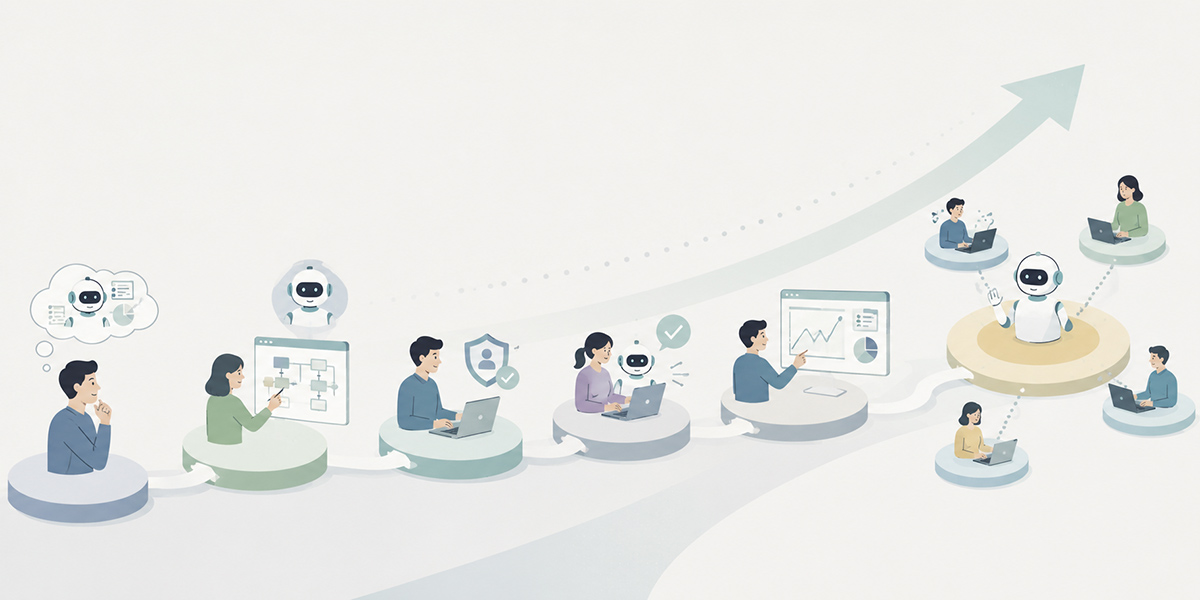
There is no need to begin the autonomous operation of a task-executing AI agent on a large scale from the outset. It is more realistic to start small and widen the scope while checking the effect and the risk.
Identify the work that recurs
First, identify the work that recurs daily, weekly, and monthly.
Enquiry classification, minute-taking, weekly reports, organising deal notes, FAQ handling, checking the content of applications, and so on, are candidates: work that occurs frequently and whose criteria for judgement are reasonably settled.
At this stage, I feel it is better not to leap straight to “what can the AI do”.
What you should look at first is the tiresome work that recurs again and again on the ground. The same check made over and over on Slack. The same minutes drawn up at every meeting. Time spent on CRM entry after every deal. Within such everyday work lies the entrance to autonomous operation.
Decide the division of roles between people and the AI
Next, within that work, separate the part to entrust to the AI from the part people take on.
| Responsible party | Main role |
|---|---|
| Work easily entrusted to the AI | Classification, search, summarisation, formatting, drafting, notification, progress checks, and the like. |
| Work people should take on | Final judgement, exception handling, handling that takes account of the customer relationship, approvals carrying responsibility, and the design of the work itself. |
Introduce an agent with this division of roles left vague and the people on the ground become uneasy.
- Is this something the AI may judge?
- Who makes the final check?
- If it is wrong, who puts it right?
While such unease remains, the AI will not go on being used. That is precisely why you need to set the boundary between people and the AI at the outset.
Implement on a small scale
Once the division of roles is settled, implement the agent on a small scale to suit the target work.
At this stage, business design matters more than tool selection. One approach is to combine it with the chat, CRM, ticketing, knowledge management, and RPA you already use in-house. Another is to use a service such as Kanata, which lets you organise AI chat, AI summarisation, training data, and prompts by unit of work.
To begin with, a single slice of work is plenty.
Start from a limited scope, such as “have the AI do only the first-pass classification of enquiries”, “extract the next action from deal notes”, or “draft internal FAQ answers”, and it becomes far easier to find points for improvement.
My sense is that the first taste of success is better kept small. A small improvement that the people on the ground think “I want to use again tomorrow” spreads through an organisation more readily than a grand vision.
Improve while watching the KPIs
Once operation begins, always check the KPIs.
Where the time-saving is not what you had hoped, the cause may lie not in poor AI output but in the workflow or the input information.
- The classification criteria were vague
- The reference materials were out of date
- The conditions for handing to a person were too strict
- The prompt was too complex
Reviewing these causes one by one brings the agent closer to a form that fits the work.
Improving an agent is much like product development. It is never finished at the first release. Watch how it is used, watch the logs, listen to the people on the ground, and improve. This repetition is the essence of autonomous operation.
Widen it into cross-departmental operating rules
Once a small success comes into view, roll it out across departments.
At this stage, organising the operating rules matters more than increasing the number of agents.
By organising naming conventions, rules for updating training data, the method for managing prompts, the frequency of log checks, the permissions settings, and the escalation criteria, you can move from individual-led AI use to AI use as an organisation.
In my experience, the companies where AI use takes hold value unglamorous operation over flashy demos.
- Who updates the materials
- How old prompts are dealt with
- How the permissions of movers and leavers are reviewed
- When an error occurs, who it is reported to
It is precisely this unglamorous design that underpins autonomous operation.
In summary: autonomous operation is about redesigning the role of people
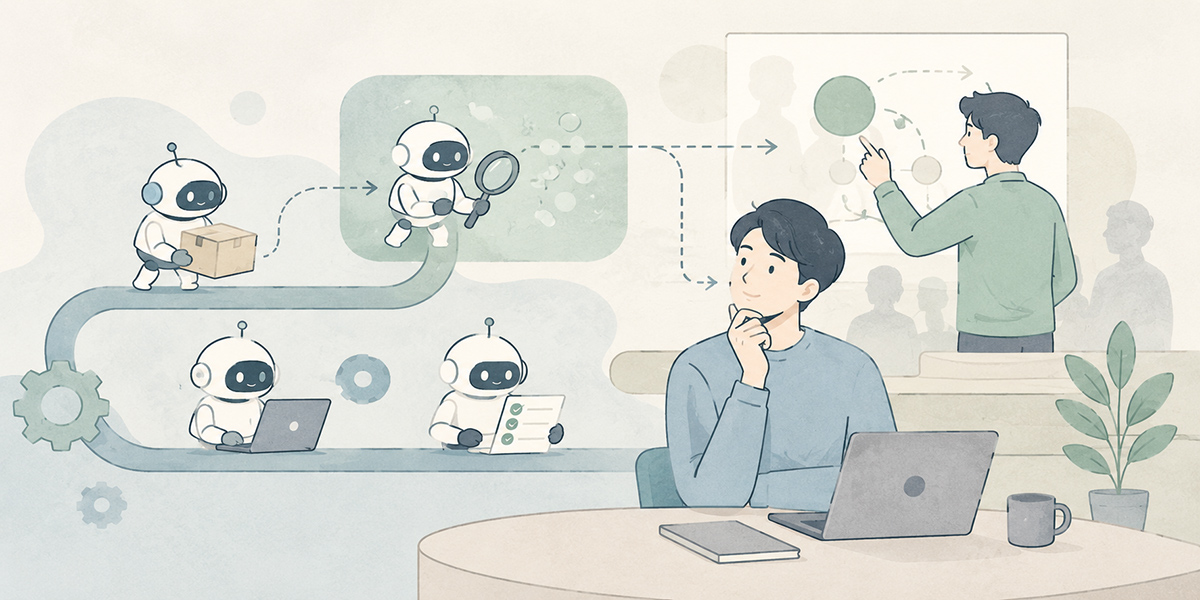
What the autonomous operation of a task-executing AI agent can deliver is not mere business automation.
Faster initial response through always-on AI; less waiting time through parallel processing; easing of key-person dependency through a division of roles; continuous improvement based on KGI/KPI; and a state in which people can concentrate on decision-making and creating value. When these come together, business transformation becomes a reality.
Introducing an agent does not, however, automatically change the organisation. You need to break the workflow down, decide the roles of AI and people, prepare the training data and prompts, and improve while watching the logs.
I take the view that AI adoption should not end as “the introduction of technology”. The real point lies, rather, in using AI as a prompt to review your own work and redesign the role of people.
Autonomous operation is not about widening the range entrusted to the AI. It is a design for letting people reclaim the work they ought to be concentrating on.
Combining business-support platforms, Kanata among them, with your existing in-house systems, and weaving in agents starting from small slices of work while building up improvements, makes for a realistic first step.
Q&A: Common questions about autonomous operation of task-executing AI agents
What is autonomous operation of a task-executing AI agent?It is an arrangement in which the AI does not merely answer questions but continuously supports classification, search, summarisation, drafting, notification, progress checks, and the like within the workflow. It does not mean entrusting the final judgement or approvals carrying responsibility to the AI.
What work is easily entrusted to an AI agent?Candidates include enquiry classification, internal knowledge search, minute-taking, organising deal notes, producing weekly reports, and first-pass checks of application content. The more frequent the work and the easier its judgement criteria are to articulate, the easier it is to make it the first target.
What should you watch out for in autonomous operation of an AI agent?Making clear the range within which the AI may proceed and the conditions for handing over to a person. In work touching on contracts, legal matters, personal data, complaints, monetary judgement, or the customer relationship in particular, you need to design on the premise of human checking or approval.
What should you look at when measuring the effect?Check the first-response time, routing accuracy, the adoption rate of draft answers, the human correction rate, the escalation rate, the number of unprocessed items, and staff checking effort. What matters is to measure how the work has changed, not how many times the AI was used.
In what cases does Kanata suit?It suits cases where you want to organise AI chat, AI summarisation, training data, and prompts by unit of work, and advance AI use by department or by project. Where you already have systems such as a CRM, ticketing, an internal wiki, or RPA, on the other hand, it is important to organise the division of roles with those before deciding whether to adopt it.