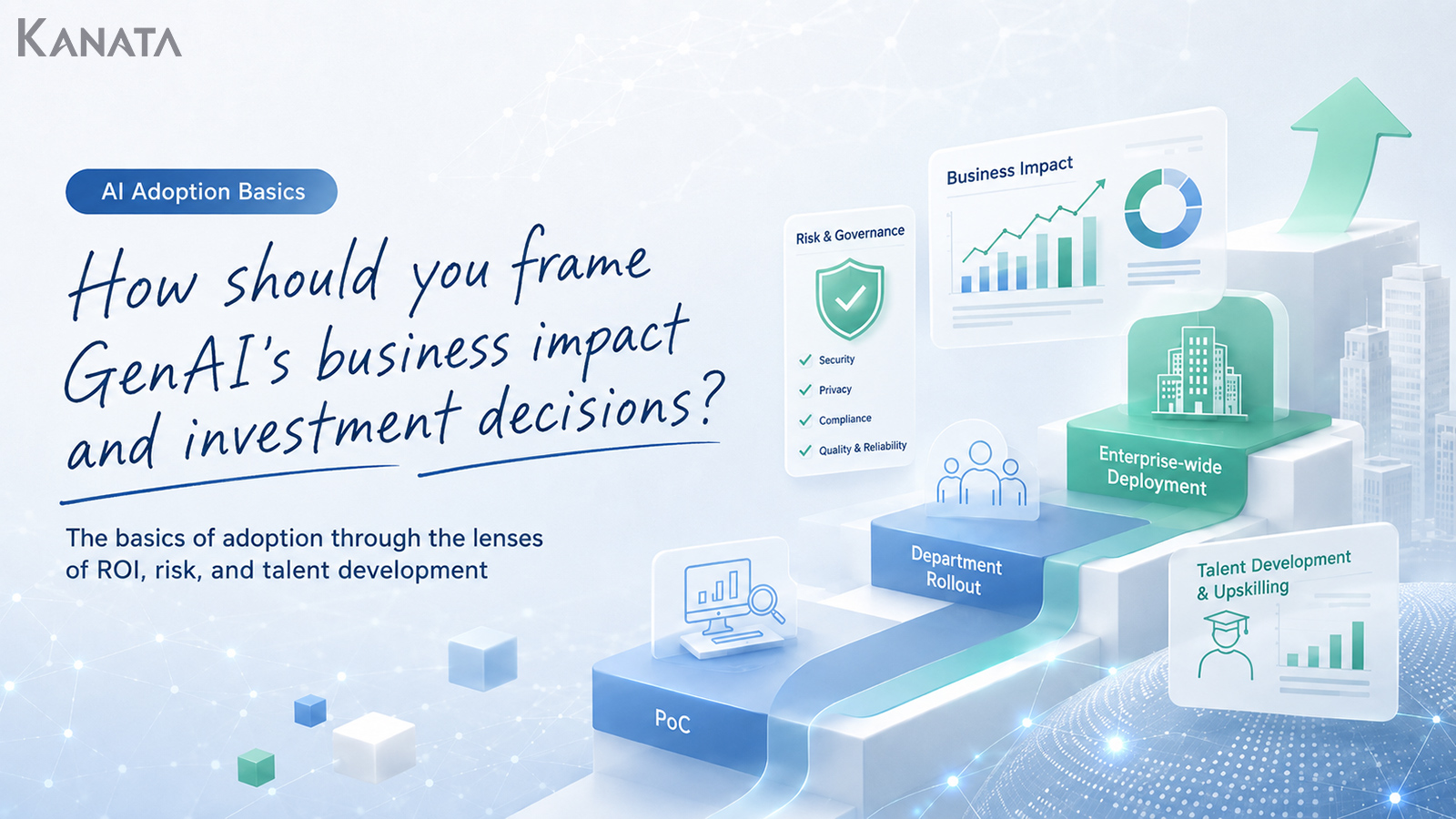



I’m convinced we need generative AI, but I can’t quite articulate which tasks we should apply it to, or how far we ought to invest.
That was the remark from a head of corporate planning in a board meeting. It is the sort of moment where the executive team, HR leaders, the IT department and frontline teams of a company pursuing organisation-wide digital transformation are all looking at the same theme from quite different angles.
Until six months ago, individual departments were trialling free tools in a piecemeal way, with use confined to personal tasks such as drafting minutes or emails. Today, a growing number of organisations are treating generative AI not as a handy gadget for a few staff, but as an operational backbone spanning meetings, enquiry handling, training, sales-collateral preparation and the use of internal knowledge. Indeed, the Stanford HAI “2025 AI Index Report” notes that the share of organisations using AI reached 78% in 2024, up from 55% the previous year.
Take, as a hypothetical, a task where minute-taking for a 60-minute meeting falls from 30 minutes to 5. The decision is not simply about the time saved; it also takes in who checks the output, what information may safely be entered, and what training staff need before they can use the tool well. Kanata’s everyday best-practice guidance makes much the same point: separate the work people do from the work you hand to AI, and run things on the assumption that a person reviews the output.
This article sets out the impact of generative AI on a business from several angles – operational efficiency, customer experience, people development and risk management. It then explains the metrics that help you judge whether to continue, expand or halt a PoC. The aim is to give executives and digital-transformation leads a position they can explain internally: why we are investing, which tasks we start with, and on what conditions we expand.
That said, generative AI is no panacea. Simply deploying a tool will not deliver consistent results; only with operating rules, training and regular review do you arrive at investment decisions you can reproduce with any confidence.
Generative AI investment is a management decision, not a tool rollout

When weighing up generative AI, the first thing to avoid is deciding to invest purely because “the competition is using it” or “it’s the talk of the town”.
Generative AI is not merely a tool for speeding up writing and summarising. Depending on how it is used, it touches business processes, decision-making, people development, customer service and information management. For precisely that reason, the question of whether to adopt it should not rest with the IT department alone, nor be left as a frontline improvement exercise; it needs to be treated as a management decision.
AI use to date has tended to stop at the stage of individuals experimenting on their own – drafting emails, summarising text, sounding out a plan – the sort of thing that nudges personal productivity up a little.
Now, by contrast, organisations have moved to considering, as a whole, which tasks to build AI into. Once you weave AI into work that spans several departments – meetings, enquiry handling, training, sales-collateral preparation, internal knowledge search – both the benefits and the risks become larger than they ever were with personal use.
So what executives should be looking at is not only “which AI tool to bring in”. The more telling questions are these:
- Which business processes are we changing?
- Whose time are we expecting to save, and by roughly how much?
- What higher-value work will the freed-up time be redirected to?
- Who manages the risk of erroneous answers or information leaks?
- What training is needed to get every member of staff to a point where they can use it?
Generative AI investment needs to be seen as an investment that takes in business design, training and governance – not merely the cost of the tool.
The four ways generative AI affects a business
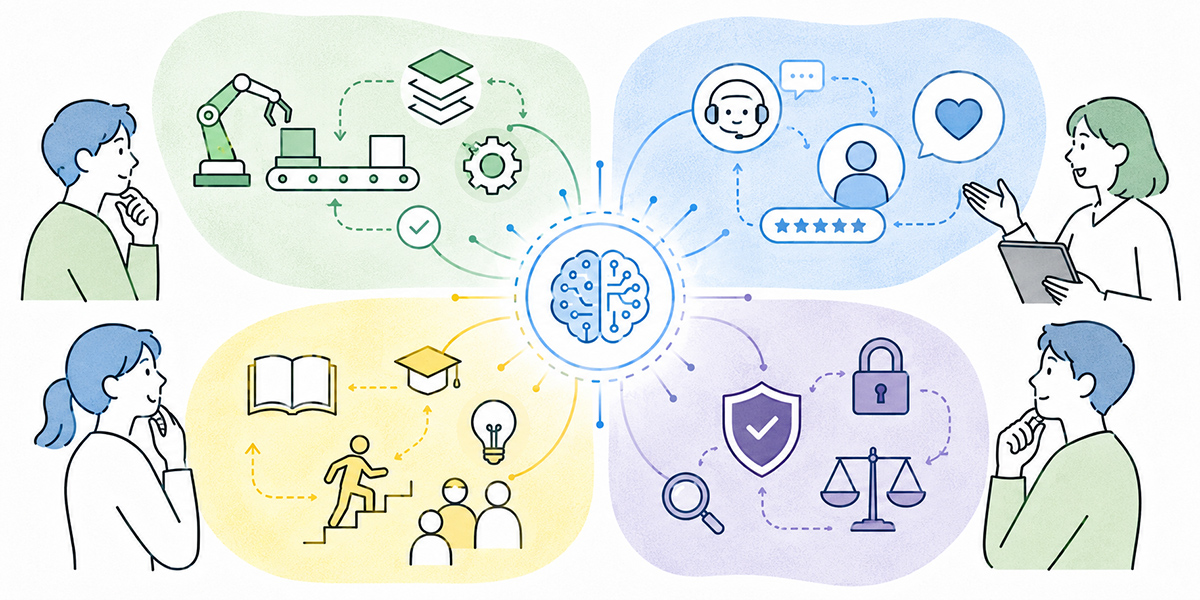
The impact of generative AI cannot be measured by “does it save time” alone. When executives make an investment decision, organising it around at least four lenses – operational efficiency, customer experience, people development and risk management – makes it far easier to explain internally.
The impact on operational efficiency
The most obvious benefit is the time saved on drafting, summarising, organising and classifying.
Drawing up minutes after a meeting, drafting internal emails, sketching the structure of a proposal, summarising lengthy documents – these are tasks that sit well with generative AI. Kanata’s best-practice guidance, for instance, describes using custom AI summaries for minute-taking, shaping the output into formats such as decisions taken, to-dos and a discussion summary.
That said, when you assess efficiency gains, the important thing is not to stop at “the task took less time”.
What you should be watching is what the saved time is used for. If minute-taking falls from 30 minutes to 5, but those 25 minutes are simply swallowed by another checking task, the value to the business is limited. Conversely, if that time goes into customer service, planning, development of staff or decision-making, you generate value well beyond a mere time saving.
The impact on customer experience
Generative AI also affects the customer experience.
In sales and customer success, it can pull the next action out of meeting notes, or organise the talking points for a given customer’s proposal. In enquiry handling, drafting answers from internal rules and FAQs makes it easier to keep the quality of first responses consistent.
What matters here is not to hand customer interactions over to AI wholesale. The text and proposals that go to a customer ultimately need a person’s judgement. AI is well suited to organising information, broadening the options and producing a first draft. Reading a customer’s context, and judging matters in light of the relationship, is work that should remain with people.
In other words, it is more realistic to view generative AI investment in customer experience as “shortening the preparation time people need to reach better judgements” rather than “automating people out of the picture”.
The impact on people development
Generative AI also bears on reskilling across the whole workforce. Reskilling means learning afresh the new knowledge and skills needed for current or future work.
If only a handful of specialists can use AI, the productivity of the organisation as a whole will not rise. You need to reach a state where a great many staff can use it in the course of everyday work – email, minutes, research, document preparation, enquiry handling and so on.
Kanata’s operating manual sets out an approach in which AI chat, AI summarisation and e-learning are added as apps per project and used on a per-task basis. Even when drawing on such mechanisms, deployment alone is not enough; you cannot do without teaching people “in which tasks, and how” to use it.
From a people-development standpoint, metrics such as the following are useful:
- The take-up rate for AI training
- The share of staff actually using AI
- The number of use cases per department
- The reuse count for prompts and templates
- How well people understand the output-review rules
The value of generative AI grows less in the moment just after deployment than as staff learn how to use it in their work and good practice is shared within teams.
The impact on risk management
With generative AI investment, you need to weigh the risks at the same time.
The classic risks are information leaks, erroneous answers, copyright infringement, the mishandling of personal data, and accountability for the quality of anything sent outside the company. In work that handles customer data, contract information, undisclosed financial information or HR information in particular, you need to draw a clear line between what may be entered and what is forbidden.
Putting sound risk management around AI is a recognised discipline in its own right. Frameworks such as the NIST AI Risk Management Framework and the OECD AI Principles set out items such as transparency, accountability and education or literacy as matters to attend to.
The important thing in risk management is not to ban AI use across the board. It is to make clear where it may and may not be used, so that staff can judge without hesitation.
Not “we use it because it’s handy”, but “we define the range in which it can be used safely, and use it within that”. Roll out organisation-wide without this premise, and the frontline tends either to clam up or, conversely, to use it in a free-for-all.
Don’t judge generative AI ROI on saved time alone

When deciding on generative AI investment, the term ROI gets a fair airing. ROI is a way of expressing how much profit or benefit you obtained relative to the amount invested.
That said, measure generative AI’s ROI on saved time alone and you may well misjudge it.
Suppose, say, you can cut 25 minutes of minute-taking per meeting across 100 meetings a month. This is a hypothetical, not an actual result. That comes to 2,500 minutes a month – roughly 41.7 hours saved. Set an hourly labour cost and you can even put a rough monetary figure on it.
For a management decision, however, that alone will not do.
Only when those 41.7 hours go into improving customer proposals, considering new initiatives, developing staff or raising the quality of enquiry handling does the investment begin to approach a business outcome. Conversely, if the saved time merely evaporates as slack, the ROI is not as large as it looks.
For that reason, it helps to look at generative AI’s ROI across the following three layers.
Reducing task time
The easiest thing to measure first is task time.
- Time spent drawing up minutes
- Time spent drafting emails
- Time spent summarising documents
- Time spent producing first-line answers to enquiries
- Time spent creating training materials
This is a metric that is straightforward to compare even at the PoC stage. PoC stands for proof of concept – a small-scale exercise to verify whether a new mechanism or technology is effective in real work.
That said, when you use figures, you need to hold the period, the number of cases and the working conditions constant.
For instance, rather than “minute-taking got quicker”, record it as “across 20 regular meetings in April 2026, the time to draw up minutes per meeting fell from an average of 30 minutes to an average of 8”. Where it is an estimate rather than an actual result, always mark it clearly as a hypothetical.
Steadier quality of work
Next you should look at quality.
Generative AI not only speeds work up; it also helps make output more consistent in format. It makes it easier to standardise work that tends to vary from person to person – the headings in minutes, the way meeting notes are organised, the answer format for internal FAQs, the structure of training materials.
Quality is hard to quantify, however, so it is important to create a checklist.
- Are any required items missing?
- Are there errors in figures or proper nouns?
- Is the wording pitched to the reader?
- Are points needing judgement clearly flagged as “to be checked”?
- Has a person reviewed it before anything goes outside the company?
Rather than treating the AI’s output as the finished article, it is important to assess quality across the whole workflow, the human check included.
Connecting to business outcomes
The last thing to look at is the connection to business outcomes.
Check whether, as a result of bringing in generative AI, changes such as the following are taking place.
- Preparation time for sales proposals has shortened, and the quality of meeting preparation has improved.
- First-line responses to internal enquiries have become more orderly, easing the load on HR and general affairs.
- Training content is produced more quickly, making it easier to roll out education to all staff.
- Managers use AI to prepare for meetings and one-to-ones, making it easier to secure preparation time for those conversations.
- The way people find information has shifted from “ask a colleague” to “check the internal knowledge base”.
Only once you have looked this far can generative AI investment be assessed as an investment in organisational capability, rather than mere cost-cutting.
The decision criteria to watch in a PoC

With generative AI, it is common to begin with a PoC rather than going straight to an organisation-wide rollout. The trouble is that if you set the PoC’s purpose as “checking whether AI can be used”, the judgement tends to become woolly.
What you should be watching in a PoC is this: “If we support this task with AI, on what conditions could we expand it?”
The basis for choosing target tasks
Tasks well suited to a PoC meet the following conditions.
- High frequency. A task that occurs daily or weekly is easier to measure than one that crops up only once a month.
- Easy to formalise. Tasks where you can define the output format – minutes, email drafts, enquiry answers, the tidying of meeting notes – lend themselves to a PoC.
- Easy to manage for risk. Pick highly confidential information, or work involving legal judgement, for your first PoC, and risk handling can come to weigh more heavily than verifying the benefit.
- Easy for those involved to feel the benefit. Choose work where the frontline can genuinely sense “that is easier” or “that is simpler to check”, and you build more buy-in when the time comes to roll out organisation-wide.
Criteria for continuing, expanding or halting
When a PoC ends, the important thing is not to judge on impressions alone. Decide in advance the conditions for continuing, for expanding and for halting.
You might, for example, set the following criteria.
| Criterion | What to look at |
|---|---|
| Take-up | What share of the intended users went on using it consistently |
| Time saved | How much the task time for the target work changed |
| Quality | How the volume of corrections, rework and review load changed |
| Risk | Whether there were any problems with mis-entry, erroneous answers or the handling of confidential information |
| Training load | How much support staff needed before they could use it well |
| Management load | Whether the burden on managers, IT, legal and HR sits within an acceptable range |
If the PoC shows a time saving but the review load is too heavy, you should not rush to roll out organisation-wide. Conversely, if the time saving is limited but the gains in standardised quality and in onboarding new staff are large, there is value in continuing to invest.
The operating rules to settle before organisation-wide rollout

Before you spread generative AI across the whole organisation, you need a minimum set of operating rules.
Four are especially important.
Decide what information may and may not be entered
The point staff find most vexing is “may I put this information into the AI?”
Classify public information, general internal information, customer data, personal data, sensitive information, undisclosed financial information and so on, and set out in writing how far each may be used. You also need a basis for judgement when in doubt.
Rules that are too fine-grained go unread. Start by organising things into three categories – “may be entered”, “may be entered with conditions” and “must not be entered” – and add concrete examples to make them easier to apply.
Decide who is accountable for reviewing output
Make it a given that a person always checks the AI’s output.
Documents sent outside the company, answers to customers, anything bearing on contracts or rules, and materials containing figures or citations in particular all need a human review. Kanata’s best-practice guidance makes the same point: AI can produce plausible-looking errors, so a person should verify any document, figure or citation that leaves the company.
What matters is not to leave “who holds final accountability” vague. Even where AI wrote the text, the person who ultimately submits or approves it needs to own it.
Share prompts and knowledge
Generative AI use takes hold more readily when a team shares good practice than when individuals start from scratch each time.
When choosing an in-house AI platform, it is worth checking how easily you can manage prompts, training data, access rights and per-task administration. With Kanata, for instance, there is the notion of a project library that organises AI settings, prompts and training data by project.
Build up frequently used minute templates, enquiry-answer templates, sales-proposal outlines and the like into a reusable state, and you make it easier to bring the whole department up to a consistent level of use.
Review regularly
Operating rules for generative AI are not a case of “set them once and you’re done”.
You need to check regularly for prompts that go unused, training data that has gone stale, tasks prone to erroneous answers, and situations where the frontline feels uneasy.
A sensible cadence is to take stock of usage and risk once a month or once a quarter. Check the take-up rate, the tasks most used, the cases where problems arose and the rules in need of improvement, and feed that into the next round of operation.
How to think about choosing an in-house AI platform

When an organisation uses generative AI, leaving individuals free to use external tools as they please makes knowledge-sharing and access management difficult.
For that reason, some companies look at an in-house AI platform as a mechanism for organising users, data and apps on a per-task basis.
When choosing an in-house AI platform, it is worth checking at least the following points.
- Can you separate working environments by department or task?
- Can you manage and reuse training data and prompts?
- Can you set user permissions appropriately?
- Can it handle several uses – AI chat, summarisation, training and so on?
- Can it be run in line with internal rules and security policy?
Kanata is described as a work-support platform that brings together functions such as AI chat, AI summarisation and e-learning in a single place. Its operating manual sets out a structure that organises working environments by organisation and task using the concepts of space, project, app and library.
You might, for instance, split projects by department – meeting-note tidying and proposal drafts in sales, training content and enquiry handling in HR, summarising meeting materials and organising talking points in corporate planning.
That said, putting an in-house platform like Kanata in place does not, on its own, make generative AI use a success. You still need to decide which tasks to use it for, which information to register, who reviews, and which metrics you judge the benefit by.
A tool is, when all is said and done, the foundation that supports business change. What matters as a management decision is which tasks you change, and how, on top of that foundation.
The points executives should raise internally

Interest in generative AI investment differs by position within the company. To carry an investment decision, executives need to explain it in language tailored to each set of stakeholders.
For the frontline, talk about “what gets easier”
What matters to the frontline is less the business strategy than how their daily work changes.
You need to bring it down to concrete tasks – “drawing up minutes after a meeting gets quicker”, “email drafting gets faster”, “you can sort out the initial talking points for a piece of research”.
For HR, talk about “reskilling the whole workforce”
For HR, the point is not a state where only some people use generative AI, but how to create a state where all staff can use it safely.
Training design, usage rules, manager education and closing the gap in uptake between departments all become talking points. The brief is to design a mechanism for continuous learning, combined with e-learning and internal training.
For IT and legal, talk about “control”
For the IT and legal departments, control matters as much as convenience.
Without making clear the limits on what information may be entered, account management, usage logs, permission settings, the handling of confidential information and the response to incidents, it is hard to move to organisation-wide rollout.
In the board meeting, talk about “the spend, the success metrics and the exit conditions”
What a board meeting needs is decision-making material, not enthusiasm.
- Initial investment and running cost
- Target tasks and target departments
- PoC period and evaluation metrics
- The conditions for expansion
- The conditions for withdrawal or review
- Risks and countermeasures
Organise these six points and it becomes far easier to discuss generative AI investment as a management decision rather than a matter of gut feel.
In summary: generative AI investment begins with designing your decision criteria

Generative AI can affect a company’s operational efficiency, customer experience, people development and risk management.
But adopting it will not, of its own accord, deliver results. Only once you decide which tasks to use it for, which metrics to judge it by, who holds accountability and which risks you will not tolerate does an investment decision become possible.
The first questions executives should hold are these three:
- Where, in our own organisation, is the benefit easiest to realise and the risk easiest to manage?
- What should we measure in a PoC so that we can judge an organisation-wide rollout?
- Have we included not just tool adoption but training, operation and review in the investment plan?
The essence of generative AI investment is not keeping up with a trend, but a management decision about how to change the way the organisation works.
Rather than rushing to deploy across the company at once, start by narrowing the target tasks, deciding the metrics and trying it small. Then, watching the benefits and the risks, judge whether to expand, to continue or to halt – that is the realistic path.
Q&A: common questions on the boardroom impact of generative AI and investment decisions
Which tasks should we start generative AI investment with?
It is realistic to start with tasks that are high-frequency, easy to define an output format for, and easy to manage for risk. Candidates include drawing up minutes, drafting emails, summarising documents, first-line answers to internal FAQs, and drafts of training materials. It is best to avoid jumping straight to highly confidential contract judgements or the final call on HR appraisals.
How should we measure generative AI’s ROI?
Look beyond saved time to take in work quality, review load, reusability, training benefit and the connection to business outcomes. Recording it with the period, number of cases and comparison conditions held constant – as in “across 20 meetings in April 2026, minute-taking changed from an average of 30 minutes to an average of 8” – makes it more usable for an investment decision.
If a PoC shows benefits, may we roll out organisation-wide straight away?
Rather than rolling out organisation-wide at once, you need to check both the benefits and the risks. Having looked at take-up, time saved, output quality, review load, erroneous answers, information management and training load, make the conditions for expansion clear. Even where the frontline is very satisfied, if the management load or risk is large it is safer to narrow the target departments and roll out in stages.
What is the most important risk to watch in generative AI use?
The classic risks are information leaks, erroneous answers, the inappropriate entry of personal data, copyright infringement and accountability for the quality of anything sent outside the company. Where you handle customer data, contract information, undisclosed financial information or HR information in particular, you need to set out in writing the rules on what may be entered, and to ensure a person always reviews anything that goes outside the company.
What should we prioritise when choosing an in-house AI platform?
Beyond the performance of the AI model, it is important to check per-task administration, permission settings, the reuse of prompts and training data, and consistency with your usage rules. Where several departments will use it, you need to weigh not just the convenience of personal use but whether the organisation can run it safely as a whole.