



Are we really comfortable letting this keep running? And whose call is it to stop it?
That was the message Fujii, from the IT team, posted to Slack one Monday morning while reviewing the staging environment for a task-executing AI agent. The previous week, an agent meant to verify billing data had been calling the same API over and over, and the operations lead, an SRE and a finance colleague had ended up in a meeting room, tailing logs by hand to bring it to a halt. Until then, there had been no clear yardstick for anomaly detection on the AI agent, and no defined threshold for when the agent should stop. It was simply a case of “whoever feels uneasy pulls the plug.”
These days the team monitors execution counts, failure rates, timeouts and the number of external API calls, and designs circuit breakers, automatic stops, rollbacks and alert notifications up front. In one example, over a 14-day evaluation across 12 workflows, the first-line triage procedure for anomalies dropped from an average of 45 minutes to 15. That figure, mind you, is an observation from one particular evaluation environment; it would be naive to assume every organisation or workflow will see the same result.
This article sets out how to treat AI runaway prevention as rather more than “detect it and you’re done” — designing for stopping, recovery and the post-mortem as well. The aim is a state in which, even when something unexpected happens, anyone looking on can see how to stop it and how to put things right. That said, simply dropping in a few monitoring rules will not do. It has to be considered alongside a clear view of business impact, a sensible permissions design, and regular review.
Why AI agents need a “design for stopping”
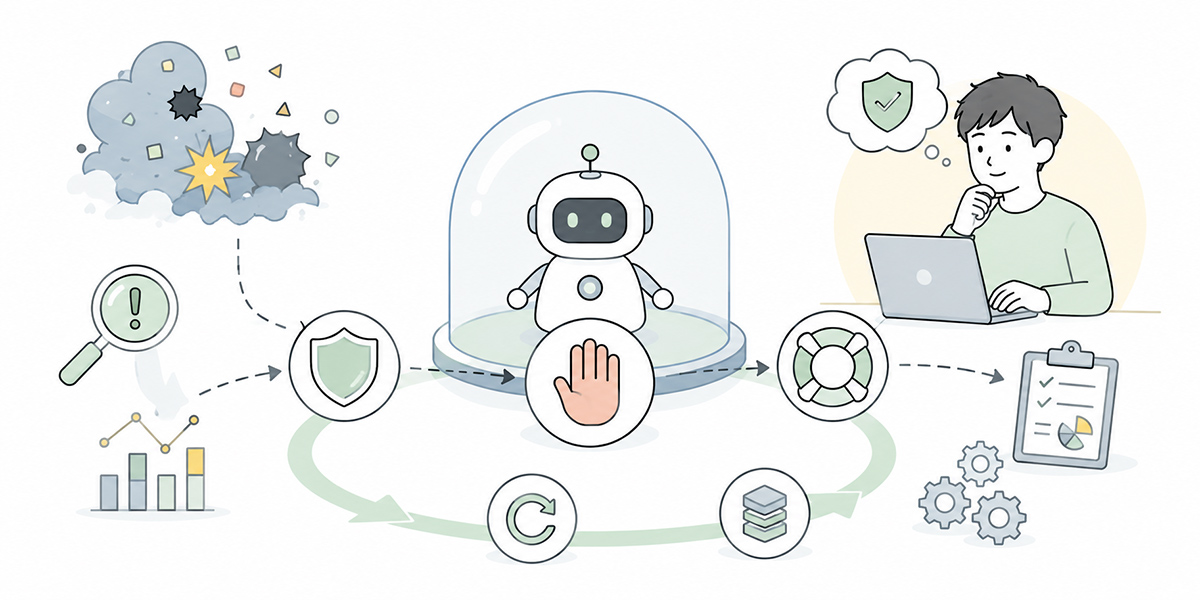
A task-executing AI agent is a rather different animal from a plain chat AI.
A chat AI mostly answers the questions a person puts to it. A task-executing AI agent, by contrast, calls external tools, consults internal data, updates tickets, drafts emails and, in some cases, moves a workflow along by itself.
In other words, the AI has moved beyond merely “responding” and into “operating.”
At that point, the problem is not only that the AI might get things wrong. The real operational risk lies in states such as these:
- Repeating the same operation again and again
- Continuing to retry even though it keeps failing
- Calling external APIs excessively
- Processing a wider range of data than intended
- Pressing ahead with high-impact operations without a human check
- Throwing no errors, yet steadily producing results that are inappropriate for the business
These anomalies cannot always be caught as straightforward system errors. The HTTP status is fine, the logs show nothing fatal — and yet, to the person doing the work, it is plainly off.
For that reason, anomaly detection on an AI agent is not just a matter of technical health checks; how you define business-level normal and abnormal matters just as much.
“AI running amok” is not only the dramatic incidents
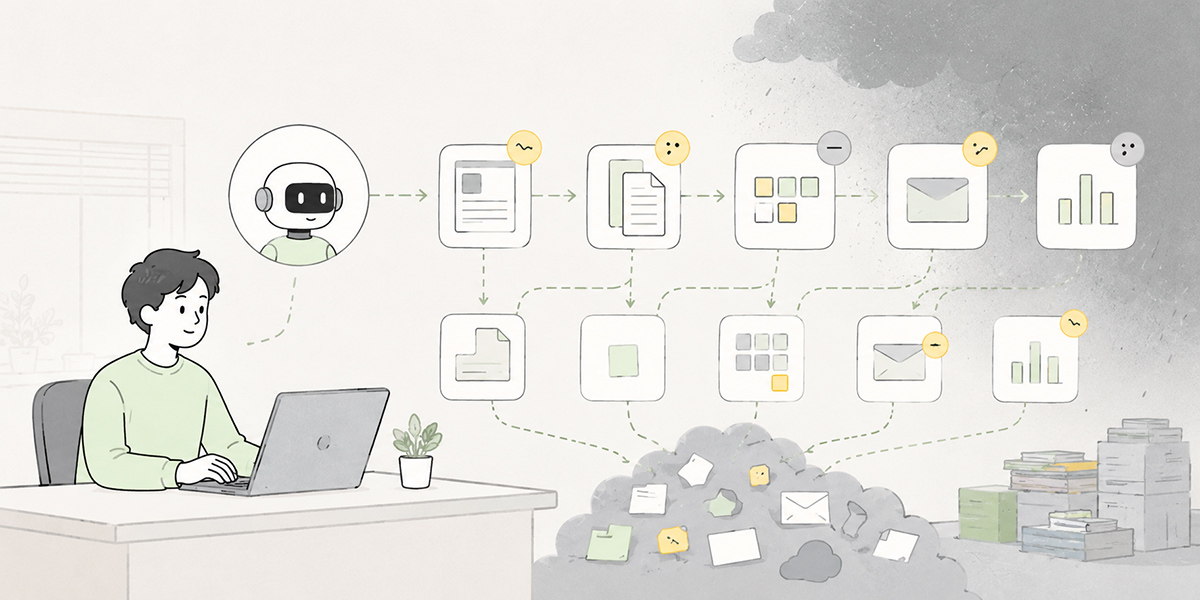
The phrase “AI runaway prevention” may conjure up extreme accidents or systems spiralling out of control. In practice, though, the risks that crop up on the shop floor tend to be a good deal more mundane and everyday.
Consider cases like these:
An invoice-checking AI treats the same invoice as something to verify over and over. A sales-support AI keeps appending notes to the same customer record. A customer-enquiry AI carries on drafting confident-sounding answers with thin justification. A marketing AI kicks off segmentation across a far wider customer list than anyone intended.
Taken one at a time, each of these looks like “a slightly odd bit of behaviour.” Left unchecked, however, they can lead to polluted business data, mishandled customers, rising costs and a good deal more complexity at audit time.
The point is to stop trouble “at the stage of a small niggle” rather than only noticing once it has become a full-blown incident.
To manage that, three things need to be designed in at the moment you adopt the AI agent:
- What counts as an anomaly
- Under which conditions to stop
- How to put things right once it has stopped
Only when all three are in place does AI monitoring become fit for real-world operation.
The metrics to watch for AI agent anomaly detection
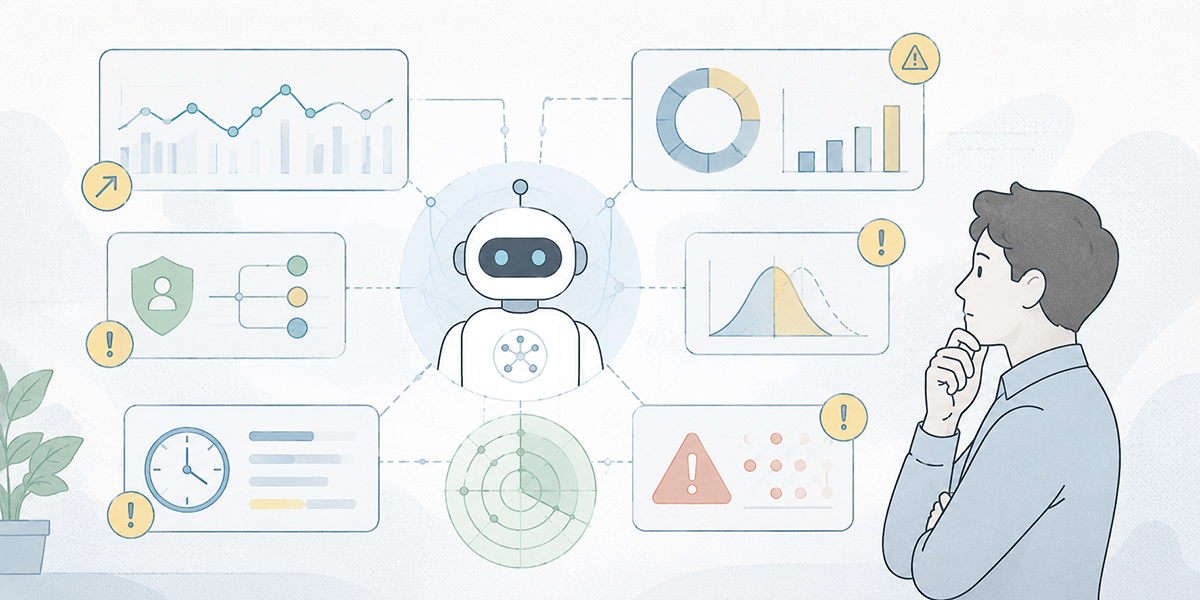
For anomaly detection on AI agents, you need to watch AI-specific behavioural metrics on top of the usual system monitoring.
Here we set out the monitoring metrics worth designing in across the board, whatever the industry or department.
Execution count
The first thing to watch is how many times a workflow runs.
A task-executing AI agent will, as a rule, have some expected frequency — a few times an hour, once a day, once per case, and so on.
When it runs well beyond that expectation, a loop or a mis-fired trigger may well be at work.
Worth particular attention is the case where the same operation repeats in quick succession. Even if the processing itself succeeds, running it many times under identical conditions ought to be treated as a business anomaly.
Failure rate
Next to watch is the failure rate.
An AI agent talks to several systems at once — external APIs, internal systems, databases, SaaS. So when one of those connections becomes unstable, the agent may keep retrying the same operation.
Once the failure rate climbs past a certain point, you need not merely to log the errors but to make the call to halt the whole process.
One workable design, for instance, is to trip a circuit breaker when the failure rate for a given workflow exceeds 50% over the last ten minutes, or when the same target fails three times in a row.
The thresholds, however, shift with the nature of the work. Enquiry handling, billing, CRM updates and report generation will each tolerate different failure rates and retry counts.
Processing time and timeouts
Because an AI agent reasons, searches, judges and acts across several steps, processing times have a habit of running long.
Still, when processing runs well over expectation, it may be labouring over how to interpret a prompt, stuck waiting on an external tool, or caught in a run of retries.
For that reason, timeouts should always be designed in.
The trick is to set them by “how long the business can wait,” not “how long is technically tolerable.” A nightly batch might happily wait 30 minutes, whereas for live-assisted enquiry support even 30 seconds can be too long by half.
Number of external API calls
A task-executing AI agent earns its keep by calling external tools. But let the number of external API calls climb too high and you invite rising costs, rate limiting and load on the systems you depend on.
In particular, when the AI takes to “searching repeatedly to find the information it needs” or “running the same check several times over,” the API call count can shoot up.
It is therefore important to cap the number of API calls per execution, per user and per hour.
Number of records processed
The range of data an AI agent touches is also something to monitor.
If, say, it was only ever meant to handle one customer’s information yet is loading 100 customer records, that ought to be treated as a business anomaly.
The number of records processed bears directly on business impact, because once a process runs against the wrong targets, correcting or rolling it back afterwards becomes a thorny affair.
An AI agent therefore needs an “upper limit on the number of records it may process.”
The rules a “stopping condition” AI ought to define
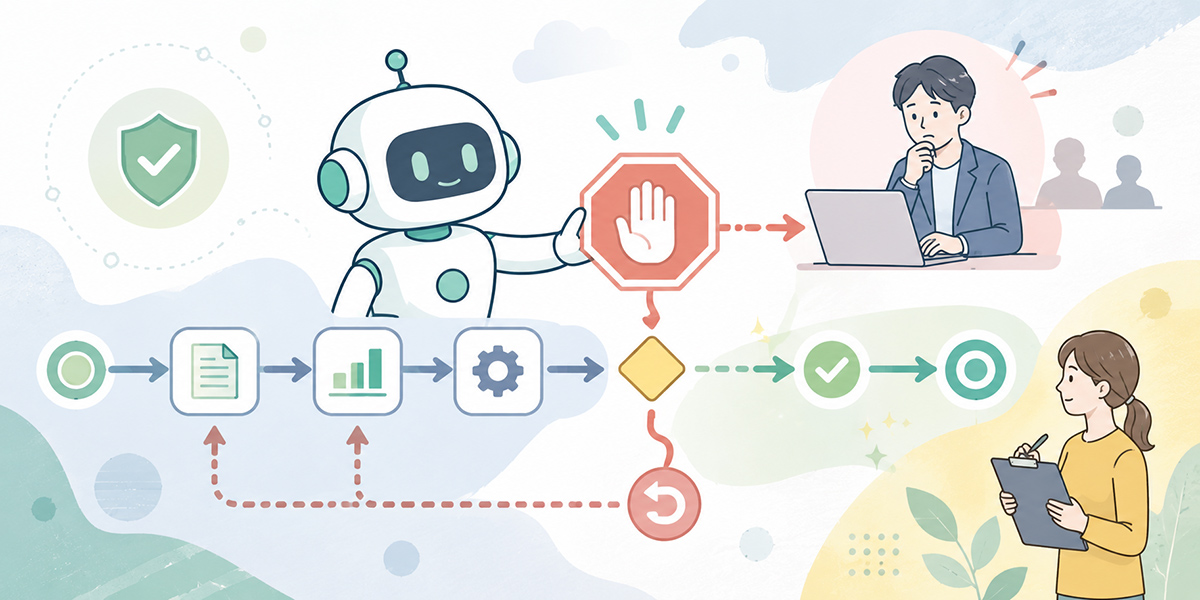
Detecting an anomaly is not, on its own, enough. Once you have detected it, you need conditions defined in advance for stopping the AI agent.
By “stopping conditions” here we mean the rules by which an AI agent, operating autonomously, decides that “this must go no further.”
Stopping conditions are best designed across at least the following five kinds.
Stopping by count
The most basic is stopping by execution count or retry count.
For example, conditions such as these:
- Retry the same task at most three times
- Process a given user at most five times an hour
- Update a given record at most once a day
- Run a given workflow at most ten times consecutively
Stopping by count is an effective guard against loops. In designs where the AI keeps deciding for itself, “have another go” can repeat indefinitely. Retries are handy, but a retry with no ceiling becomes a liability.
Stopping by time
Next is stopping by time — which amounts to designing your timeouts.
- Stop if a single step runs over 30 seconds
- Stop if a whole workflow runs over 5 minutes
- Abort if waiting on an external API for more than 10 seconds
- Hold runs outside business hours for approval
Stopping by time helps you catch a jam in the processing early.
That said, applying the same timeout to every kind of work is a mistake. Enquiry handling, billing, data analysis and report generation each tolerate a different processing time.
Stopping by failure rate
Stopping by failure rate matters for AI agents with a lot of system integration.
For example, conditions such as these:
- Stop after five or more failures in the last ten attempts
- Stop after three consecutive errors on the same API
- Stop immediately on even a single authentication error
- Switch to a human check when a data-consistency error occurs
Authentication and permission errors, in particular, deserve to be treated as serious. When the AI is repeatedly trying to reach information it cannot access, this is likely not a passing failure but a sign that something is amiss in the permissions or prompt design.
Stopping by business impact
The one that tends to get overlooked among an AI agent’s stopping conditions is stopping by business impact.
There are states that are technically fine yet dangerous in business terms.
- Unverified information has crept into copy that is about to be sent to a customer
- There is a discrepancy in a critical field such as an amount, a contract term or a date
- The processing target has strayed beyond the intended department
- It is trying to advance to the next stage with no approver assigned
- The operation touches high-sensitivity customer data
In cases like these, rather than letting the AI carry on deciding, you should switch to human approval.
Stopping by presence of supporting evidence
AI output varies in how well it is grounded and how confident one can be in it.
When answering or deciding on the basis of internal documents or customer information in particular, you must avoid having the AI press on by guesswork while no supporting source can be found.
So you put stopping conditions such as these in place:
- Stop if no source reference can be found
- Hold for review if the supporting document is out of date
- Escalate to a human when several documents contradict one another
- Do not execute automatically when the AI judges itself “uncertain”
Designing the AI so that it is willing to say “I don’t know” matters a great deal for stable operation.
Use a circuit breaker to keep the damage from spreading
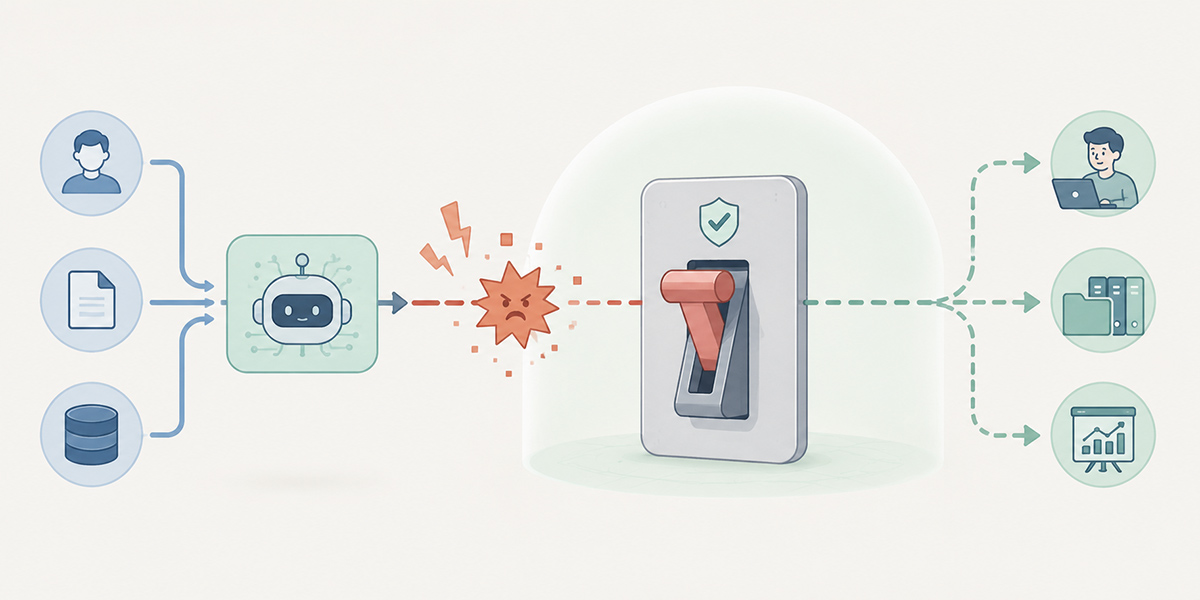
When designing an AI agent’s stopping conditions, the circuit breaker is an important idea to have to hand.
A circuit breaker is a mechanism that automatically cuts off processing once anomalies cross a set threshold. The concept comes originally from distributed systems, but it carries across nicely to running AI agents.
Suppose an AI agent that updates customer information keeps hitting connection errors to an external CRM. Make it retry too many times and you risk loading the CRM or leaving the data update half-finished.
So once errors persist beyond a set number, you halt the AI agent automatically and put it into a state where it accepts no further processing.
A circuit breaker has, broadly, three states.
- Closed: normal running
- Everything is processing as it should. The AI agent runs as usual.
- Open: cut off
- Anomalies have crossed the threshold. The AI agent accepts no new work and raises an alert.
- Half-Open: tentatively resuming
- After a set interval, it resumes processing in a limited way to check whether the problem has cleared. Succeed, and it returns to the normal state; fail, and it cuts off once more.
Putting this mechanism in place lets you contain the blast radius when something goes wrong. Precisely because an AI agent can act autonomously, it needs to be designed to stop itself autonomously when things go awry.
With alerts, being “able to act” matters more than being “loud”
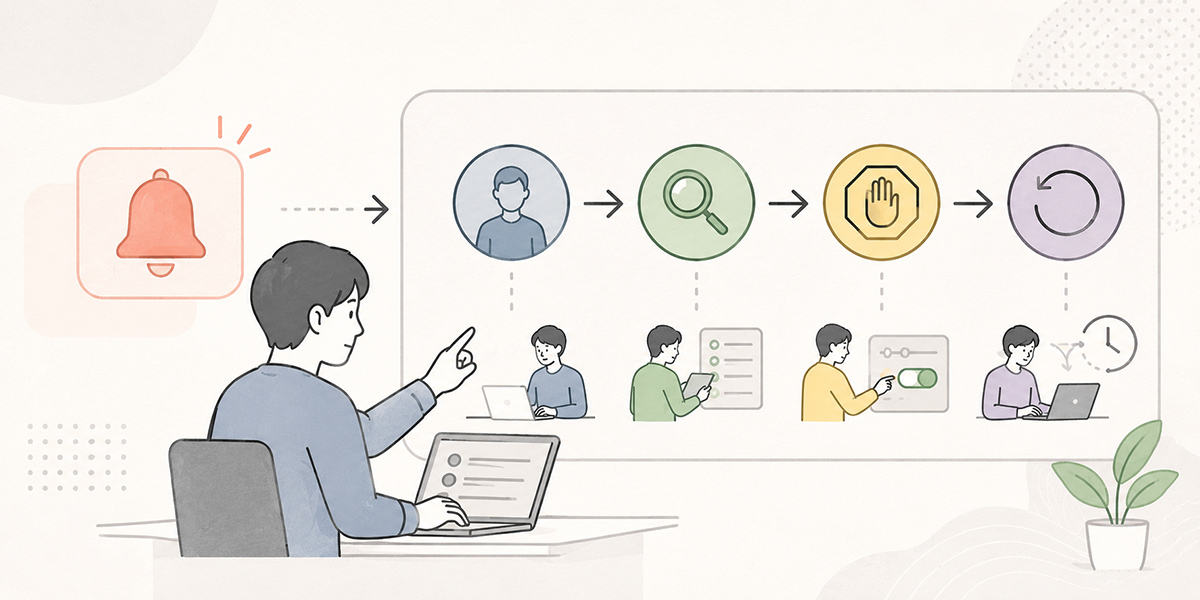
Alert design matters in AI monitoring too.
More alerts, though, is not necessarily better. Too many needless notifications and the operations team will start missing the anomalies that actually matter.
What counts is that whoever receives an alert can decide what to do straight away.
A notification should therefore carry the following:
- Which AI agent it occurred on
- Which workflow
- What the execution ID is
- Which stopping condition was triggered
- What data or business activity may be affected
- Whether it is now stopped or still running
- Who should check what next
- A link to the logs or the admin console
For a Slack notification, for instance, something along these lines:
[AI Agent Stop Notification]

Target: Billing data verification agent
Workflow: Monthly billing check
Execution ID: run_20260512_0018
Stopping condition: 3 consecutive failures on the same API
Current state: automatically stopped
Likely impact: 18 billing-check items left incomplete
Who to check: finance operations, SRE
Next action: review the logs, then decide whether to re-run or process manually
An alert, in short, should do more than announce “something is wrong” — it should carry the answer to “what to do next.”
Recovery AI is decided by how you design “after the stop”

In running an AI agent, stopping it is not, in itself, the goal.
Once it has stopped, you need to judge how far the processing got, what needs putting back, and whether it is safe to re-run.
This is where the design of recovery AI comes in.
In recovery design, you sort out the following four things.
Make the execution history traceable
First, you need to be able to trace what the AI agent did.
At a minimum, the following should be recorded:
- Execution start time
- Execution end time
- The actor or trigger
- Input data
- Data referenced
- Tools called
- Data updated
- Reasoning for the decision
- Output result
- Error details
- Stopping condition
Without these on record, when something goes wrong you have no way of knowing “how far back to unwind.”
Separate what can be rolled back from what cannot
Not every operation can be rolled back with ease.
A status update in an internal database, for instance, may be reversible if you have kept the prior value. Operations such as sending an email to a customer, pushing data to an external system, or advancing an approval flow, on the other hand, cannot simply be undone.
It is worth classifying the operations an AI agent performs into the following three kinds in advance.
| Classification | Example | Recovery approach |
|---|---|---|
| Rollback possible | Temporary status update in an internal database | Restore the prior state |
| Correctable | Adding a ticket comment, applying a tag | Handle with a follow-up correction or amending comment |
| Hard to roll back | Sending to a customer, committing a record to an external system | Make human approval mandatory |
For operations that are hard to roll back, the safe design is to fold in human approval rather than hand them to the AI on full automatic.
Decide the conditions for re-running
Whether the same process may be re-run after an anomaly stop is another important question.
Leave the re-run conditions vague and you risk repeating the very same anomaly.
For instance, settle on something like the following.
- If a transient external-API error stopped it before any data update, re-running is permitted
- If it stopped after a data update, a manual check is required to prevent duplicate execution
- Any process involving a customer notification must have human approval before re-running
- Re-running under the same execution ID is forbidden; issue a fresh execution ID
Re-running is handy, but it is also a ready source of double processing. In areas such as billing, contracts, customer contact, inventory and permission changes especially, it warrants careful design.
Turn the recovery procedure into a template
Decide everything from scratch each time an anomaly strikes and the response becomes dependent on particular individuals.
For that reason, the recovery procedure should be templated.
For example, items such as these:
- Check the stop notification
- Open the logs using the execution ID
- Confirm which stopping condition was triggered
- Separate processed data from unprocessed data
- Judge whether a rollback is needed
- Confirm the scope of impact with the business owner
- Choose one of re-run, manual processing or abandonment
- Record the outcome of the response
- Feed it into the post-mortem
A recovery template of this sort can be consolidated into a knowledge base, an operations runbook, a ticketing tool, an internal wiki and the like. Kanata, which lets you organise AI chat, a prompt library and a training-data library on a per-project basis, makes it easier to reuse stop decisions and recovery procedures across the team.
Use the post-mortem to grow your stopping conditions

It is, of course, better if an AI agent never has an anomaly at all. In real-world operation, though, small anomalies and unexpected behaviour are bound to happen.
What matters is turning them into the next improvement to the design.
For that, you need the post-mortem.
A post-mortem is a review, conducted after a failure or anomaly, that lays out the cause, the impact, the response and the steps to prevent a recurrence. In running AI agents, the following points are particularly worth recording.
- Which agent it happened on
- Which business activity it affected
- Which stopping condition caught it
- What anomalies went undetected
- Whether the thresholds were right
- Whether the timeout was too short, or too long
- Whether the alert reached the people who needed it
- Whether a rollback was possible
- Whether the re-run decision was free of hesitation
- What to change before next time
The point of a post-mortem, crucially, is not to apportion blame.
Rather than “why didn’t the person notice,” the question to ask is “was the system one in which they could have noticed.”
Rather than “why didn’t they stop it,” you should check “were the conditions for stopping written down.”
Running an AI agent is not a design-it-once-and-be-done affair. You need to keep updating the stopping conditions and recovery procedures on the basis of real anomalies, on-the-ground judgements and the hesitations that crop up during recovery.
Design considerations for standardising AI agent operations
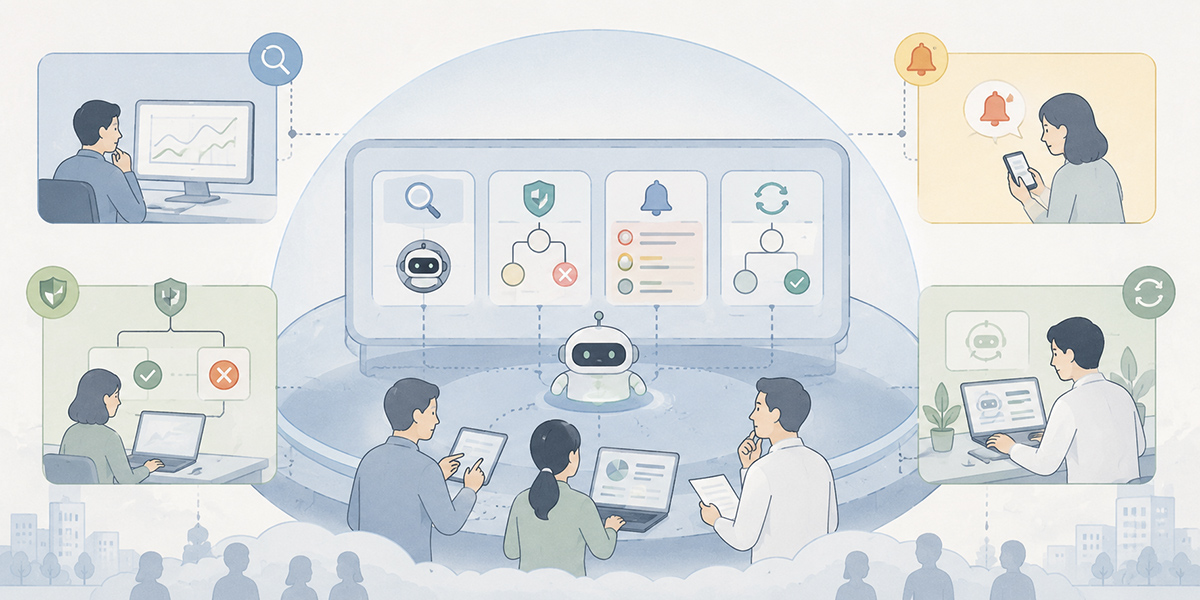
Anomaly detection, stopping conditions and recovery design for AI agents are not something the technical department can wrap up on its own.
The business units, the IT team, SREs, security colleagues and, in some cases, the leadership all have a part to play — because what counts as an anomaly shifts with the purpose of the work and the appetite for risk.
Take the same “customer data update”: drafting a sales note and changing a contract term call for quite different stopping conditions.
What matters here, then, is bringing the operating rules together in a common place.
Concretely, the following design is needed:
- Divide each AI agent’s scope of use by business activity
- Manage stopping conditions and verification steps as a runbook
- Accumulate incident-response procedures and past post-mortems as knowledge
- Have the IT team, SREs and the business units all refer to the same operating rules
- Enable a new colleague to make judgements on the basis of the past response history
For this there are several options — an internal wiki, a ticketing tool, monitoring tools, workflow-management tools, a generative-AI platform, and so on.
Kanata, if you are using it, lets you organise AI chat, prompts and training data on a per-project basis, which makes it well suited to managing stopping conditions and recovery procedures as knowledge held per business activity. For companies already on an existing monitoring platform or incident-management tool, by contrast, the important thing is to draw a clear line between the roles each plays.
Safe operation of AI agents should be arranged as an organisational mechanism, not left to individual vigilance.
A checklist worth settling before you adopt one

Here are the bare-minimum items worth confirming before you put an AI agent to work executing tasks.
Anomaly-detection checks
- Do you know the normal execution count?
- Have you set a failure-rate threshold?
- Have you set timeouts per business activity?
- Are you monitoring the number of external API calls?
- Have you capped the number of records processed?
- Have you defined what a business anomaly is?
Stopping-condition checks
- Have you capped the retry count?
- Have you designed a circuit breaker?
- Do high-risk operations have human approval folded in?
- Is it designed to stop immediately on a permission error?
- Is it designed not to press on with ungrounded output?
Recovery checks
- Can the execution history be traced?
- Are you saving the prior state before an update?
- Have you classified which operations can be rolled back?
- Are the re-run conditions written down?
- Is the recovery procedure templated?
- Is the destination for post-mortem records decided?
Organisational-operation checks
- Is the first responder to an anomaly decided?
- Are there rules for notifying the business units?
- Are alert priorities sorted out?
- Are the stopping conditions reviewed regularly?
- Is operational knowledge shared across the team?
Handing important work to an AI agent while these boxes go unticked is best avoided.
The realistic course is to start with low-impact work and expand as you verify the stopping conditions and recovery procedures.
Common failure patterns
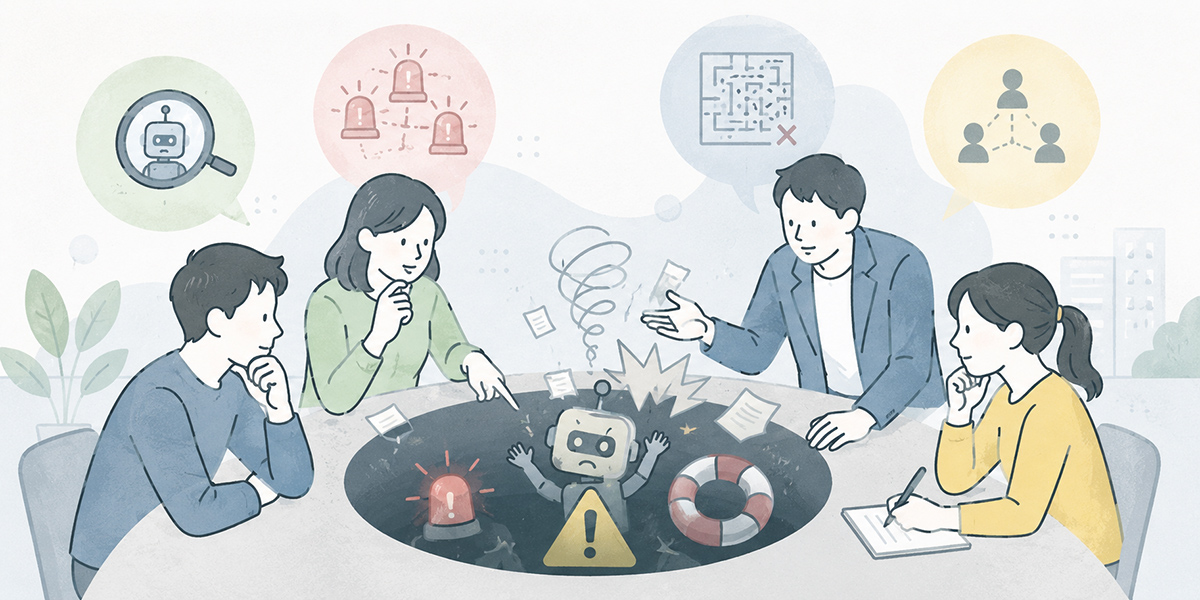
Finally, let us set out the failure patterns that crop up most readily when running AI agents.
Thinking of anomaly detection purely in terms of system errors
An AI agent’s anomalies cannot be read off error codes alone.
There are cases that succeed at the system level yet are anomalous for the business — too many target records, the wrong processing target, unclear grounding, or pressing ahead with an operation that needs approval.
In AI monitoring you have to keep technical health and business health as separate considerations.
Putting stopping conditions off until later
“Get it running first, think later” can be a fair approach at the evaluation stage. For a task-executing AI agent, though, putting the stopping conditions off raises the risk.
Where external-system updates, customer contact, amount changes or permission changes are involved especially, you should decide how to stop it from the very start.
A design for stopping matters every bit as much as a design for running.
Leaning entirely on people for recovery
An operation in which a veteran has to pore over the logs and make the call every single time an anomaly occurs simply does not scale.
Recovery procedures need to be templated so that anyone looking on arrives at much the same judgement.
The final call will, of course, still fall to a person in places. But the information-gathering and the points to check that precede it can be standardised.
Too many alerts
Piling on alerts does not make you safer.
Too many low-priority notifications and the operations team simply stops looking at them — and may then miss the anomalies that genuinely matter.
It is important to classify alerts by urgency and by business impact.
The post-mortem becoming a hollow ritual
Writing a post-mortem is pointless if it never feeds back into the stopping conditions or the operating rules.
The point of the review is not to produce a report; it is to detect the next anomaly sooner, stop it sooner and put things right sooner.
The post-mortem needs to be positioned as the improvement cycle for running AI agents.
In summary: an AI agent earns its place in the business by being able to “stop safely”
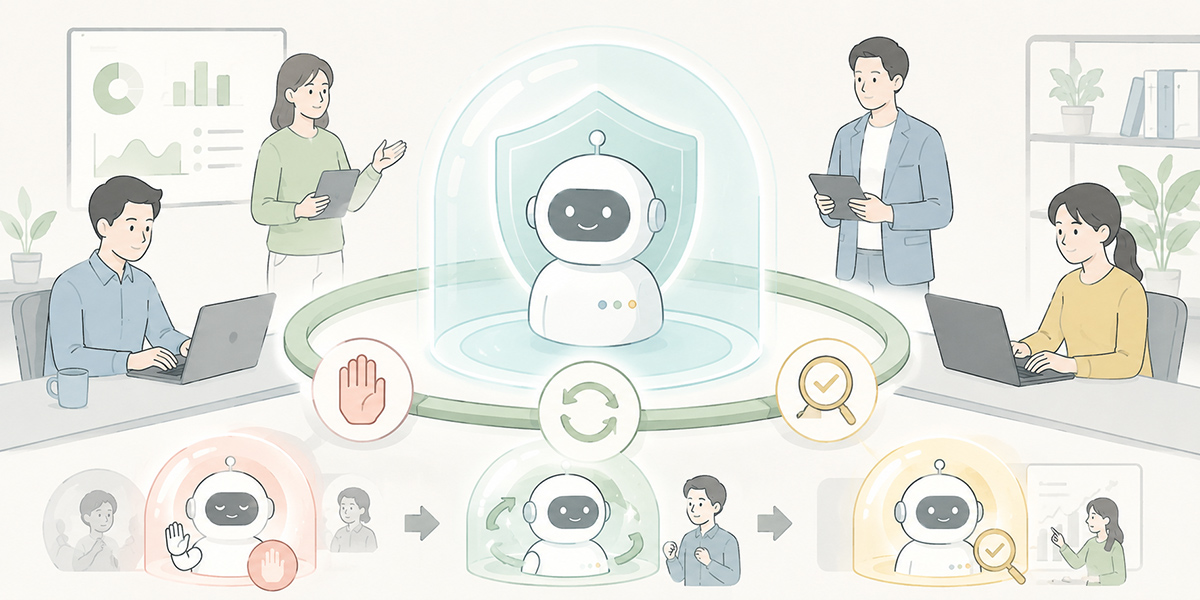
The value of a task-executing AI agent lies in its being able to get on with work in a person’s stead.
Yet the more autonomously an AI can act, the greater the impact when something unexpected happens. That is precisely why anomaly detection, stopping conditions and recovery for AI agents are not an operational matter to sort out after go-live, but foundations to design before you adopt one.
Three things matter:
- Defining what counts as an anomaly from both the technical and the business angle
- Writing down under which conditions to stop, by way of thresholds, timeouts and circuit breakers
- Standardising how to put things right after a stop, through rollback, re-run conditions and the post-mortem
Stable operation of an AI agent is not achieved by “trusting the AI.” It is achieved, rather, by building a mechanism that — on the assumption that the AI will get things wrong — detects, stops, restores and improves.
There is no need to aim for a flawless monitoring design from the outset. The realistic place to begin is a low-impact workflow: monitor the execution count, failure rate, timeouts and number of records processed, and try out your stopping conditions there.
An AI agent will not bed into the business merely by being clever. It is because it stops safely and can reliably be put right that the people on the ground come to feel comfortable handing work to it.
Q&A
With AI agent anomaly detection, what should you monitor first?
The first things to watch are the execution count, the failure rate, the processing time, the number of external API calls and the number of records processed. These are the basic metrics for catching loops, over-execution, integration errors and unintended data processing early.
At what level of granularity should a “stopping condition” AI be defined?
The realistic approach is to decide a common broad framework across the company, then make it concrete per business activity. The thinking on retry counts and timeouts, for instance, can be shared, but billing, enquiry handling and CRM updates each tolerate different risks.
In what situations is a circuit breaker effective?
It comes into its own when the same API is throwing consecutive errors, when a given workflow is repeating in quick succession, or when an external dependency is unstable. By cutting processing off automatically during an anomaly, you contain the blast radius.
How should you handle operations that cannot be rolled back?
For operations that are hard to roll back — sending an email to a customer, committing a record to an external system, changes touching contract terms or amounts — the basic rule is to make human approval mandatory. Even where you do fully automate, you need to design the scope, the execution conditions and the audit logging rigorously.
Is putting in a monitoring tool enough for AI runaway prevention?
It is not. A monitoring tool matters, but unless you decide what counts as an anomaly, who stops it, and how to put things right afterwards, real-world operation will be dogged by hesitation. The important thing is to design monitoring, stopping conditions, recovery and the post-mortem as one piece.


