


Last month we sent this very invoice back for the same reason, didn’t we?
On the morning of the third business day of the month, this single line lingering in the accounting team’s Slack prompted Mr Morita, head of the administrative division at Third Scope Inc., to begin rethinking how billing, expense and accounting checks were run.
Over the years I have supported AI adoption across a range of functions — development, sales, marketing, corporate management — and what I have seen time and again is not that “accounting is slow”, but rather that “too much of the material for judgement piles up on accounting”. Invoices, purchase-order information, receipts, expense rules, journal-entry rules, approval flows, audit responses. Each is a necessary check, yet when they all converge at month-end and month-start, the team quietly grinds to a halt.
At the company in question, invoice-evidence matching, expense-rule checks and accounting journal-entry checks all bunched up around month-end and month-start, leaving accounting staff, on-the-ground applicants and approvers chasing one another for sign-off. Inconsistent payee-name spellings, mistaken account-code selections, and overlooked attachment and retention requirements tied to electronic record-keeping cropped up in much the same shape every month.
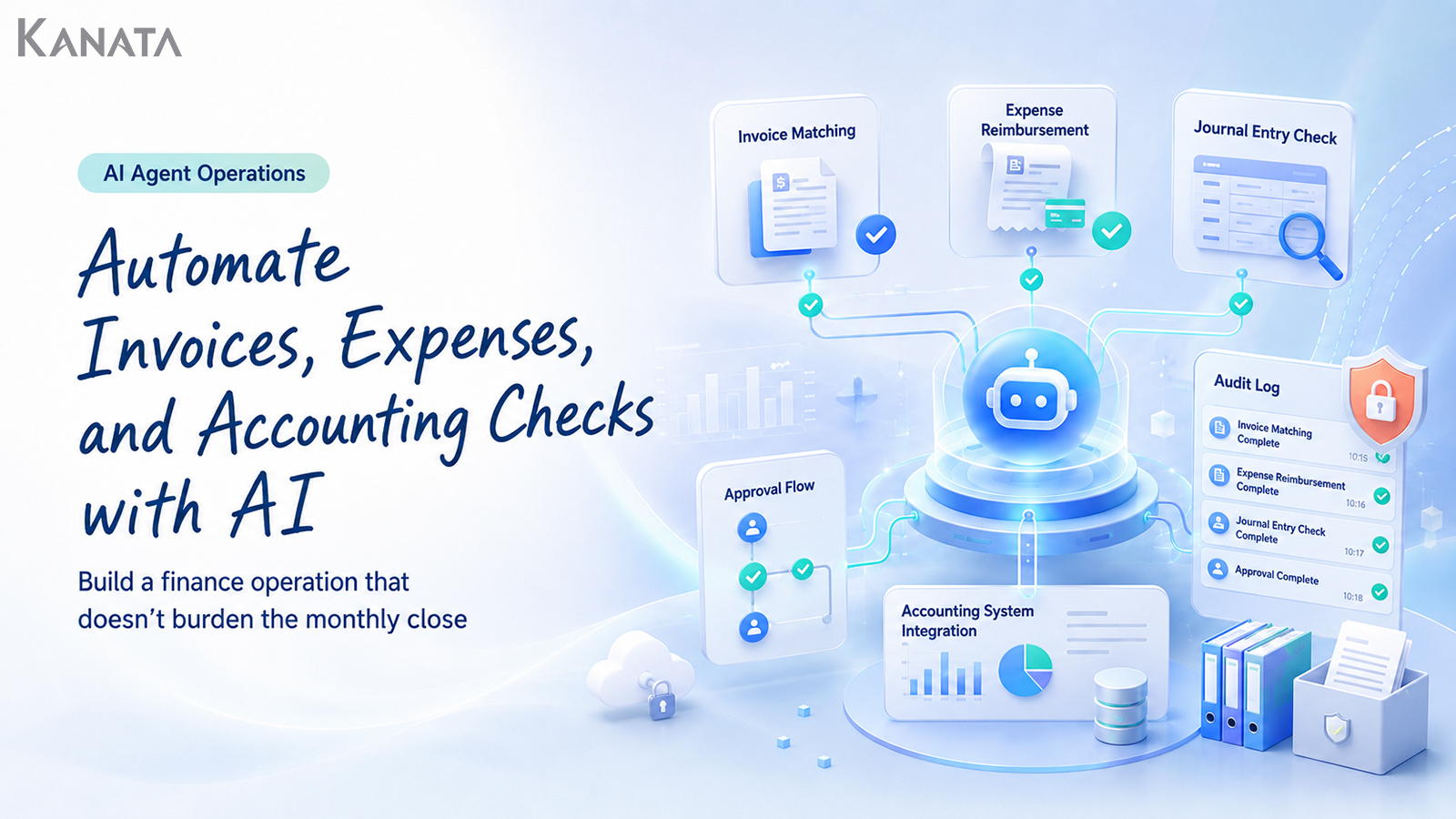
These days, a task-executing AI agent built on Kanata for the accounting function handles the routine checks — as an invoice-automation AI, an expense-settlement AI and an accounting-check AI — while people concentrate on exception judgements and internal-control verification. In an internal trial spanning three months and covering 420 invoice, expense and journal-entry checks in total, the average time for first-pass review fell from 12 minutes to 6 minutes per item. That said, this figure reflects the company’s particular tasks, volumes and operating conditions, and does not guarantee the same result at every organisation.
This article sets out, for accounting, finance and administrative teams keen to press ahead with back-office automation, how to design evidence matching, journal-rule checks, anomaly detection and audit-log management around a task-executing AI agent. The aim is not to muscle through the monthly close by sheer manpower, but to win back time for the exceptions and control work that genuinely warrant human judgement.
That said, an AI agent is no panacea. It becomes a safe part of operations only once you have proper rules, approval routes and a human making the final call. If you are feeling the limits of month-end and month-start checking, do read on with your own accounting flow in mind.
Why billing, expense and accounting checks seize up at month-end and month-start

The strain on accounting work does not arise simply because “there are a lot of items to process”. What squeezes the team is the state in which the information that needs checking is scattered across several systems and documents, so a person has to reconcile it by hand each and every time.
For an invoice, you check the invoice PDF, the purchase order, delivery information, the supplier master and the payment terms. For an expense claim, you look at the receipt, the application details, the expense rules, the approval route and the project code. For an accounting check, you cross-reference the account code, tax category, department, past journal entries and the monthly-close schedule.
Each individual check is small, but when they all converge at month-end and month-start they add up to a heavy load.
What the accounting staff were watching was not just the amounts. Is there supporting evidence? Does it comply with the rules? Is it the same treatment as last month? Could it be explained in an audit? There were so many things to check that they ground to a halt in the same place every month.
Mr Morita, Head of Administration, Third Scope Inc.
When I step in to put an accounting team’s work in order, the first thing I look at is not the tools. I look at where the material for checking lives — where invoices are stored, the approval flow, internal rules, the history of past processing, the individual notes people keep. What sits there is not mere clerical work; it is the tacit knowledge that keeps the company’s payments and accounts from stalling.
This tacit knowledge underpins the quality of accounting work, but it is also the source of over-reliance on particular individuals. A seasoned hand can check by feel — “this supplier’s company name tends to be spelt inconsistently”, “this department often hesitates between entertainment and meeting expenses”. But when that intuition is locked inside one person’s head, it becomes hard to maintain the same quality on the day they are off, or after they move on.
There is also the matter that, from the applicant’s side, the reason for a rejection can be hard to make out.
I couldn’t tell why it had been sent back, so I kept going back to accounting to ask.
Sales Department Manager
Even when accounting believes it is checking things carefully, it can look to the field as though “I’ve been blocked again”. This mismatch in perception is itself a factor that bears down on the monthly close.
It is not that accounting, the applicant or the approver is at fault. The problem is that much of the checking depends on human memory and one-off handling. This is precisely where there is room to bring in a task-executing AI agent.
What a task-executing AI agent can take on

When people hear “invoice-automation AI”, “expense-settlement AI” and “accounting-check AI”, they may picture handing every accounting judgement over to the machine. In any realistic deployment, however, it is important to design the AI agent’s role as the “executor of routine checks” rather than the “final arbiter”.
When I am asked to advise on AI adoption, I make a point of starting not with “how much do you want to hand to the AI?” but with “where must a person retain final responsibility for the judgement?” In accounting and finance, that question matters all the more.
What a task-executing AI agent is good at is checking information against set rules, spotting discrepancies and gaps, and returning them in a form people can understand. By a task-executing AI agent I mean not merely a chatbot that answers questions, but an AI that supports business checks and organisation in line with specific operating rules, input information, checkpoints and output formats.
For instance, the following kinds of processing are good candidates.
- Reconciling the amount, supplier and date on an invoice against the purchase-order information
- Confirming that a receipt is attached and that it is consistent with the application details
- Checking, against the expense rules, for ceiling amounts and items that fall outside scope
- Suggesting candidate account codes and tax categories on the basis of the journal-entry rules
- Flagging, as an anomaly, transactions that differ from past processing patterns
- Recording the result of the check as an audit log
There are also areas that should not be handed to an AI agent — for example, exception approvals, changes to how rules are interpreted, negotiations with suppliers, the final explanation given in an audit, and judgements that carry responsibility for the closing figures.
In other words, bringing in an accounting task-executing AI agent is not about doing away with people’s jobs. It is about tidying up the pre-processing of checking work so that people can concentrate on the judgements only they should make.
Get this wrong and AI adoption turns precarious. Approving something because the AI said “no issues”; finalising a journal entry because the AI said “this account code is fine”. Such operating habits look efficient at a glance, but from an internal-control standpoint they leave accountability hopelessly blurred.
The AI is not there to bear responsibility in the accountant’s stead. It is there to present the material for a human judgement quickly, in a consistent format, and with few gaps or omissions.
Streamlining evidence matching with an invoice-automation AI
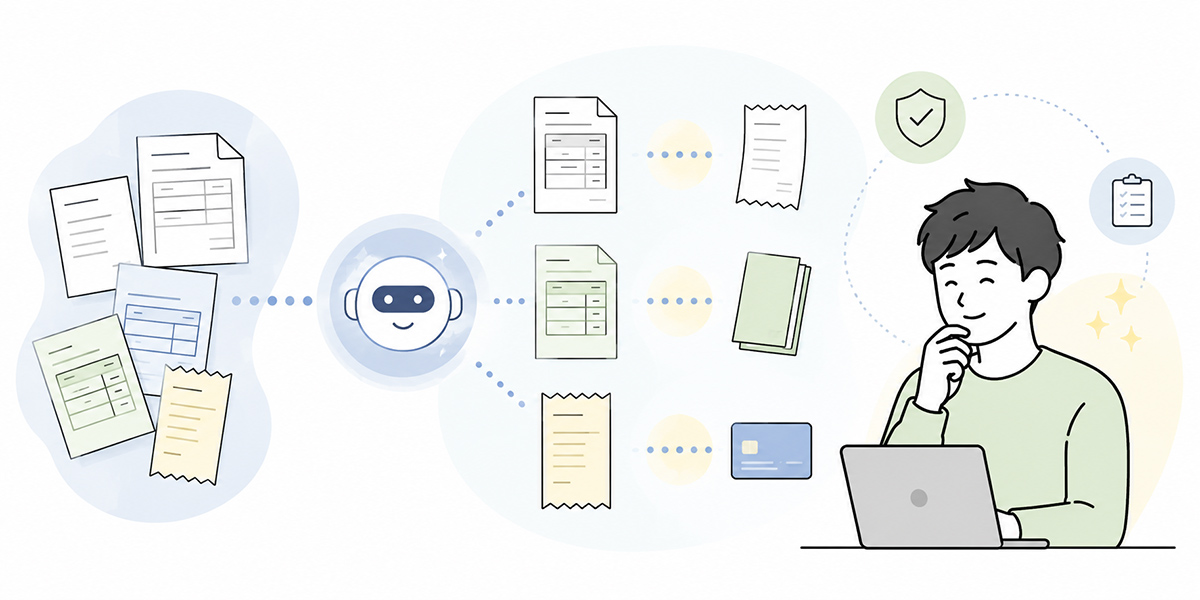
In invoice processing, the first place the benefit tends to show is the automation of evidence matching. Evidence matching is the work of cross-referencing the underlying documents — invoice, purchase order, delivery note, contract and so on — to confirm that the amounts and the terms of the transaction agree.
Invoices vary in format from one supplier to the next, but the items that need checking are, to a fair degree, common across them.
| Check item | What to check |
|---|---|
| Supplier name | Confirm that it matches the purchase-order information and the supplier master. |
| Invoice date / payment due date | Confirm that it is consistent with the payment terms and the period covered by the monthly processing. |
| Invoice amount / consumption tax | Reconcile against the order amount, delivery information and tax category. |
| Purchase-order number / delivery date | Confirm that it links to the purchase order and delivery information. |
| Remittance details | Confirm that there is no discrepancy with the registered payee information. |
| Line-item details | Confirm that there is no contradiction with the contract, the order and the delivery. |
| Invoice registration number | Where confirmation as a qualified invoice is required, check the registration number and the required particulars. |
The AI agent extracts this information from the invoice and reconciles it against the order and delivery data. Even where there is no exact match, it can surface, as candidates, the cases that may simply be spelling variations.
For instance, variants such as “Third Scope Inc.” and “Third Scope Co., Ltd.” are a burden when a person has to eyeball them every time. If the AI agent offers a candidate and flags “possibly the same supplier”, people can concentrate on the final confirmation.
What I often see on the ground is the moment when these small spelling variations turn into a major source of stress in the closing days of the monthly close. The amount agrees. The order details probably agree too. And yet the supplier name is slightly different, the purchase-order number sits in a different place, the wording of the line items differs from last month. Each time, someone opens the old documents by hand, checks, and leaves a note. As this work piles up, the accounting team’s time is quietly whittled away.
What matters is recording not only the conclusion the AI reached, but why it reached it.
“The amounts matched” alone is not enough as an audit log. You need to record which invoice, which item, against which order data, at what point in time, and who confirmed it.
Also, under the qualified-invoice (Invoice) system the requirements for the purchase-tax credit include keeping a ledger recording certain particulars together with qualified invoices and the like. When automating invoice checks, it is wise to fold confirmation of the invoice registration number and the consumption-tax amount into your operational checkpoints.
In an environment like Kanata, where users, reference data and AI chats can be separated by project, you can run an invoice-checking AI and an expense-claim AI without mixing the two. For work such as accounting, where confidentiality and accountability are paramount, a design that keeps reference information separate per use is effective.
What matters in invoice automation is not “processing every item by AI alone”. It is giving every item a first-pass check against the same standard, and pushing the ones a human should see to the front.
Cutting down rejections with an expense-settlement AI
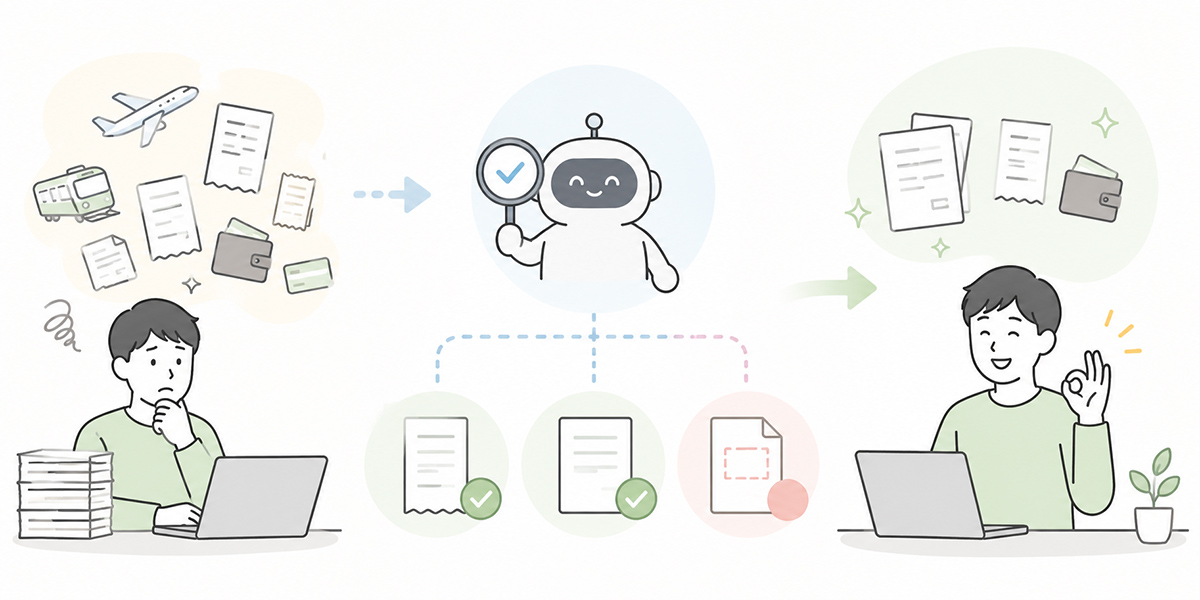
Expense settlement is an area where the AI agent’s benefit is easy to see, yet one that readily descends into confusion if the operating design is wrong. The reason is that expense settlement mixes “checks with a clear right answer” and “checks that require a company-specific judgement”.
For instance, whether a receipt is attached is fairly clear-cut. Whether the application date, amount, payee and stated purpose are present is also easy enough to check.
On the other hand, judgements such as “is this meal entertainment or a meeting expense?”, “does this travel qualify as business travel?”, “is this equipment purchase a consumable or a fixed item?” depend on the company’s rules and on past practice.
What I hold dear in this area is to have the AI not “produce the right answer” but “marshal the points that need checking”. On the expense-settlement front line, applicants are not getting things wrong out of malice. In most cases they simply do not know which rule to consult or what extra information to supply.
For that reason, when introducing an expense-settlement AI I first organise the expense rules, travel rules, approval rules and the common reasons for rejection. Putting these where the AI can refer to them helps keep the variability in its answers and check results in check.
You give the AI agent roles such as the following.
- Detecting mismatches between the application details and the receipt
- Flagging, against the expense rules, items that may fall outside scope
- Suggesting candidate account codes
- Pointing out missing attachments and date inconsistencies
- Drafting the rejection comment
Where the benefit shows most readily is in standardising rejection comments.
When the wording differs from one accountant to the next, the applicant is left unsure what to fix. If the AI agent returns “the information that is missing”, “the rule it referred to” and “what to do next” in a consistent format, the applicant’s corrections come faster too.
The date on the receipt does not match the application date. Under our internal expense rules, we confirm the actual date of use against the date on the supporting document. If the date of use differs, please add supplementary information that makes the date of use clear.
In this way, conveying the grounds and the required action together — rather than an instinctive rejection — shortens the back-and-forth between accounting and the field.
The tone of the rejection comment matters too. A blunt “this is incomplete” can read to the field as a telling-off. Conversely, write it too vaguely and the correction needed does not come across. The AI agent needs to be made to produce wording that is courteous yet leaves the point to be fixed perfectly clear.
An expense-settlement AI is a mechanism not only to make life easier for accountants, but also to give applicants a state in which they “understand what to fix”.
Supporting journal-entry rules and anomaly detection with an accounting-check AI
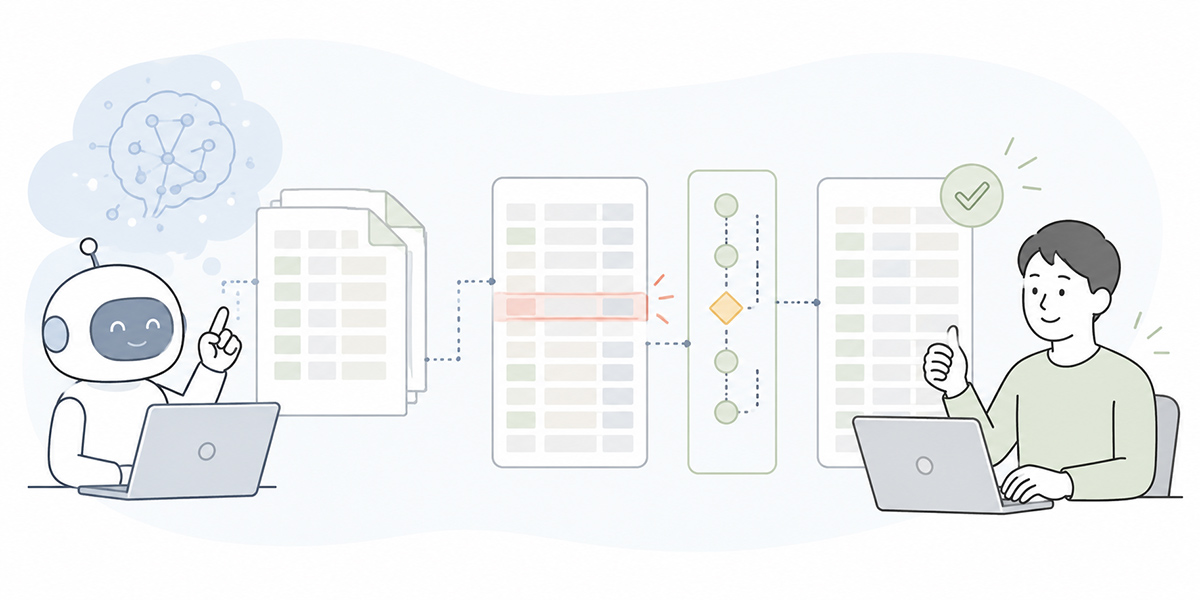
The role of an accounting-check AI is not to finalise journal entries automatically. Rather, it is to find quickly the entries that may stray from the journal-entry rules and hand them back to a person.
In accounting checks, the following angles matter.
- Whether the account code agrees with past processing
- Whether there is an error in the tax category
- Whether the department code and project code are correct
- Whether the amount for the same supplier has suddenly risen or fallen
- Whether it has been processed at an unusual time
- Whether a recurring monthly cost has been left unrecorded
Drawing on past journal patterns and rules, the AI agent can detect processing that differs from the norm.
For instance, if a supplier whose billing was processed every month as “communication costs” is registered one month as “outsourcing costs”, the AI can flag “possibly different from past processing”. This lets staff look first at what needs checking, rather than eyeballing every item.
I take the view that the value of an accounting-check AI lies less in “getting the right answer” and more in “spotting the odd note early”. One reason accountants are worn down by the monthly close is that they are asked to bring the same concentration to every single entry. In reality, though, some entries carry no problem while others warrant a careful look.
Simply by having the AI agent separate routine processing from candidate exceptions, the way people spend their concentration changes.
In designing anomaly detection, it is important not to let the AI over-judge.
Rather than asserting “this is an error”, a design that presents the grounds and prompts a human to check — “this differs from the past six months of processing”, “this is well above the average amount for the same supplier”, “this does not match the registered journal-entry rule” — is the better fit.
Accounting is, in the end, an area where accountability is required. The AI’s output must be treated as material for a judgement, not as the judgement itself.
How to run a task-executing AI agent for accounting
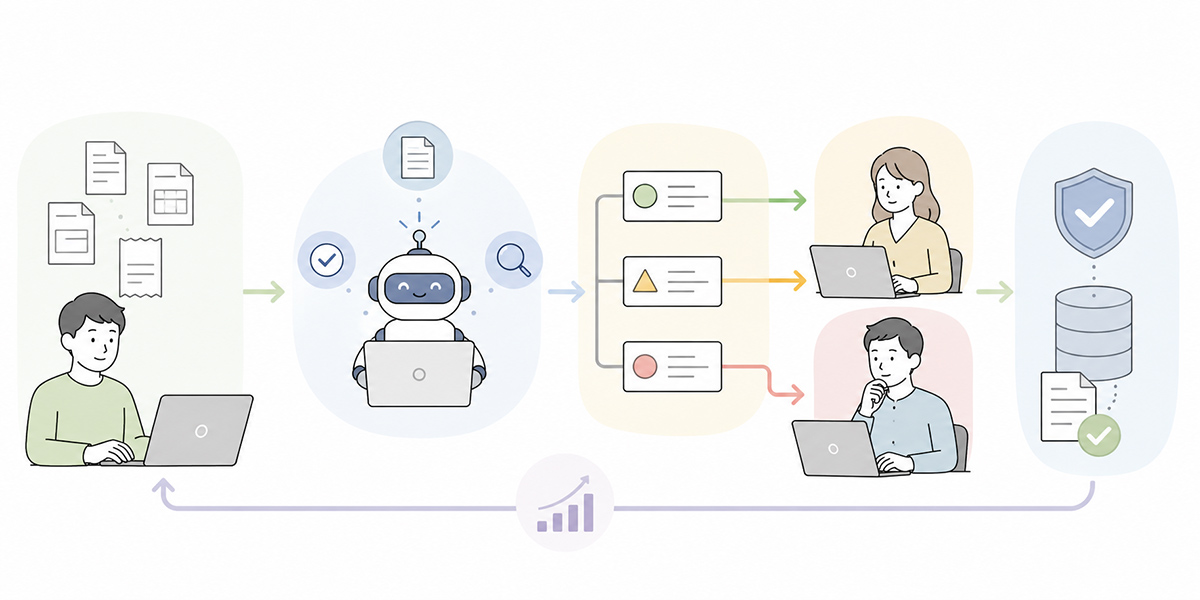
When building a task-executing AI agent for accounting, there is no need to take on every accounting task at once. If anything, it is safer to narrow the scope at first.
When I advise, my initial design considers “where can we start so the team is not afraid to use it?” before “what should we automate?” AI adoption hinges not only on a sound design but on an order of introduction the team can keep using.
Narrow to a single target task
Taking on invoices, expenses and accounting checks all at once makes for too many checkpoints and too many people involved. Start instead with a task that has high monthly volume and comparatively clear checking rules.
For example, receipt checks in expense claims, payee-name and amount confirmation on invoices, or routine journal-entry checks.
It can be wise not to choose that first task on business impact alone. Picking work where the rules are already put into words, the people involved are few, and the improvement is easy to measure tends to make the initial rollout more likely to succeed.
Put the rules and policies in order
For the AI agent to check things correctly, your internal rules need to be in order.
Gather the expense rules, travel rules, invoice-processing rules, journal-entry rules, approval flows, past FAQs and the common reasons for rejection. Then separate the documents the AI may refer to, the old documents it must not, and the documents only a member of staff should consult.
If outdated rules or one-off exceptions are mixed in here, the AI’s answers turn unstable too. It is important to decide, before registration, which documents are to be treated as authoritative.
In an environment like Kanata, where the internal documents and prompts you want the AI to reference can be organised by task, you can manage the expense rules, invoice-processing rules, journal-entry rules and rejection templates separately. Particularly where several departments use it, it is important to make clear who owns the reference material and what the rules for updating it are.
Separate the AI chats by task
Invoice checks, expense-claim checks and accounting journal-entry checks each call for different angles of scrutiny. So rather than cramming everything into a single AI chat, it is easier to run them split by task.
For instance, you might split them as follows.
- Invoice-checking AI
- Expense-claim-checking AI
- Journal-entry-confirmation AI
- Rule-confirmation AI
- Audit-log-confirmation AI
Splitting the roles keeps the prompts and output formats stable too.
This is a way of thinking I often use in product development and business-system design as well. Rather than building one all-purpose mechanism, splitting things small by purpose makes them easier to run on the ground. The same goes for AI agents.
Decide the output format
The AI agent’s output needs to be brought into a format that staff find easy to check.
| Item | Content |
|---|---|
| Verdict | No issues / Needs checking / Candidate for rejection |
| Check items | Amount, date, supplier, supporting evidence, rules, journal-entry rules |
| Grounds | The rule name, rule and past processing referred to |
| Recommended action | Approve, reject, escalate to a superior, refer to accounting |
| Notes | Points the AI could not judge |
Fixing this format keeps the variability in checking quality between individuals in check.
Left as free text, the AI’s output is interpreted differently by whoever reads it. In accounting, having the check results aligned matters more than the prose reading naturally. So a tabular or labelled output is, in practice, the sensible default.
Review misjudgements and unjudged items monthly
An AI agent is not “job done” once introduced. It needs to be improved as you run it.
Each month, review items such as the following.
- Those the AI wrongly marked as “no issues”
- Those the AI over-zealously marked as “needs checking”
- Those a person hesitated over
- Those where rules or policies were lacking
- Items with a high number of rejections
- Items that drew a lot of queries from the field
On that basis, update the reference material, the prompts and the checking rules. The value of a task-executing AI agent grows through continual improvement.
I take the view that the success or failure of AI adoption shows less in the initial build than in the first and third months after going live. An organisation where the field raises its misgivings in the first month, and the rules can be updated by the third, finds it easier to make AI use stick.
The design needed to keep internal control intact
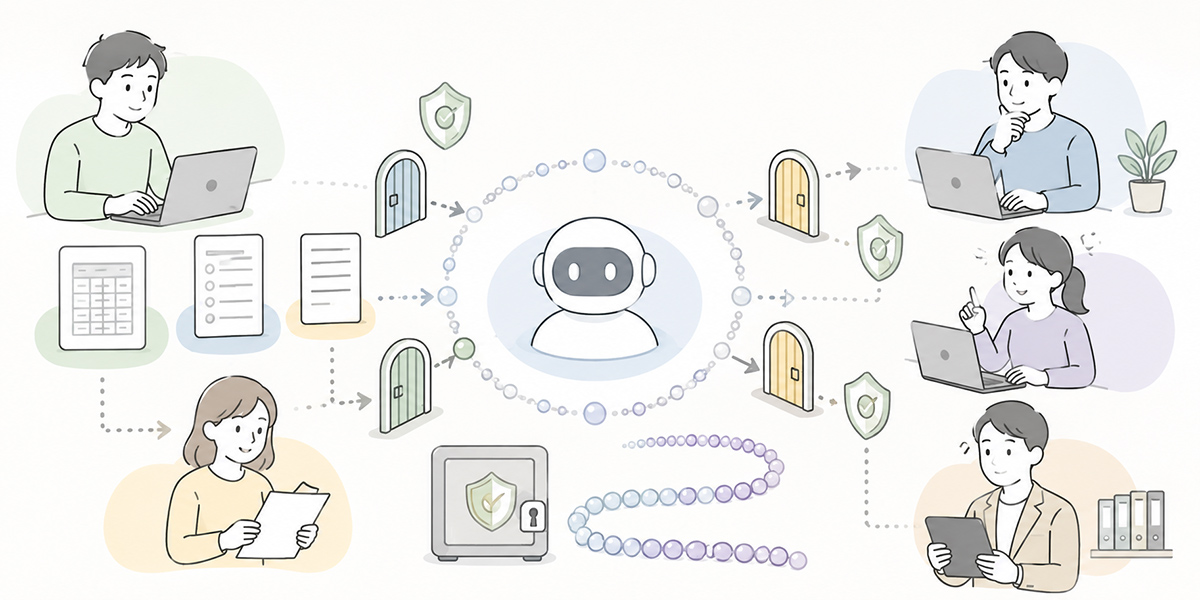
When bringing AI into accounting, you must not look at efficiency alone. Billing, expenses and accounting are work closely bound up with internal control.
Internal control is the mechanism of rules, approvals, records and monitoring that keeps work being done properly. In accounting, it bears on fraud prevention, the prevention of mis-processing, and securing the reliability of the closing figures.
For that reason, when introducing an AI agent you need to be clear on the following three points.
Who makes the final judgement
Even if the AI says “no issues”, that must not be treated as the final approval. Design it so that the approver or accountant checks within the necessary scope.
In particular, large-value transactions, exception handling, applications that fall outside the rules, and journal entries that affect the monthly close should require a human check as a matter of course.
An AI agent is there to support the judgement. It is not there to shift the responsibility. Settling this line at the outset is the precondition for using it with peace of mind over the long run.
What information to keep as an audit log
An audit log is a record from which you can later trace who confirmed what, when, and what judgement they made. In AI use, you need to keep not only the AI’s verdict but the grounds for the judgement.
Specifically, this means information such as the following.
- The application or invoice in question
- The items the AI checked
- The rules and policies referred to
- The verdict
- The date and time a person confirmed or approved it
- The final processing result
This lets you explain, after the fact, “why this was processed as it was”.
I take the view that an audit log should be seen not only as a “record for defence” but as “material for improvement”. Where are the rejections concentrated? Which rule is going unread? In which department is the same shortcoming repeated? Look at the log and the themes for improving accounting work come into view.
What scope not to hand to the AI
In AI use, deciding the scope you will not hand over matters as much as the scope you will.
For example, the following.
- Changing how the rules themselves are interpreted
- Exception approvals
- Final fixing of the closing figures
- Formal responses to the auditors
- Tax judgements
- Legal judgements
- Accounting treatment that carries a management judgement
For these, the AI may organise the material, but it should not bear the final judgement.
Making clear the scope you will not hand to the AI is not about being timid towards AI. On the contrary, it is a design choice that widens the scope you can safely entrust.
It is worth adding that, in using AI, it is important for the operator to grasp the risks and to design appropriate human involvement and accountability. When embedding AI into your work, alongside your internal information-management and usage rules you should also check it against the principles of AI governance. For an internationally recognised English-language reference on responsible AI use, see the OECD AI Principles.
Common failure patterns
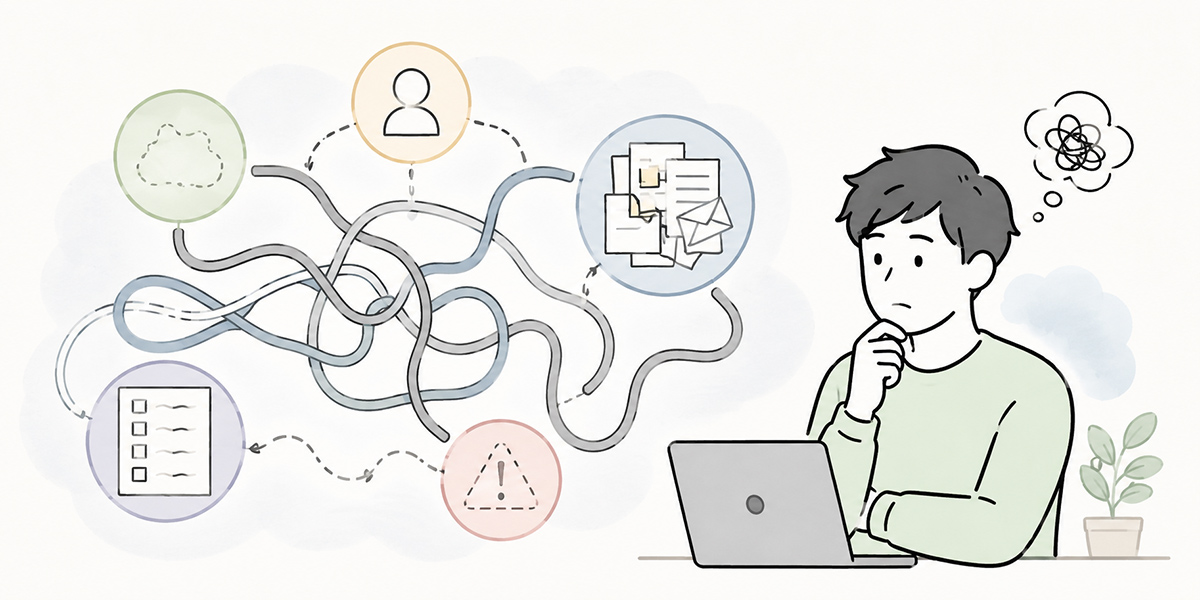
When bringing an AI agent into accounting work, there are patterns that readily go wrong. What I am especially wary of are the failures caused not by “the AI’s performance” but by “a lack of preparation on the business side”.
Handing it to the AI while the rules stay vague
Hand things to the AI while your internal rules and journal-entry rules remain vague, and the AI’s output turns vague too.
Rather than passing to the AI, as is, “what staff used to judge by feel”, you need to put the criteria for judgement into words. This takes effort, but it is an important precondition for AI adoption.
The AI is not something that will tidy up vague rules as if by magic. It can flag the vagueness, but the company’s criteria for judgement must be decided by people.
Leaving old documents in the reference material
If old expense rules or past exception handling are left in the AI’s reference material, the AI may answer on the basis of outdated rules.
In particular, when it comes to the Electronic Books Preservation Act and the response to the qualified-invoice system, keeping the reference material up to date is crucial. The Electronic Books Preservation Act concerns the data retention of tax-related ledgers and documents, and the retention obligations and methods for electronic transactions. If you handle electronic data in accounting, you need to confirm that your own retention methods meet the requirements.
It helps operationally to note, on the reference material, the date of update, the department responsible and the date it takes effect.
If the information an AI agent refers to is old, it answers on an old premise. The same is true of a human member of staff. That is precisely why managing the freshness of information matters in AI use.
Skipping the explanation to the field applicants
Introduce an AI agent within the accounting department alone, and if the field applicants do not understand how to use it, rejections will not fall.
For instance, you need to explain to the field how to attach a receipt, how to write the reason for an application, how to choose an account code, and how to read a rejection comment.
AI adoption is not an improvement for the accounting department alone; it is a redesign of the work that includes the people making the applications.
When I step into the field, I listen not only to the accountants but to the salespeople and field managers making the applications. The reason is that most rejections arise not from a lack of checking on the accounting side, but at the point of input on the applicant’s side. Tidy up only the exit by AI while leaving the entrance untouched, and the work will not change much.
Measuring the benefit by time saved alone
Measure the benefit of AI adoption only by “how many hours we cut”, and the improvements to internal control and checking quality become hard to see.
The metrics to watch are not time alone.
- Number of rejections
- Number of repeat rejections
- Number of monthly-close delays
- Number of missed checks
- Number of queries from applicants
- The AI’s “needs checking” rate
- The rate of human correction
Looking at these in combination lets you assess not mere time-saving but the stabilisation of accounting work as a whole.
It is meaningless if the time gets shorter but missed checks rise. Conversely, even if the time saved is modest, if rejections fall, accountability becomes clear and the psychological load before the close eases, that is an important improvement.
If starting small, begin with expense settlement or invoice matching
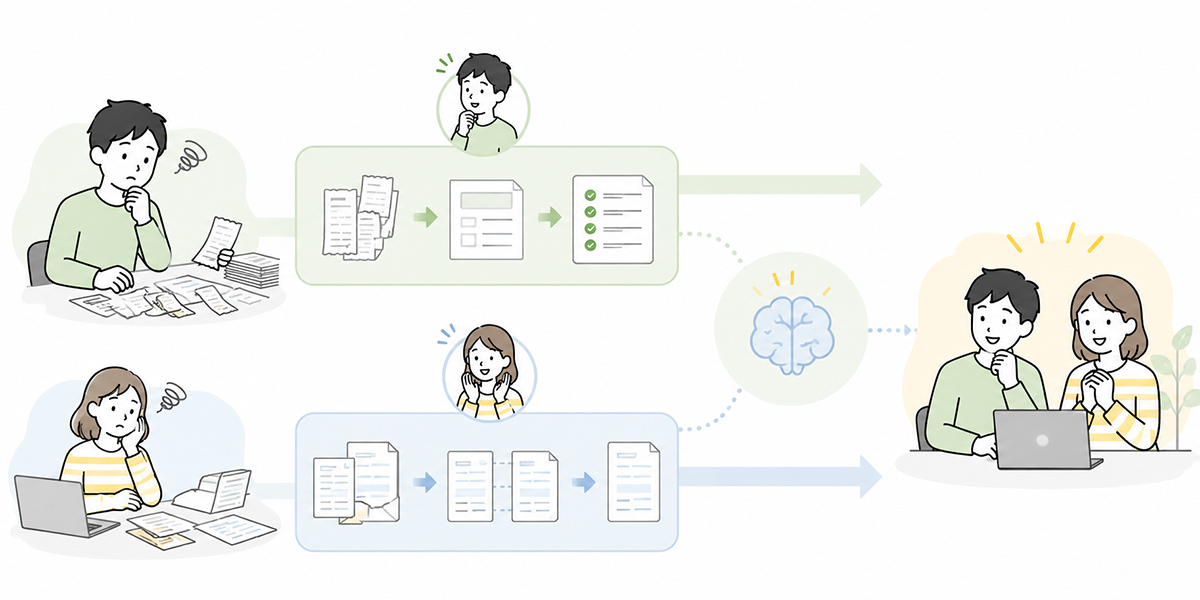
If you are about to bring in an accounting task-executing AI agent, there is no need to take on the whole of accounting from the outset.
If starting small, expense settlement or invoice matching is well suited.
Expense settlement is work with easy-to-grasp checkpoints, such as rule checks and missing attachments. As it also involves a good deal of back-and-forth with field applicants, the benefit of standardising rejection comments is easy to see.
Invoice matching has clear objects of reconciliation — amount, supplier, date, order information. The higher the volume at a company, the easier it is to lighten the first-pass load.
Accounting journal-entry checks, on the other hand, carry a large benefit but depend heavily on internal rules and past processing. If you do take them on, I recommend first putting the journal-entry rules in order and taking stock of the exception handling.
In my experience, the first taste of success with AI adoption can be small and it will do nicely. “The same 20 rejections we had every month dropped to 10 the next.” “The items we dithered over in invoice checks are now laid out in a list.” “Accountants can now check just the candidate exceptions before the overtime starts.” Such changes become the foundation for widening the scope next time.
AI adoption lasts better when begun from a single point where the field’s pain is unmistakable, rather than launched as some grand transformation.
In closing: AI does not take away accounting’s judgement; it wins back the time to judge
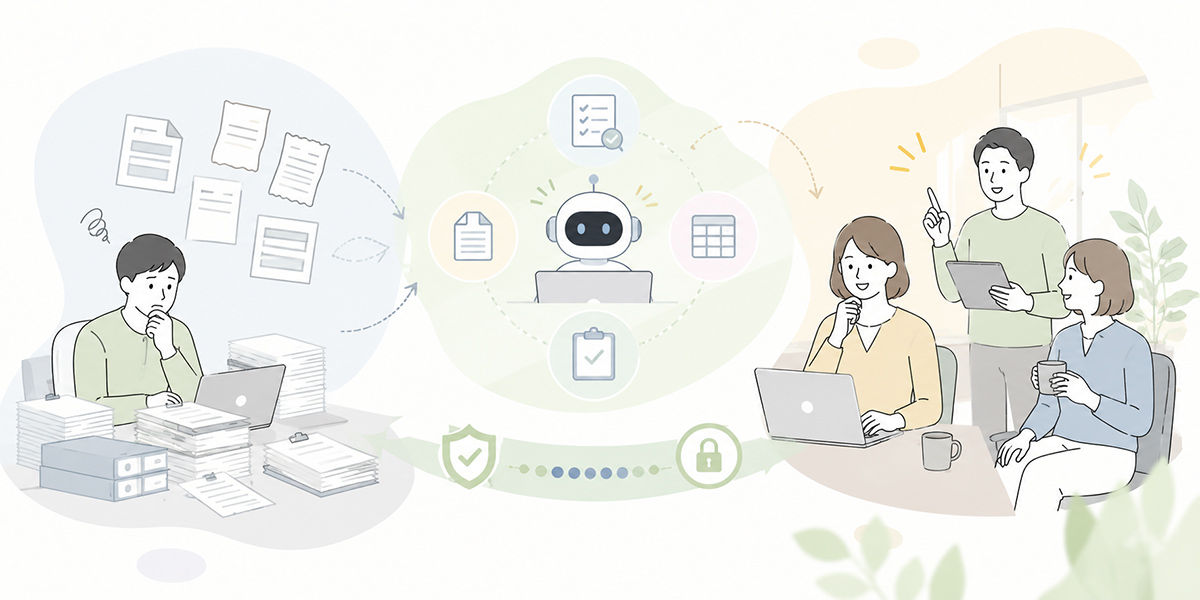
An invoice-automation AI, an expense-settlement AI and an accounting-check AI are not there to replace accounting work wholesale. Rather, by handing the routine checking to an AI agent, they are a mechanism for letting people concentrate on the work that warrants their judgement.
In the month-end and month-start grind, there are many items to check, many people involved, and little room in the schedule. To keep propping all of it up by human eyes alone has its limits.
Put a task-executing AI agent to work and you can routinise part of the evidence matching, journal-rule checks, anomaly detection and audit-log management. This frees accountants from simple checking and gives them time for exception judgements, internal control and improving the quality of the close.
That said, bringing in an AI agent does not succeed by dropping in a tool alone. You need to design the rules, approval routes, reference material, audit logs and the human final check as a set.
It feels less like “we handed it to the AI” and more like “we escaped the state of chasing the same checks every month”. Accounting has gone back to being the side that supports the judgement, rather than the side that blocks things.
Mr Morita, Head of Administration, Third Scope Inc.
I feel this remark gets at the heart of AI use in accounting. AI does not dilute accounting’s expertise. If anything, it is a mechanism that makes it easier for accounting to bring to bear the judgement, control and explanatory power it has always possessed.
What AI use in accounting should aim at is not cutting headcount. It is creating a state in which people can turn their eyes to the risks, exceptions and controls they ought to be watching.
A task-executing AI-agent platform such as Kanata suits companies that want to run things while organising internal documents, prompts and AI chats by task. That said, it is important to choose with an eye to how well it fits your existing environment too — your accounting system, workflow and document-management tools.
Begin with a single checking task. That accumulation of small improvements is the first step from accounting harried by the monthly close to a back office that can improve continually.
Q&A: Common questions on using AI for billing, expense and accounting checks
Can invoice checks be completed by AI alone?
We would not recommend a premise of completing them by AI alone. AI can be put to use for reconciling invoices against order information, detecting spelling variations and surfacing amount discrepancies. The final judgement on exception handling and on whether to pay, however, needs to be designed so that a person checks it.
If we introduce an expense-settlement AI, will rejections disappear?
Reducing rejections to zero is not realistic. That said, routine shortcomings — a missing receipt, a date mismatch, an insufficient reason for the application — become easier to detect in advance. Standardise the rejection comments and you can also expect the side-benefit of applicants finding it easier to make corrections.
Is it acceptable to let an accounting-check AI finalise journal entries automatically?
It can be put to use for suggesting candidate entries and comparing against past processing, but automatic finalisation calls for caution. In particular, tax judgements, exception handling and processing that affects the closing figures are safer when run on the premise that a person checks them.
What should we prepare before adopting AI?
First, put in order the expense rules, invoice-processing rules, journal-entry rules, approval flows and the past reasons for rejection. Next, decide which documents the AI will reference, which judgements people will make, and which logs to keep. Selecting an AI tool can wait until after that — there is no rush.
What kinds of accounting AI use is Kanata suited to?
It suits cases where you want to create an AI chat dedicated to the accounting department and run invoice checks, expense-claim checks, journal-entry confirmation and the like as separate streams, with internal rules and operating rules to refer to. It is particularly well suited to companies that want to organise several checking tasks by project and manage their reference information as they go. On the other hand, the scope of integration with an existing accounting system or workflow does need to be confirmed before adoption.