case study
AI Recording
AI Recording
Turn meeting recordings and audio into organizational assets
AI Recording is an app that joins Zoom, Google Meet and Microsoft Teams meetings, records them, and writes minutes from the transcript after the meeting. It organizes decisions, open issues and action items, and the minutes are saved to the Library for the AI agent to refer to as a basis.
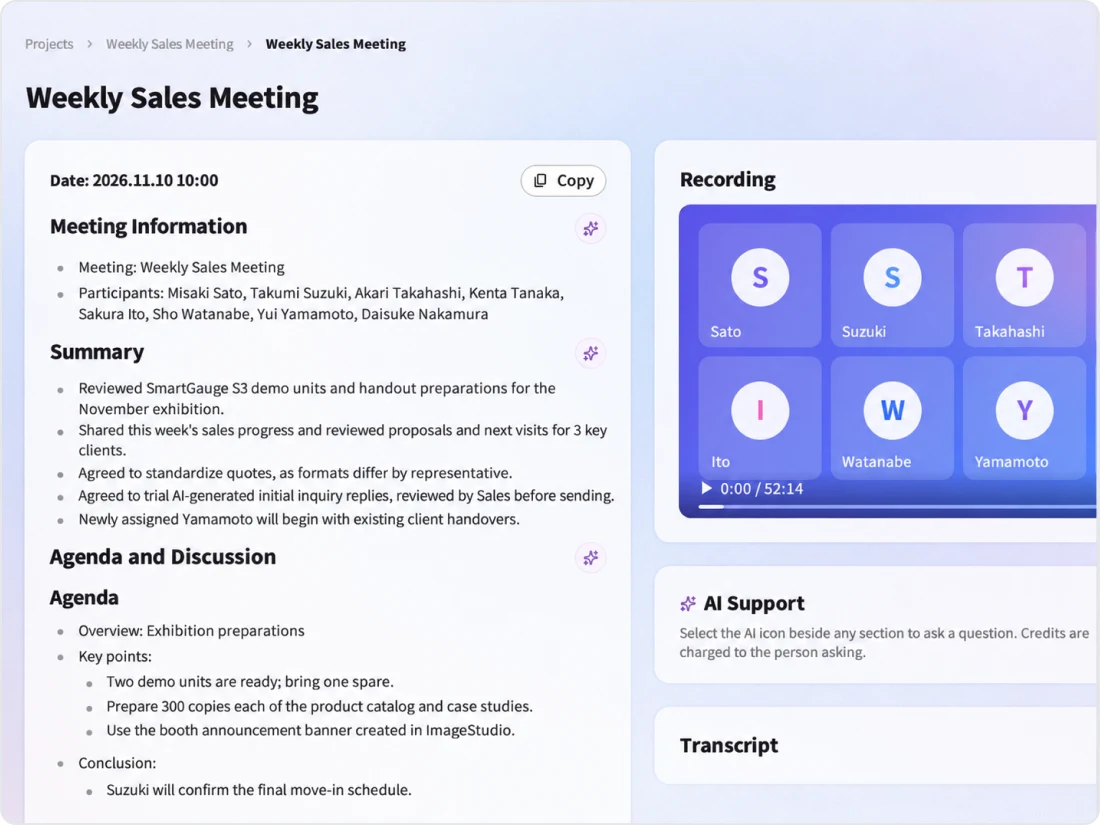
Video: AI Recording
An introduction to the flow from scheduling a meeting to recording, writing minutes and saving them to the Library.
AI Recording overview
Minutes created with AI Recording are saved as Library content, and editing, versions and viewing permissions are managed in the Library. Instead of leaving what was said in a meeting to individual memory, you use it as a shared asset of the organization.
01
What it covers
Joining and recording meetings, transcription, writing minutes, and creating minutes from recording files
02
Best suited for
Organizations where decisions made in meetings are not shared and do not lead to action or become knowledge
03
What you can aim for
Reducing the effort of writing minutes, and searching and reusing decisions to move on to the next action
Problem
Challenges in recording meetings

Decisions end as spoken exchanges and are "never recorded"

Writing minutes takes time and "squeezes other work"

Minutes formats differ by person and are "hard to find later"

There is "no way to check" the intent and background of what was said
Even if you subscribe to a separate minutes tool, the minutes tend to go unused if they are not connected to other work. Meeting records need to become assets that can be searched and reused.
Use cases
How AI Recording is used
Executive meetings
Minutes
Organizing decisionsAI Agent
Drafting reportsSales meetings
Template: customer meeting
Organizing needs and proposalsAction items
To-dos before the next contactRegular project meetings
Template: progress update
Sharing progressSearching minutes
Reviewing past meetingsHandover between departments
Template: cross-department handover
Background and open issuesAI Agent
Creating handover documentsFeatures
AI Recording features
AI Recording creates minutes from meeting recordings and audio, turning them into organizational assets that can be searched and reused. It organizes decisions, open issues and action items, and connects the record to the next action.
Automatic minutes
Creates minutes that follow a template from meeting recordings and audio.
Organizing decisions
Organizes decisions, open issues and action items (owner, task and due date).
Joining meetings
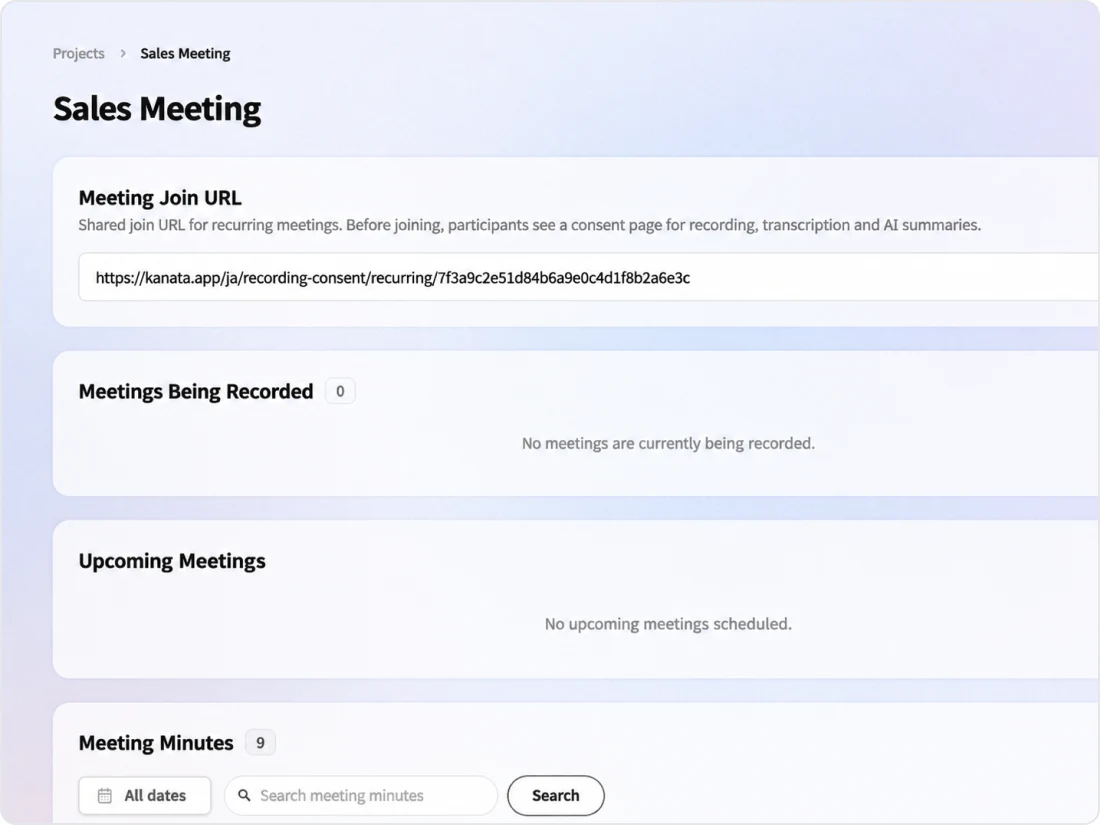
Register the meeting URL and time to schedule it, and the recorder joins at the start time to record.
Main features
Reservation
Scheduling and joining meetings
Schedule by registering the meeting URL and time
Register a Zoom, Google Meet or Microsoft Teams URL and start time, and "Kanata recording bot" joins the meeting at the start time. Scheduling closes 10 minutes before the start. For recurring meetings, set the day and time, and bookings up to 14 days ahead are created automatically.
Minutes
Minutes and templates
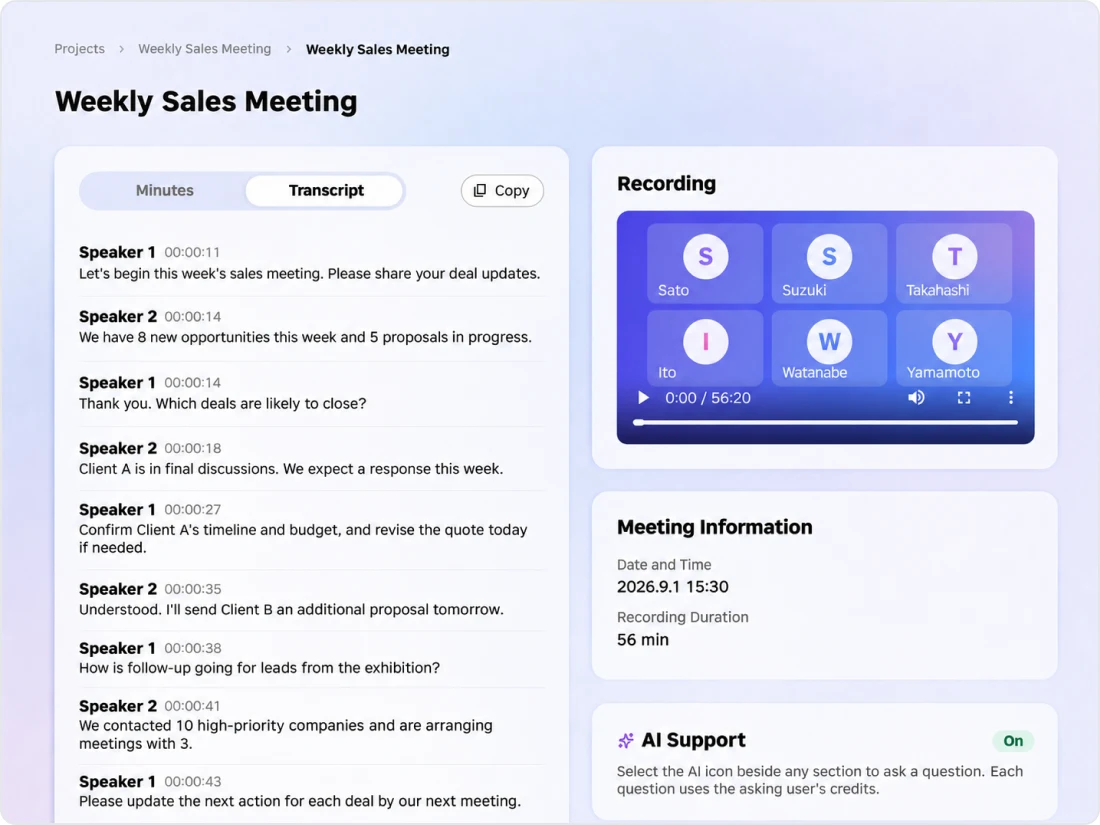
Minutes that follow your templates and glossary
After the meeting, minutes are created from the transcript and saved to the Library. Minutes templates (progress update, decisions and approvals, cross-department handover, customer meeting and more) are managed as prompts in the Library, and internal terms are supplemented with a glossary. For meetings recorded by the bot, speakers are shown with participants' display names from the meeting tool. For uploaded files, speakers are shown with numbers such as "Speaker 1".
Decisions
Searching minutes
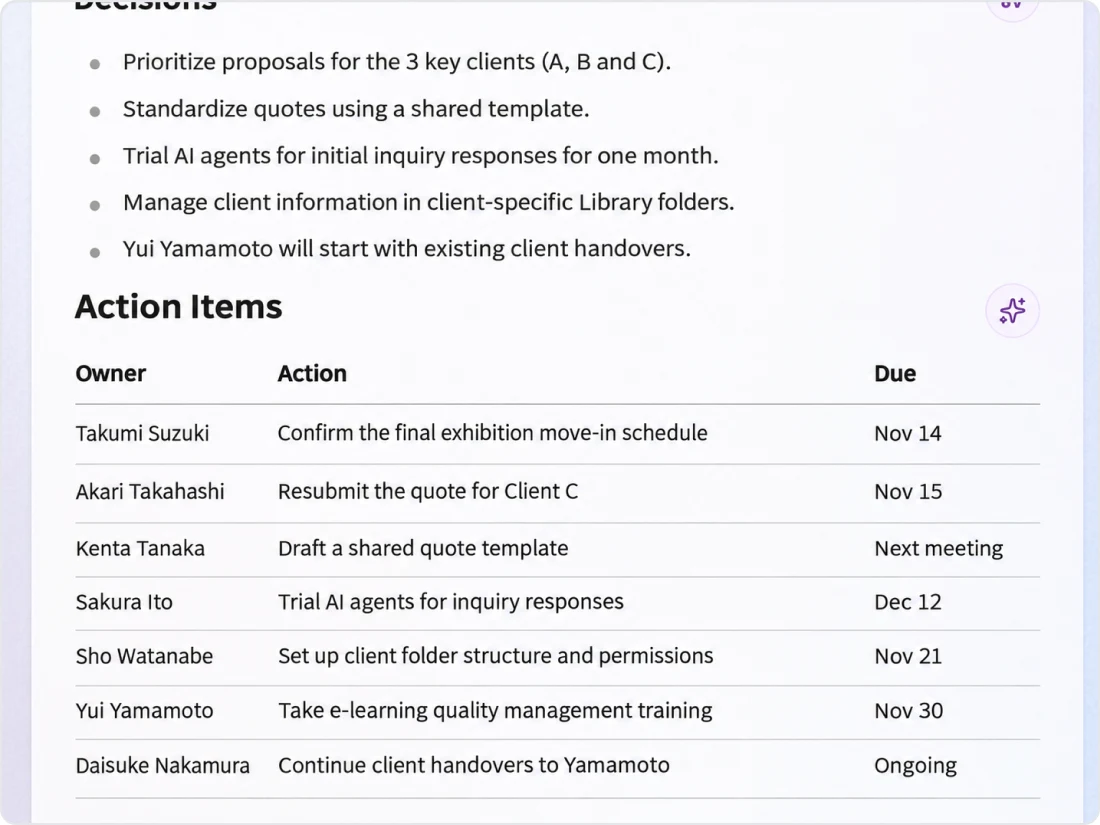
Organizes decisions, open issues and action items
The minutes organize decisions, open issues and action items (owner, task and due date). From the minutes screen, you can consult the AI agent about next actions.
Consideration
Respecting participants and handling data
Column
Related columns
FAQ
FAQ
QWhich meeting tools are supported?
Zoom, Google Meet and Microsoft Teams are supported. Any changes will be announced in the AI Recording Terms of Use and Help.
QDo we need to switch meeting tools?
No. Kanata does not host meetings itself; it works by joining the meetings you already use.
QWill participants know they are being recorded?
The recording participant joins the meeting as "Kanata recording bot". In addition, the AI Recording Terms of Use include sample notices for informing meeting participants in advance.
QCan it be used for in-person meetings?
Yes. You can transcribe and create minutes from recording files (MP4, MOV, WEBM, AVI, MP3, M4A).
QWho can view recordings and minutes?
Minutes are saved as Library content and recordings as Media, and who can view them is determined by the permissions of the folder they are saved in.
QWhich plans include it?
It is available on all plans, including FREE. Recording, transcription and creating minutes consume credits.
Last updated: