


I keep asking the AI the same thing, yet every time the answer I want comes back slightly different.
This is an illustrative scenario faced by Sato, an HR/DX lead running the company’s internal generative-AI study group, alongside frontline staff in sales, general affairs and planning. Six months ago, everyone was firing off whatever question came to mind at ChatGPT or the in-house AI chat, and the quality of emails, minutes and research notes varied wildly from person to person. Managers grumbled that checking it all took an age, the frontline didn’t know quite what to ask or how, and the training team found it hard to spread good practice across the company.
Now, by way of an illustrative example, ten study-group members spend a month using a shared template that builds in purpose, context, format, constraints and examples, while logging how many revisions their minutes and email drafts require. These are not real performance figures, but setting up a comparison like this makes the value of better prompting far easier to see.
This article treats prompt engineering not as some arcane technical discipline but as the design of instructions you can reuse at work. The aim is a state where anyone can brief the AI to a consistent standard, and where the approach is easy to share in internal study sessions and training. That said, good prompts alone will not lift the quality of every task. They need to sit alongside fact-checking, careful handling of confidential information and your team’s operating rules. If you feel the answers you get aren’t quite what you wanted, do read on with a mind to revisiting how you phrase your own requests.
What prompt engineering actually is

Prompt engineering is, at heart, the practice of designing what you want a generative AI to produce, under what conditions, and in what form.
A prompt here simply means the question or instruction you type into a generative AI. For work purposes, it helps to think of it less as a technical art and more as a brief you hand to the AI.
Consider how you might delegate a task to a colleague. You’d often put it something like this:
For tomorrow's sales meeting, please organise the proposal for Company A into three key points.
The reader is the head of sales.
Rather than fine detail, give it to me in a form that makes the decision clear.
That reads as a perfectly natural instruction to a person. Instructing a generative AI works on the same principle. The more clearly you convey what it is for, who it is for, and in what format you want the output, the closer the answer comes to something you can actually use at work.
By contrast, a request like the following would leave even a human colleague rather unsure:
The Company A thing — just pull it together nicely, would you.This instruction doesn’t say what the summary is for, who will read it, how long it needs to be, or what to steer clear of. The generative AI is in the same boat: it tries to produce an answer with the conditions still missing. The result tends to be generic, overlong, or simply not in a state you can use as-is.
Prompt engineering at work is not about treating the AI as something exotic. It is about breaking down your everyday instructions and tidying them into a form the AI can follow.
How a search query differs from a prompt

When you’ve only just started using generative AI, it’s easy to type things in as though you were using a search engine.
With search, for instance, you’d enter keywords like this:
how to write ChatGPT promptsA search engine can find related articles and pages from keywords like those. But when you’re asking a generative AI to produce work output, that input alone leaves the conditions wanting.
When you brief a generative AI, you spell out the purpose and the format as well:
I'm preparing material for an in-house generative-AI training session.
Please explain, for beginners, how to write prompts when giving work instructions to ChatGPT.


# Reader
Frontline staff who have only just started using generative AI


# Output format
- Five key points
- A poor example and an improved example for each
- Don't lean too heavily on jargon


# Constraints
- Phrase it so it can be lifted straight into in-house training material
- Keep the tone practical rather than over-assertive
Search is the act of finding information. A prompt to a generative AI, by contrast, is the act of designing an output.
Once you grasp this distinction, the way you ask the AI changes. Rather than stringing words together, what matters is conveying the purpose of the task, the reader, the context and a picture of the finished result.
Why AI output varies from one go to the next

The reason a generative AI’s output varies isn’t down to the model’s capability alone. More often than not, it’s that the instructions fed in differ in how much information and how many conditions they carry.
A vague purpose invites a generic answer
Suppose you made a request like this:
Write a sales email.With this instruction, the AI is left to guess at a great deal.
Is this new business or a note to an existing customer? Is the recipient a senior executive or a frontline contact? Is the goal to land a meeting, to send materials, or to fix a date? Should the wording be courteous and full, or short and to the point?
While the purpose stays vague, the AI tends to return something safe and non-committal. The upshot is output that is not wrong, exactly, but needs adjusting before you can use it.
To improve matters, start by writing the purpose:
Please write a sales email to a new lead, aimed at leading into scheduling a first meeting.Even that much helps narrow the AI’s output.
Without enough context, the reader and the situation drift out of alignment
A business document changes in substance depending on who it is written for.
Take the same topic — the benefits of adopting generative AI. For senior executives, return on investment and risk management come to the fore. For an IT lead, security, account management and integration with existing systems are the concerns. For a marketing or sales lead, the focus shifts to content creation, meeting preparation and understanding customers.
Leave out the context, and the AI tends to return an explanation that fits anyone and no one. To make it usable at work, it’s important to put in who it is for, where it will be used, and what information it should take into account.
Leave the output format unspecified and it ends up hard to use
When you feel the AI’s answer is not bad but hard to use, it’s often because no output format was specified.
For minutes, for instance, a structure like the following is far easier to check than plain prose:
## Meeting overview

## Decisions

## To-do
| Owner | Action | Due |

## Items to confirm before next time
For an email, separate the subject and the body. For a comparison, use a table. For training material, use headings and bullet points.
Specifying the output format up front cuts down the work of tidying it afterwards.
Without constraints, you get answers that run too long or claim too much
Writing for work comes with constraints.
An email, for instance, might need to stay within 200 characters. A report to a manager is often best with the conclusion first. An explanation for customers needs to avoid over-assertion and shaky figures.
Leave the constraints out, and the AI may, in its eagerness to explain politely, run on at length, or state things with confidence that actually warrant checking.
So it helps, in practice, to add conditions like these:
- Within 200 characters
- Lead with the conclusion
- Mark anything uncertain as "to be confirmed"
- Don't invent figures
- Gloss any jargon on first use
Constraints aren’t merely there to rein in the AI’s freedom. They are the conditions that bring the output closer to something usable at work.
The basic skeleton of a workable business prompt

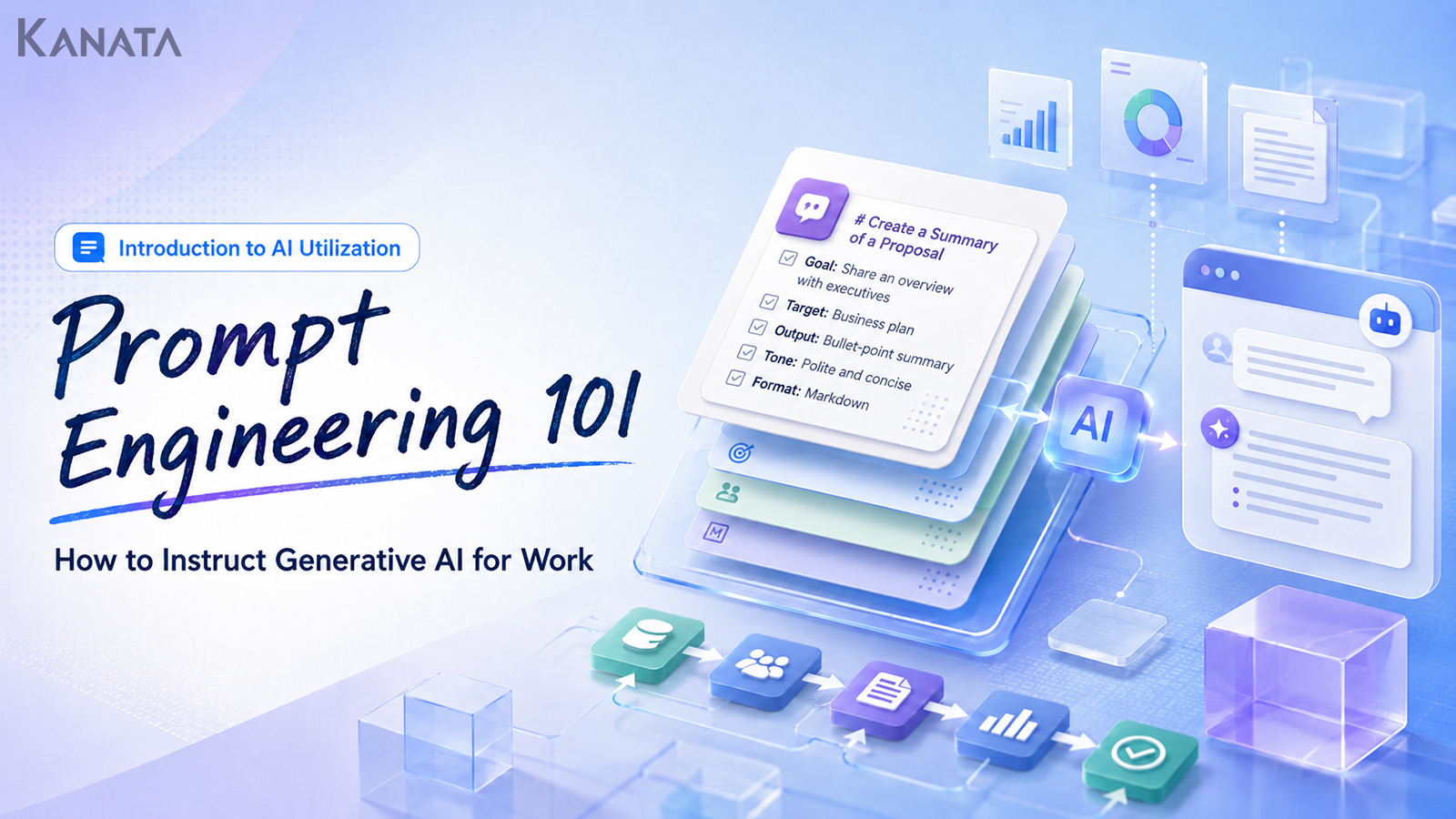
A prompt for work is easier to organise if you think of it in terms of five elements.
- Purpose
- Context
- Format
- Constraints
- Examples
You needn’t spell out all five in detail every single time. But when the output wobbles, the odds are that one of these is missing.
Purpose: what you’re trying to achieve
The purpose is the part that tells the AI what the output is for.
A poor example would be an instruction like this:
Please summarise the meeting notes.Here the AI has no idea what the summary is for. Whether it’s for your own recollection, a report to your manager, or sharing with attendees, the way you’d summarise changes accordingly.
An improved version reads as follows:
To share with a manager who wasn't at the meeting, please summarise the notes, separating them into key points and decisions.Writing the purpose makes it easier for the AI to judge what to prioritise in the output.
Context: who is using it, for what, and in what situation
Under context you write the reader, the setting, and the background.
# Context
- Reader: head of sales
- Setting: tomorrow's deal-review meeting
- Background: to decide the approach for the proposal to Company A
- Current status: first meeting done; budget and decision-maker not yet confirmed
With context in place, the AI finds it easier to judge what to write in detail and what to keep brief.
In B2B work especially, the other party’s position and stage of consideration matter. Material put before senior leadership and a note shared with frontline members will be written quite differently, even on the same topic.
Format: the shape you want the output in
Format is the specification that makes the AI’s answer easy to repurpose for work.
Commonly used formats include the following:
- Bullet points
- Tables
- Email text
- Minutes
- FAQs
- Comparison tables
- A proposal outline
- Heading suggestions for training material
- Checklists
When asking for a comparison, for instance, you can specify it like this:
Please compare three options.
Give the output as a table, with columns for "Option", "Pros", "Cons", "Best suited to" and "Points to note".
Specifying the format makes the AI’s answer easy to drop into documents or the internal chat.
Constraints: write what to avoid and the conditions to hold to
Under constraints you write the character count, the tone, the prohibitions and the items to confirm.
# Constraints
- Within 300 characters
- Courteous but not stiff in tone
- Don't lean too heavily on jargon
- Don't invent shaky figures
- Keep fact and conjecture separate
For business use, the instruction not to state uncertain content as fact is particularly important.
The AI is good at producing plausible prose. As a result, it can present figures, schemes or examples that may not exist at all, wrapped in perfectly natural sentences. For anything going outside the organisation, or feeding into an internal decision, a person must always check it.
Examples: hand over an ideal output, or one to avoid
For the AI, examples are a powerful steer.
Writing “keep it concise”, for instance, leaves room for interpretation that differs from person to person. But hand over an example like the following and the direction of the output falls more readily into line:
# A good example
Conclusion: I recommend Option A.
Reason: although the upfront cost is higher, it is low-maintenance to run and it lends itself to shared use across three departments.
Point to note: confirmation with the IT department is needed before adoption.

# An example to avoid
Option A looks really good. It has all sorts of benefits, and adopting it should bring results.
It helps to hand over not only a good example but one to avoid — useful when you want to steer clear of abstract phrasing, an over-salesy tone, or writing whose conclusion goes fuzzy.
A ready-to-use basic template

When you’re stuck at work, the following pattern comes in handy:
You are a {role}.

# Purpose
{what you want this output to achieve}

# Context
- Reader: {who will read it}
- Setting: {where it will be used}
- Background: {information needed to decide}

# Output format
{table, bullet points, email text, minutes, etc.}

# Constraints
- {character count}
- {tone}
- {phrasing to exclude}
- Mark anything uncertain as "to be confirmed"

# Reference example
{an ideal example, or one to avoid}

Taking the above into account, please produce {the request}.
You needn’t fill in every part of this template each time. Sometimes a short request will do perfectly well.
That said, if the output feels hard to use, look over which item is missing. In most cases, simply adding one of purpose, context, format or constraints does the trick.
Worked prompt examples by task

From here on, I’ll set out some representative prompts that work well on the ground. All are illustrative. When you use them in earnest, do adjust them to your own company’s rules and information-handling policy.
A prompt for drafting an email
A poor example is a request like this:
Please write an email to the customer.This tells us nothing about the relationship with the recipient or the purpose.
An improved version reads as follows:
You are an assistant who helps draft B2B sales emails.

# Purpose
To thank the contact after a first meeting and arrange the next one.

# Context
- Recipient: a section manager in the IT department of a manufacturing firm
- Situation: a 30-minute online meeting held yesterday
- Their interest: making internal enquiry handling more efficient
- What we want next: further interviews including related departments

# Output format
- Three subject-line options
- One body draft

# Constraints
- Body within 300 characters
- Courteous but not stiff
- Don't lay on the sales pitch
- Don't put candidate dates in the body; write "I'll send candidate dates separately"

Under these conditions, please draft the email.
Phrased this way, the wording is more likely to suit the recipient’s situation.
A prompt for drafting minutes
With minutes, the key is to keep decisions and to-dos separate.
Please organise the following meeting notes into minutes for internal sharing.


# Purpose
So that colleagues who weren't at the meeting can understand the decisions and the next actions.


# Output format

## Meeting overview
- Date and time:
- Attendees:
- Purpose:


## Decisions
-


## To-do
| Owner | Action | Due |


## Key discussion points
-


## Items to confirm
-


# Constraints
- Leave out chit-chat and digressions
- Mark uncertain figures or dates as "to be confirmed"
- For to-dos with no clear owner, write "owner TBD"
- Don't mix fact and conjecture


# Input
{paste the meeting notes here}
When you’re dealing with meeting recordings or notes, one option is to bring in an AI summarisation or transcription tool alongside. In Kanata, for instance, the intended use includes summarising recordings, notes and documents into a set format. For recurring work where you want the same shape every time — regular meetings, say — custom generation and templating come into their own.
A prompt for summarising documents
For document summaries, “make it shorter” is not enough on its own. You specify what should be kept.
Please summarise the following document into a briefing note for a department head.

# Purpose
To lay out the points needed to decide, at next week's meeting, whether to go ahead with adoption.

# Reader
A division head who cares less about fine technical specs than about cost-effectiveness, risk and the impact on the organisation.

# Output format
1. Conclusion
2. Points needed to decide
3. Benefits
4. Risks
5. Further items to confirm

# Constraints
- Within 800 characters overall
- Use only figures present in the document
- Don't guess at unknowns; write "to be confirmed"
- Add a brief gloss to any jargon

# Input
{paste the document body}
Specifying the reader this way changes the angle of the output, even from the same document.
A prompt for setting up your research
Generative AI is more useful for marshalling the issues and teasing out angles to investigate than for handing it the final conclusion.
Theme: designing initial training for an internal generative-AI rollout

For this theme, as a preliminary step before drafting internal discussion material, please organise the issues worth investigating.

# Output format
1. Seven key issues
2. The information to check on each
3. The primary sources or departments to go to
4. Risks that are easy to overlook
5. Points where executives, the IT lead and frontline leads diverge in their concerns

# Constraints
- Don't invent specific figures
- Mark anything uncertain as "to be investigated"
- Keep general points separate from things to confirm with your own company
Used this way, you’re not having the AI produce “the answer” but having it draw a map for investigating. It’s especially handy with a theme you’re tackling for the first time.
A prompt for creating internal training content
When an HR/DX lead designs an internal study session, it’s important to specify what the participants already know.
You are an instructional designer for internal generative-AI training.

# Purpose
To explain to staff who have just started using generative AI the basics of writing workable prompts.

# Participants
- Have touched generative AI
- But don't know the prompt patterns
- Drawn from various roles — sales, general affairs, planning, and so on

# Output format
Please produce an outline for ten training slides.
Include the following on each slide:
- Title
- The message to convey
- An example
- Points the instructor should add

# Constraints
- Keep jargon to a minimum
- One message per slide
- Avoid flat assertions like "AI will always make you more efficient"
- End with one exercise for participants
In training, the point is not merely to convey knowledge but to let participants map it onto their own work. There are several ways to run it — video material, an internal portal, an LMS, an AI chat, and so on.
Kanata, alongside AI chat and AI summarisation, also brings together an e-learning capability for building training material around video and distributing it to colleagues as learning content. When you’re planning how to run internal training, it’s worth designing not just the prompt-writing but the whole flow of learning, sharing and reuse.
Five practical tips for sharpening your prompts

Once you’ve got the basic skeleton down, a few further touches help steady the output.
Don’t ask for the finished article straight off
Try to get a fully finished piece of writing out in one go and it can land wide of what you expected.
For things where structure matters — proposals, articles, training material, internal rules — it’s best to ask for the skeleton first.
Please give me the outline only for now.
Don't write the body yet; just organise the headings and the key points each one conveys.
Confirming the structure before moving on to the body makes it far easier to avoid major rework.
Ask for several versions and have it explain the differences
With just one version, it can be hard to judge whether it’s any good.
Please give me three versions.
For each, add a line on the situation it suits, its merits and a point to note.
Comparing several versions makes it easier to pick the direction closest to what you intended.
Keep fact, conjecture and to-be-confirmed apart
What matters most when using AI at work is not to mix fact and conjecture.
Please split the output into three: "fact", "conjecture" and "to be confirmed".
Classify anything not explicitly stated in the document as conjecture or to be confirmed.
Just adding this instruction gives you output that’s easier to review.
Run one topic per chat
Keep handling several topics in a single chat and the earlier context lingers, nudging the output off course.
If, in a chat where you started by drafting a sales email, you then begin producing internal training material, the style and assumptions are liable to bleed together.
Kanata’s everyday best-practice guide likewise sets out the idea of working one topic per chat, and starting a fresh chat when the subject changes.
This isn’t peculiar to Kanata; it’s a sound way to keep things in order whenever you use generative AI at work. Splitting chats by project, by document or by purpose also helps when you come back to them later.
Save the prompts that worked, and reuse them
A good prompt is best not left buried in a personal note, but put into a form the team can reuse.
Prompts like the following, for instance, make readily reusable assets:
- A minutes template
- An email-draft template
- A meeting-notes tidy-up template
- A training-material template
- An internal-FAQ answer template
- A document-summary template
As for where to keep prompts — a spreadsheet, an internal wiki, a knowledge-management tool, an AI platform — whatever suits how your company works is fine.
In Kanata, a “library” is set up as a store for the AI settings, prompts and learning data you reuse across a project, and you can register your frequently used instructions in the prompt library.
Turning what works for you as an individual into a standard for the whole team is key to spreading generative-AI use.
How to reuse prompts across the organisation

A prompt is not a one-and-done affair. As the work or the internal rules change, it needs revisiting.
Sort them by use
First, sort your prompts by use.
| Category | Example prompts |
|---|---|
| Meetings | Drafting minutes, extracting to-dos, building agendas |
| Sales | Tidying meeting notes, drafting emails, proposal outlines |
| Administration | Policy FAQs, answering enquiries, training-invitation copy |
| Marketing | Article outlines, social-post ideas, framing customer issues |
| HR/DX | Training material, comprehension tests, internal briefing material |
With categories in place, staff find it easier to search.
Decide a naming convention
If prompt names are all over the place, they’re hard to reuse.
A good approach is to build in the use and the version.
minutes-template_standard_v1
sales-email_after-first-meeting_v1
training-material_genAI-basics_v2
internal-FAQ_policy-answers_v1
Make it so the name alone tells you the use, and the team will find it easy to work with.
Keep the update date and the owner
If old prompts simply linger, there’s a risk that instructions no longer fitting the current work get used.
At minimum, it’s worth keeping the following:
- Date created
- Last updated
- Author
- Owner
- Where it’s used
- Points to note
Content touching on legal, HR, finance or security in particular is prone to being affected by changes in regulation or internal rules, so it needs checking regularly.
Review the prompts in use once a month
By way of an illustrative example, you might have each team spend 30 minutes once a month taking stock of its prompts.
The things to check are as follows:
- Which prompts are actually in use
- Which ones had problems with output quality
- Whether any assumptions or phrasing have gone stale
- Whether there are new templates worth adding
- Whether there’s any issue with how confidential information is handled
It needn’t be a big meeting. Even improving your most-used prompts little by little tends to steady the whole team’s AI use.
What to watch for when instructing generative AI

Tidy up your prompts and the AI’s output becomes easier to use. But take care: the more polished the output looks, the easier it is to let the checking slip.
Treat the AI’s output as a draft
Generative AI is good at smoothing prose into a natural shape. Its content, on the other hand, isn’t always correct.
The following, in particular, must always be checked by a person:
- Figures
- Dates
- Proper nouns
- Law and regulation
- Contract terms
- Internal policies
- Customer information
- Sources cited
- Actual figures
The AI’s output is a draft, not a finished article. For anything going outside the organisation, or feeding into a decision, treat human review as a given.
Check personal and confidential information before you enter it
When writing a prompt, you need to check whether the information is something you may enter at all.
Customer names, contact names, contract values, employee numbers, health information, undisclosed HR information and the like, for instance, all call for care in handling.
Data-protection regulators have published guidance on AI and data protection as well. For business use, you need to confirm your internal rules and contract terms, then sort out which information may be entered and which must not.
In practice, substitutions like the following help raise your safety margin:
| Original information | Substitution |
|---|---|
| Company A Ltd | {a large manufacturing firm} |
| Mr Taro Yamada | {a contact in the IT department} |
| 12 million yen | {a contract in the tens of millions of yen a year} |
| 13 May 2026 | {mid-May 2026} |
| Employee number / address | Delete |
When in doubt, make not entering it your default.
Designing it to say “I don’t know” matters too
When using AI at work, it’s also important not to force it to answer.
When producing an answer about internal policy, for instance, specify it like this:
For anything not explicitly set out in the internal policy, don't answer by guesswork; write "this cannot be confirmed from the policy".For a customer-facing reply, you can specify:
Don't state uncertain content as fact; write "I'll confirm and get back to you".For the AI, producing an answer is easy enough in itself. But at work there are moments where treating what you don’t know as unknown matters more.
How to think about running prompts in Kanata

There are several ways to manage prompts — an internal wiki, a spreadsheet, a document-management tool, an AI platform. What matters is not just which tool you use, but keeping your frequently used instructions shared across the team and open to review.
Kanata is set up as a work-support platform that brings the AI capabilities you need for the job — AI chat, AI summarisation, e-learning — together in one place. In the AI chat you can get on with drafting, brainstorming and research while putting questions and talking things through.
From a prompt-engineering angle, uses like the following come to mind:
Register your frequently used instructions in the prompt library
If you find yourself writing the same instruction again and again, that prompt may well be one the team can reuse.
Minutes, sales emails, training material and internal FAQs, for instance, can often be used in a similar form even as the person handling them changes.
Kanata’s project library sets out the idea of storing AI settings, prompts and learning data, and you can register frequently used instructions in the prompt library.
Think of learning data and prompts as separate
A prompt is the instruction for how to answer. Learning data, by contrast, concerns what to refer to.
When building a policy-based FAQ, for instance, tidying the prompt alone won’t get you far if the policy to refer to isn’t there; an accurate answer becomes hard.
In that case, think of them separately, like so:
- Learning data
- Work rules, expense policy, travel policy, FAQ collection
- Prompt
- Answer using only what is explicitly set out in the policy. Where there’s no basis, mark it to be confirmed.
Kanata’s manual sets out the idea of registering the internal documents you want the AI to refer to in a learning-data library, so they can be drawn on from the chat or summarisation apps.
Connect training and day-to-day use
Prompt-writing is hard to make stick from a single training session.
So it tends to bed in if you create a flow where the basic skeleton is learnt in training, the prompt library is consulted in everyday work, and things are improved regularly.
You might run it, for instance, like this:
- In company-wide training, learn the pattern of purpose, context, format, constraints and examples
- Have each department build three of its most-used work prompts
- Register the prompts that worked in a shared location
- Once a month, review the prompts that have been used
- Share the standard prompts with new joiners and people changing roles
Building this flow keeps generative-AI use from being confined to individual ingenuity, and helps it grow into a working foundation for the team.
In summary

Hear “prompt engineering” and it may sound like a technical specialism.
In practice, though, what work calls for is less elaborate technique than carefully writing instructions the AI can follow.
The basics come down to these five:
- Write the purpose
- Write the context
- Specify the format
- Write the constraints
- Hand over examples
Simply keeping these five in mind tends to steady a generative AI’s output.
Prompts alone, of course, don’t solve everything. It’s only with a human eye on the output, rules for handling confidential information, and a mechanism for reuse across the team that AI truly beds into the work.
To begin, pick one familiar, routine task — an email draft, minutes, a document summary. Then, following the templates set out here, have a go at building a work prompt of your own.
Don’t let the prompts that work end in a personal note; share them with the team. From there, your organisation’s generative-AI use slowly starts to acquire some repeatability.
Questions and answers
Is prompt engineering only for specialists to learn?No. Advanced AI development or model tuning does call for specialist knowledge, but for everyday work it’s enough to think of it as a way of giving the AI clear instructions. Just putting in purpose, context, format, constraints and examples already makes the output easier to use.
Do I have to write a long prompt every time?No, you don’t. There are plenty of situations where a short request will do. But when the output isn’t quite the shape you wanted, adding the purpose, the reader, the output format and the constraints helps put it right. For routine work, it’s handy to template your most-used prompts.
Is it all right to have a generative AI produce figures or examples?You can use it as a starting point for research, but always verify any figures or examples against their source. Generative AI can present figures and citations that don’t exist, wrapped in natural-sounding prose. For material going outside the organisation or feeding into a decision, you need to check against public bodies, primary sources and your own original documents.
What should I watch for when putting internal information into a prompt?Personal data, customer information, contract terms, undisclosed financial information, HR information and the like — check your internal rules before entering any of it. Where needed, mask company names, personal names, amounts and dates. For information you’re unsure about, the safer default is not to enter it.
How can I spread good prompts across the company?Start by building templates from your most-used work — minutes, emails, document summaries. Then keep the date created, the use, the owner and points to note, and review them roughly once a month. Pulling them together somewhere your company will keep up with — an internal wiki, a spreadsheet, a knowledge-management tool, an AI platform — makes them easier to maintain.