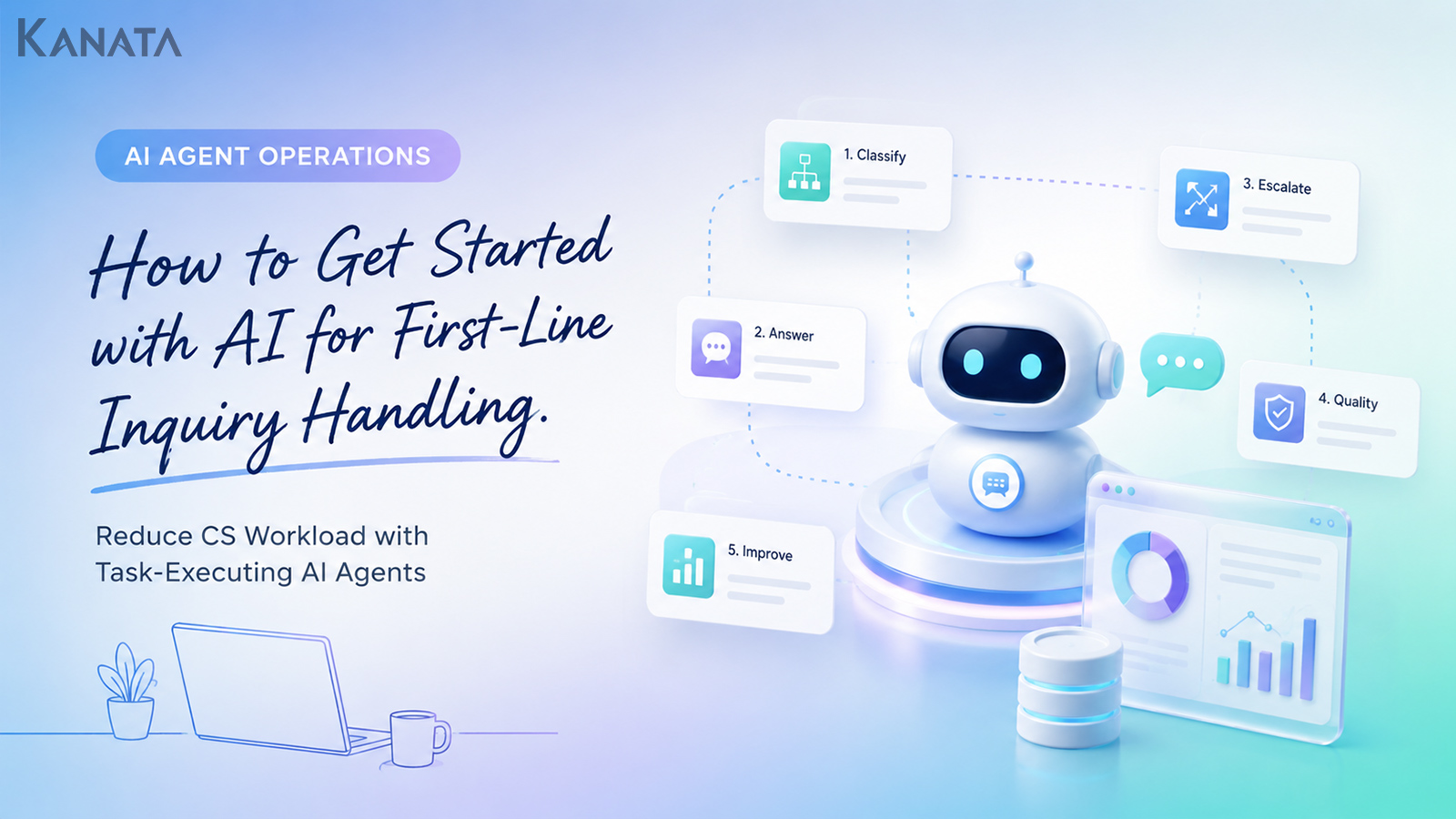



We went over this exact point last week as well, didn’t we?
That was Mr Nakagoshi (a pseudonym), who heads the support function at a B2B SaaS company, muttering as much during the Monday-morning CS stand-up. Six months earlier, operators at the firm had been handling most first-line enquiries individually. Questions answerable from the FAQ, requests needing contract checks, and emotionally charged complaints all poured into the same inbox, and it had become hard to see who should pick up what, and from where.
I have sat in on a good many of these situations myself. In the meeting room, someone inevitably says, “Surely we’ve no choice but to hire more people.” Meanwhile, messages pile up in Slack: “I answered this one before,” “This looks like it needs a check with engineering,” “This is slightly at odds with what sales explained.” CS, sales, engineering and the manager each see it differently, but as you unpick the problem it usually comes down to two things: enquiry classification and inconsistency in the first reply.
Today the company has moved to an arrangement in which, drawing on 1,200 enquiries from the past three months, a task-executing AI agent handles first-line classification, automated FAQ responses, enquiry routing, and the drafting of template replies. Rather than reading every enquiry from scratch, operators now review the information the AI has organised and can spend their time on the harder cases and on escalation judgements.
Kanata, which brings AI chat, training data, prompts and per-team operating environments together in one place, lets the AI draw on your internal FAQs and response history so that first-line handling can proceed while the basis for each answer is checked. That said, a tool is only ever one option among several. What matters is putting your response standards, the knowledge to be referenced, and the conditions for switching to a human into a form the team can actually use.
In this article, for companies looking to introduce first-line enquiry AI, I set out how to design everything from quality standards and sentiment analysis through to history integration and continuous improvement. The aim is a state in which the quality of the first reply does not waver regardless of who handles it, and customers are kept waiting as little as possible. An AI agent is not, however, a cure-all. Only with clear decision criteria, a route to human handling, and regular FAQ updates does it lead to stable operation.
What is first-line enquiry AI?
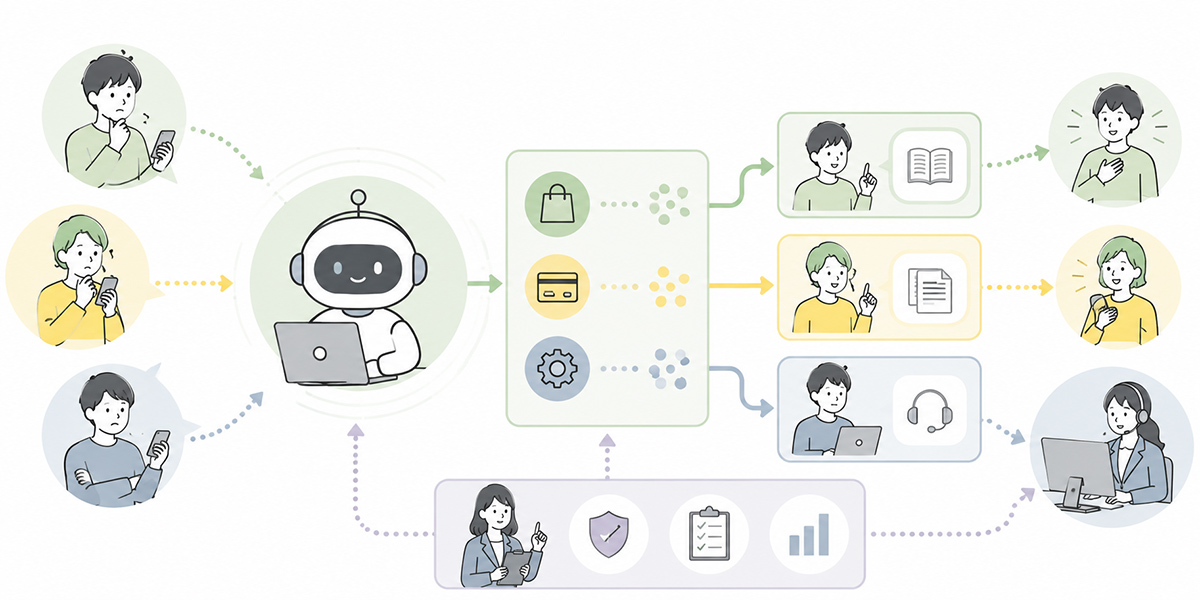
First-line enquiry AI refers to AI that helps with classifying the content of an incoming enquiry, matching it against the FAQ, drafting a reply, and routing it to the right department.
Conventional automated FAQ responses largely worked by displaying a pre-registered question and its answer. That alone is, of course, of some use. In practice, though, enquiries do not arrive in the wording of the FAQ.
One customer might write nothing more than “I can’t log in.” Another might write, “It worked fine until yesterday, but from today I can’t get into the admin screen. Could this be something to do with billing?” Yet another might convey the same problem in wording laced with considerable frustration.
What is needed here is not simply to search the FAQ. It is to read the intent behind the enquiry, gauge its urgency, and, taking past response history and contract status into account, work out how it ought to be answered.
A task-executing AI agent takes on this “initial sorting.” In concrete terms, the sort of handling one might expect is as follows.
- Classifying an enquiry about contract terms as “contract check”
- Drafting a reply to a how-to question based on the FAQ
- Detecting enquiries laced with anger or dissatisfaction through sentiment analysis
- Escalating matters that require technical investigation to the engineering team
- Referring to response history and offering a template reply that does not contradict past answers
I take the view that introducing an AI agent as something that “answers customers off its own bat” is a risky proposition. It tends to bed in far more readily when designed as something that supports, against a consistent set of quality standards, the judgement and sorting a CS team member used to do at the outset.
Why first-line enquiry handling now needs AI
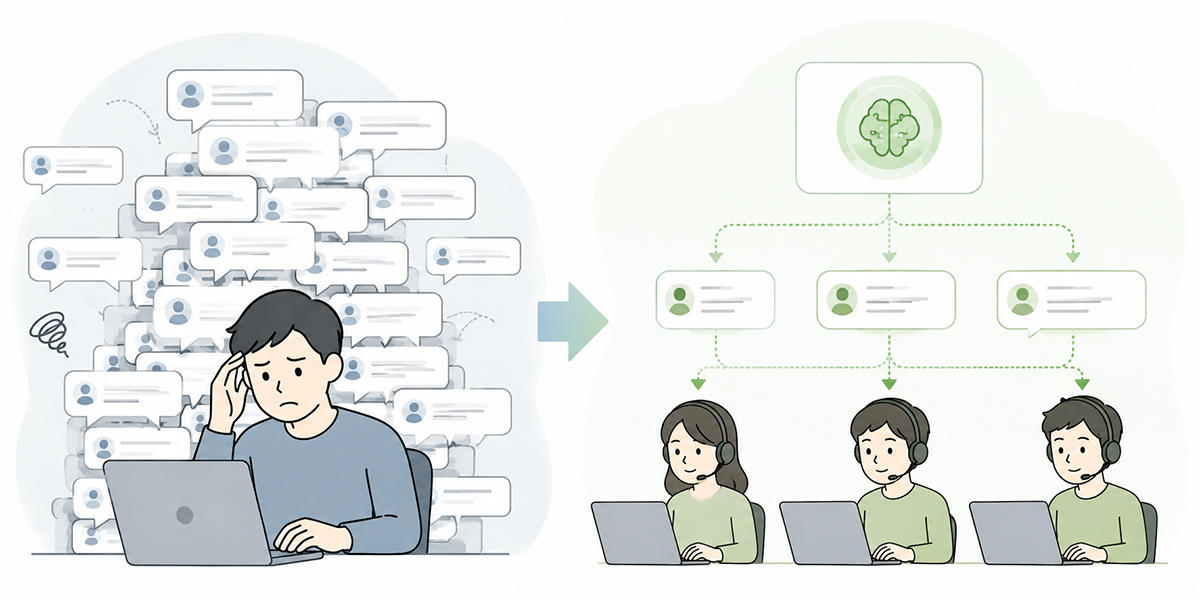
As enquiry volumes climb, the first problem the CS team tends to see is a “shortage of hands.”
Where headcount is plainly inadequate for the volume, recruitment and a stronger structure are of course needed. Yet when you go in and listen to people on the ground, the problem is, more often than not, not simply a matter of numbers.
- Answering the same question over and over
- Replies worded differently depending on who handles them
- Checks bouncing back and forth between sales, engineering and CS
- High-urgency enquiries buried among the routine ones
- New joiners spending their time merely hunting through past response history
In this state, adding operators does little to solve the matter at root, because it takes a newcomer a good while to get to grips with the product specification, contract terms, internal rules and past trouble-handling.
In the organisations I support, I often see a state where “enquiries are growing but knowledge isn’t.” There is content someone answered in the past, but no one knows where it is. It lingers in Slack but never becomes a proper FAQ entry. It sits in a particular person’s head but cannot be reused across the team. In this state, a small re-investigation crops up every single time.
The role of first-line enquiry AI is not to make every judgement in the operator’s stead. It is to quickly identify the enquiries a human ought to handle, automate those the FAQ can cover, and pass those that need judgement to the right person.
As a result, CS staff spend less time chasing “enquiries they can answer at once” and can concentrate more readily on consultations carrying a high churn risk, on important customers, and on solving complex problems.
Dividing the work the AI handles from the work people handle
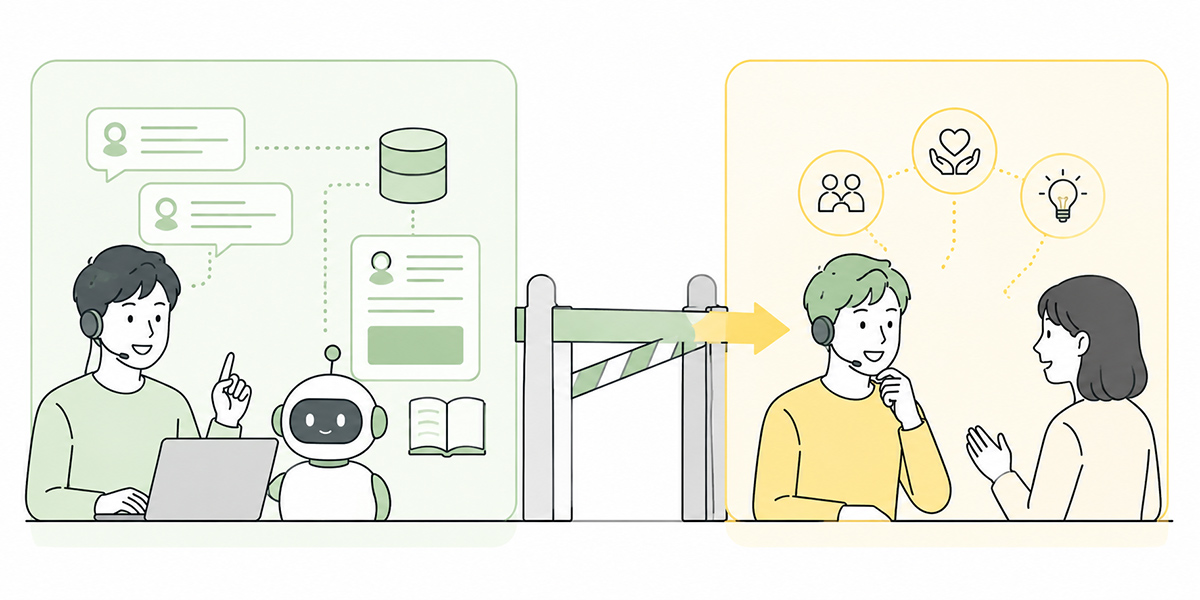
When introducing first-line enquiry AI, the first thing to settle is “how far to leave to the AI.”
Proceed while leaving this vague and the AI may answer things it should never have answered, or, conversely, human checking grows to the point where automation yields no benefit at all.
In the initial design of any AI rollout, I always make a point of separating “work the AI handles,” “work the AI drafts,” and “work people judge.” Press on to tool selection without this sorting, and the team ends up in disarray later on.
Enquiry classification
A prime example of work readily left to the AI is enquiry classification.
It reads the body of the enquiry and sorts it into categories such as “pricing,” “contract,” “how-to,” “defect,” “cancellation,” “feature request” and “complaint.” Once classification is consistent, trends in enquiry volume become far easier to analyse.
- Which categories are growing
- Where customers are getting stuck
- Which department is fielding a concentration of checks
- Which enquiries are most apt to lead to churn
Once this is visible, it can serve not only the CS team but sales, engineering, marketing and product improvement too.
Automated FAQ responses
Automated FAQ responses are another area readily left to the AI.
Drawing on the FAQs and manuals you have put together internally, it drafts replies to common enquiries. The key here is not to let the AI answer freely, but to limit the information it is permitted to reference.
On matters touching pricing, contracts, usage limits, security and legal questions, there is a real risk of the AI producing a “plausible-sounding answer.” You need a design that references the underlying documents and, where it cannot find an answer, says as much.
Kanata, by organising internal materials and FAQs as training data so the AI chat can answer while referencing that information, makes it easier for staff to review draft replies that follow their own firm’s rules and customer-handling policy rather than offering generalities.
Drafting template replies
Producing a draft reply according to the content of an enquiry is also work the AI takes to well.
Guidance on how to do something, an apology, a request for confirmation, a request for further information, a note to say a check is underway with the relevant department — all of these lend themselves to a set form. Have the AI offer the template reply and a person give it a final check before sending, and you can reconcile speed of response with quality.
Handy as they are, template replies can also come across as cold. Where a customer’s anxiety or anger runs high, you need not merely to convey the facts but to include a line that acknowledges where they stand. This tone adjustment is a point for the CS team member to check rather than leave wholly to the AI.
Escalation judgements
The AI can also look at the content of an enquiry and judge whether it needs human handling.
The following enquiries, for instance, ought to be passed to a person.
- Anything involving a contract change or a refund
- Anything that may signal a serious defect
- Anything where the customer’s anger or dissatisfaction runs high
- Anything the existing answers alone cannot resolve
- Anything needing a check from a specialist function such as legal, security or accounting
- Consultations from important or major customers
By having the AI route at the first line, important enquiries are less likely to be overlooked.
The work that ought to remain with people, meanwhile, is equally clear. Judgements that take account of the relationship with the customer, handling exceptions, the warmth of an apology, contractual judgements, and surfacing pointers for product improvement — these are areas for which people should hold responsibility.
I find that placing the aim of an AI rollout solely on “cutting headcount” makes it hard to win cooperation on the ground. It sits far more comfortably with an organisation when framed as “giving people back the time for the customer handling they ought to be doing.”
The basic flow of first-line enquiry AI
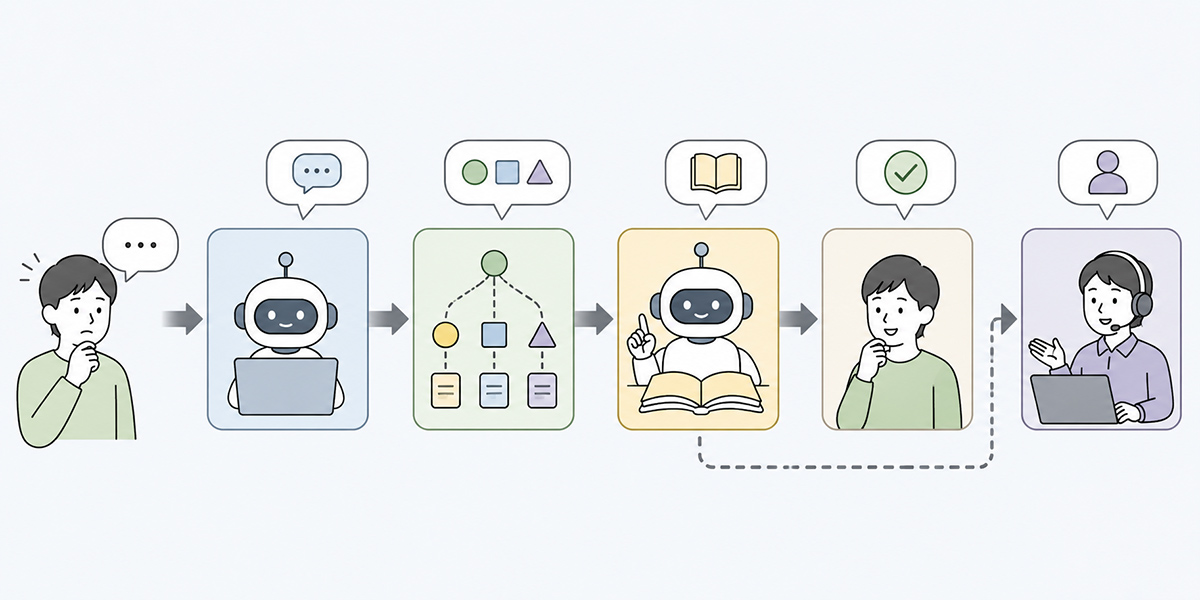
When leaving first-line enquiry handling to an AI agent, the operating flow can broadly be split into seven stages.
Receiving the enquiry
First, you receive enquiries from email, the enquiry form, chat, helpdesk tools and the like.
If, at this point, you can link in the customer’s name, contract plan, usage status and past enquiry history, the AI’s judgement becomes more accurate. Where personal or confidential information is involved, however, the design must follow your internal security rules.
I do not recommend handing all your data to the AI from the outset. Begin by sorting out the information the AI genuinely needs in order to judge, and design things so that unnecessary personal or confidential information is never passed along.
Classifying the enquiry
Next, the AI reads the body and assigns a category.
It is important not to make the classification too granular from the start. Early on, it is more realistic to begin with somewhere around 10 to 15 categories and revise as you go.
The categories might, for example, be as follows.
- How-to
- Login · account
- Pricing · contract
- Defect
- Cancellation · suspension
- Feature request
- Billing · payment
- Complaint
- Other
Classification is not done for the sake of analysis alone. It is the starting point for deciding which team member to pass things to, which FAQ to reference, and which template reply to use.
Gauging urgency and sentiment
Some enquiries call for a person to step in at once.
Examples include “work has ground to a halt,” “an enquiry from an important customer,” “strong expressions of anger,” or content hinting at a social-media post.
Sentiment analysis by the AI lets you detect, early on, enquiries where customer dissatisfaction runs high. Sentiment analysis is, however, only an aid. Even a single line such as “I’m having trouble” may be a light query in one case and signal a serious work stoppage in another.
Rather than deciding your approach on a score alone, it is important to judge it together with urgency, customer attributes, contract status and past enquiry history.
Referencing FAQs and knowledge
The AI references the FAQ, product manuals, past response history, internal rules and so on.
The key here is to update the information the AI references on a regular basis. If outdated FAQs or discontinued specifications linger, the AI may produce a mistaken draft reply.
The quality of first-line enquiry AI is not determined by the AI model alone. It turns, rather, very largely on how well the referenced knowledge has been put in order.
Organise internal materials as training data and keep them in a state the whole team can use, and the knowledge needed for handling enquiries becomes easier to reuse. In other words, the starting point is less about making the AI clever than about putting in order the internal knowledge the AI can reference without hesitation.
Producing a draft reply or points to check
Rather than putting out the reply to the customer as-is, the AI first produces it as a draft.
Cast in the following form, for instance, it becomes easier for the team member to review.
- Enquiry classification
- What the customer wants
- FAQs and internal materials referenced
- Draft reply
- Points to confirm
- Whether escalation is needed
Output in this form, and operators can concentrate on “reviewing the content and tidying it up” rather than “writing from scratch.”
The AI used on the ground need not be one that writes brilliant prose. Far more valuable is an AI that returns output which is easy to review, easy to amend, and consistently in line with the team’s rules.
Switching to human handling where needed
Enquiries the AI cannot handle are passed to a team member.
At this point, merely “handing it to a person” is not enough. You need to pass along, together with it, how far the AI judged, what was unclear, and which materials it referenced.
Where the handover information is lacking, the operator ends up re-reading everything from the start after all. To get value from first-line handling by AI, the design needs to cover not just the AI’s initial response but also how information is organised at the point of escalation.
Feeding results back into improvement
Enquiry handling is not a matter of automating once and being done.
Periodically review the enquiries the AI could not answer, those for which it produced a mistaken draft, and those that scored low on customer satisfaction, and improve your FAQs, template replies and classification rules.
Whether or not you can keep this improvement cycle turning is what divides success from failure in first-line enquiry AI.
I recommend treating the first month after introducing an AI agent as an “accuracy-verification period.” This period is not only for evaluating the AI but for discovering where rules and knowledge are lacking on the ground. Looking at the AI’s output, you will often realise not so much that “the AI is at fault” as that “this decision criterion was never set down in writing within the company.”
Settle your quality standards first
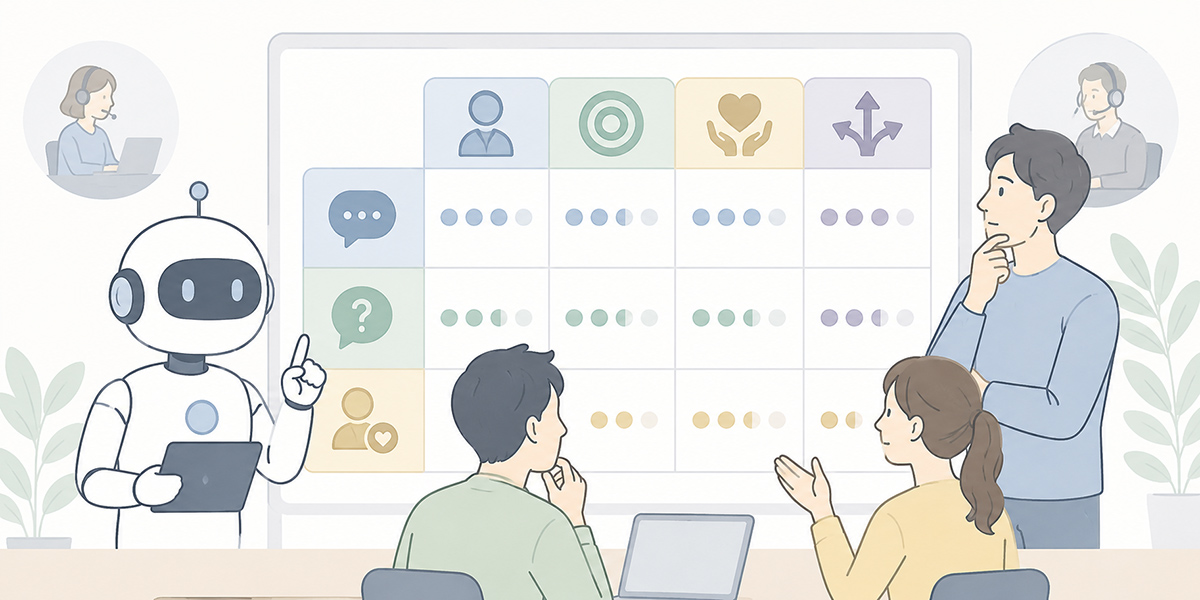
When introducing an AI agent, the temptation is to start from “which tool to use.” What you should settle first, however, is your quality standards.
Run the AI with no quality standards in place and you cannot tell whether the output is good or bad. The upshot is that judgements differ from one team to the next, and the practice struggles to bed in.
There are mainly five quality standards to watch for in first-line enquiry AI.
| Quality standard | What to check |
|---|---|
| Accuracy | Check that it does not contradict the FAQ, contract terms or product specification. Where no basis can be found, it is safer to have it output “confirmation needed.” |
| Consistency | Check that answers do not waver depending on the person or the timing. It is important to align the basis of replies by using template replies and approved FAQs. |
| Speed | Check the time to the first reply. Speed must, however, be viewed together with accuracy. |
| Consideration for the customer | Check that the tone of the writing is appropriate. With complaints and defect reports in particular, you need to clearly include thanks, empathy and the next action. |
| Escalation accuracy | Check that it correctly detects the enquiries that ought to be passed to a person. Early on, it is realistic to err on the safe side and widen the scope of automated handling gradually. |
Accuracy
Check that it does not contradict the FAQ, contract terms or product specification.
On matters touching pricing, contracts, security and legal questions in particular, you need a design that does not permit the AI to answer by guesswork. Where no basis can be found, it is safer to have it output “confirmation needed.”
The AI is good at filling in blanks. In enquiry handling, however, there are blanks that must not be filled. Designing it to say it does not know when it does not know is unglamorous, but important.
Consistency
Check that answers do not waver depending on the person or the timing.
If, for the same enquiry, you tell one customer it will be handled free of charge and another that it is chargeable, you erode trust. It is important to align the basis of replies by using template replies and approved FAQs.
Save the instructions and answer rules you use often as prompts, and keep them in a state the team can reuse, and you can more readily prevent the instructions given to the AI varying from one person to the next.
Speed
Check the time to the first reply.
Faster is not, however, simply better. More important than returning a mistaken answer quickly is correctly passing the enquiries that need checking to a person. Speed must be viewed together with accuracy.
In putting CS on an AI footing, I take the view that you should not make “time saved” your sole success metric. Only when you also look at whether you reduced the customer’s anxiety, whether you found important enquiries sooner, and whether operators came to spend their time on deeper handling do you arrive at an evaluation close to reality.
Consideration for the customer
Check that the tone of the writing is appropriate.
An AI’s reply can come across as cold even when it is correct. In response to complaints and defect reports in particular, you need to clearly include thanks, empathy and the next action.
For instance, when a customer is in difficulty, returning only “please try the following steps” can come across as perfunctory. A single line such as “We’re sorry for the inconvenience. To begin narrowing down the situation, please check the following” is enough to change how it lands.
Escalation accuracy
Check that it correctly detects the enquiries that ought to be passed to a person.
If the AI hangs on to things, the response to a serious problem is delayed. Pass everything to a person, on the other hand, and the point of automation wears thin.
Early on, it is realistic to err on the safe side and widen the scope of automated handling gradually. Push aggressive automation from the very start and you readily lose the confidence of those on the ground. Once an AI loses trust, it takes a long time to win it back.
Points to nail down in operational design
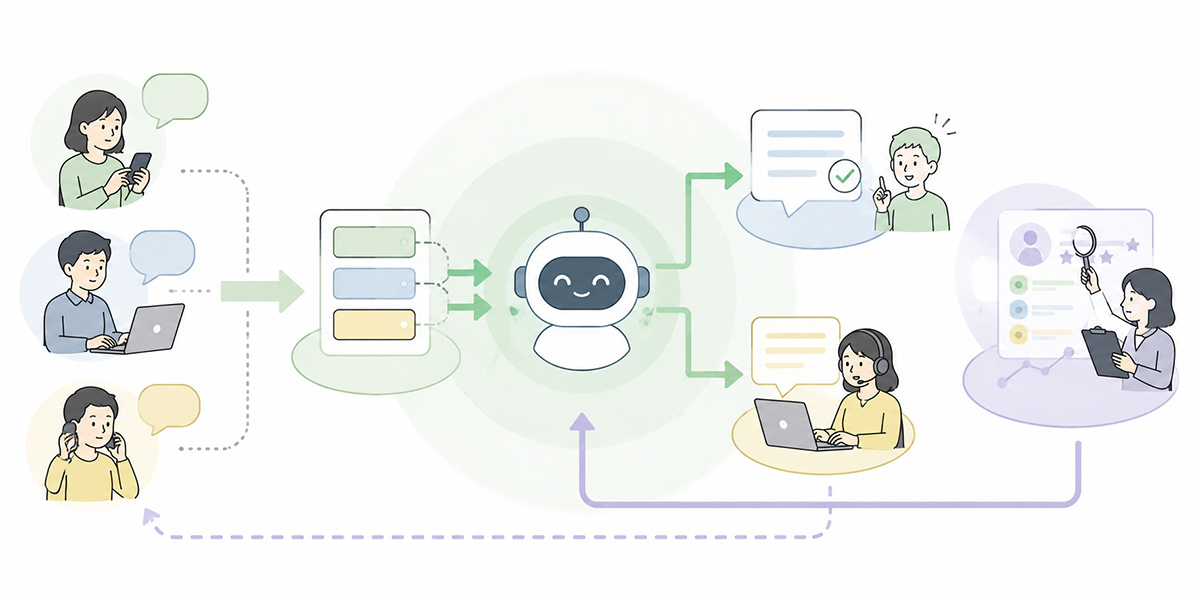
First-line enquiry AI needs to be designed not as a standalone chatbot but as a combination of internal knowledge and operating rules.
The flow might, for instance, run as follows.
- Organise FAQs, product manuals, response rules and past enquiry cases as training data
- Create an AI chat and use it as a “first-line enquiry assistant”
- Register the answer rules and escalation conditions you use often as prompts
- Reduce the variation in instructions from one team member to the next
Kanata is distinctive in making it easy to organise this training data, AI chat and prompts at the team level. So where you want to keep the knowledge for enquiry handling from being shut up with a handful of staff and instead reuse it across the whole team, it becomes one option to consider.
Whichever tool you use, though, what matters is not letting the AI “answer freely” but making clear its role, the scope it may reference, the answer format and the prohibitions.
A prompt might, for example, include the following conditions.
You are an AI agent that supports our company's first-line enquiry handling.
Draft your answers on the basis of the registered FAQs, product manuals and past response history.

# Output format
1. Enquiry classification
2. What the customer is asking for
3. Information referenced
4. Draft reply
5. Points to confirm
6. Whether escalation is needed

# Rules
- Where no basis can be found, do not answer by guesswork
- Route anything touching contracts, pricing, refunds or legal matters to a human check
- Where the customer's dissatisfaction is strong, include thanks and the next steps
- For anything that cannot be stated with certainty, note clearly that "confirmation is needed"
Cast in this form, the AI’s output becomes easier to review. The team members on the ground, too, can more readily judge where to check rather than taking the AI’s reply on trust.
What I place particular weight on is not letting prompts end as “one person’s clever trick.” Instructions that worked well should be reused across the team, and those that did not should be improved. AI adoption does not spread if it stays a matter of individual flair. It is important to leave it behind as an operating asset of the organisation.
Common pitfalls at introduction
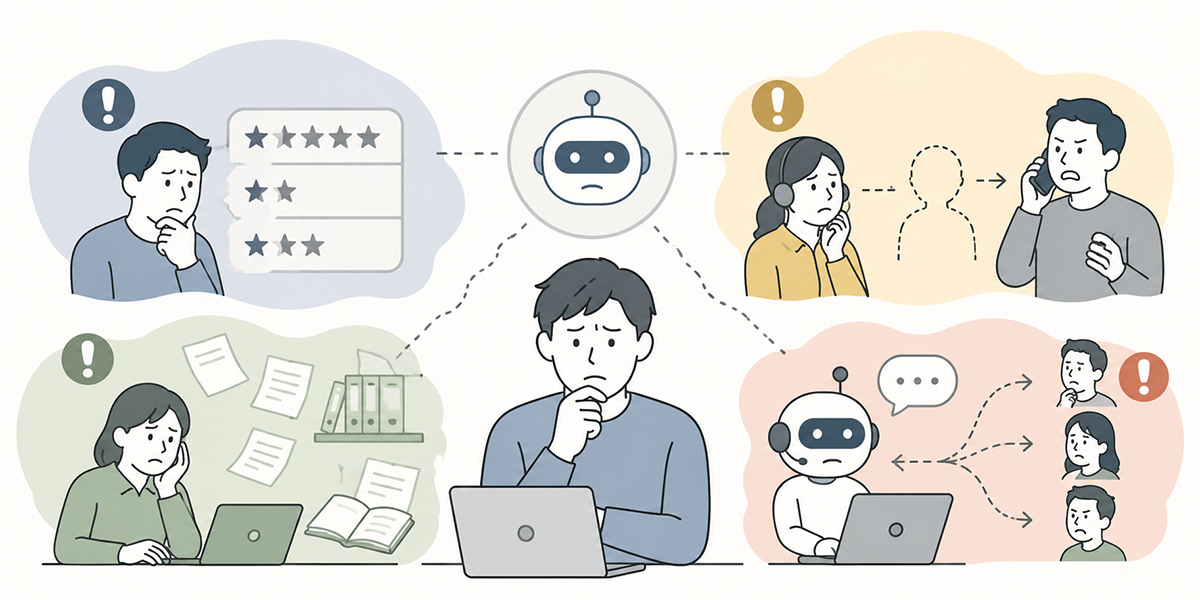
The common pitfalls when introducing first-line enquiry AI are not solely a matter of the AI’s performance falling short. Far more often, things come unstuck through a shortfall in operational design.
Putting AI over a stale FAQ
Let the AI reference an old FAQ as-is, and all you get is old answers returned faster.
This is one of the failures I am keenest to avoid, because introducing AI widens the reach of stale knowledge.
Before going to AI, you need to take stock of the FAQ. Check whether each answer is still valid, who approved its content, and when it was last updated. It is important to appoint an FAQ owner and build in a monthly or quarterly review.
Vague escalation conditions
A rule of “hand it to a person if it looks hard” leaves judgements wavering on the ground.
Make the conditions concrete — for instance, “enquiries involving a refund,” “enquiries where there may be an outage,” “enquiries containing expressions of anger” and “enquiries concerning contract terms” are always to go to human handling.
Escalation conditions are not something for CS to settle alone. You need to square them off with the functions involved — sales, engineering, legal, IT and so on.
Aiming for full automation from the outset
In enquiry handling, handing everything over to automatic replies to customers from the very start carries a high risk.
Early on, it is safer to have the AI draft the reply and a person check and send it. Review over a set period, confirm accuracy and customer reaction, and then widen the scope of automatic responses.
With AI rollouts, the temptation is to think about “how far we can automate.” To make something that is used on the ground for the long haul, however, it is sounder to start from “how far we can safely entrust.”
Not bringing the operators on the ground on board
Drive an AI rollout from the management or systems function alone, and you tend to end up with something that is not used on the ground.
The operators actually reading the enquiries know the customers’ turns of phrase, the common misunderstandings, and the warning signs. You need to draw in their on-the-ground knowledge from the very stage of devising classification rules and template replies.
In an AI rollout project, I take the view that you should treat the people on the ground not as “users” but as “co-designers.” An AI the ground has not bought into will go unused, however high its performance.
Building a mechanism for continuous improvement
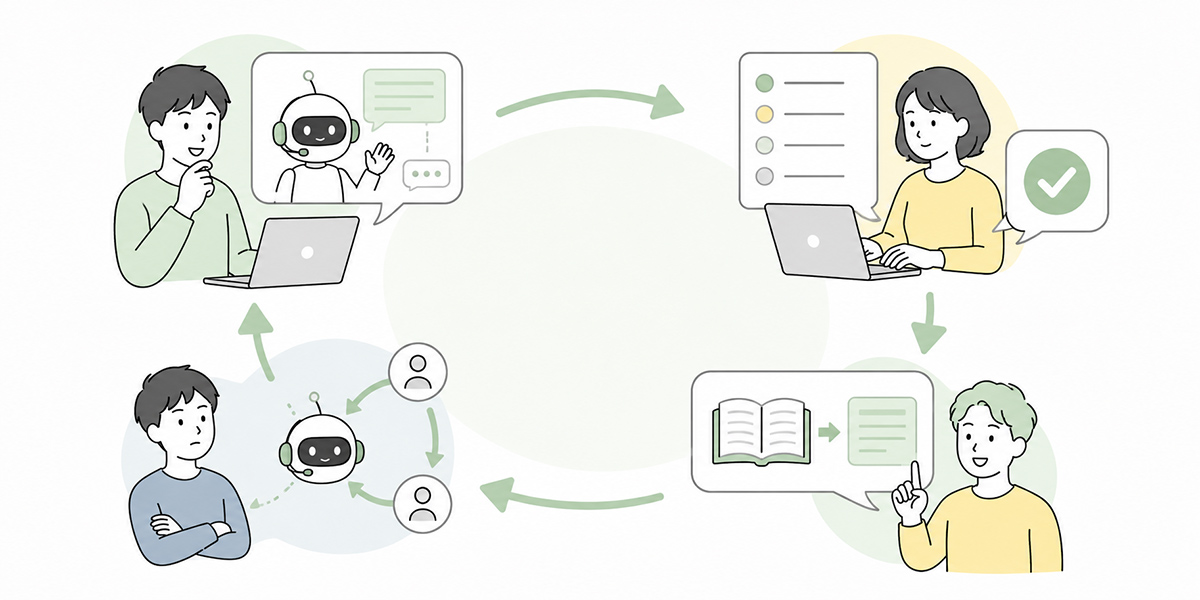
First-line enquiry AI gains accuracy through the improvement that follows its introduction.
What you should watch in particular are the enquiries the AI could not answer. These are not failures but the raw material for growing your FAQs and knowledge.
Each month, check items such as the following.
- Enquiries the AI could not answer
- Enquiries switched to human handling
- Enquiries that scored low on customer satisfaction
- Enquiries whose draft reply was heavily amended
- Enquiries that could newly be turned into FAQ entries
- Trends in enquiries worth sharing with engineering or sales
It is effective for this review to involve not only CS but sales, engineering, product and IT as well.
If, for instance, enquiries about the same operation are growing, it may be that you need not merely to add to the FAQ but to improve the screen design or the onboarding. If there are many enquiries about pricing, it may be that the sales materials or the contract explanation need a rethink.
First-line enquiry AI becomes a mechanism not only for making CS more efficient but for the whole organisation to spot where customers are stumbling.
This, I believe, is where the real value of putting AI agents to work lies. AI does not merely speed up the work. It can take the structural problems buried within the work and render them visible. Look at the results of enquiry classification and you may find that the product’s lack of clarity, gaps in the sales explanation, the complexity of the contract journey, and weaknesses in onboarding all rise to the surface.
First-line enquiry AI is, in other words, not a tool for the CS team alone. It can also serve as a sensor for improving the whole business from the point of customer contact.
Start small first
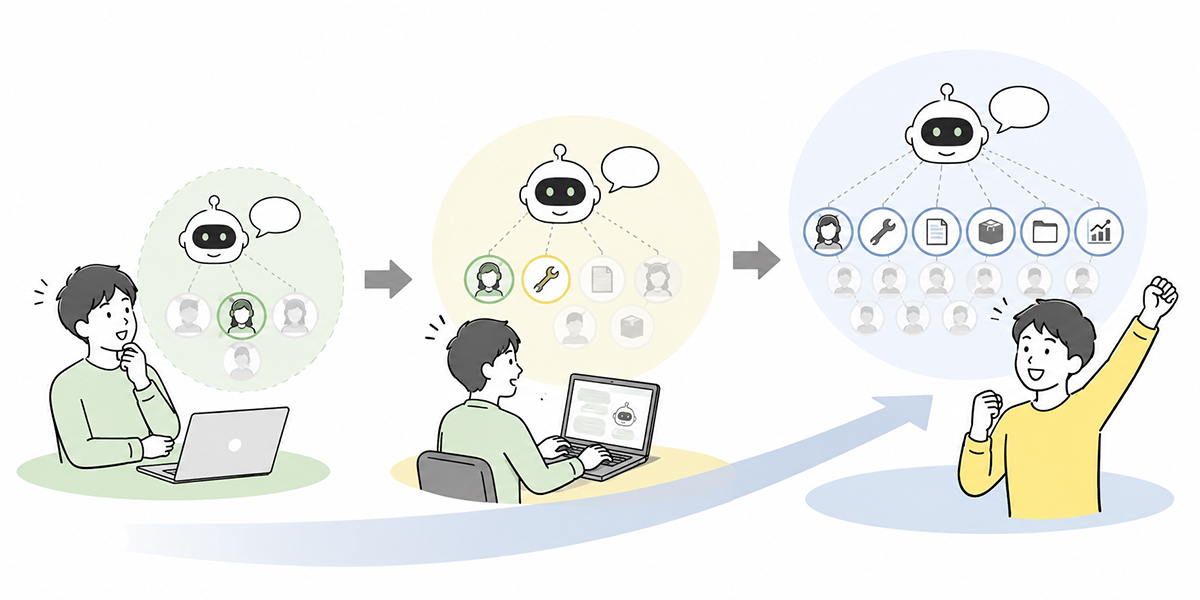
When introducing first-line enquiry AI, it is safer not to take in every enquiry from the outset.
Begin with those common enquiries whose answer criteria are clear — how to log in, basic operations, how to check an invoice, specifications spelled out in the FAQ, and the like.
A realistic order for getting started early on is as follows.
- Classify the past three months’ enquiries
- Choose the categories that are high in volume and clear in their answer criteria
- Put your FAQs and template replies in order
- Have the AI draft replies and a person check and send them
- Update your quality standards on the basis of the amendment history of those drafts
- Widen the scope of automation out from the categories that are stable
Splitting things into stages like this lets you introduce the AI while keeping anxiety on the ground in check.
In my experience, the companies most prone to stumbling with AI rollouts are the ones that demand large results from the very start. The ones that succeed, by contrast, run it over a small scope and widen it as they improve. It looks unglamorous, but in the end this approach beds in far more readily.
In summary: first-line handling to the AI, judgement and relationship-building to people
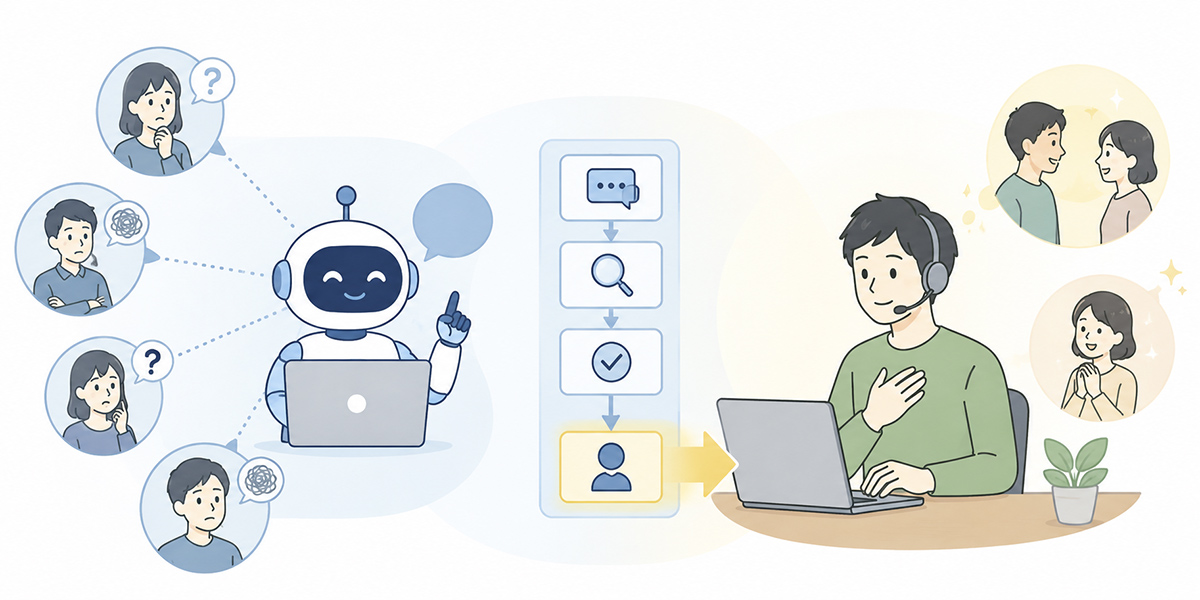
The aim of first-line enquiry AI is not to replace CS staff.
By leaving the enquiries the FAQ can answer, those that can be classified, and those for which a draft reply can be produced to an AI agent, people can concentrate on the more important handling. Acknowledging a customer’s anxiety, judging exceptions, carrying things through to product improvement, and deepening the relationship will remain people’s roles from here on.
For companies facing a growing volume of enquiries, the first thing to consider is not the binary choice between hiring more people and leaving it to AI. It is working out which tasks to leave to the AI and which judgements people should hold.
Kanata, an environment that lets you combine AI chat, training data, prompts and team-level operation, becomes an option for companies wanting to put the machinery of first-line enquiry handling in order in stages. What matters, though, is not introducing AI in itself but landing it in an operation that keeps being used on the ground.
Draw that line, and first-line enquiry AI becomes not a mere automatic-response tool but a mechanism that raises the quality of the whole CS organisation.
Q&A
How far can first-line enquiry AI be automated?
For enquiries whose answer criteria are clear, it is straightforward to automate classification, FAQ reference, drafting of replies and routing to the right person. Content touching contract changes, refunds, serious defects, complaints, and legal or security matters is, however, safer if designed on the premise that a person checks it.
Can it be introduced even where the FAQ is not in order?
Introduction is possible, but the benefit will be limited. With FAQs and manuals left stale, the AI may draft replies on the basis of old information. The key is first to put the FAQ in order from the highest-volume enquiry categories, so the AI can reference it.
How can answer errors by the AI be prevented?
It is important to build in a rule that the AI does not answer by guesswork. Where no basis can be found, have it output “confirmation needed,” and design things so that content touching contracts, pricing, refunds, legal and security matters is routed to a human check. Early on, too, it is realistic to run things so that a person checks the AI’s draft reply before sending.
What should the results of first-line enquiry AI be measured by?
You need to look not only at the time to the first reply but at the accuracy of answers, escalation accuracy, customer satisfaction, the volume of operator amendments, and the number of enquiries the AI could not answer, all together. Chase speed alone and you may overlook mistaken answers and a decline in customer experience.
What kind of company is Kanata suited to?
It suits companies that want to embed AI chat into their work while organising their enquiry-handling FAQs, internal materials, response rules and prompts as a team. It is an option worth weighing in particular where you want to reuse enquiry-handling knowledge across the whole organisation rather than rely on individual flair. Where you place weight on integration with an existing helpdesk or CRM, on the other hand, you will need to weigh it up including connectivity with the systems you currently use.